Note Export Button
Export individual notes from the artifact viewer with optional PDF conversion.
Video walkthrough
What It Does
When you open a note in the artifact viewer, a dedicated export button appears. It allows you to export that specific note with options for PDF conversion.
How to Use
- Open any note in the artifact viewer
- Click the "Export Note" button in the viewer toolbar
- Check "Convert to PDF" if you want PDF format
- Click "Export" to download
- The note will be downloaded in your chosen format
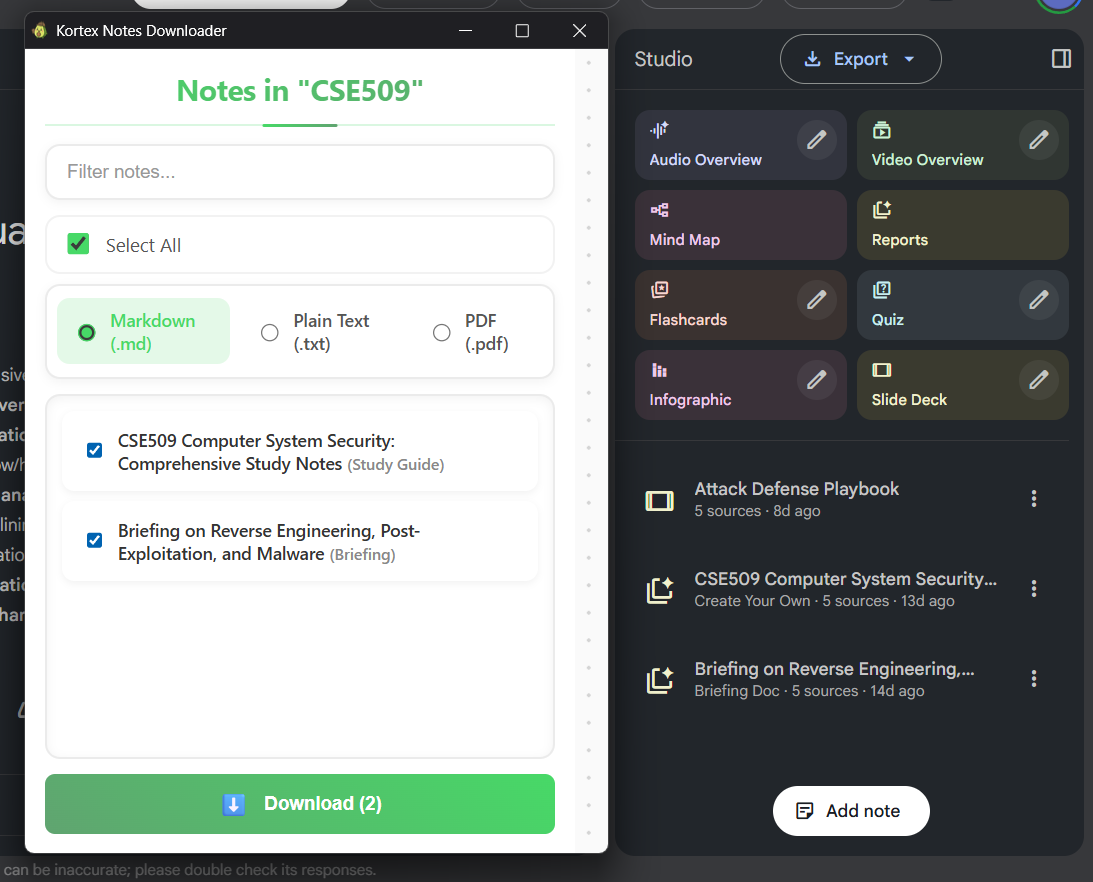
Supported Note Types
- Notes - Standard AI-generated notes
- Study Guides - Comprehensive study materials
- Quizzes - Interactive quiz content
- Briefings - Summary briefings
- FAQs - Frequently asked questions
- Timelines - Chronological content
Export Options
- Markdown - Original format, preserves all formatting
- PDF - Professional format, great for sharing and printing
Export Limits
Notes export uses the same limits as source exports:
- Basic: 10 exports per day (free)
- Pro: Unlimited exports
Note: Export limits are shared between source exports and notes exports.
When to Use
- Exporting a single important note
- Sharing a specific artifact with colleagues
- Creating a PDF version for printing or archiving
- Saving a note for offline access