Chat Search
Chat Search lets you search every AI chat you saved, from any website. Press Ctrl+Shift+K on Windows or ⇧⌘K on a Mac, type what you remember, and open a result at the exact message.
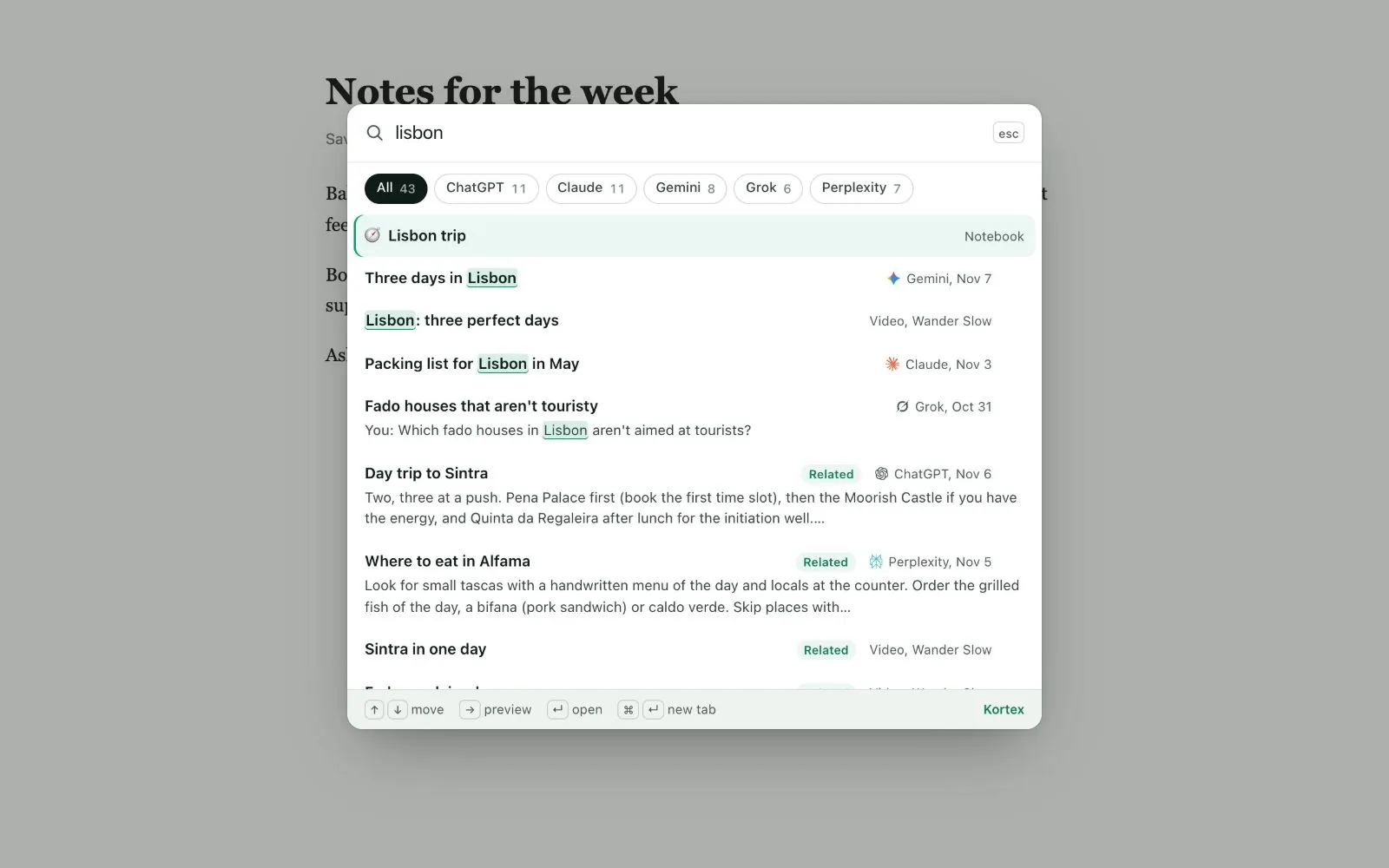
This needs Kortex Pro. See pricing. On the free plan, the keys show a short line that says so, with a button.

Why use Chat Search?
It is like asking a helper, "Where did I read that?" You do not have to remember which AI it was, or open each one.
How to search
- On any web page, press
⇧⌘Kon a Mac, orCtrl+Shift+Kon Windows. - Type the words you remember, or what the chat was about.
- Move through the results with the arrow keys.
- Press the right arrow to preview the matching message with the ones around it.
- Press Enter to open the result.
The search covers your chats, notebooks and videos. If nothing matches, it says so.

Opening a result
A chat opens at the message that matched. It scrolls there and draws an outline around it. If the chat is on the site you are on, it opens in the same tab. A chat from another AI opens in a new tab.

Changing the keys
- Type
chrome://extensions/shortcutsin the address bar and press Enter. - Find Kortex. Click the box beside Search your saved AI chats on any page and press the keys you want.
Good to know
- Only chats Kortex has saved can be found. See Saving your chats.
- Search from any page is a Kortex Pro feature. On the free plan, search the Library instead: it covers the last 30 days. See the free plan and the trial.
Related: Searching the Library, The Kortex tab.