Search and Ask my chats
Kortex lets you search all your saved ChatGPT, Claude, Gemini, Perplexity and Grok chats in one place. Search by the words you remember or by what a chat was about. You can also ask a question and get the passage that answers it, from whichever AI said it.

Why search your chats here?
- You remember the idea but not the words. Search by meaning still finds it.
- You remember a question but not which AI you asked. Search looks in all of them at once.
How to search in the Library
- Open the Library and click the search box at the top. Or press Ctrl+K or /.
- Type what you remember.
- Click a result to open it.
Kortex blends words and meaning, so "cooking" finds a chat about recipes even when the word isn't in it.
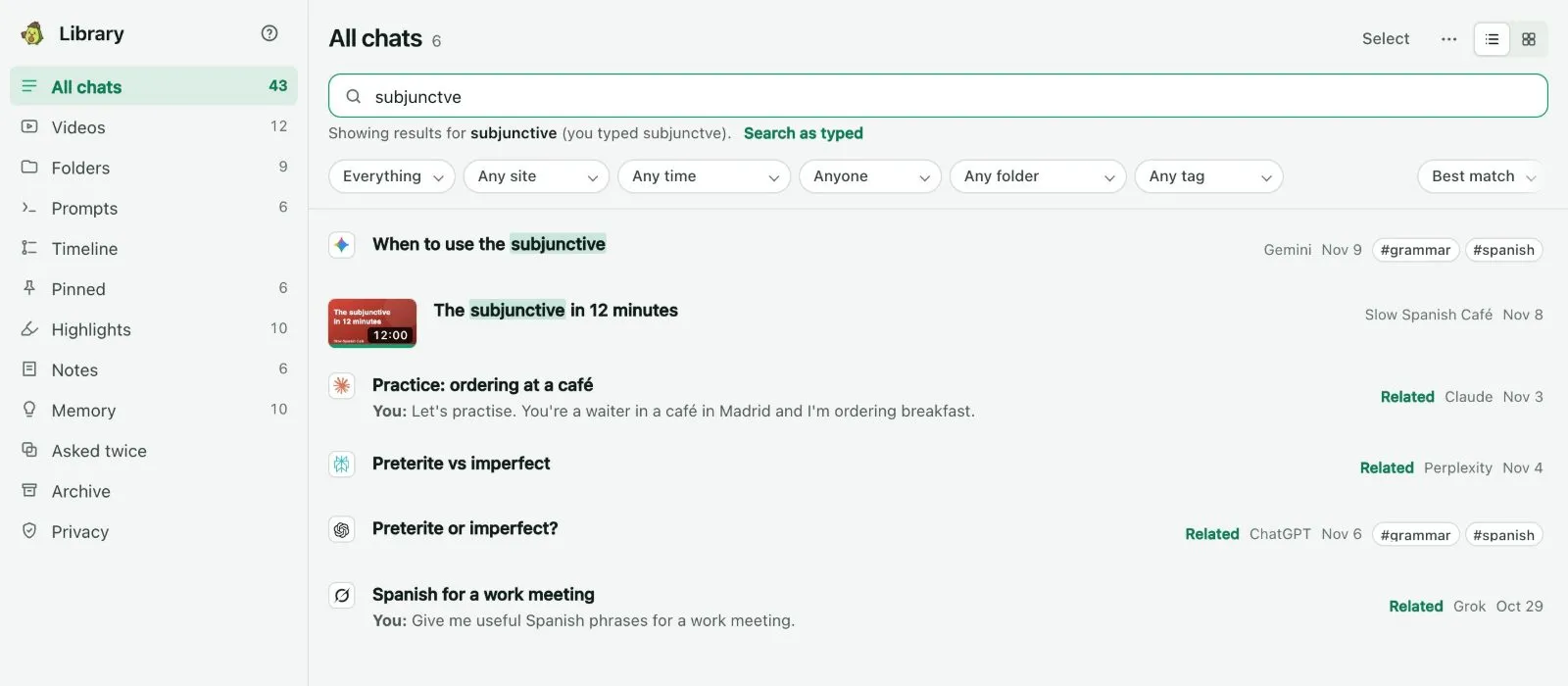
- A misspelled word still finds its chat. The list says "Showing results for …", with Search as typed to undo the correction.
- Notebooks that match appear above the chats.
Filters
Plain words act as filters and show as chips: a site name ("claude"), a date ("last week", "in March", "2025"), "I asked" for only your own messages, and #tag. The menus above the list narrow by type, site, date, who wrote it, folder and tag.


On the free plan, search looks at the last 30 days. If older chats also match, the list says how many, for example "12 older chats match". Their titles show, but they are locked. Pro opens them.
How to search from any page
This needs Kortex Pro. See pricing.
- On any website, press Ctrl+Shift+K (Cmd+Shift+K on a Mac).
- Type to search your chats, notebooks and videos without leaving the page.
- Move with the arrow keys and press Enter to open. The right arrow previews the matching message with the ones around it.
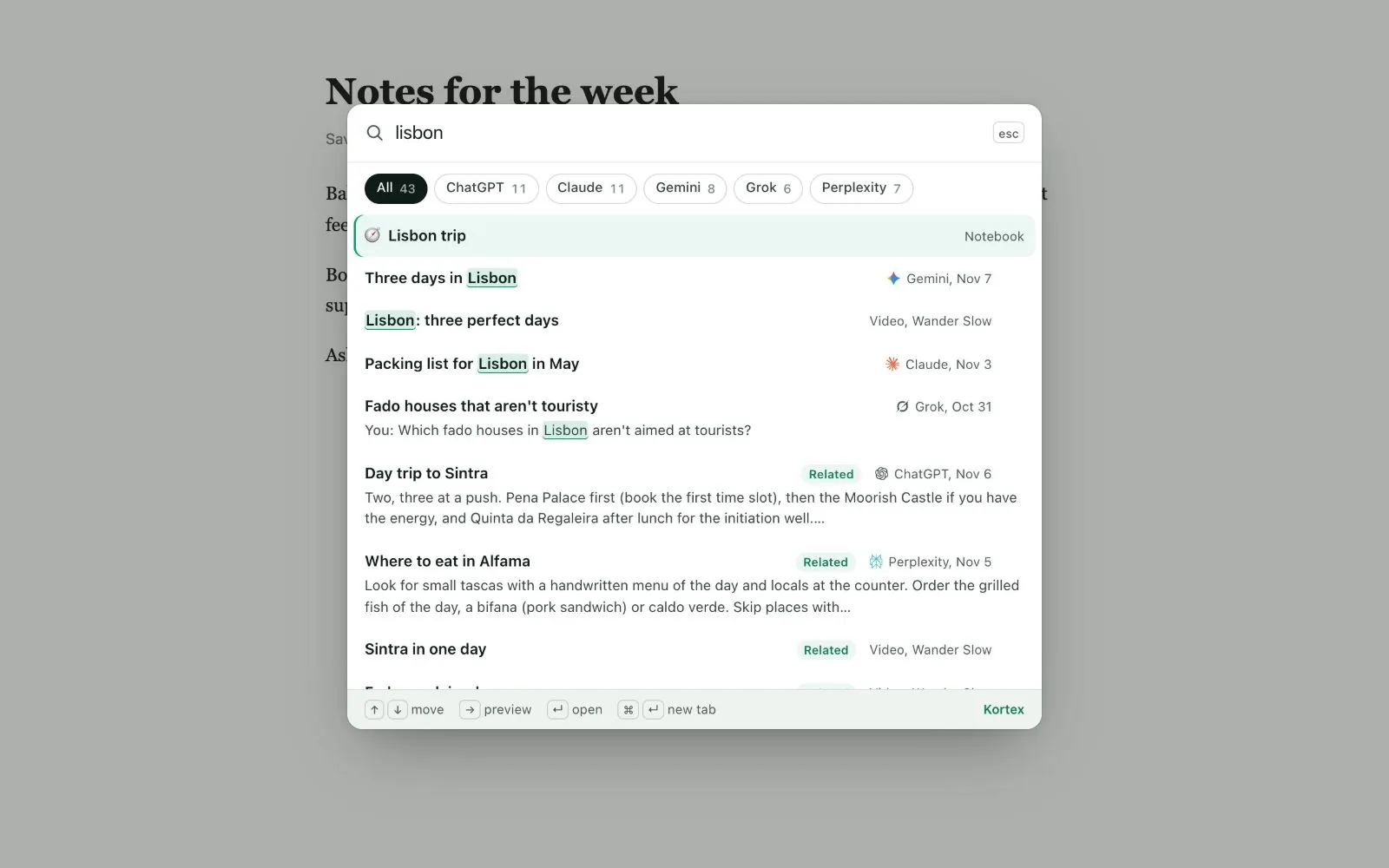
A chat opens at the message that matched. One from the site you are on opens in the same tab. Another AI's opens in a new tab. You can change the shortcut in chrome://extensions/shortcuts.
How to ask my chats
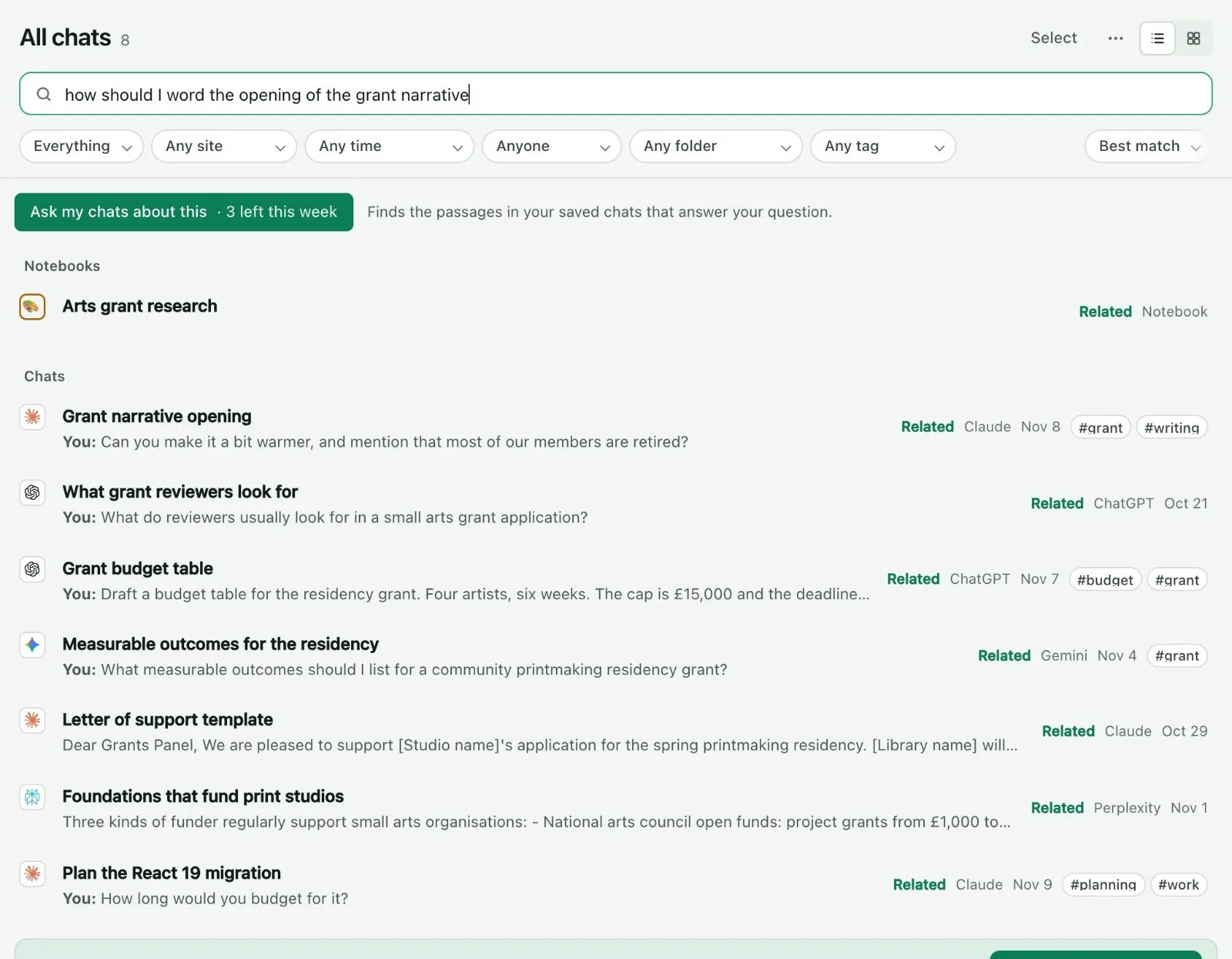
- In the Library's search box, type a question of three words or more.
- Look under From your chats. The passages from past answers that come closest show first. Click one to open it at its message.
Nothing is generated. These are your chats' own words.
On the free plan, Kortex asks your chats only when you click Ask my chats about this. The button says how many asks are left this week. You get 3 a week.

Write an answer appears where Chrome has its own built-in AI model. It turns those passages into a short answer that cites each one. It runs on your computer, so nothing is sent. It never downloads the model until you click.

Hints while you type
While you type the first question of a new ChatGPT or Claude chat, Kortex looks for a past chat on the same thing, from any AI. It shows it above the chat box. When what you type matches a saved prompt, it offers that too.

- Both hints can be turned off in Saving your chats.
- On the free plan, search covers the last 30 days and you get 3 asks a week. Search from any page is Pro. See the free plan and the trial.
Next: Folders.