Highlight & Snipe
Save highlighted text from any webpage directly to Gemini Notebook with a simple right-click.
What It Does
Highlight & Snipe lets you save highlighted text from any webpage directly to Gemini Notebook with a simple right-click. Perfect for quickly capturing quotes, research snippets, or important information while browsing. Unlike the other features on this page, it works on any webpage, not just Gemini Notebook.
How to Use
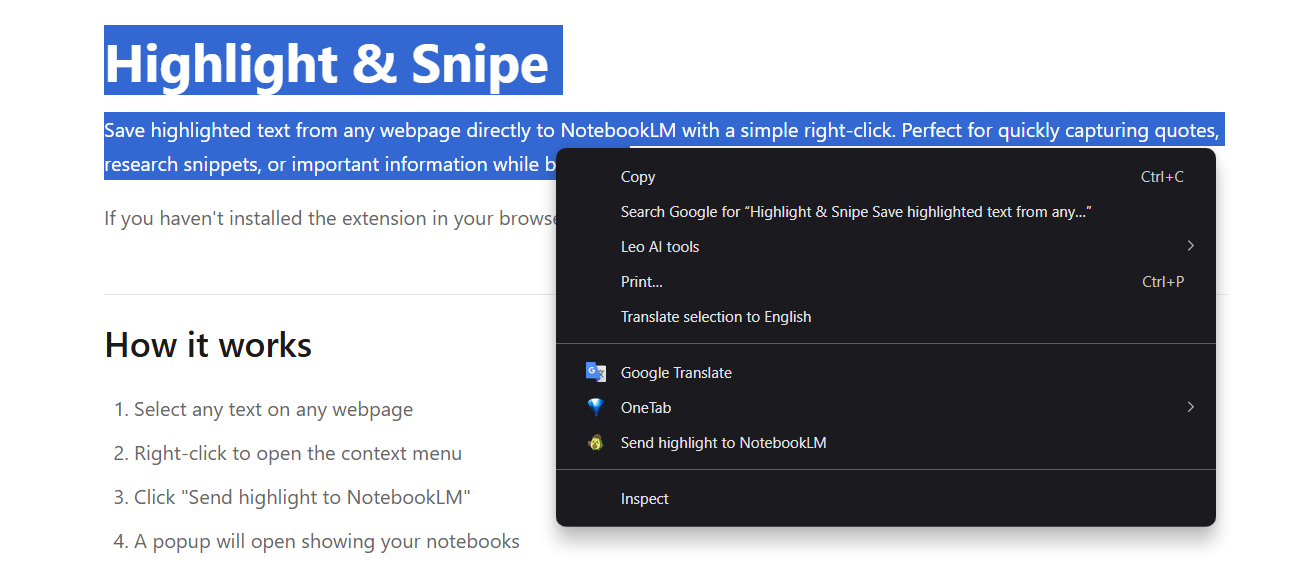
- Select any text on any webpage
- Right-click to open the context menu
- Click "Send highlight to Gemini Notebook"
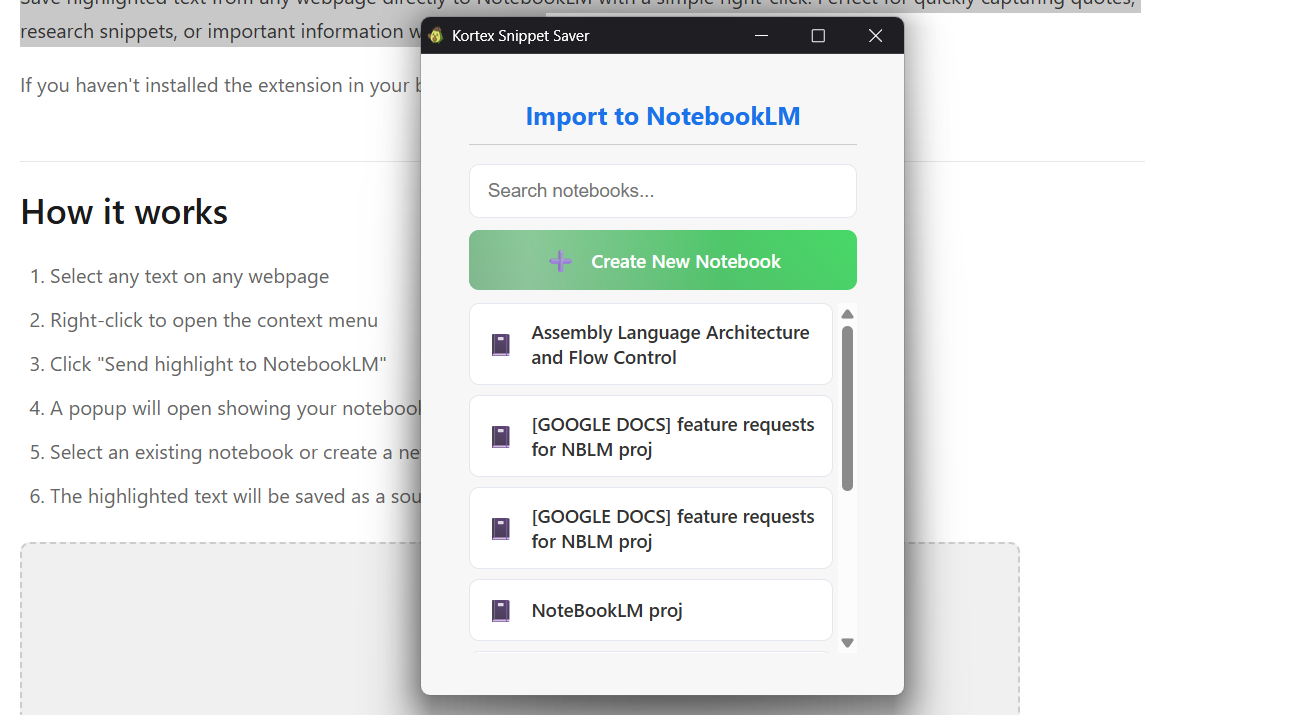
- A popup will open showing your notebooks
- Select an existing notebook or create a new one
- The highlighted text will be saved as a source in your notebook
Features
- Universal access - Works on any webpage, not just Gemini Notebook
- Quick capture - Right-click context menu for instant access
- Smart organization - Automatically creates "[SNIPPETS]" notebooks if needed
- Source metadata - Includes source URL and date when snippet was captured
- Notebook selection - Choose which notebook to save to, or create new
- Search notebooks - Search bar in popup to quickly find the right notebook
What Gets Saved?
When you save a highlight, Kortex creates a source in your Gemini Notebook containing:
- Source title - First 8 words of the highlighted text
- Source content - the source URL, the date and time the snippet was captured, and the full highlighted text
Note: This feature is available to all users (no subscription required). You must be signed in to use this feature.