All Notebooks
View and manage all your Gemini Notebooks in one centralized dashboard.
Video walkthrough
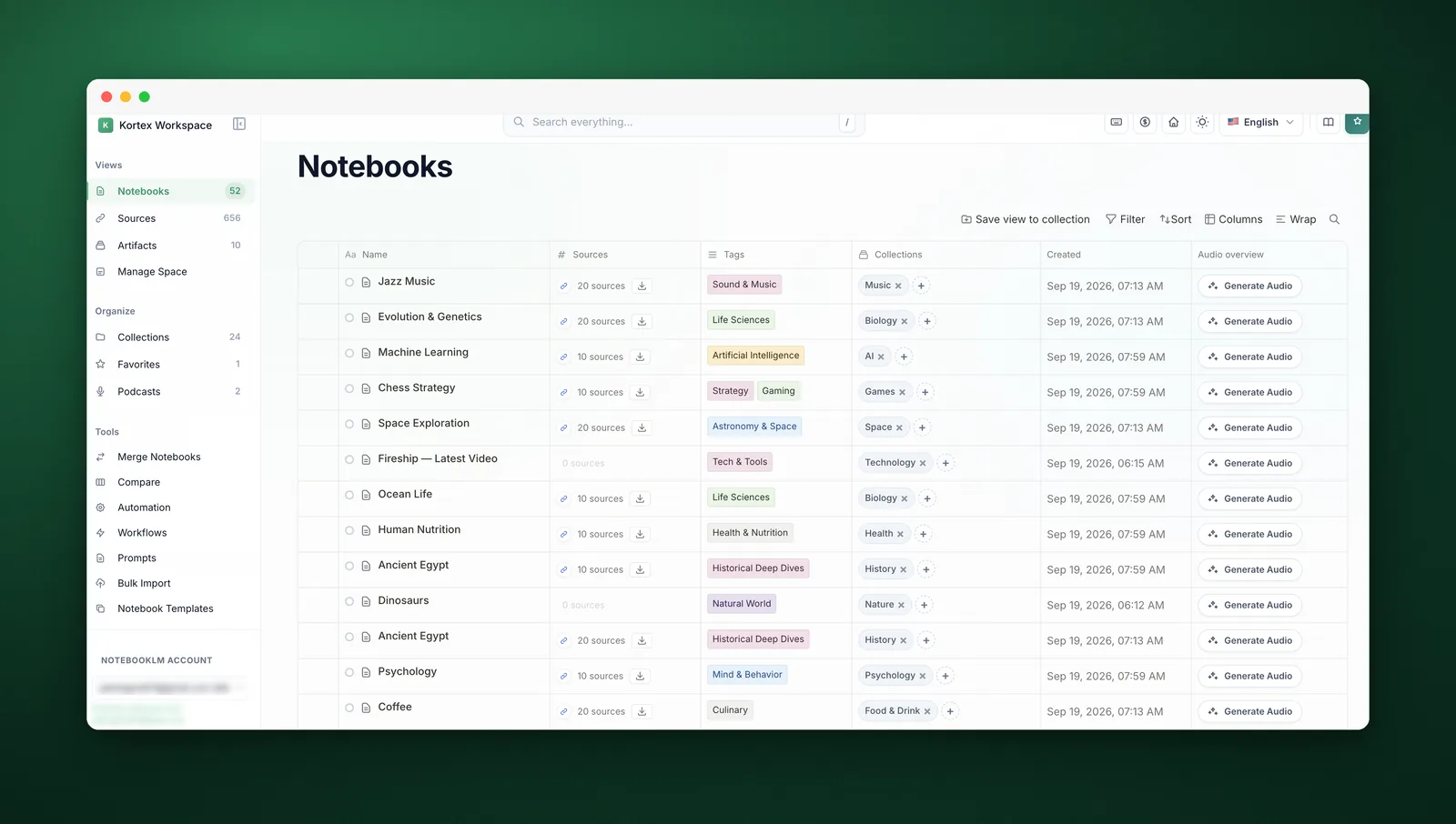
What It Does
The All Notebooks view is your central hub for managing all Gemini Notebooks. It provides a comprehensive overview with search, filtering, and organization tools.
Search across everything
One search box, and it looks through notebooks, sources, notes, artifacts, collections and tags at once. Press / anywhere to open it.
Filter and sort
Narrow the table by name, tag or highlight, and order it by whatever matters — name, date added, or how many sources a notebook holds.
Choose what the table shows
Columns you do not use can be switched off, and the choice is remembered.
Features
- Search - Quickly find notebooks by name
- Collections - Organize notebooks into collections
- Tags - Add tags for better organization
- Favorites - Mark important notebooks as favorites
- Sort Options - Sort by name, date, or custom order
How to Use
- Click "All Notebooks" in the dashboard sidebar
- Browse your notebooks in the main view
- Use the search bar to find specific notebooks
- Click on any notebook to open it in Gemini Notebook
- Right-click for additional options (add to collection, tag, etc.)
Pro Tips
- Use collections to group related notebooks
- Add tags for cross-project organization
- Favorite your most-used notebooks for quick access
- Use the search bar for instant filtering