All Sources
View, filter, and manage all sources across all your Gemini Notebooks.
Video walkthrough
What It Does
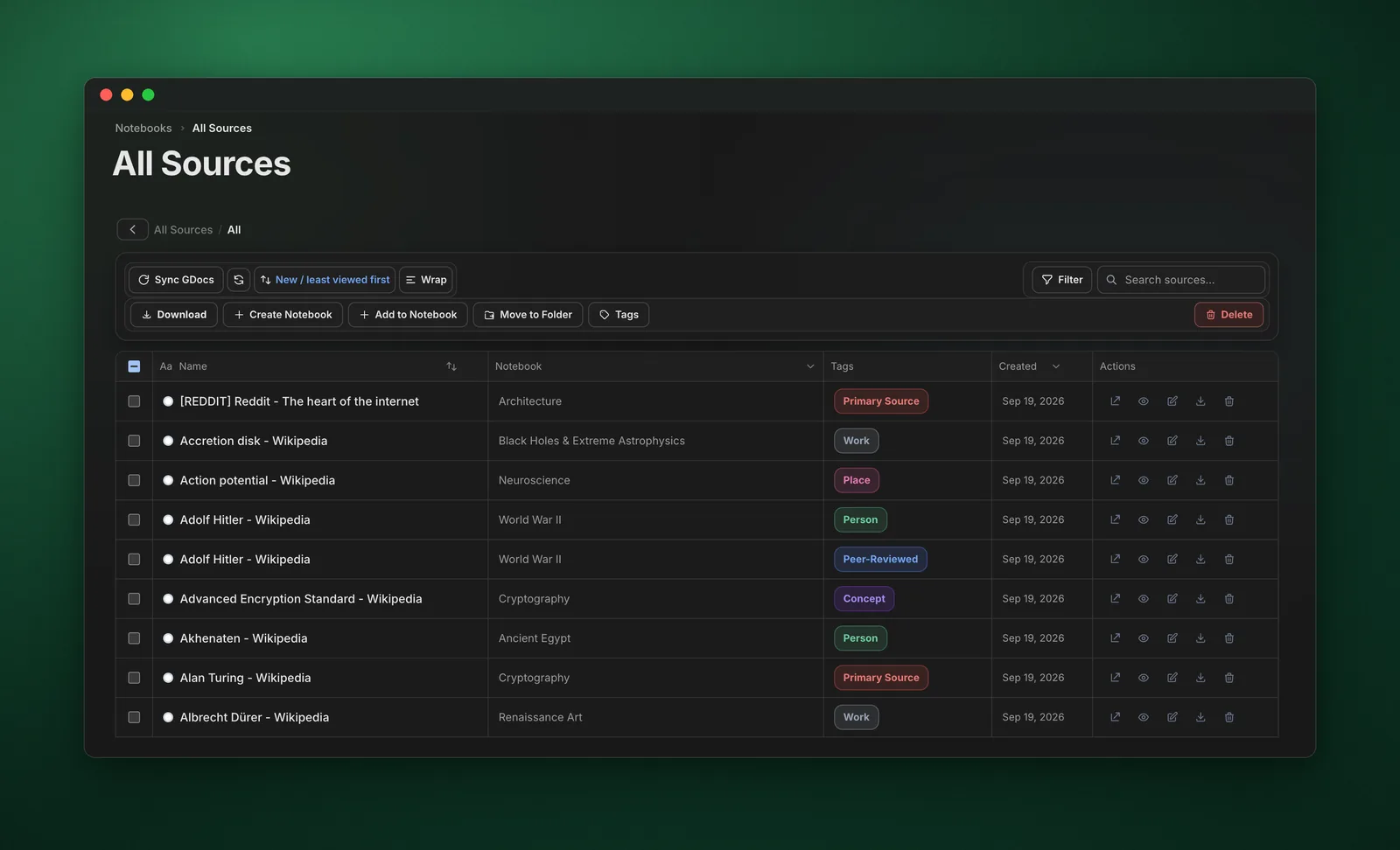
The All Sources view aggregates sources from all your notebooks, allowing you to search, filter, download, and manage them in one place.
Features
- Global Search - Search across all sources
- Folder - Organize sources into folders
- Google Doc Sync - Sync Google Docs across all notebooks
- Delete Bad Sources - Delete bad sources from all notebooks
- Filter by Notebook - See sources from specific notebooks
- Bulk Download - Download multiple sources at once
- Create Notebook - Create new notebook from selected sources
- Add to Notebook - Add sources to existing notebooks
- Delete Sources - Remove sources from notebooks
How to Use
- Click "All Sources" in the dashboard sidebar
- Browse or search for sources
- Use filters to narrow down results
- Select sources using checkboxes
- Use action buttons to download, create notebook, add to notebook, or delete
Pro Tips
- Use filters to find sources by type or notebook
- Select multiple sources for bulk operations
- Create new notebooks from related sources
- Download sources for offline access