Memory
Memory is a short list of facts about you and your work in the Kortex chat Library. Every fact is one you wrote or approved. A new AI chat starts from zero, so Memory gives you facts to hand an AI, like a card file it can read.

Why use Memory?
- Every new chat starts from zero. Memory lets you hand an AI the facts it should know.
- Nothing is added without you. Every fact is one you wrote or chose.
Where each fact came from
Each fact shows where it came from. You said means you typed it in. From a chat shows the chat's name, and links to the message the fact came from. A small mark shows which AI the chat was on.
How to add a fact
- Click Memory in the Library's left column.
- Click Add a fact.
- Type a short fact. It can be up to 300 characters. For example: Prefers British spelling in anything I write.
- Click Save.

How to remember something from a chat
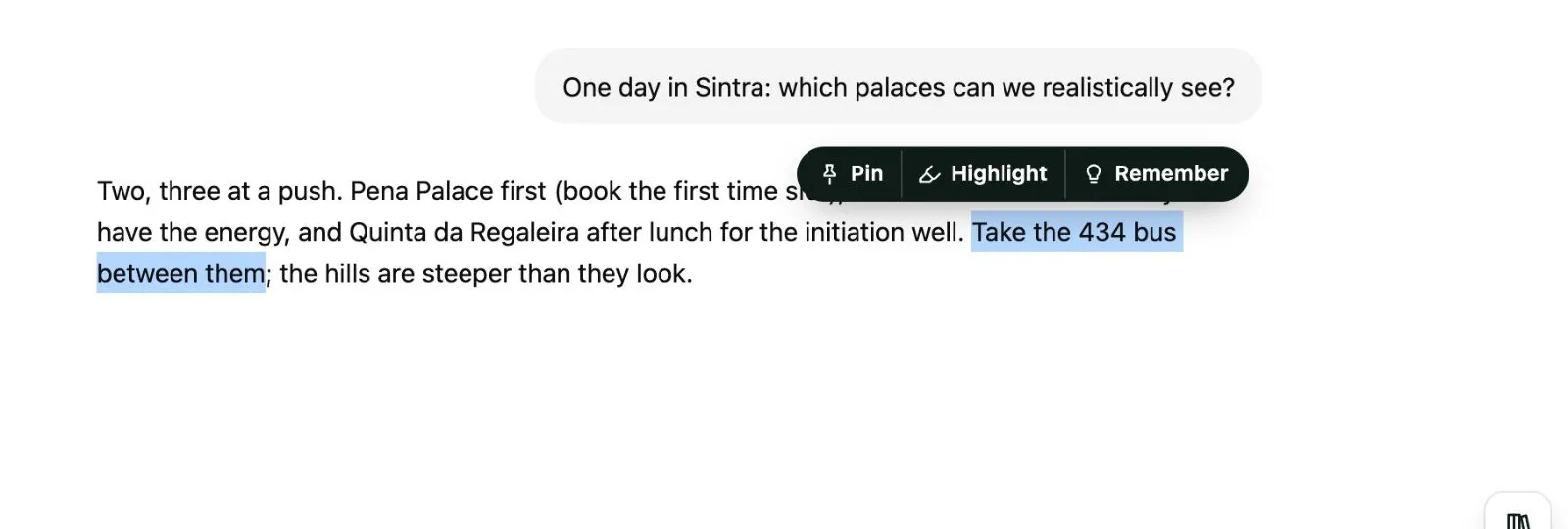
- On an AI site, select a sentence in an answer.
- In the small bar that appears, click Remember.
When the new fact looks like one you already have, Kortex asks. Update it changes the old fact. Keep both keeps two.

How to edit a fact, or mark it no longer true
Open a fact's ⋯ menu. It can edit the fact, mark it no longer true, copy it, open the chat it came from, or delete it.

- No longer true keeps the fact with an end date instead of deleting it. Kortex stops using it.
- True again undoes that.
Use the menu at the top left to show True now, No longer true or All facts.
Using your facts
Click Copy as an about-me pack to copy your facts as a short brief. Or type ;me in any AI's chat box. You read and edit the pack before it goes in. See Moving context between AIs. Memory facts are also available to an assistant over MCP.
- Facts stay on this computer. The free plan keeps 25 facts. Pro has no limit. See the free plan and the trial.
- A fact leaves your computer only when you send it, such as in an about-me pack. See Privacy.