
Everything Kortex adds to Gemini Notebook.
More than 80 features for getting research into Gemini Notebook, keeping it organized and getting it back out. Free to start; anything that needs Pro is marked.
Get anything into a notebook.
Stop copying and pasting. Kortex adds a send button to your AI chats, to social posts and to your right-click menu.
- AI chats
- A button inside ChatGPT, Claude, Gemini, Perplexity and more sends the chat to a notebook, with prompts and replies labelled.
- Resync
- Send the same chat again later and Kortex updates its source instead of adding a copy.
- Highlight and send
- Select text on any page and right-click. It becomes a source with the page link and the date.
- Social posts
- X threads, Reddit posts with their top comments, and LinkedIn posts with the author.
- Google Docs
- Send a Doc to a notebook from inside Google Docs.
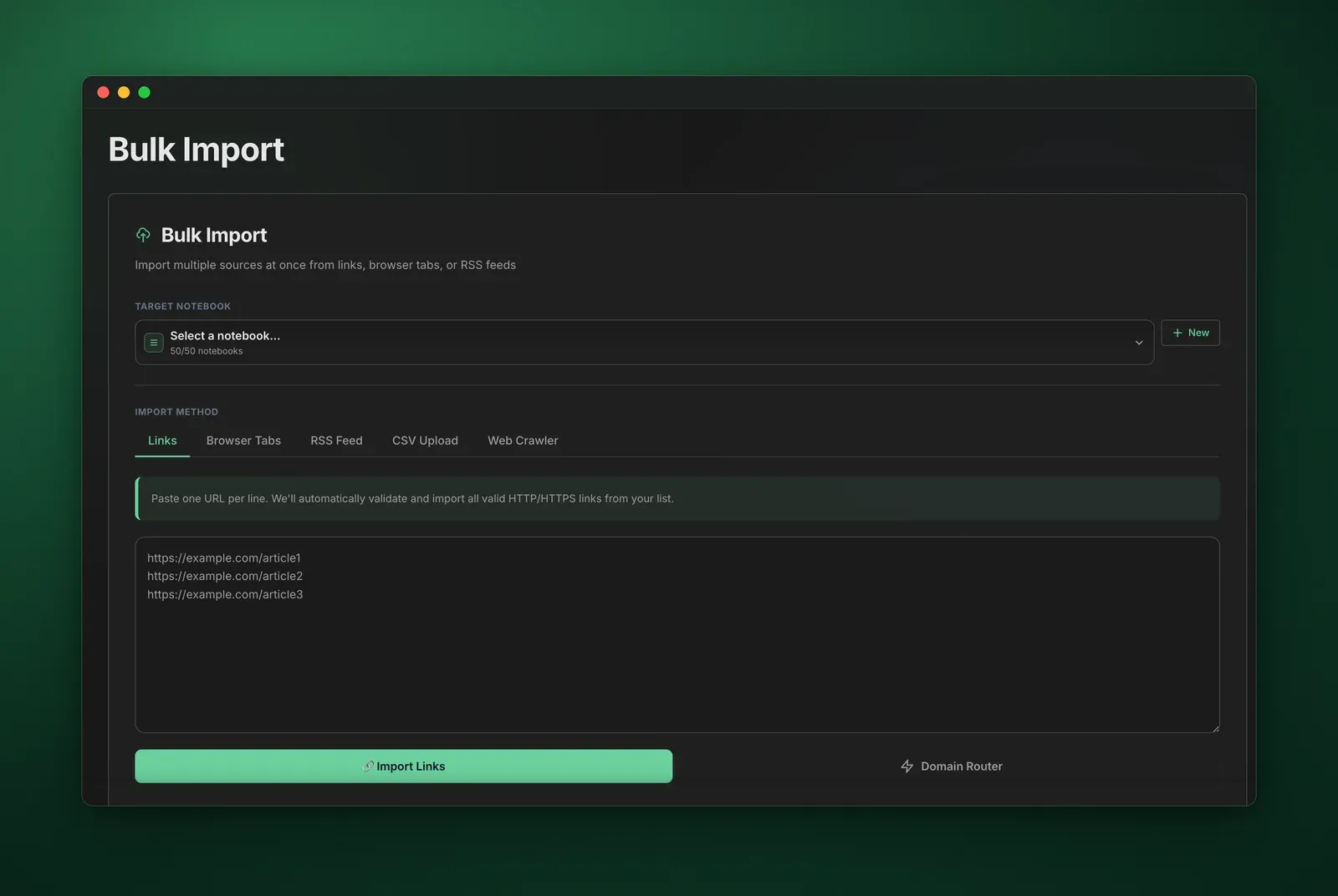
- Bulk import Included with Pro
- Paste a list of links, pick from your open tabs, upload a CSV or follow an RSS feed.
- Web crawler Included with Pro
- Start from one address, choose how many links deep to go, and import the pages it finds.
- Domain Router Included with Pro
- Route links to notebooks by URL, like arxiv.org to Papers and youtube.com to Watch Later.
The free plan includes 10 imports a day and 5 social imports from X, Reddit and YouTube. Pro has no daily limit.
Supported platforms
-
 ChatGPT
 -
 Claude
 -
 Gemini
 -
 Perplexity
 -
 X
X -
 Reddit
 -
 LinkedIn
 - YouTube
- Google Docs
- Grok
- Kimi
- Genspark
- OpenEvidence
- Any web page
One tab for all your notebooks.
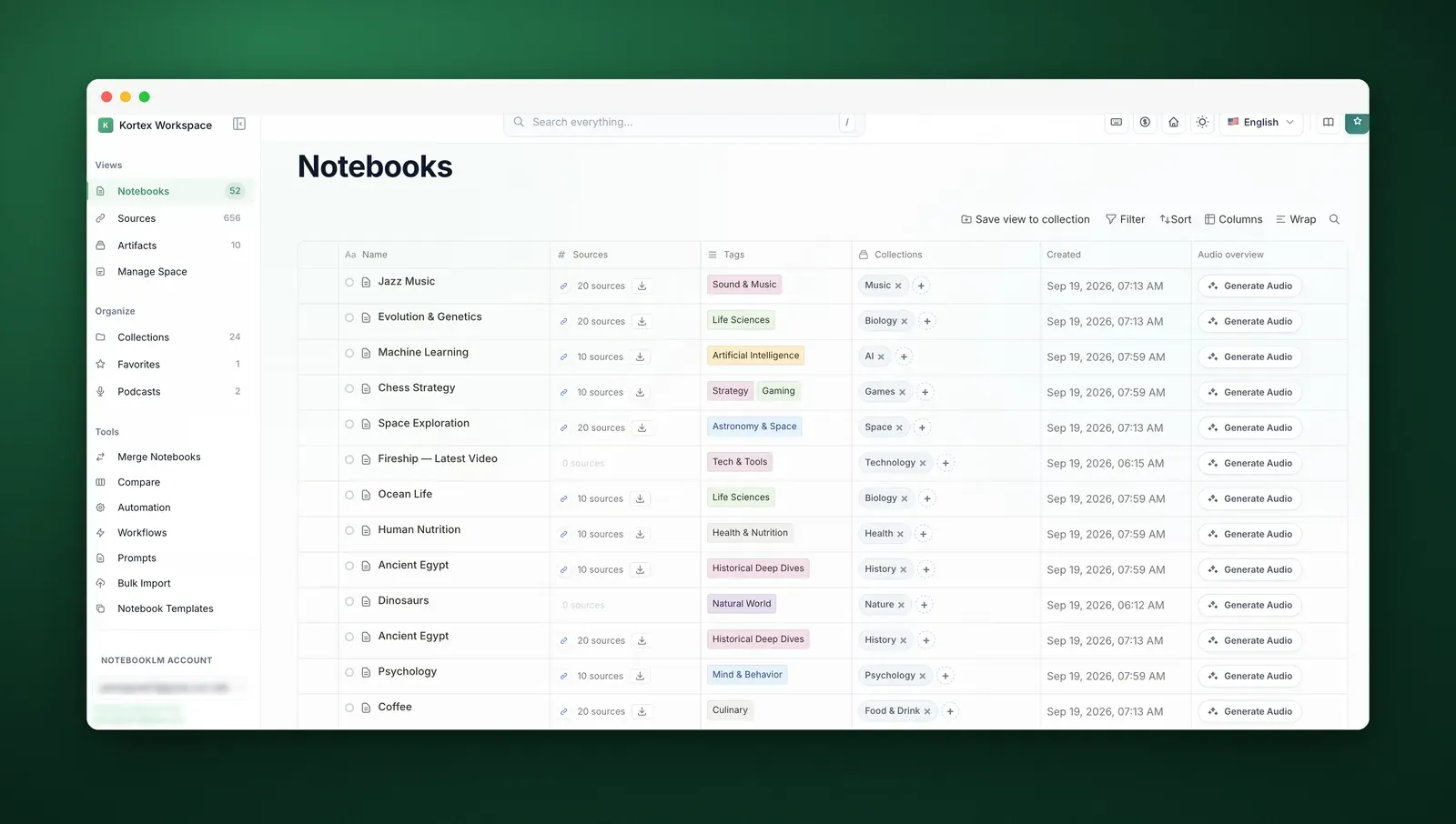
The Kortex Workspace lists every notebook you own with its sources, tags and collections. Open any of them in one click.
- The Workspace
- A full dashboard for your notebooks, sources and artifacts, outside Gemini Notebook.
- Search everything
- One box looks through notebooks, sources, notes, artifacts, collections and tags. Press / to open it.
- Filter and sort
- Narrow by name, tag or highlight, and sort by name, date added or source count.
- Your columns
- Choose which columns show, drag to resize them, and wrap long titles.
- Rows per page
- Show anywhere from 10 to 100 rows in every table.
- Keyboard shortcuts
- Get around without the mouse. Press ? to see them all.
- Dark mode
- A light and a dark theme across the whole Workspace.
- 9 languages
- English, Spanish, Chinese, French, German, Japanese, Turkish, Italian and Vietnamese.
- Guided tour
- A short walkthrough the first time, and a Replay Tour link whenever you want it again.
Give every notebook a place.
Folders, tags, colours and stars, for whole notebooks and for single sources.
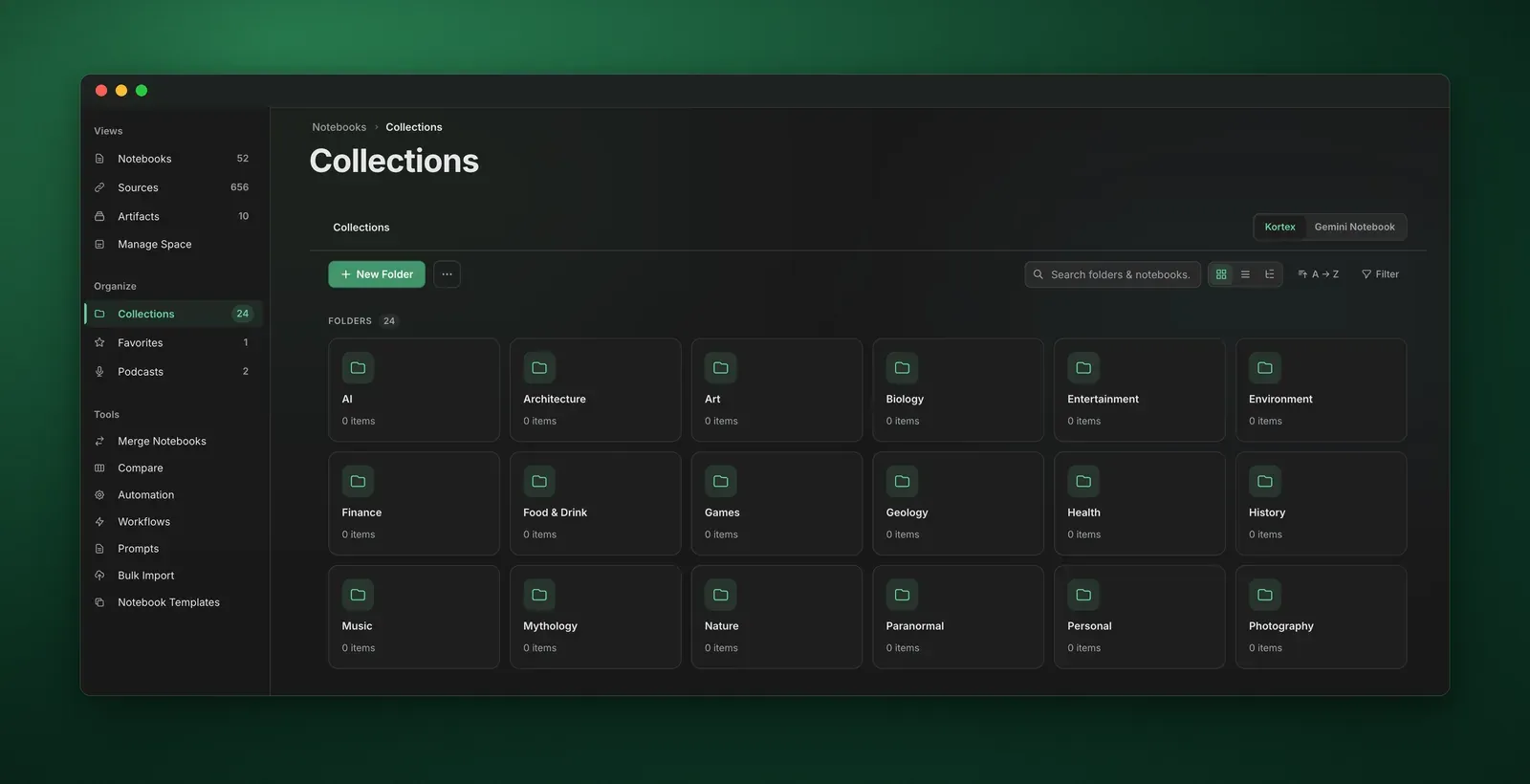
- Collections
- Folders for notebooks, with subfolders, colours and pinning.
- Smart collections
- Set tag rules once. Any notebook that matches all of them joins by itself.
- Tags
- Coloured tags for notebooks. Tag many at once, rename a tag or delete it.
- Source tags
- A separate set of tags for single sources inside a notebook.
- Source highlights
- Colour-code sources so the ones that matter stand out.
- Favorites
- Star a notebook and it appears in your Favorites view.
- Collections explorer
- Every collection on one page, filtered by colour, by what is inside, or by empty and full.
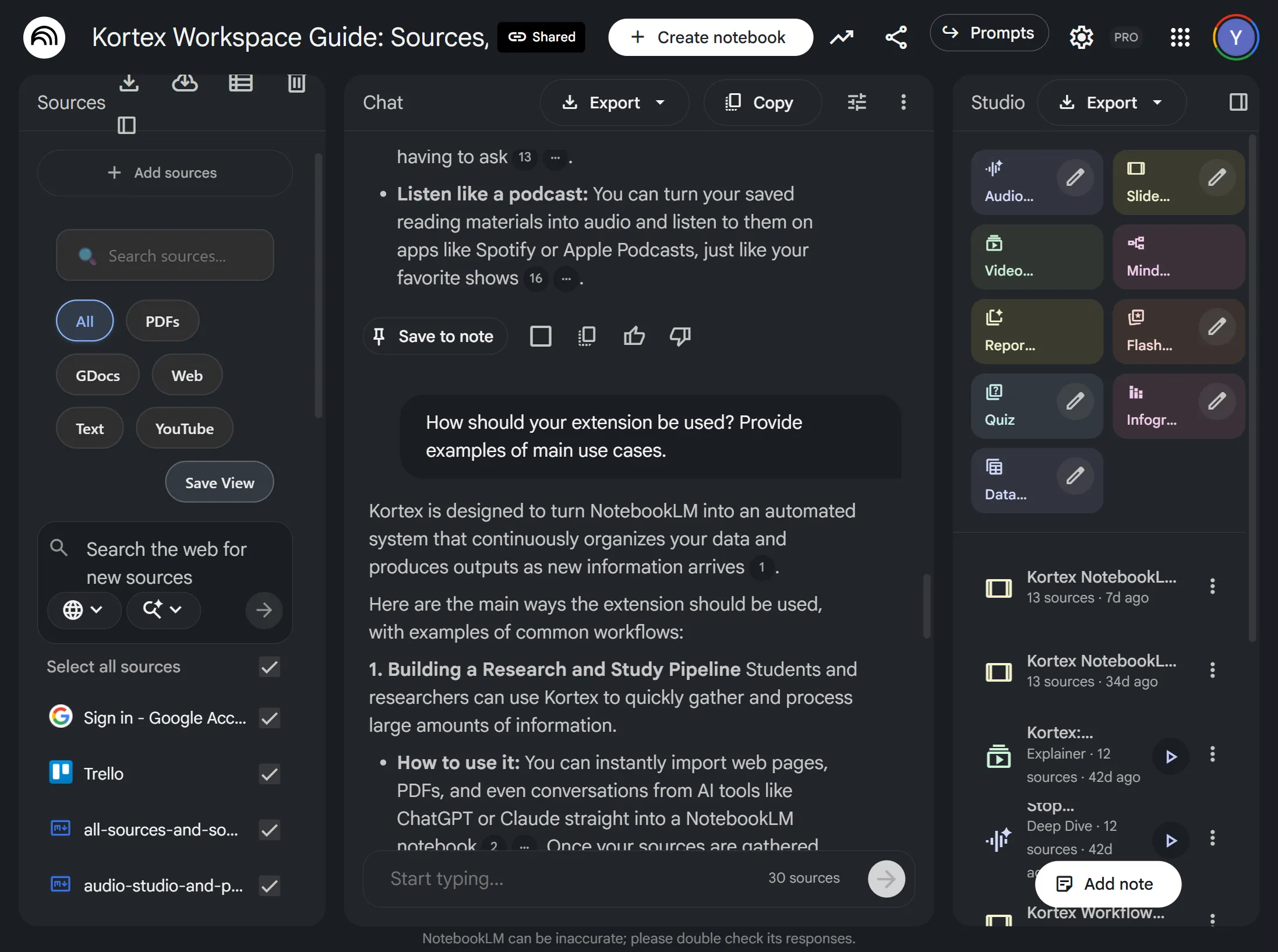
- Source views
- Inside Gemini Notebook, save a filtered list of sources and switch back to it in one click.
- Source filters
- Search a notebook’s sources, or show only the PDFs, Google Docs, web pages, text or YouTube videos.
Notebook chores, in fewer clicks.
Create and copy notebooks from the Workspace, keep a memo on each, and change many at once.
- Create notebooks
- Start a notebook from the Workspace without opening Gemini Notebook first.
- Duplicate
- Copy a notebook, with all its metadata, in one click.
- Notebook view
- Open one notebook to see its sources, notes and artifacts, and add or generate from there.
- Quick memo
- A scratchpad on every notebook for the thought you do not want to lose.
- Bulk select
- Tick several notebooks to tag, file, compare or delete them together.
- Multiple accounts
- Switch between Gemini Notebook accounts in one click.
Every source from every notebook.
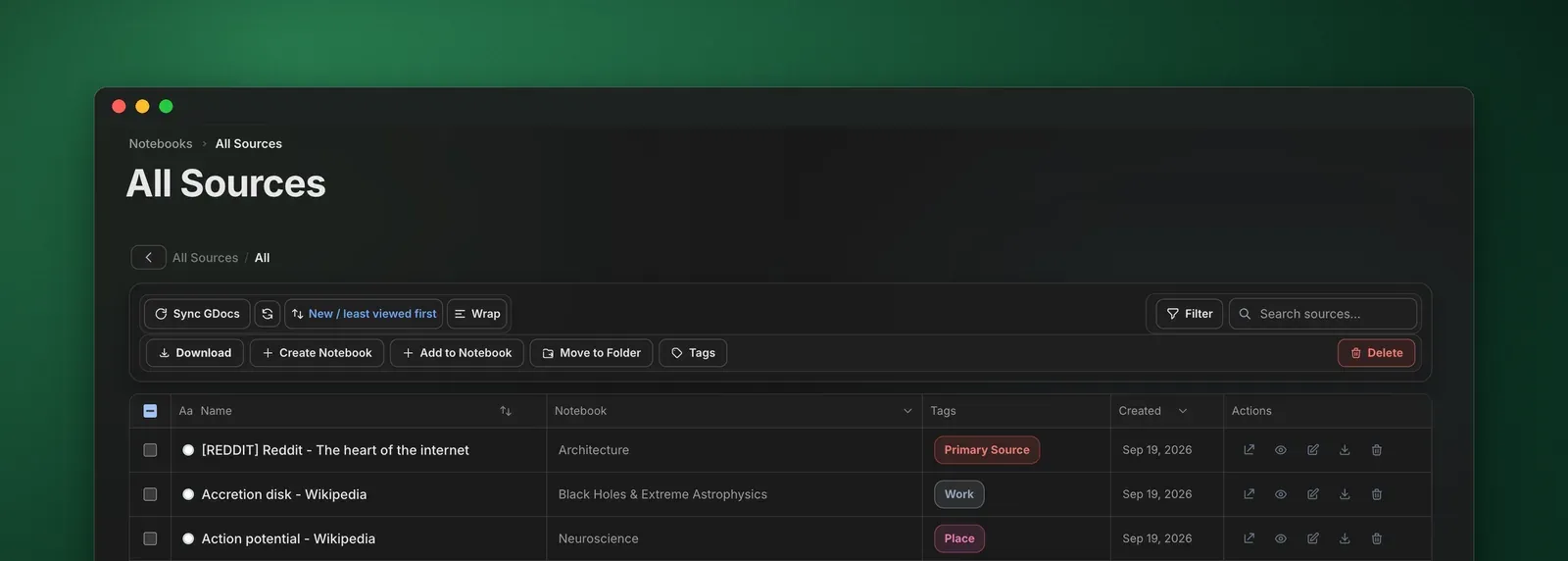
One table for all of them. Search, filter and file them, download them, or move them to another notebook.
- One table
- Every source across your notebooks, with the notebook it belongs to.
- Source folders
- File sources into folders and subfolders.
- Filters
- Narrow by notebook, tag or highlight colour, or search by name.
- Download
- Save the sources you tick, several at once.
- New notebook Included with Pro
- Pick sources from anywhere and start a notebook with them.
- Add to a notebook Included with Pro
- Move the sources you picked into any notebook you already have.
- Delete bad sources Included with Pro
- Find sources that failed to process and remove them in bulk.
- Sync Google Docs Included with Pro
- Pull the latest version of every Google Doc source in one click.
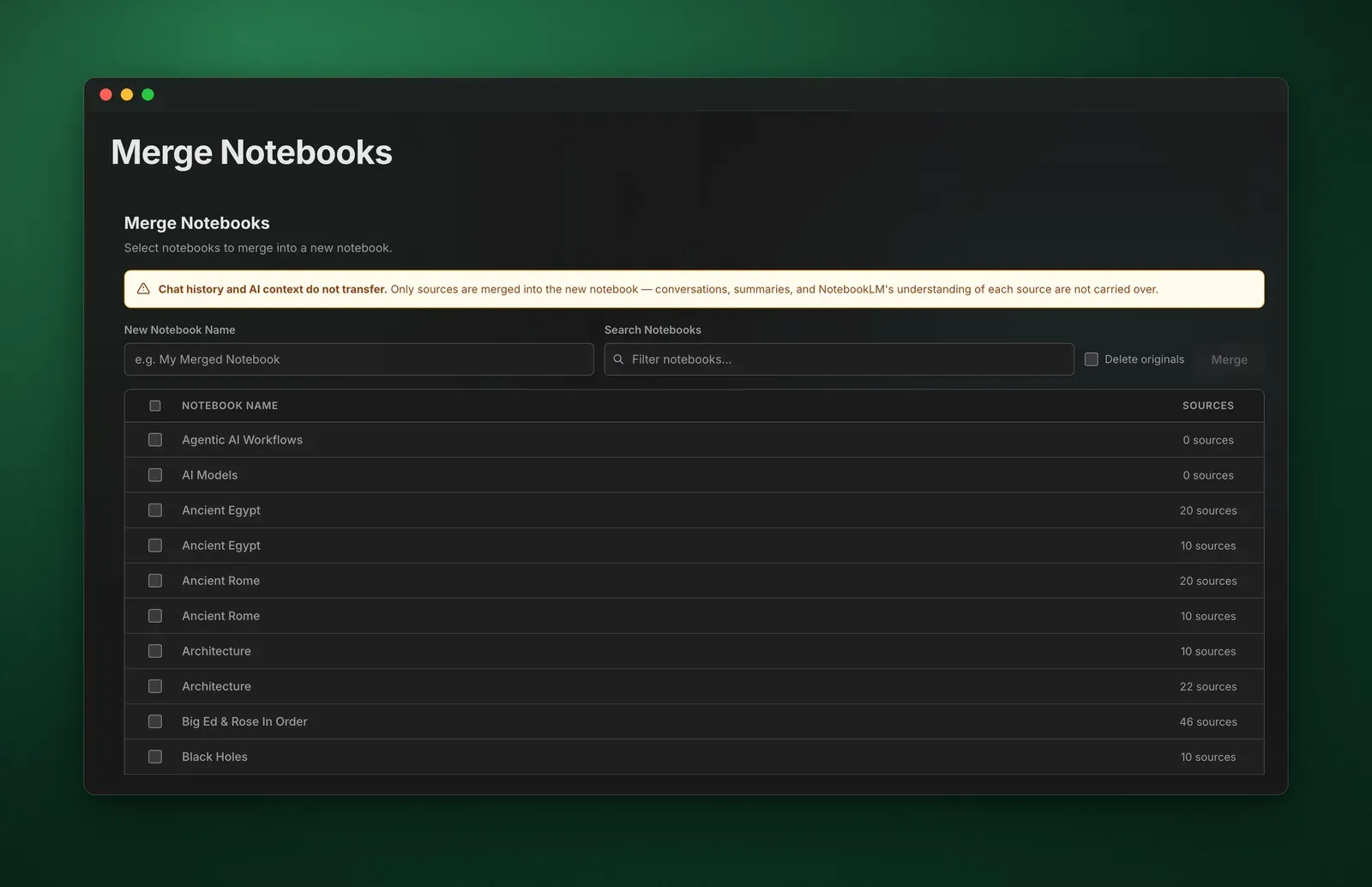
Find the gaps, then merge. Included with Pro
See what two notebooks share, copy over what is missing, or fold several notebooks into one.
Compare two notebooks
- Source diff
- The sources both notebooks share, and the ones only one side has.
- Tags
- Compare the tags on two notebooks and sync them.
- Collections
- Compare which collections each notebook is in, and sync those too.
- Fill the gaps
- Copy the missing sources, tags or collections across in one click.
- Diff report
- Export the comparison to share or keep.
Merge several into one
- Merge
- Combine as many notebooks as you like into a new one.
- No duplicates
- Remove duplicate sources as you merge.
- Tags carry over
- The new notebook gets the tags of every notebook in it.
- Delete originals
- Remove the old notebooks once the merge succeeds, if you want to.
- File it
- Put the merged notebook straight into a collection.
Reuse the setups that work.
Save how a notebook, a source or a note is set up, keep your best prompts, and apply them anywhere in one click.
- Notebook templates
- Save a notebook’s tags and collection.
- Apply them to any notebook in one click.
- Source templates
- Save a source’s tags and folder.
- Apply them to sources in any notebook.
- Note templates
- Save a note’s title and text, with
{{placeholder}}variables. - Reuse it yourself, or let an automation add it.
- Prompt library
- Keep prompts in folders, with favorites and tags.
- Insert one into the chat from the Prompts button. The free plan keeps 10; Pro has no limit.
Rules that do the filing for you. Included with Pro
Pick what starts a rule and what should happen next. Kortex runs it in the background while you keep reading.
When8 triggers
- A notebook gets a tag
- A source gets a tag
- A notebook moves to a collection
- A title contains your text
- A source is added
- An Audio Overview is ready
- An episode finishes playing
- A notebook has a minimum number of sources
Then11 actions
- Move to a collection
- Add a tag
- Remove a tag
- Generate audio
- Add a note
- Generate an artifact
- Send to a podcast
- Archive the notebook
- Delete sources
- Apply a source template
- Add a source tag
9 ready-made rules
Start from one in a click, or build your own from any trigger and any actions.
- Domain Router
- Links from arxiv.org go straight to your Papers notebook.
- Smart Sort
- Tag a notebook #work and it moves to the Work collection.
- The Escalator
- Tag #paper and Kortex adds #to-summarize and #cite as well.
- Template Engine
- File a notebook in CS224N and it gets Lecture summary, Key terms and Exam questions notes.
- Auto-Researcher
- Tag #to-summarize and a briefing doc and flashcards start generating.
- Audio Generator
- Move a notebook into Daily Read and its Audio Overview starts generating.
- Podcast Pipeline
- Notebooks filed in Daily Read add their audio to your Morning Commute podcast.
- Podcast Curator
- Tag #listenlater and the notebook’s audio joins My Playlist.
- The Cleaner
- Finish an episode and it leaves the feed.
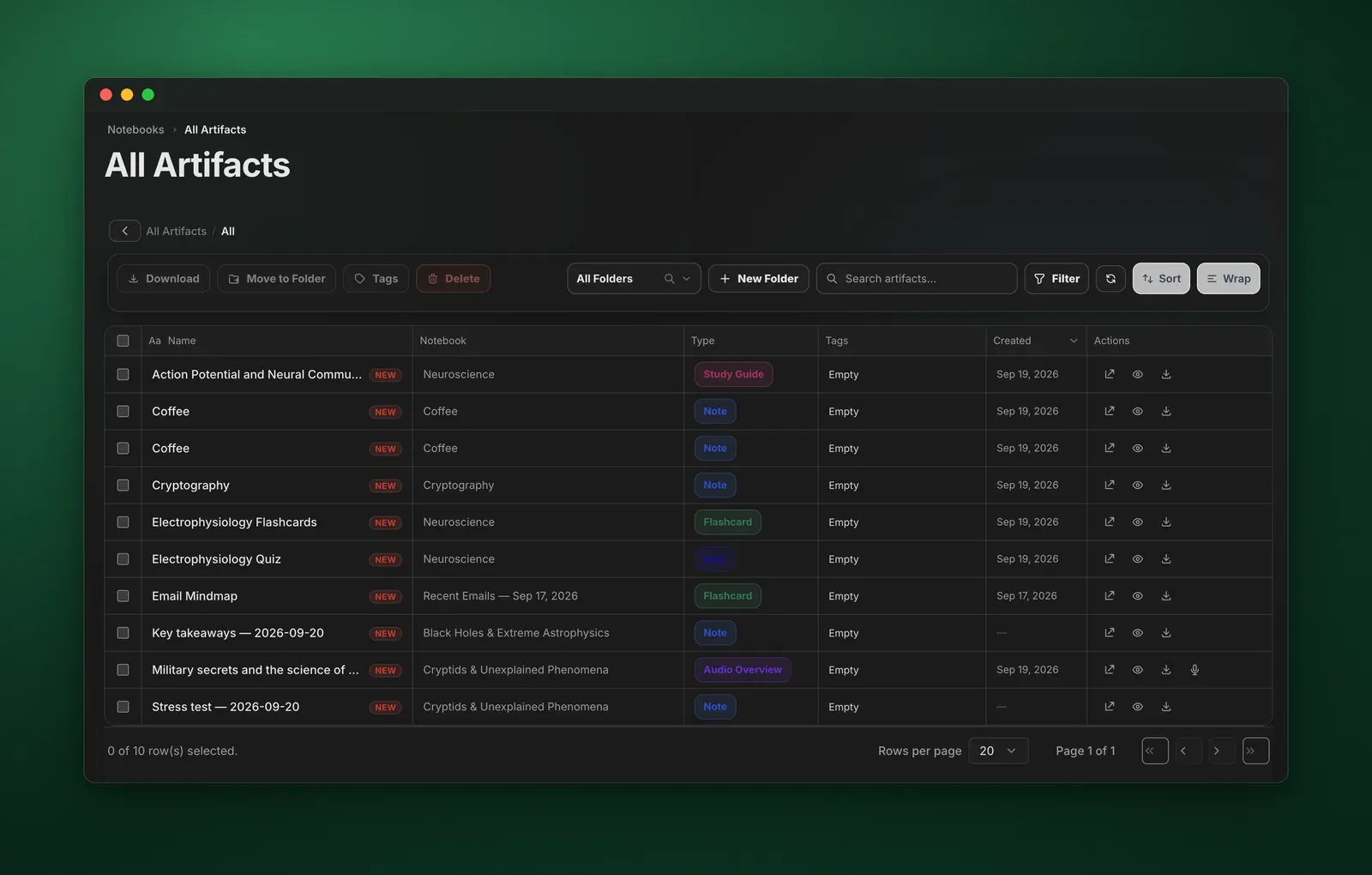
Every artifact, filed and ready.
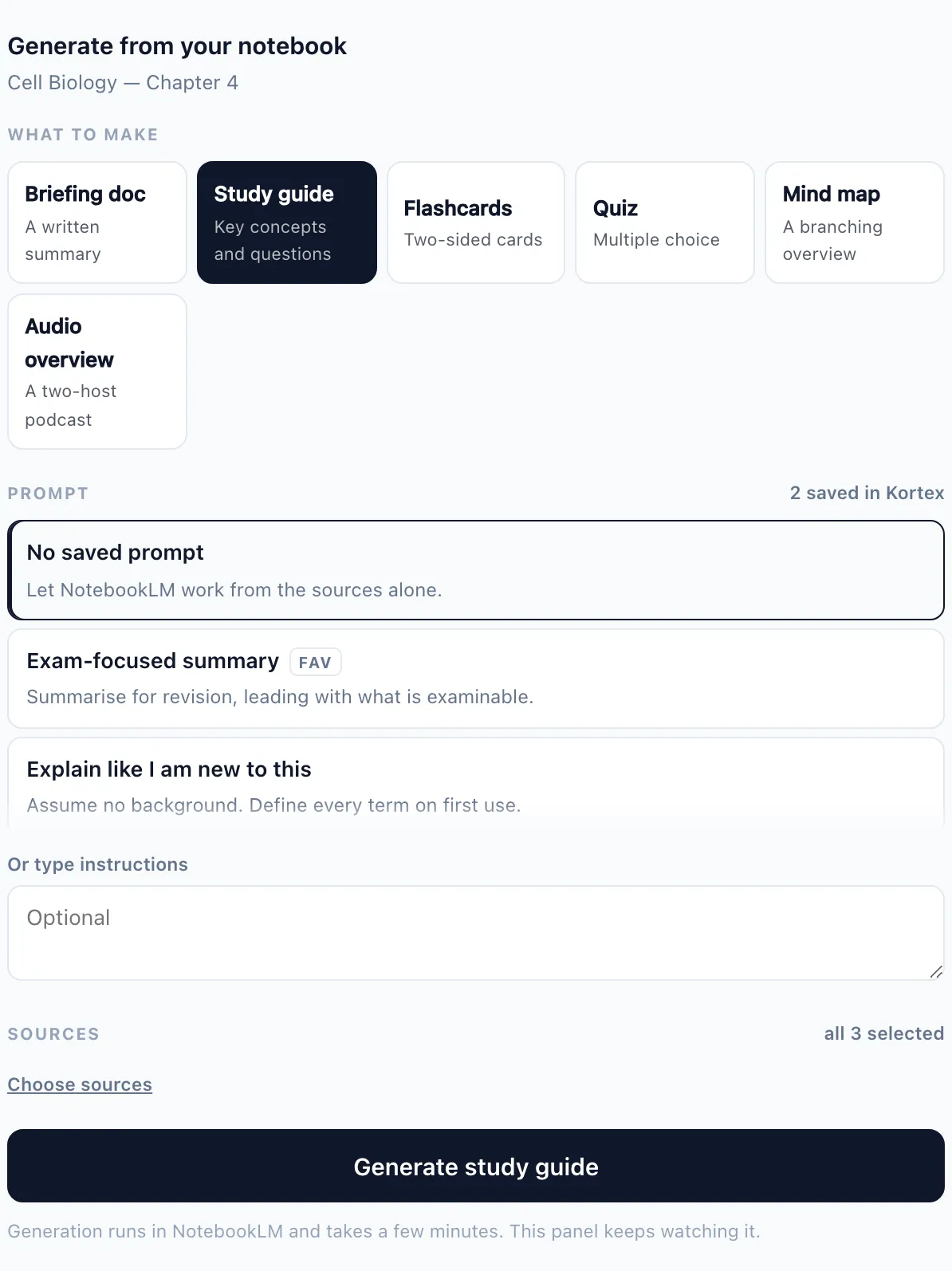
Study guides, flashcards, slide decks and more, from all your notebooks in one table you can search, sort into folders and download.
Artifact types
- Briefing doc
- Study guide
- Flashcards
- Quiz
- Slide deck
- Infographic
- Mind map
- FAQ
- Timeline
- Table of contents
- Cheat sheet
- Video overview
- One view
- Every artifact across your notebooks, with its type and notebook.
- Folders
- Folders and subfolders to keep artifacts in order.
- Search and filter
- Find one by name, or filter by type and notebook.
- Generation settings
- Set the amount and difficulty, a length of 5, 10 or 15 minutes, and a style: Deep Dive, Brief, Critique or Debate.
- Generate in bulk Included with Pro
- Make several artifact types from one notebook at once.
- Preview and edit Included with Pro
- Check an artifact, and change it, before you download it.
- Download
- Save one artifact or a whole batch to your device.
Audio Overviews in one click.
Kortex starts them for you. Gemini Notebook makes the audio, on your own account and within its daily limit.
- From the Workspace
- Every notebook row has a Generate Audio button.
- Style and length
- Pick Deep Dive, Brief, Critique or Debate, and set the length.
- Your instructions
- Tell it what to cover before it starts.
- Download
- Save any Audio Overview to your device.
Your notebooks, in your podcast app. Included with Pro
Kortex turns the Audio Overviews you make in Gemini Notebook into a private podcast feed. Subscribe once and new episodes just appear.
1,000 audio minutes included with Pro. Removing an episode gives its minutes back.
- Private RSS feed
- Each podcast has its own link for Spotify, Apple Podcasts, Pocket Casts, Overcast or any app that takes a URL.
- Built-in player
- Listen in the Workspace at 0.5x to 2x, skip 15 seconds, and pick up where you stopped.
- Your own audio
- Upload recordings as MP3, M4A, WAV and more, next to your Audio Overviews.
- Cover art
- Give each podcast its own artwork. Artwork never costs minutes.
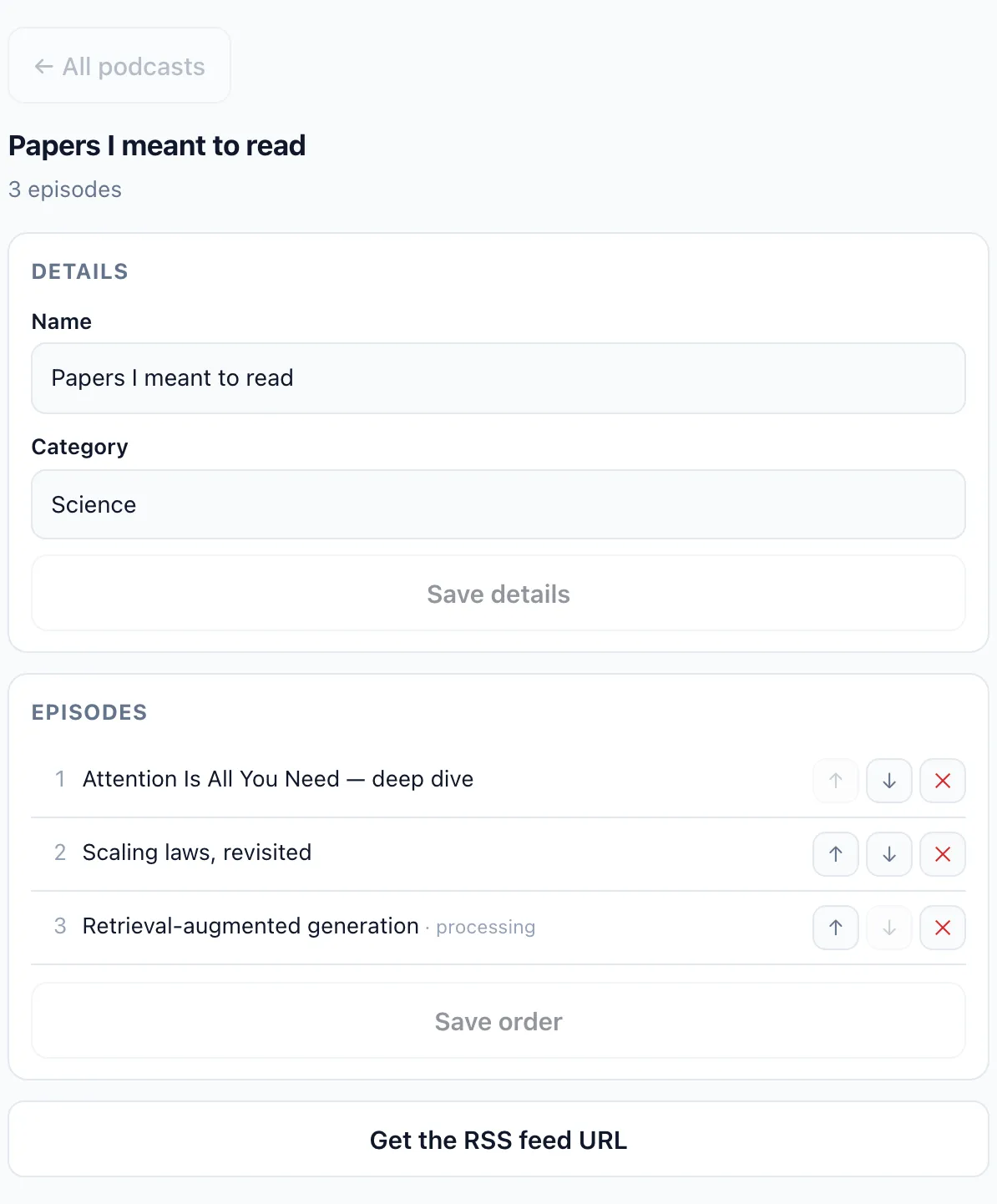
- Categories
- Give each podcast a category, like Science or Technology.
- Episode order
- Reorder, remove and bulk-manage the episodes in a feed.
- Download as ZIP
- Save every episode of a podcast in one file.
- Pinned podcasts
- Pin up to 3 podcasts to the sidebar.
- Podcast explorer
- Search across all your feeds on one page.
- Collection to podcast
- Link a collection and its new audio becomes episodes by itself.
Get it all back out.
Sources, notes, chats and Studio artifacts, downloaded as real files you can open in any app.
- Download all sources
- One button above the sources panel saves every source in the notebook as PDF, Markdown, text or a ZIP.
- Export the Studio
- Save every note and artifact from the Studio panel at once, as PDF, Markdown or a ZIP.
- One note
- Export a single note as Markdown, or convert it to PDF.
- Chats
- Export the whole chat or only the replies you tick, as Markdown, text, PDF or JSON.
- Your messages, or not
- Include your own questions in a chat export, or leave them out.
- Copy a chat
- Copy it to your clipboard as Markdown. Free, and it never counts toward a limit.
The free plan includes 10 exports a day. Pro has no limit.
See the shape of your library.
Charts that show how your library is organized, and one place each to manage tags, collections, podcasts and favorites.
Charts
- Tag distribution
- Your most-used tags across every notebook.
- Notebooks per collection
- Spot the overstuffed collections and the empty ones.
- Recently active
- The notebooks you worked on last, ready to reopen.
Managers
- Tags
- Create, rename, recolour and delete notebook tags.
- Source tags
- Manage the tags on single sources across every notebook.
- Collections
- Create, rename and delete collections.
- Podcasts Included with Pro
- Create, rename and delete podcasts, and add audio to them.
- Favorites
- See and manage every notebook you starred.
Hand your notebooks to your AI assistant. Included with Pro
Kortex MCP connects Claude, ChatGPT, Cursor or any other MCP client to your Gemini Notebooks. Your assistant can then search them, fill them and generate from them. It is in private beta, for invited members.
- 145+ notebook tools
- Create notebooks, add sources, ask questions, tag, compare and generate, all by asking.
- Panels in the chat
- Some tools answer with a panel you use right in the conversation.
- One config
- Paste one config into your AI client, or sign in with OAuth.
- Your login stays yours
- Your Google login stays in your browser. Kortex never stores your password or cookies.
Give your notebooks a home.
Install Kortex in under a minute. It works inside the Gemini Notebook you already use, free forever for the basics.
Join 130,000+ people. Works in Chrome, Edge, Brave and other Chromium browsers.