The Kortex Library keeps your chats from ChatGPT, Claude, Gemini, Perplexity and Grok on your computer, next to the
YouTube videos and Gemini Notebook (formerly NotebookLM) notebooks you file with them. Search them, read them offline,
and carry what they decided into another AI.
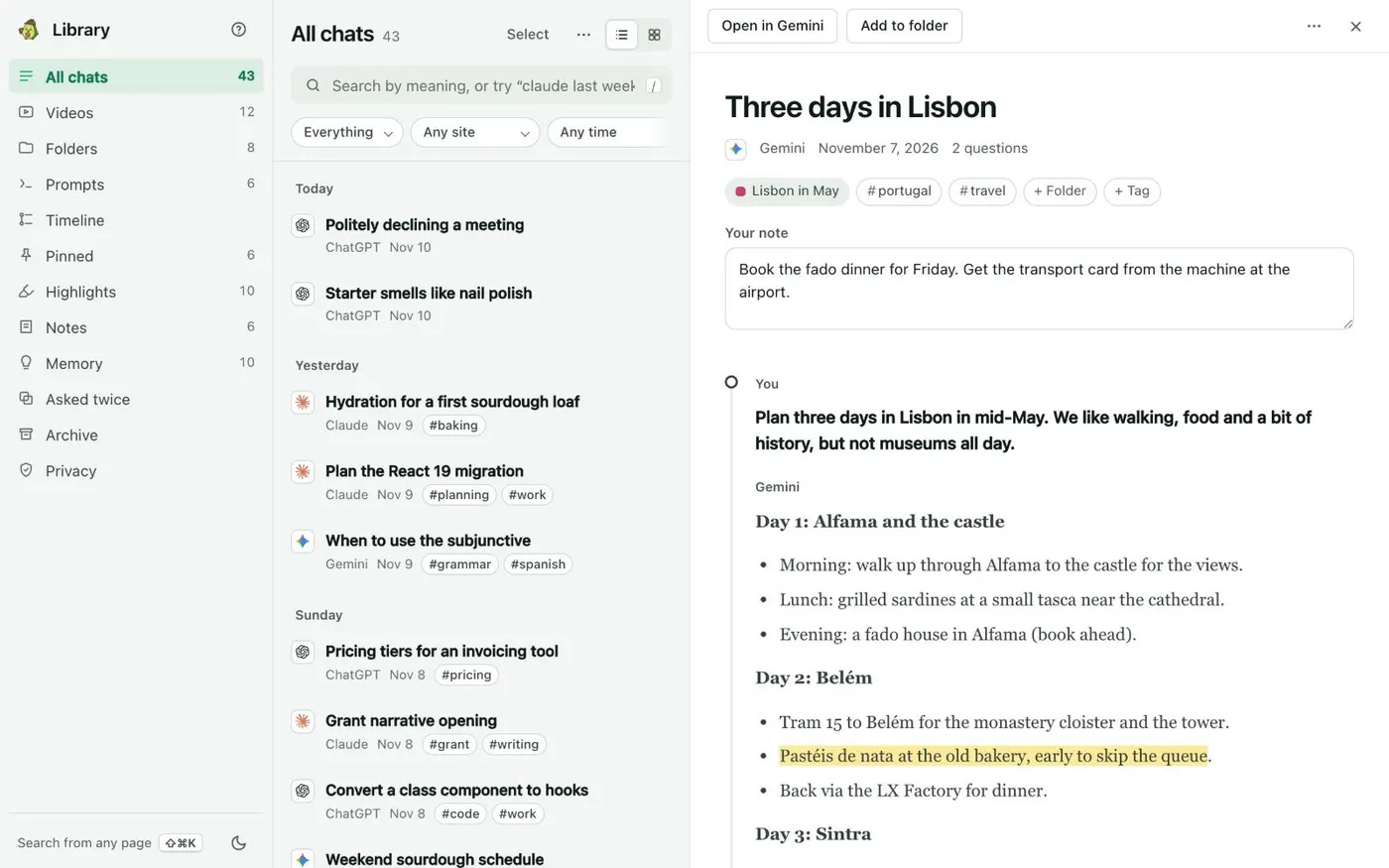
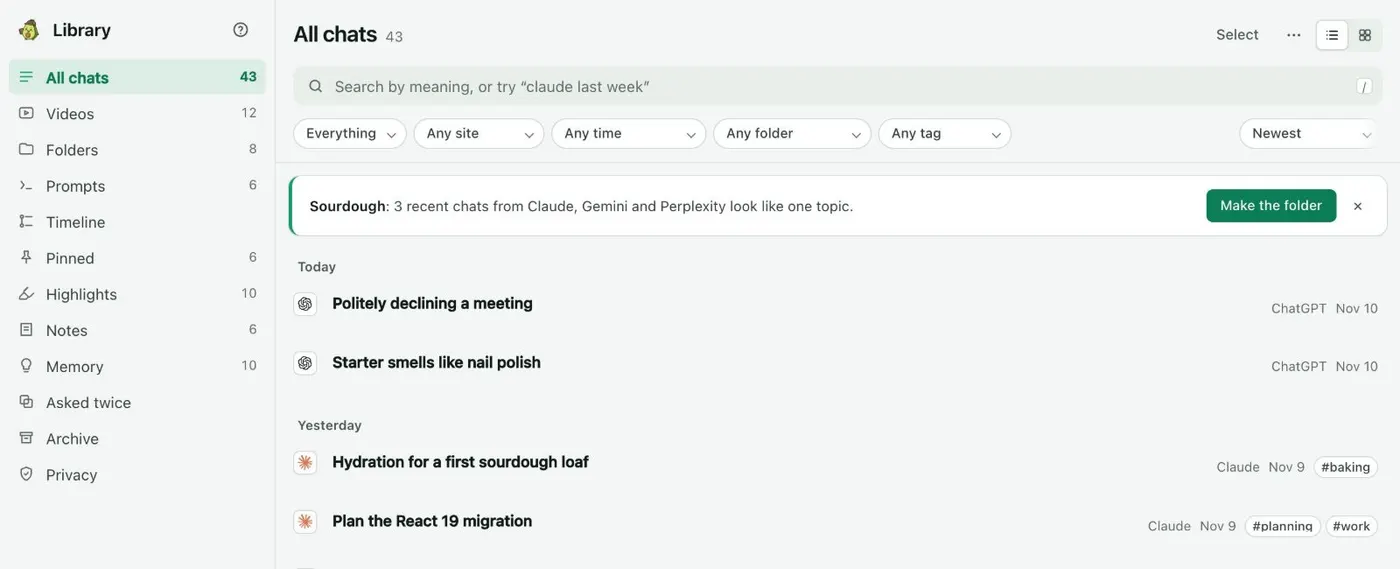
All chats lists every saved chat by day. Open one to read it in full beside the list.
Your chats stay private.
On this computer
Saved chats live in a database inside Chrome on this computer. Search and Ask my chats run there too.
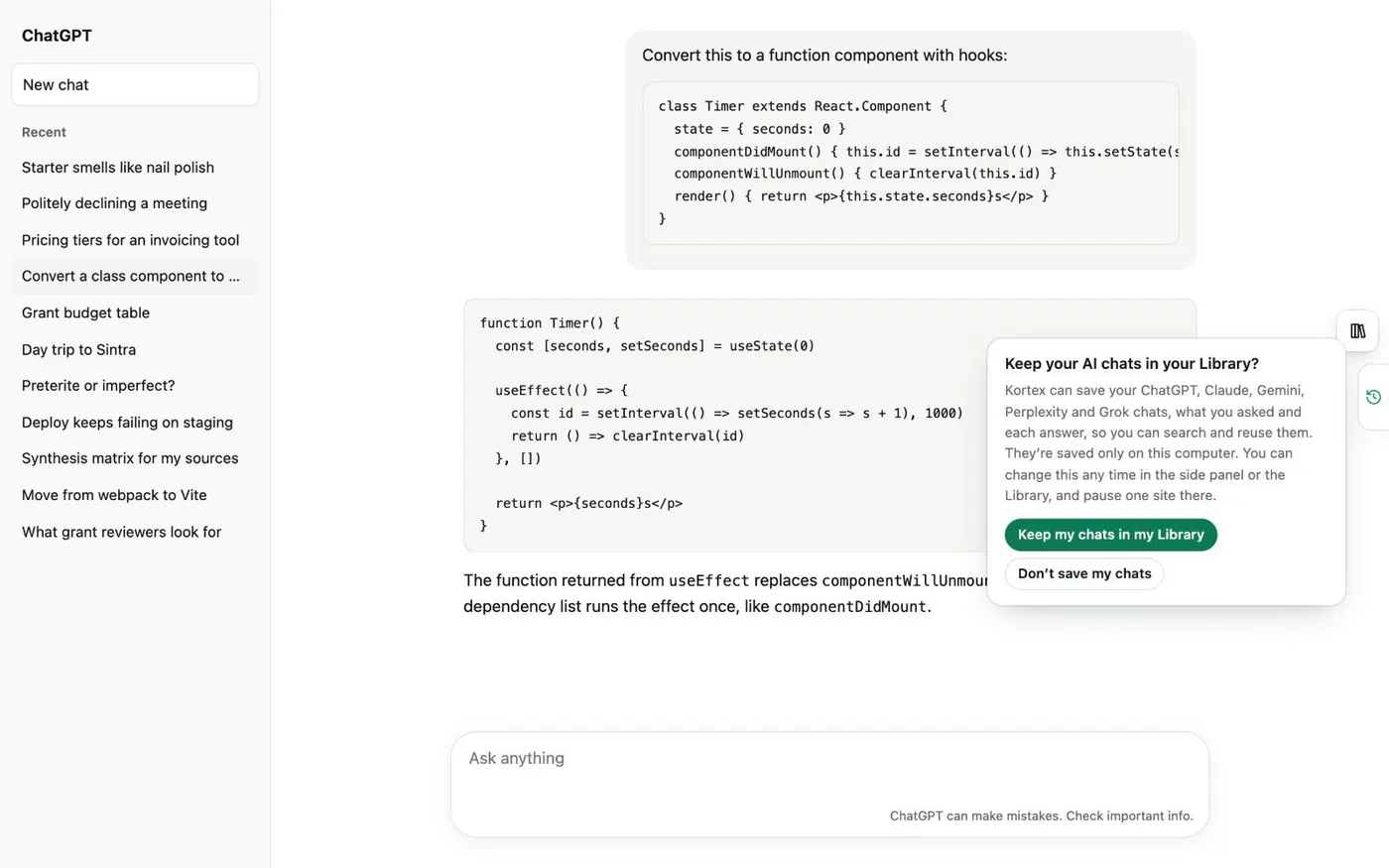
Asked before the first save
Kortex asks once. Until you answer, nothing is saved. Don’t save my chats saves nothing, and you can change your answer at any time.
A log you can read
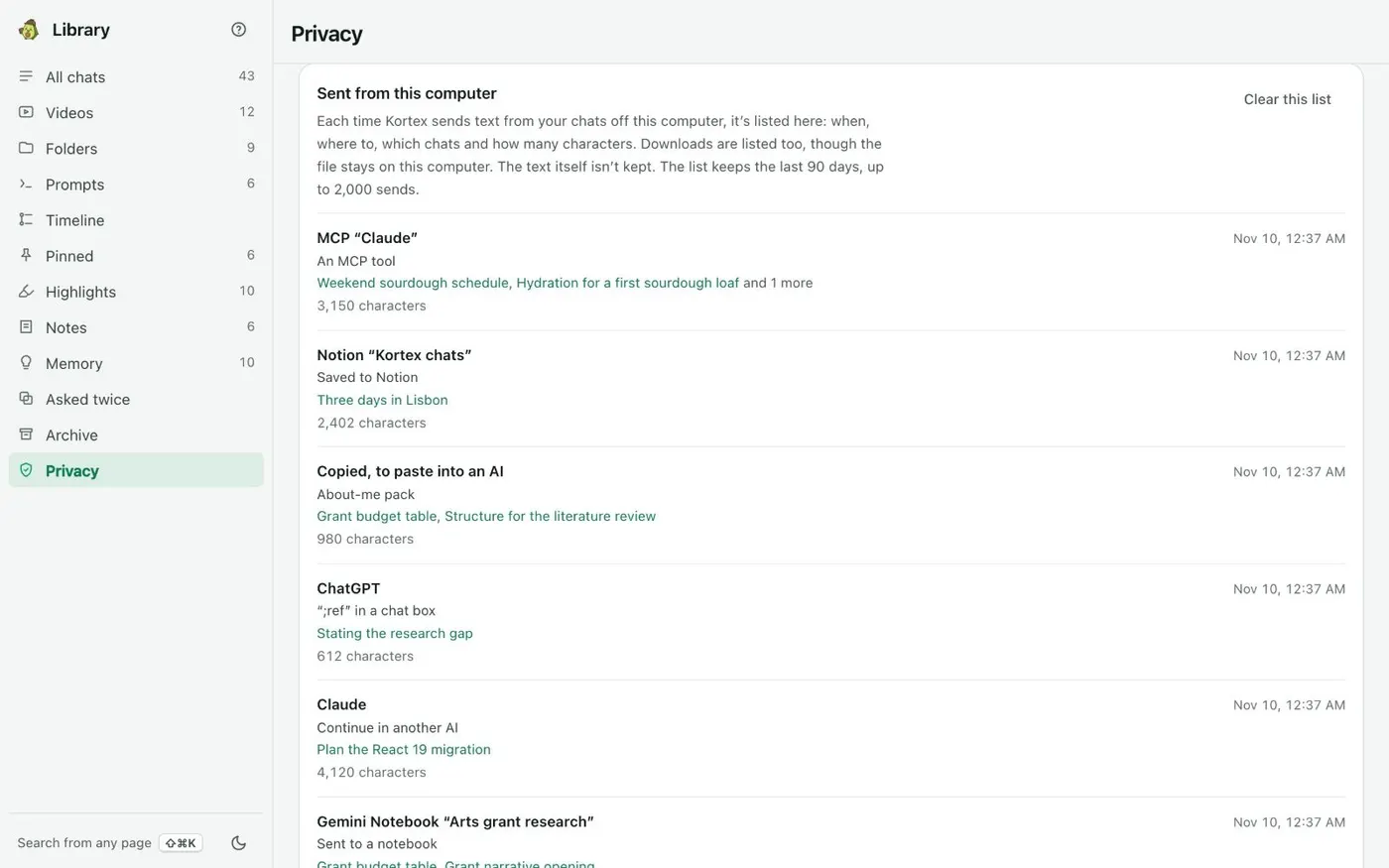
The Library’s Privacy view lists each time chat text left this computer. The text itself isn’t kept.
ChatGPT
The notice Kortex shows before it saves a single chat.
Kortex Library
Sent from this computer: when, where to, which chats and how many characters.
Find
Find any chat.
Search all your AI chats
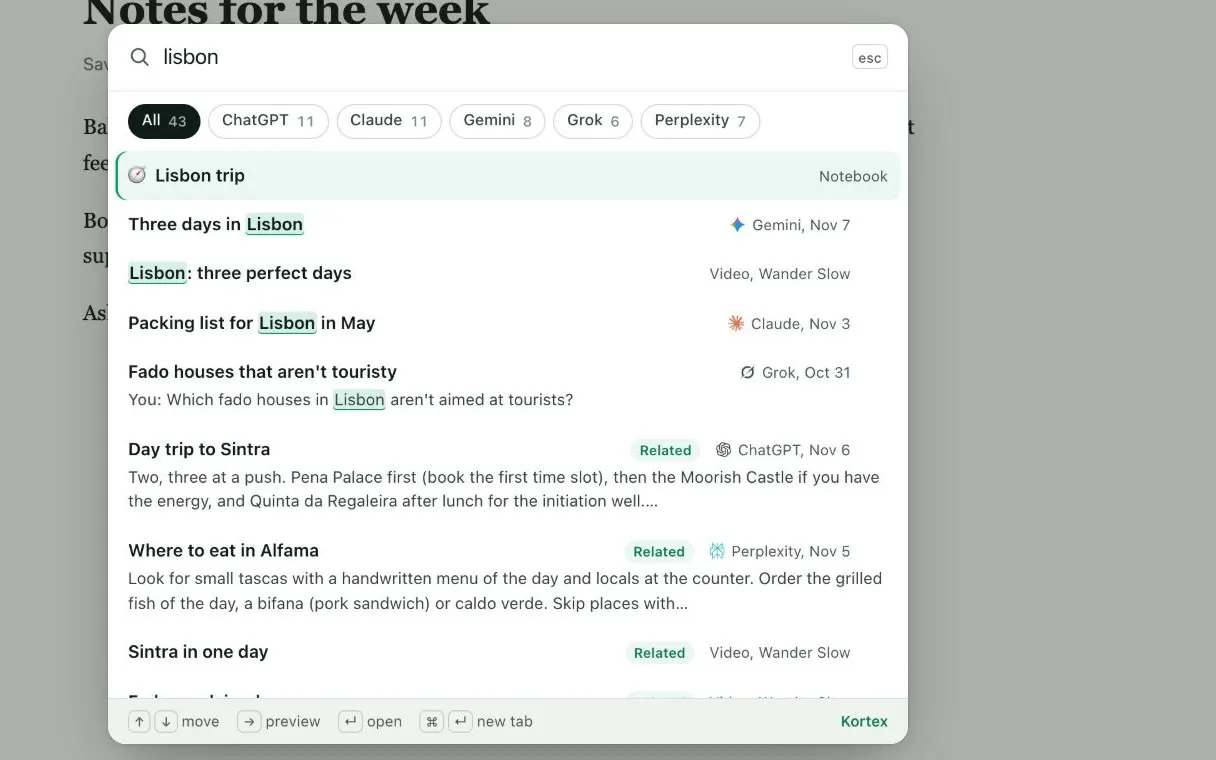
Press Ctrl+Shift+K (Cmd+Shift+K on a Mac) on any website to search your chats, notebooks and videos. Search uses the words you remember and what each chat was about. So “cooking” finds a chat about recipes. A misspelled word still finds its chat. A chat opens at the message that matched.
Any web page
One search across every AI, from any page.
Ask your chats a question
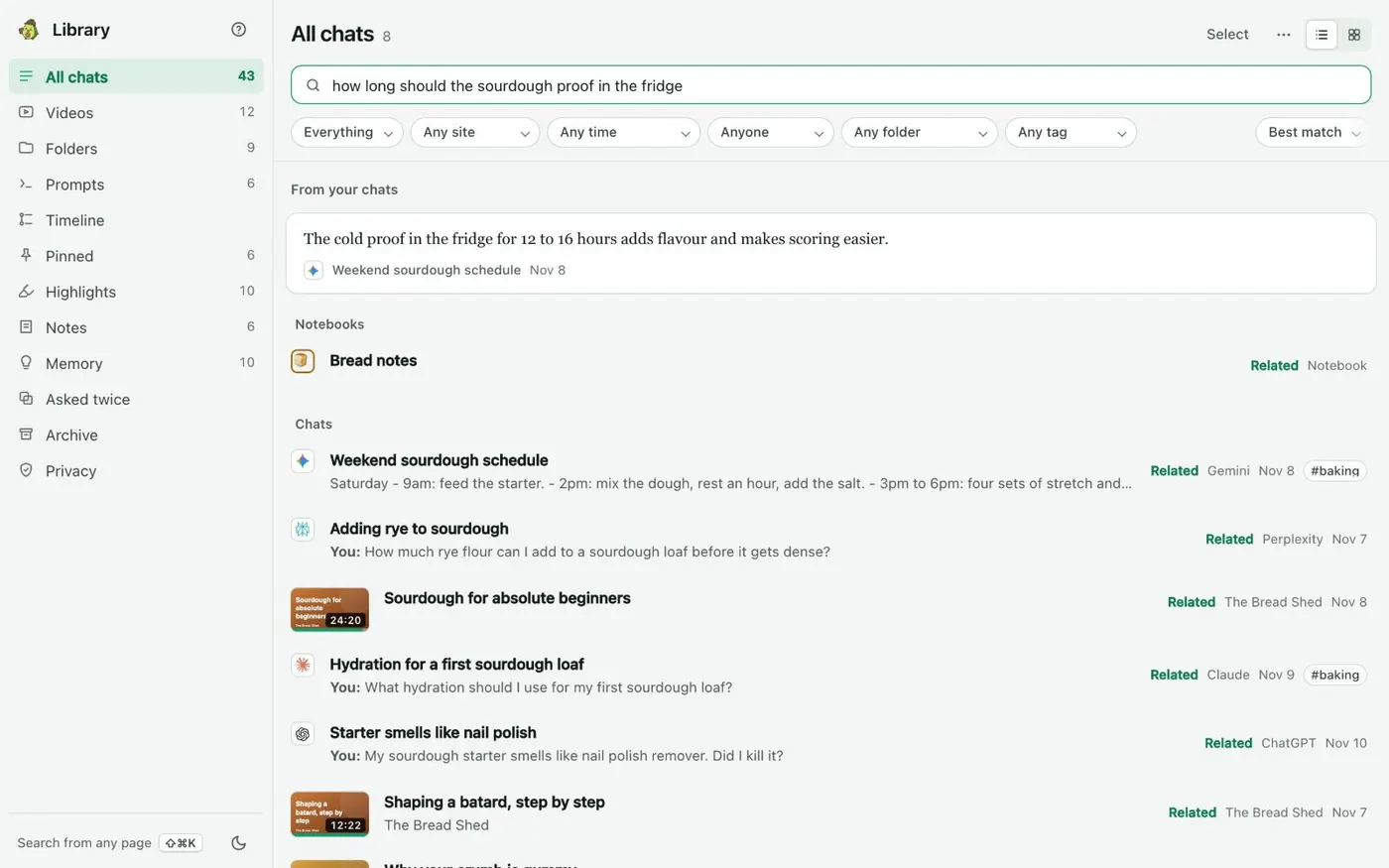
Type a question of three words or more in the Library’s search. Under From your chats, the closest passages from past answers show first. Each one opens at its message. Nothing is generated. These are your chats’ own words.
Kortex Library
The passage that answers it, from whichever AI said it.
See when you’ve asked before
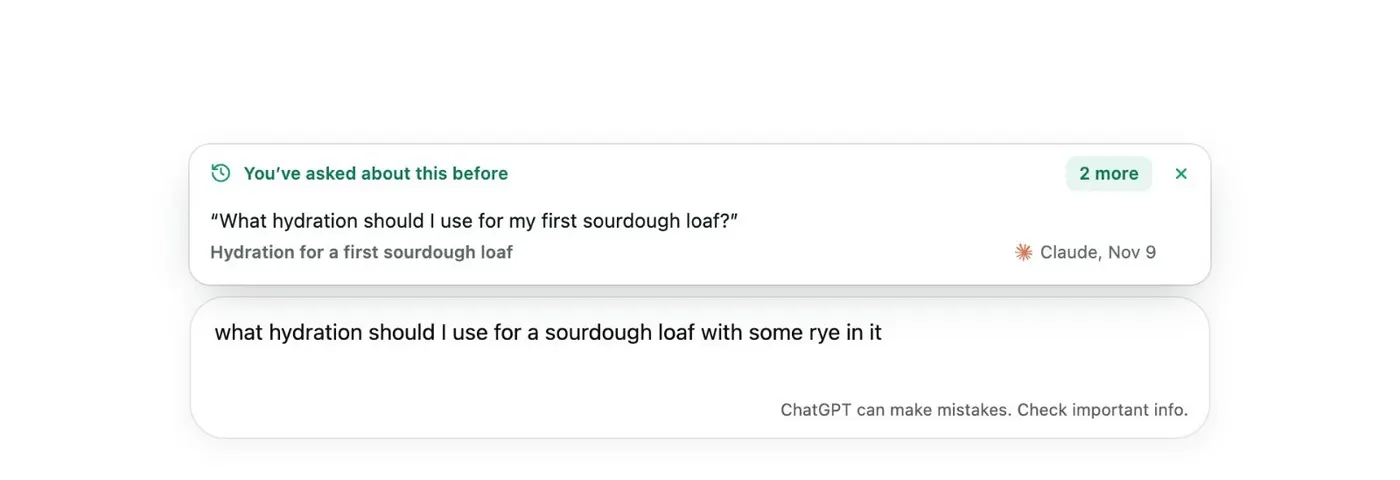
You start a new ChatGPT or Claude chat and type your first question. Kortex looks for a past chat about the same thing, from any AI, and shows it above the chat box. Open the earlier answer instead of starting over.
ChatGPT
Your earlier question appears above the chat box as you type.
See related chats
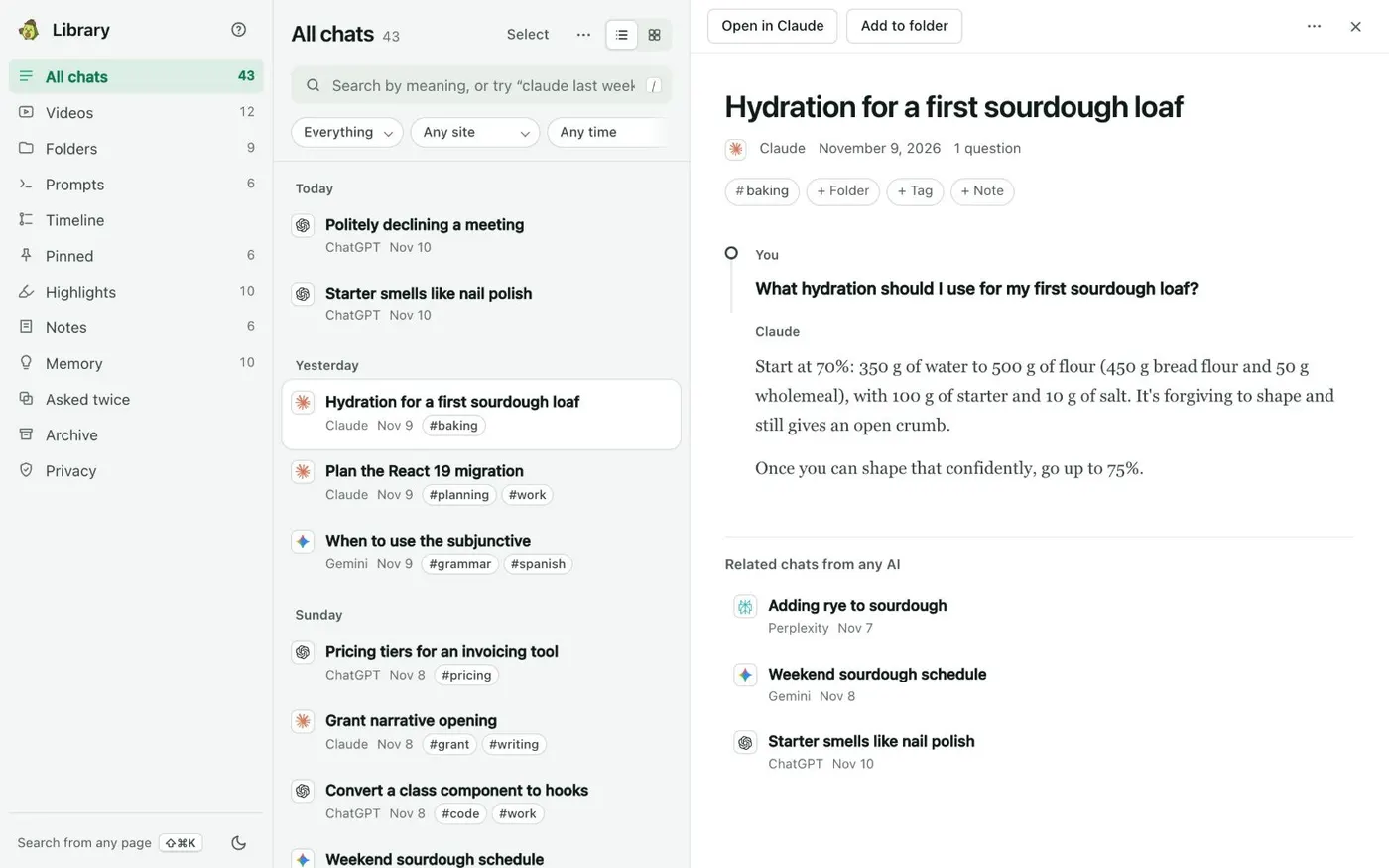
Under a chat, Related chats lists other chats about the same thing, from any AI. Kortex finds them by meaning. Click one to read it.
Kortex Library
Related chats from any AI sit under the one you’re reading.
Reuse
Continue in any AI.
Move a chat to another AI
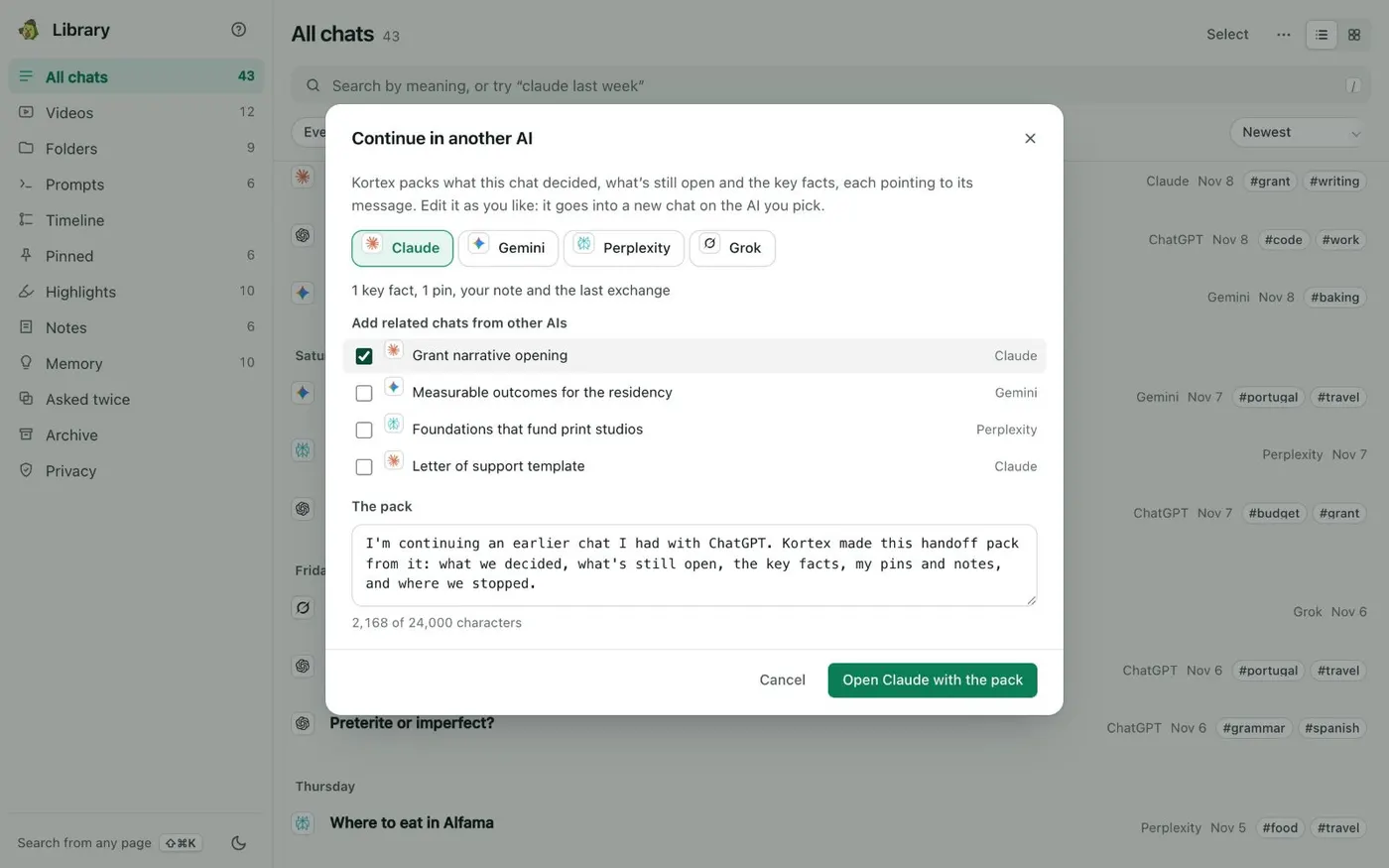
Continue in another AI… builds a handoff pack. It holds what the chat decided, what is still open, the key facts, your pins and your note. You pick the AI and read and edit the pack. Then Kortex opens a new chat there with the pack in the chat box. A model does not write anything in the pack.
Kortex Library
You read and edit the pack before it goes anywhere.
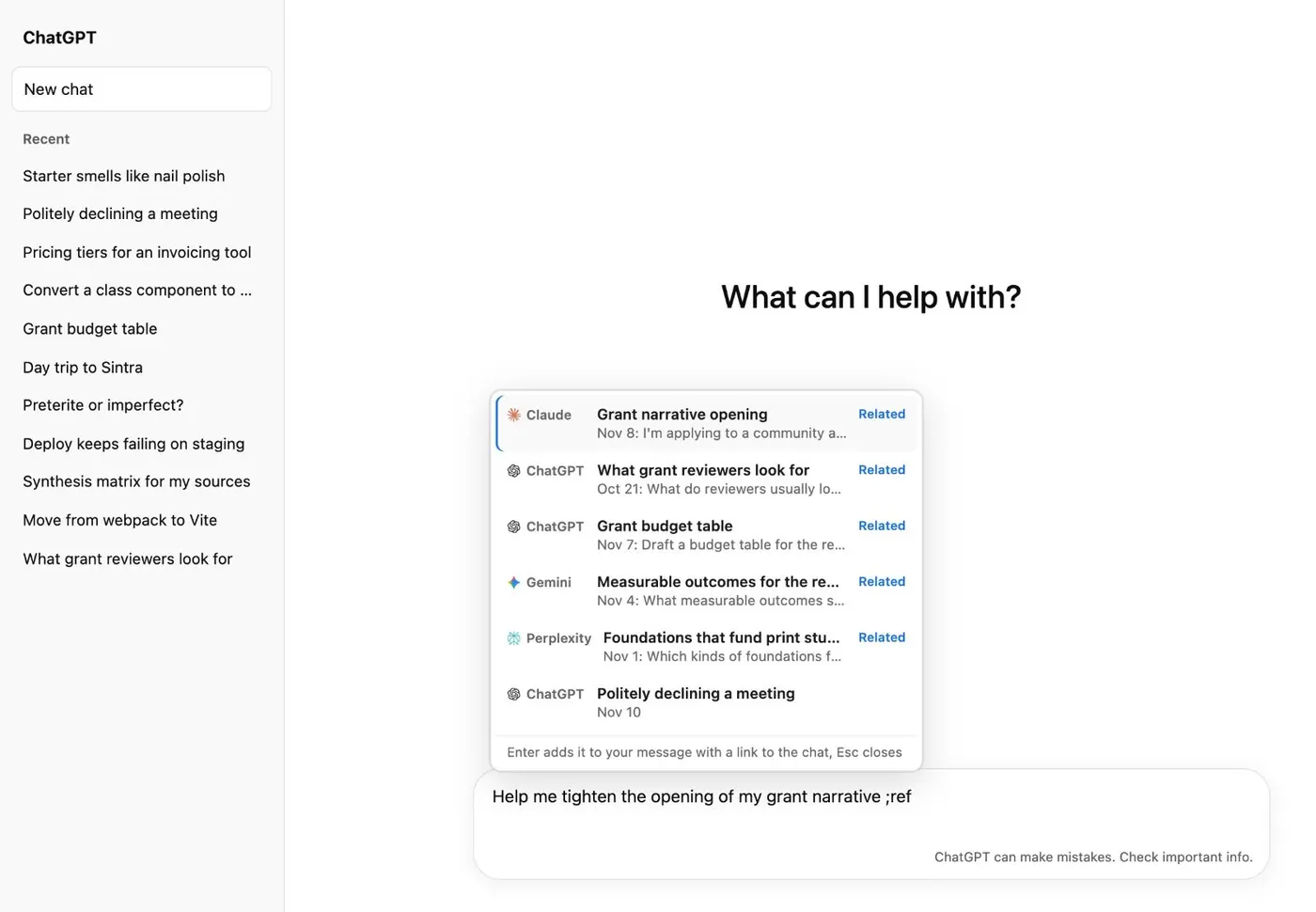
Paste a past answer with ;ref
Type ;ref in any AI’s chat box. It lists past chats from any AI, with the closest in meaning to your draft first. Pick one and Kortex puts in the passage that matters, with a link back to the chat.
ChatGPT
The closest past chats, from any AI, appear as you type.
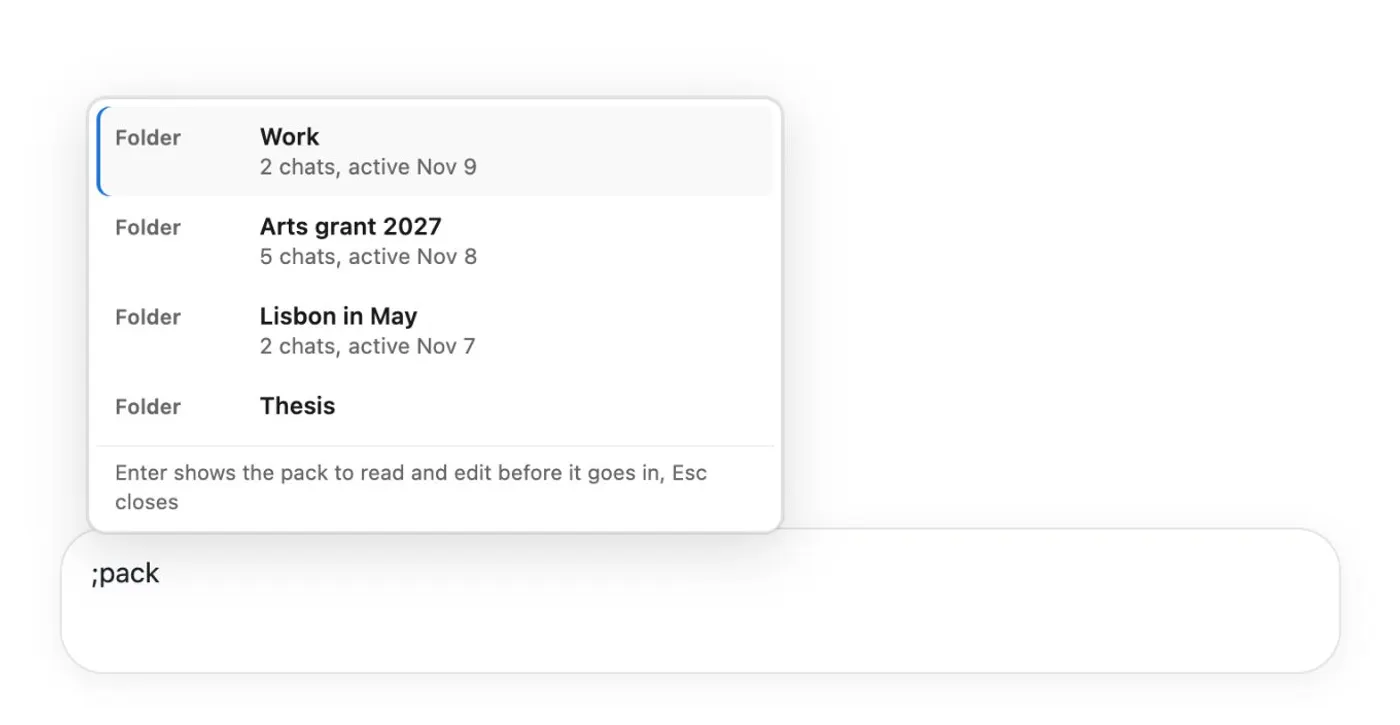
Brief any AI on a project with ;pack
Type ;pack in any chat box and pick a folder. You get one project brief. It holds what the folder’s chats decided, plus its pins, highlights and notes. You read and edit it before it goes in.
An AI site
Pick a folder and read its pack before it goes in.
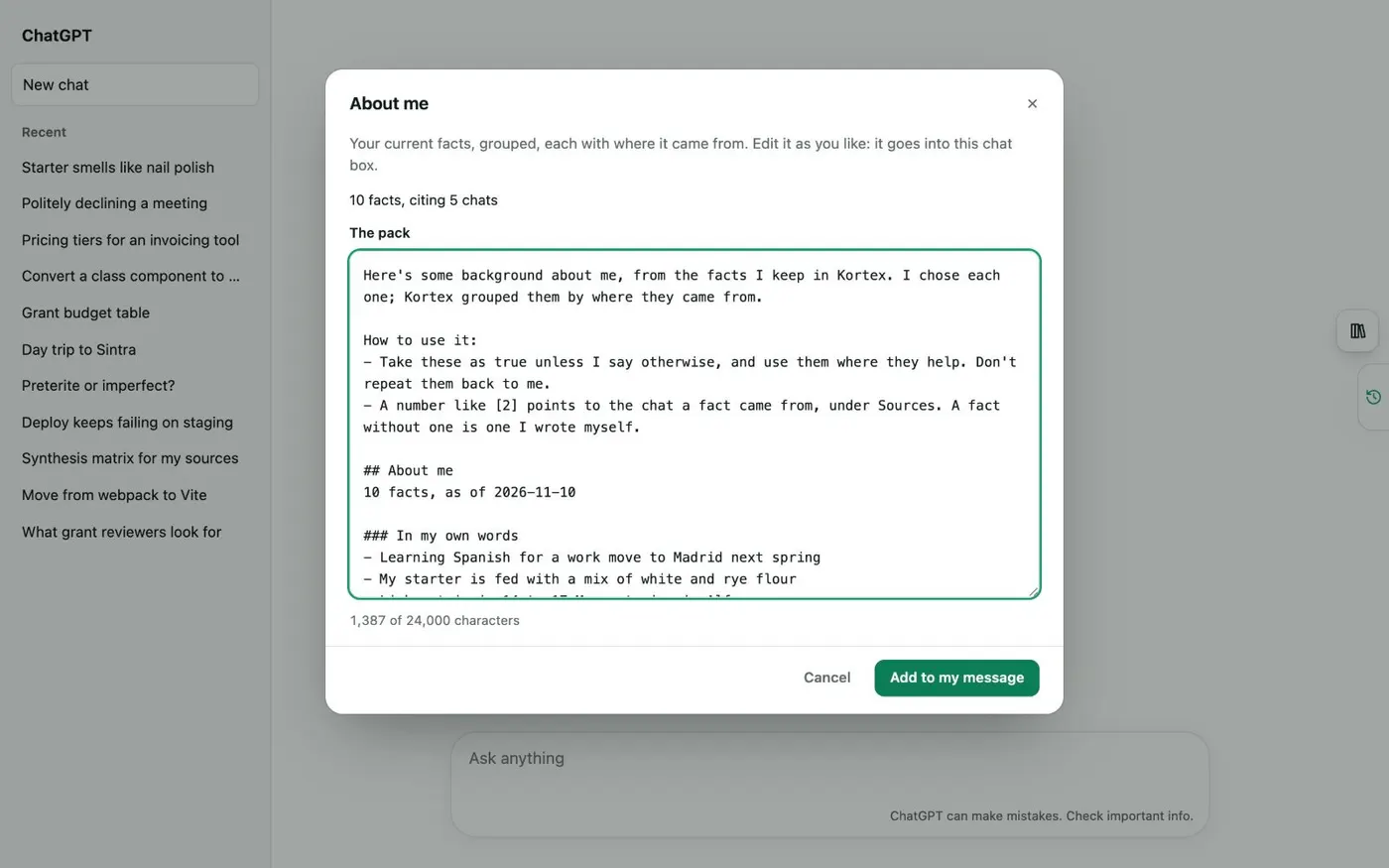
Tell any AI about you with ;me
;me adds your Memory facts as a short about-me pack. You edit it in a sheet first. Private facts are left out. Each AI starts from what you chose to share.
ChatGPT
An about-me pack you edit before it goes into the chat box.
Keep
Keep the best parts.
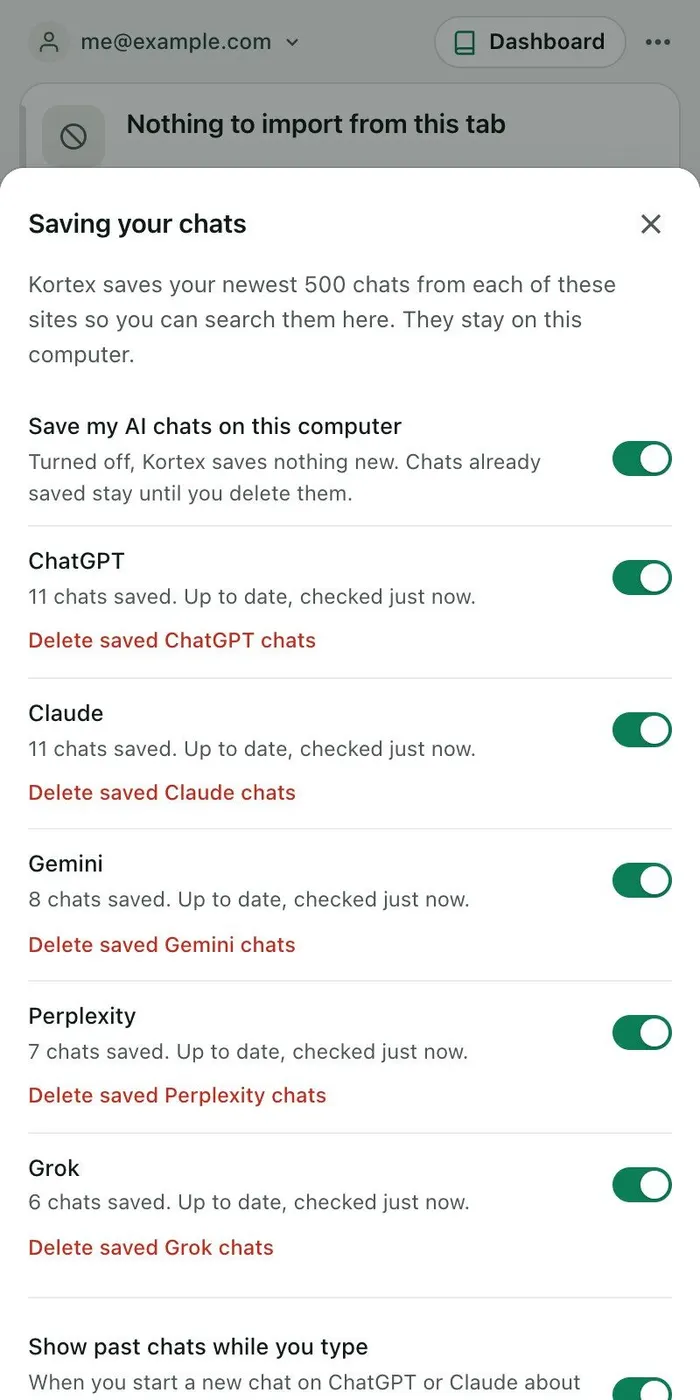
Every chat saved for you
After you say yes, chats from ChatGPT, Claude, Gemini and Grok save in the background every few minutes. This works while Chrome is open and you are signed in to the site. Perplexity saves while a Perplexity tab is open. A chat you delete on its site stays in your Library.
Side panel
Each site says what saving is doing, with its own switch.
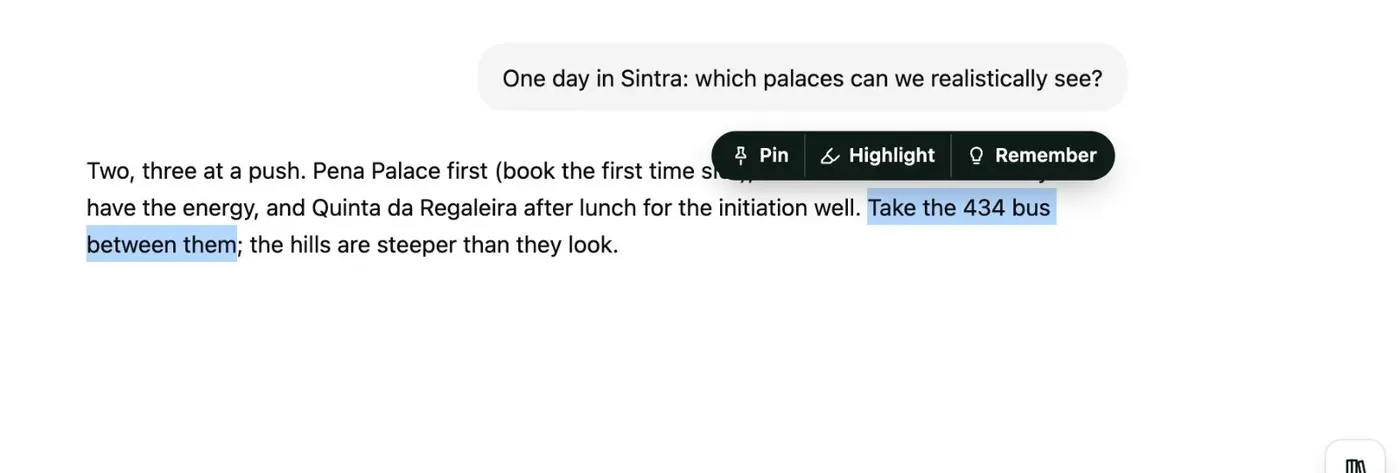
Highlight and pin any line
Select words in an answer on an AI site. Then Pin them or Highlight them in yellow, green, blue or pink. Highlights are still there when you reload the page. The Highlights view gathers them by site and color.
An AI site
Select text in any answer to pin, highlight or remember it.
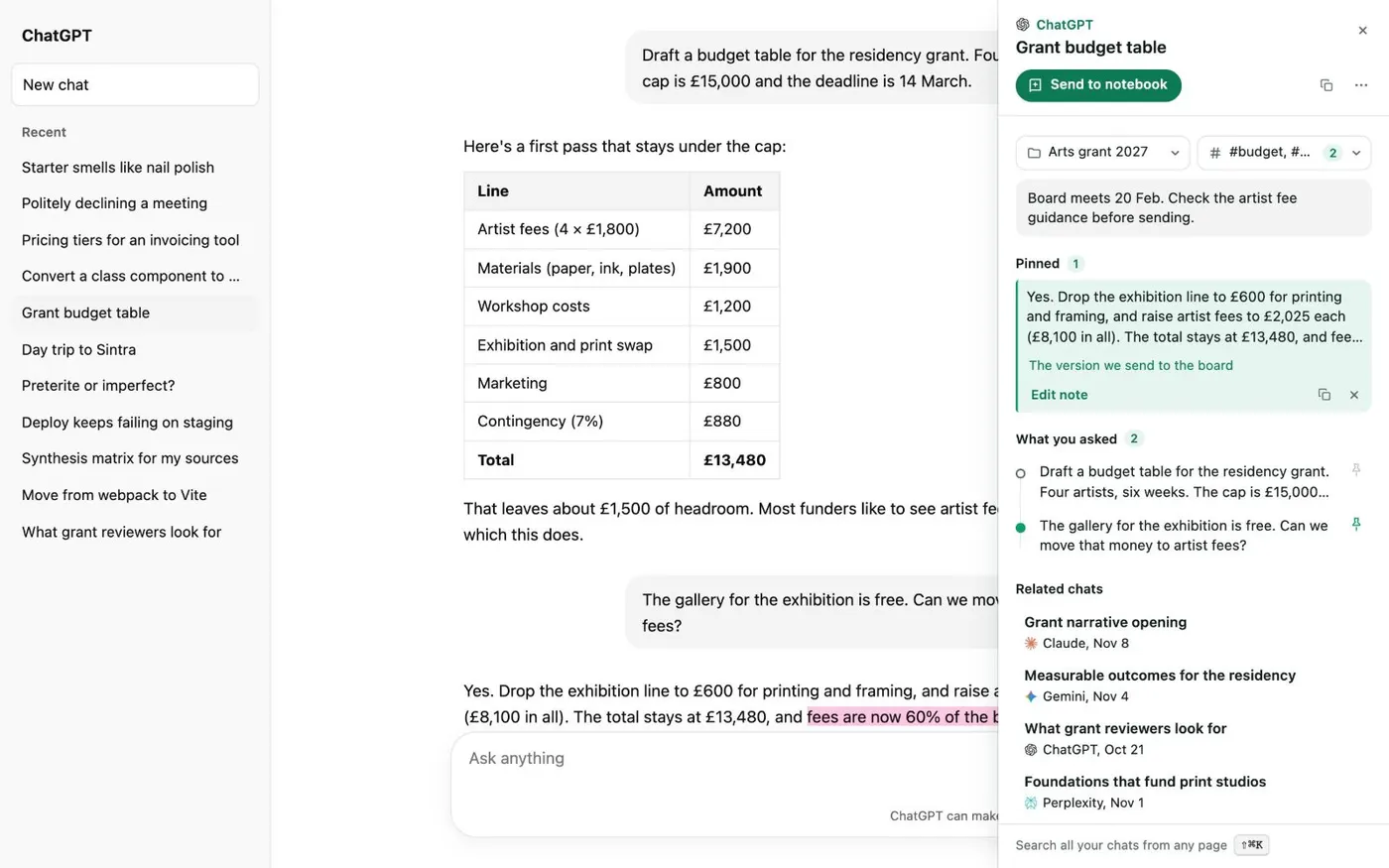
Notes beside every chat
A small tab on the edge of ChatGPT, Claude, Gemini, Perplexity and Grok opens a panel about the chat you are in. It shows your note (saved as you type), the answers you pinned, the questions you asked in order, the chat’s folders and tags, and related chats.
ChatGPT
The Kortex tab keeps your note, pins and related chats next to the chat.
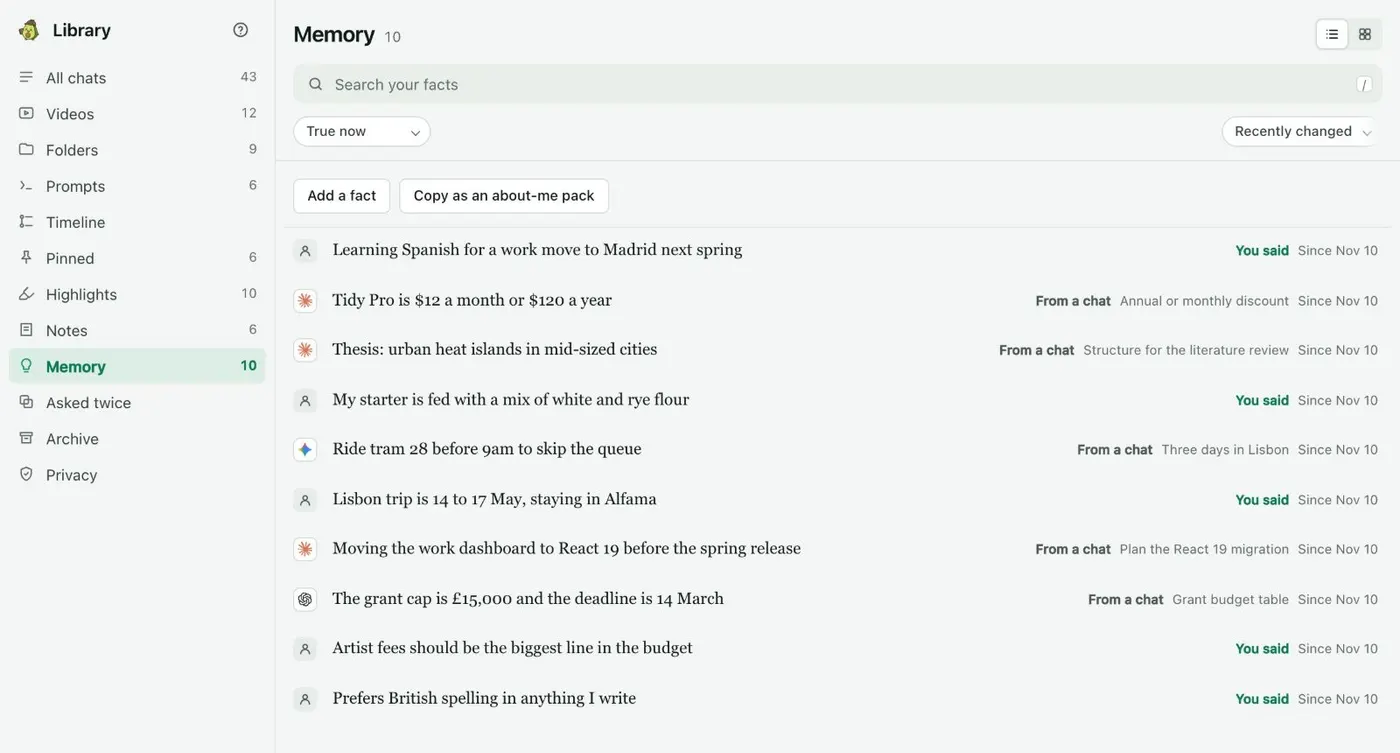
Memory you control
Memory holds facts about you that you approved, each with where it came from. Select a sentence on an AI site and choose Remember, or add a fact yourself. When a fact stops being true, No longer true keeps it with an end date instead of deleting it.
Kortex Library
Each fact says whose words they were and which chat they came from.
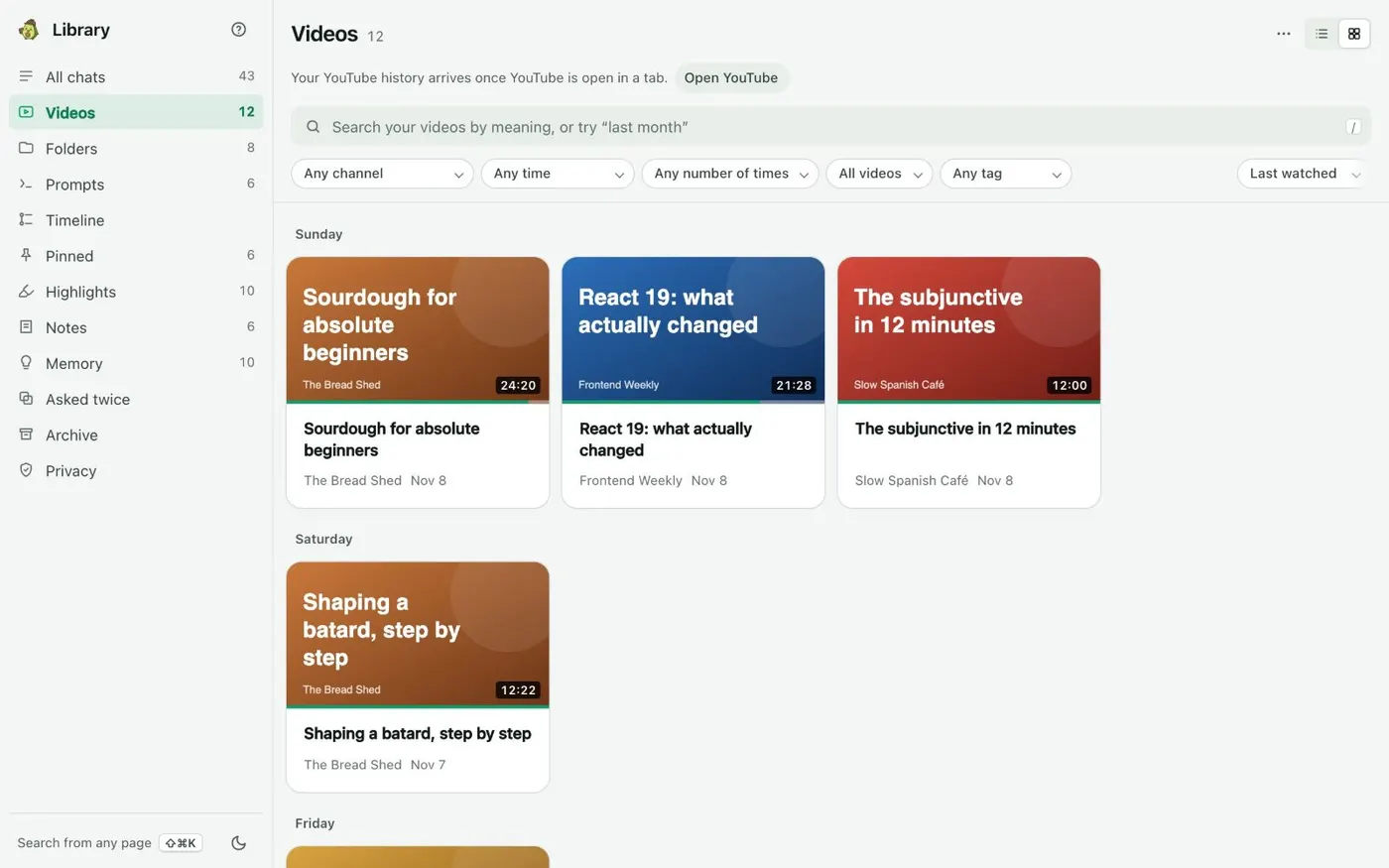
Search your YouTube videos too
Videos you save from YouTube go to Videos. You can search them by what they are about. A video in a folder gets its transcript saved. A search can then open the video at the moment you want.
Kortex Library
Videos sit in the Library beside your chats.
Organize
Organized for you.
Suggested folders
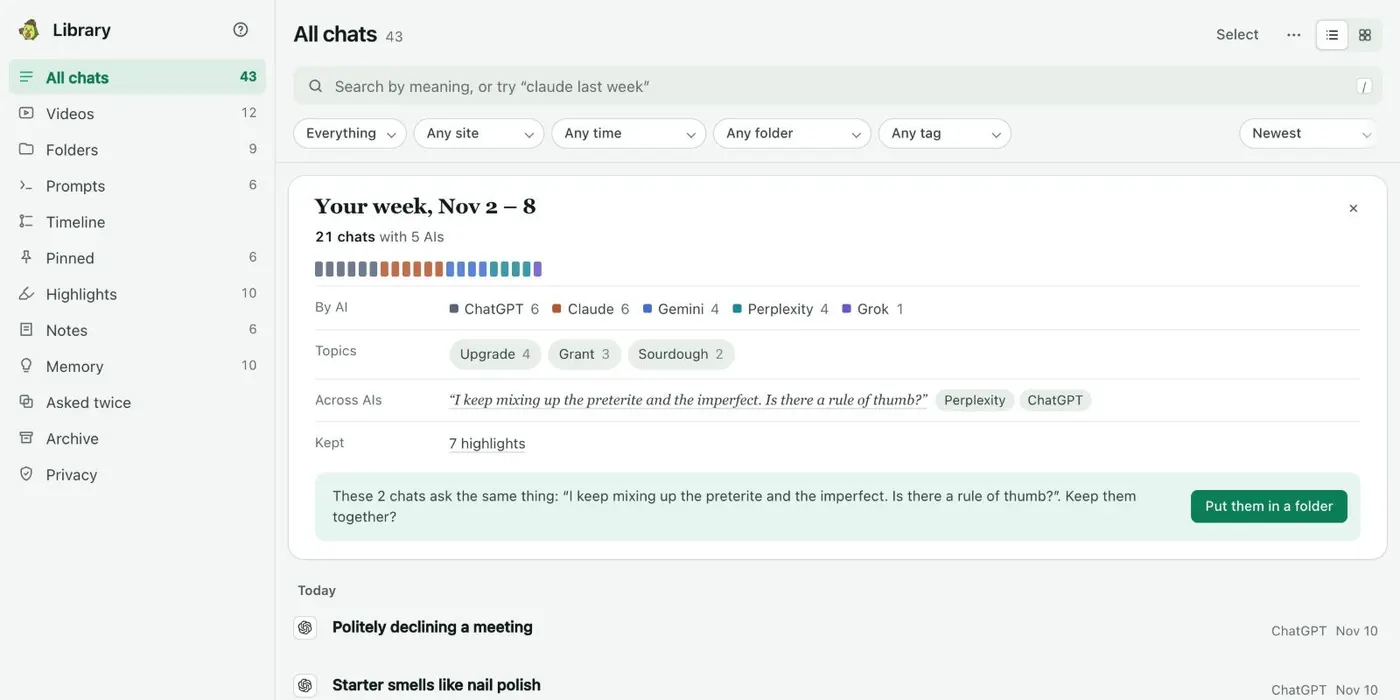
When recent chats look like one topic, a card above All chats offers to make a folder or a notebook from them. Kortex works this out on your computer. Not now hides that kind of card for a week.
Kortex Library
Chats on one subject, from different AIs, offered as one folder.
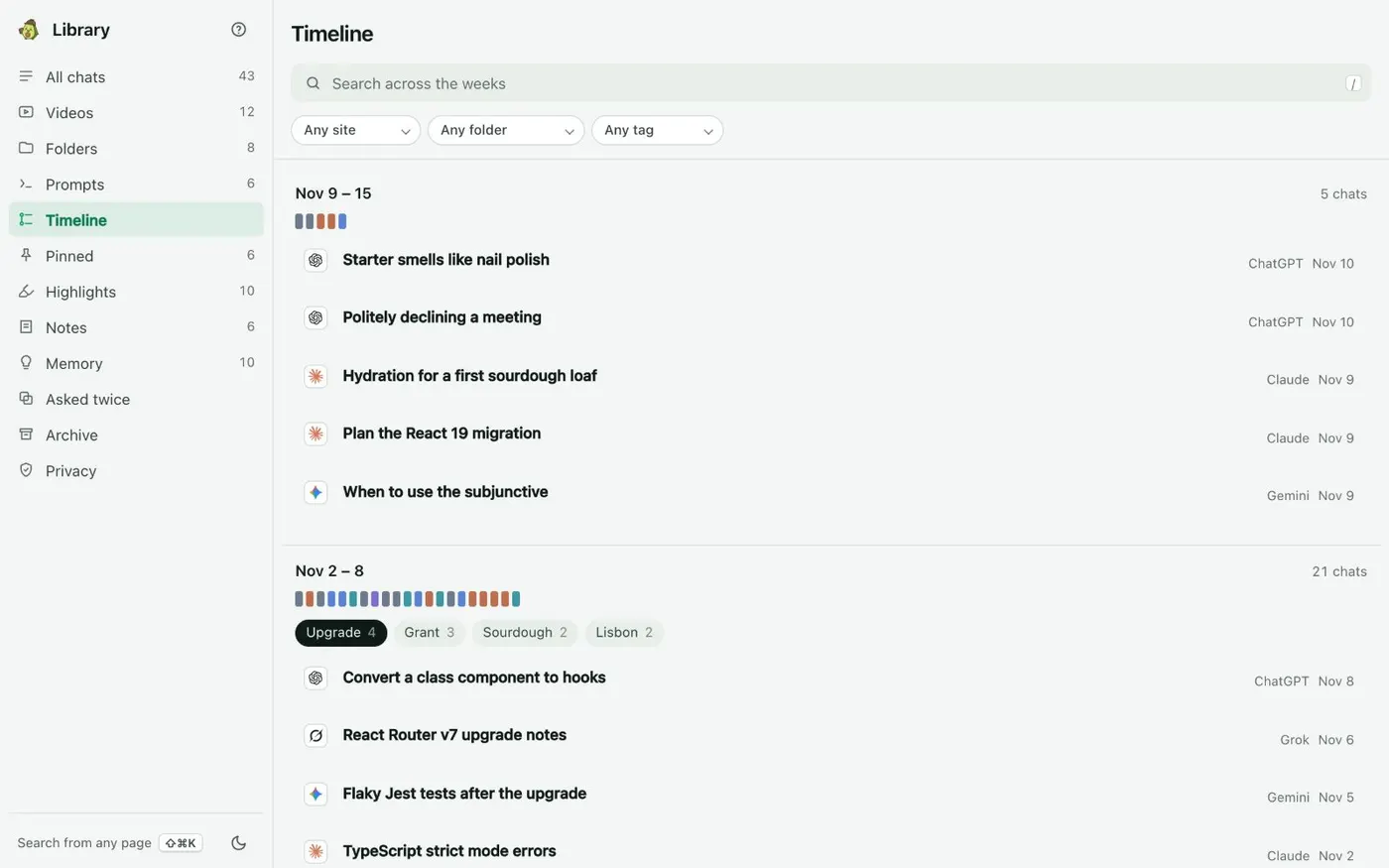
A timeline of your chats
The Timeline groups your chats by week and names the topics you worked on, by meaning. Pick a topic to see only that topic’s chats for the week.
Kortex Library
Each week’s topics, with the chats under them.
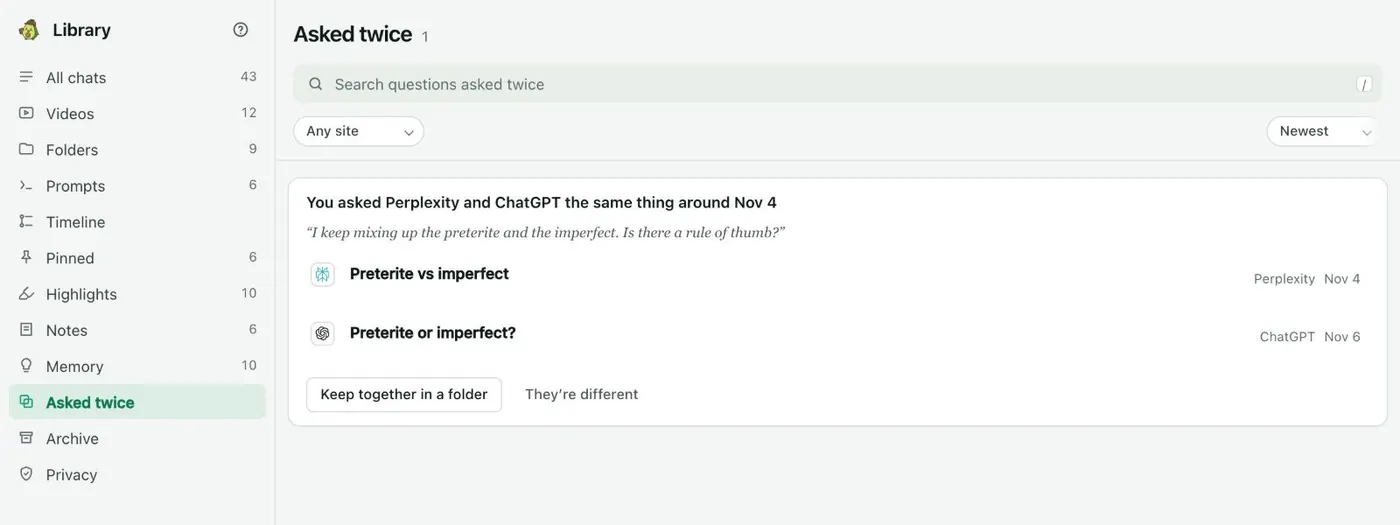
See questions you asked two AIs
Asked twice lists questions you asked more than once, often on two AIs. Choose Keep together in a folder or They’re different. Nothing is deleted.
Kortex Library
The same question, put to two AIs, shown together.
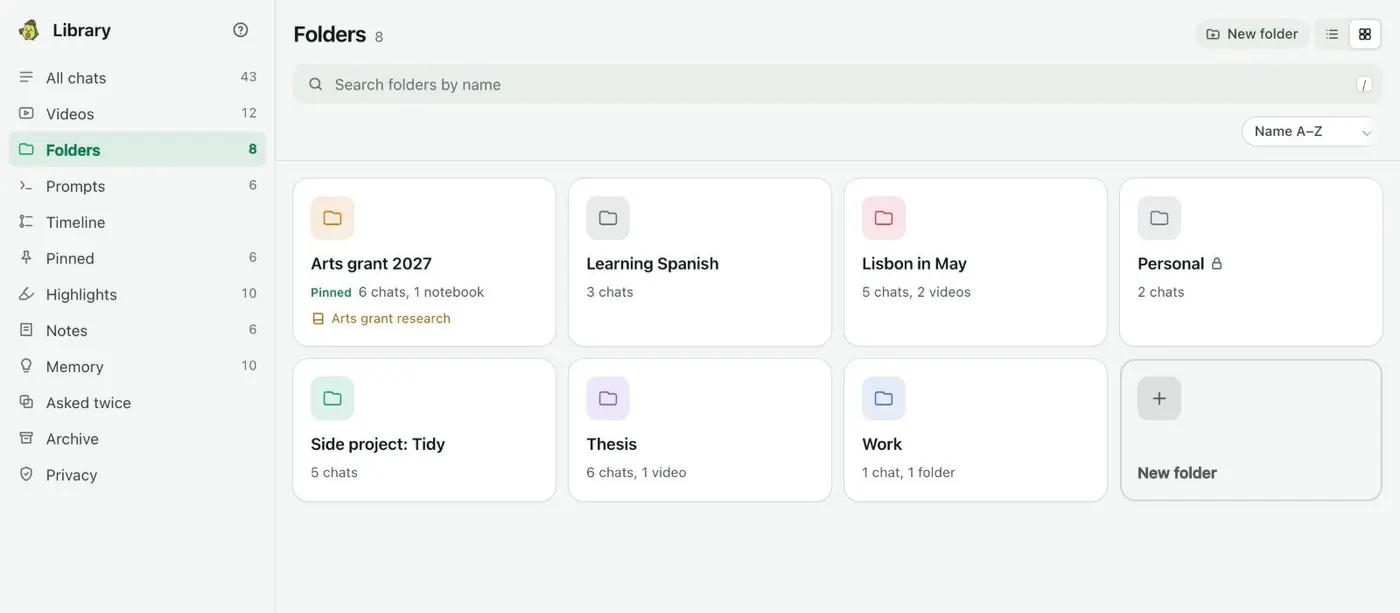
Folders for chats, videos and notebooks
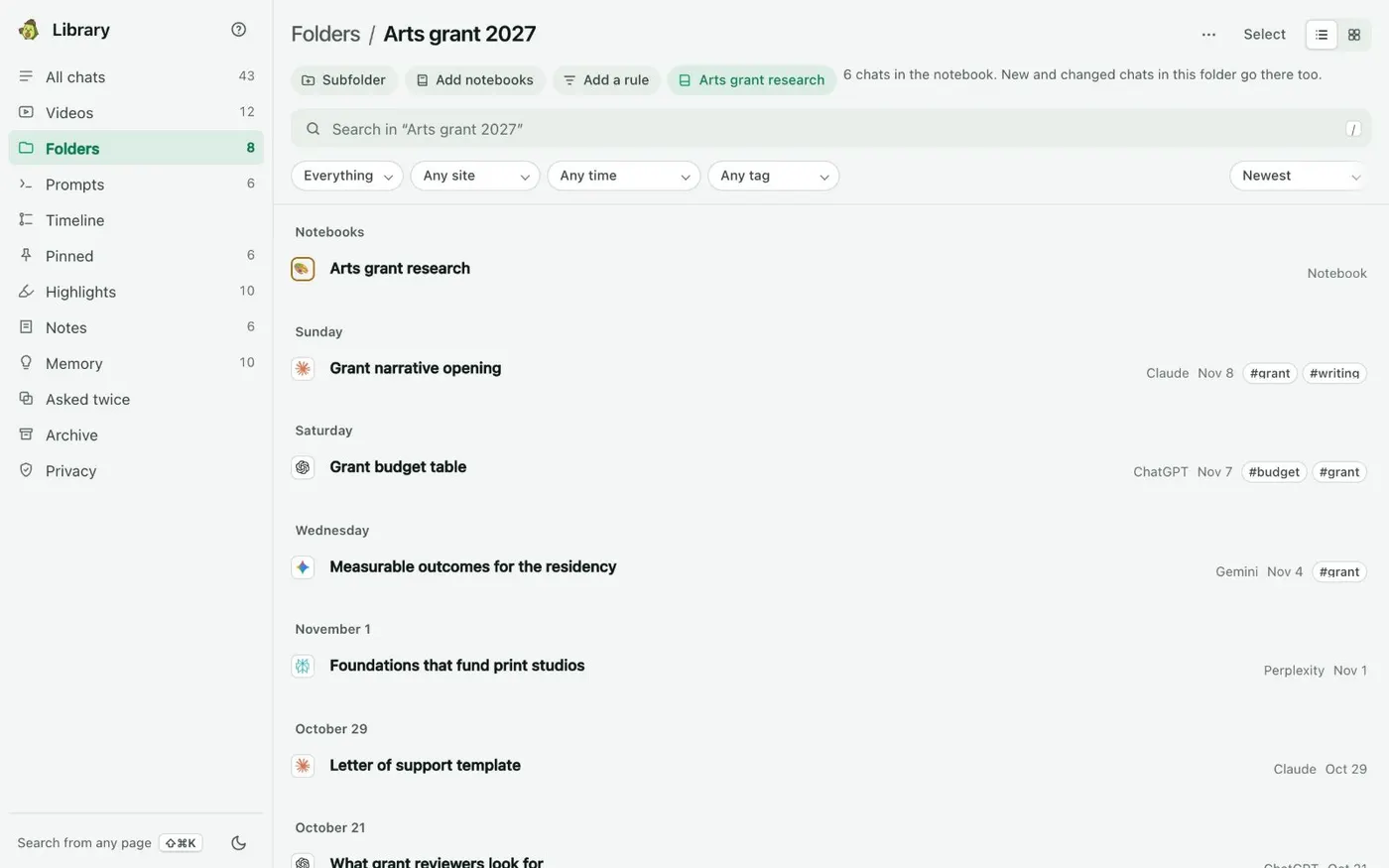
A folder holds chats, notebooks and videos on one topic. You can nest folders, give them one of six colors, pin one to the top, or make one private so its chats stay on this computer.
Kortex Library
Folders in six colours, with the number of chats inside.
Send a folder to Gemini Notebook
Sync to a notebook sends a folder’s chats and videos to a Gemini Notebook as sources. It keeps the notebook up to date as chats are added or change. Nothing is removed from the notebook.
Kortex Library
A linked folder shows how many chats are in its notebook.
A weekly recap
On your first visit after a Monday, a card above All chats sums up last week. It shows how many chats on which AIs, the topics, a question you asked twice, and one thing worth doing next. Stop the weekly recap turns it off.
Kortex Library
Last week in one card.
Your year in AI
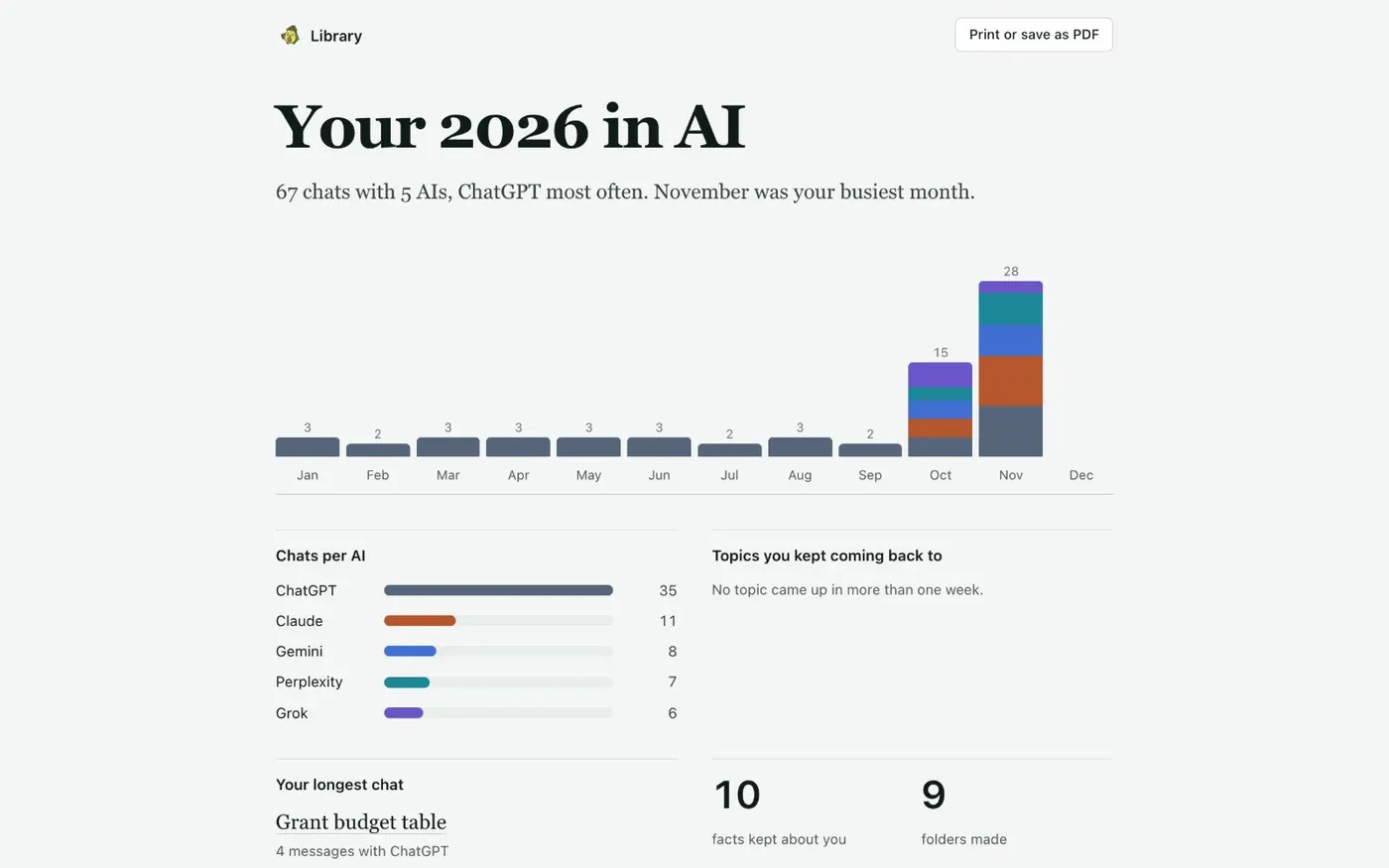
Your year in AI counts chats per AI and per month, the topics you came back to and your longest chat. Kortex works it out on this computer and it stays there.
Kortex Library
A year of chats, per AI and per month.
Take it with you
Use your chats in other apps.
Save chats to Notion
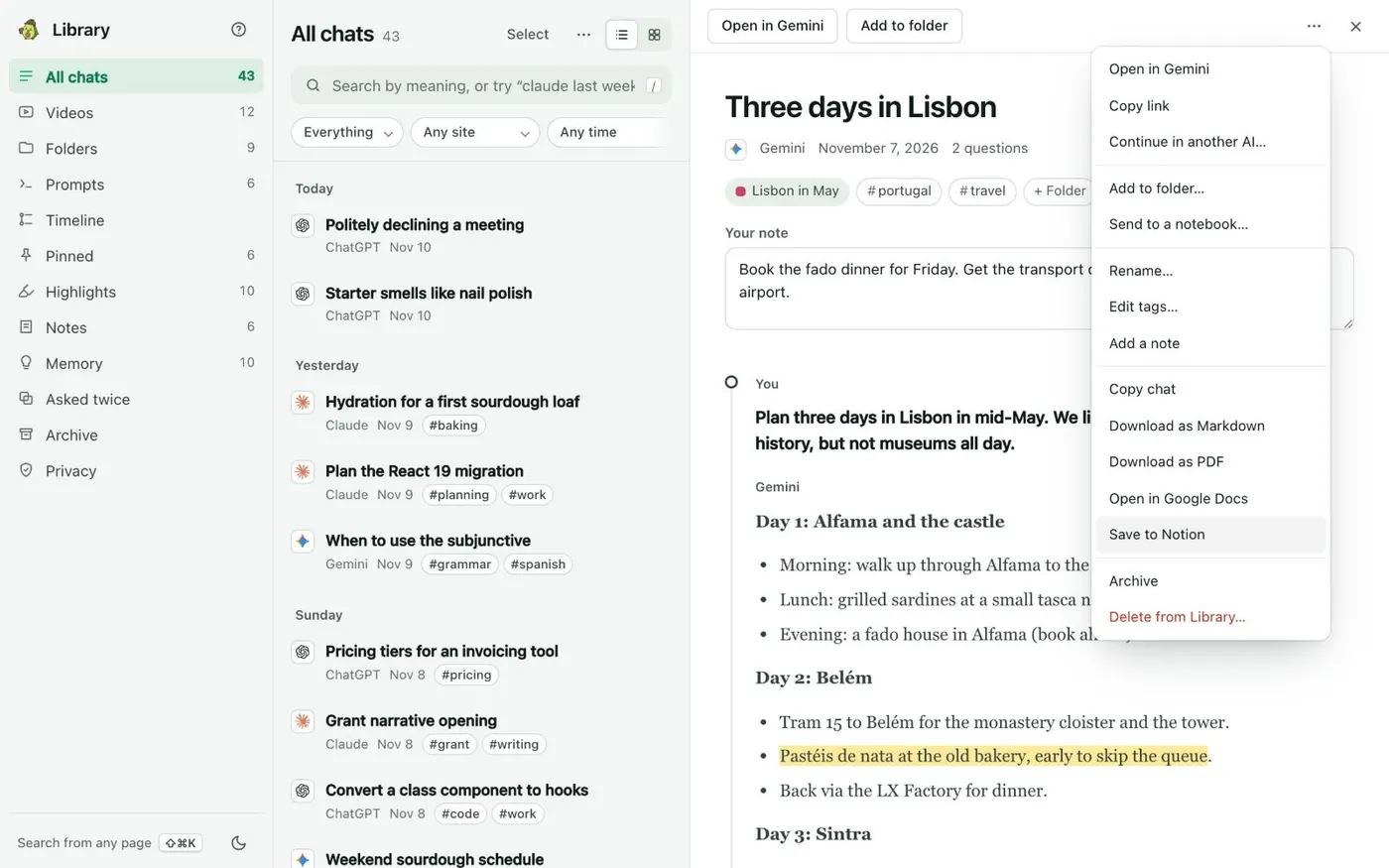
Save to Notion copies a chat to a Notion page you choose. It includes the messages and your note, pins and highlights. If you save the same chat again, Kortex updates its page instead of making a new one.
Kortex Library
Save to Notion sits in every chat’s menu.
Markdown copies for Obsidian
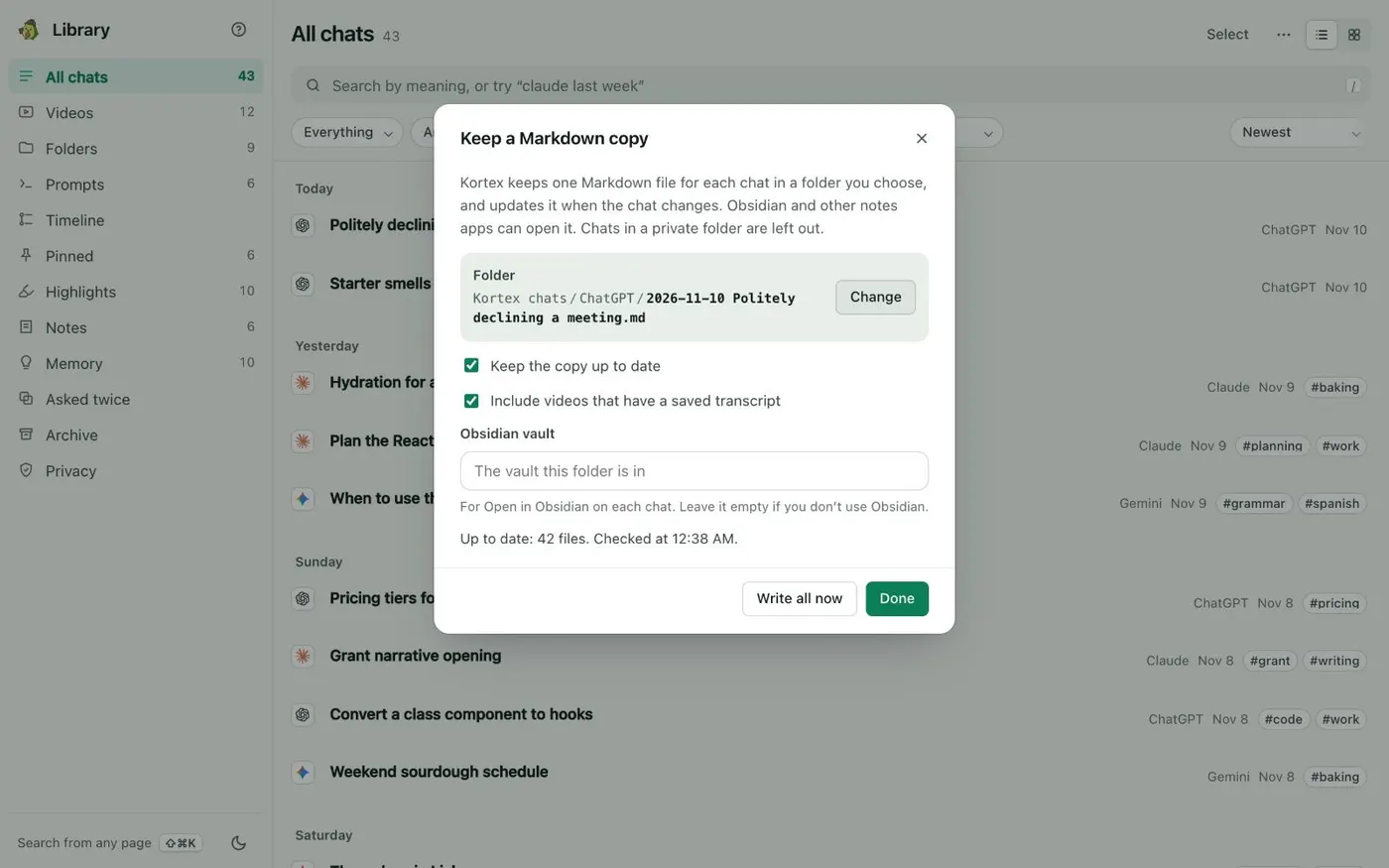
Keep a Markdown copy… writes one Markdown file for each chat in a folder you choose. It updates the file when the chat changes. Anything you write below the marker line is kept. Chats in a private folder are left out.
Kortex Library
A folder of Markdown files, kept up to date.
Connect Claude or ChatGPT with MCP
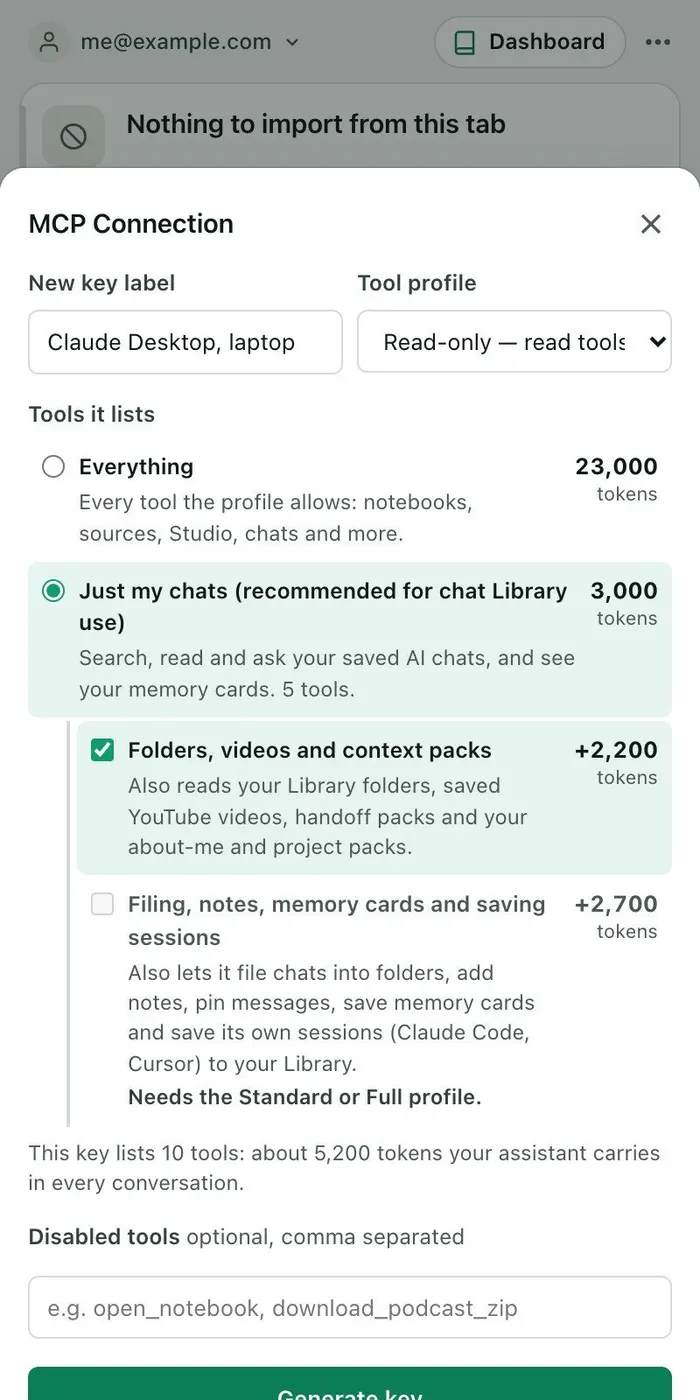
Connect Claude or another assistant over Kortex MCP. Use a key that gives access to only your chats, plus any extras you choose. The sheet shows how many tokens each option costs your assistant.
Side panel
Choose what the key lets your assistant see.
Also here: older chats from ChatGPT, Claude and Gemini export files, and a tour of everything above on your first visit.
Read the Library docs.
How it works
Add Kortex and answer the notice
Add Kortex to Chrome and sign in. The first time you see the Library, it asks whether to keep your AI chats. Keep my chats in my Library starts saving.
Keep chatting as you do now
New chats arrive on their own. Add older ones from the export file each site gives you. Kortex reads it on this computer.
Find it, ask it, carry it on
Search from any page, ask your chats a question, or open another AI with a pack of what you decided.
What stays on your computer.
Stays on this computer
Chats, videos, highlights, pins, notes and Memory facts, in a database inside Chrome.
Search, suggestions, Ask my chats and Write an answer. These run here. Kortex downloads the model behind search once, from Hugging Face, and keeps it in Chrome.
The Markdown copy and your downloads, as files on this computer.
Your Notion sign-in token. Kortex’s server only swaps Notion’s sign-in code for the token. It keeps neither.
Zotero, which Kortex reads from the Zotero app on your computer.
Leaves only when you act
A handoff pack, ;ref, ;ask, ;me or ;pack that you put into an AI’s chat box.
Send to a notebook…, a folder kept in sync with a notebook, a highlight you send, or the Kortex button on an AI site, to Gemini Notebook.
Open in Google Docs and Save to Notion.
Your own assistant reading the Library over Kortex MCP. The call passes through a short-lived job on Kortex’s servers. The job deletes itself about an hour later.
Private folders stay here
Make a folder private. Its chats and videos are then not offered to ;ref or related chats, and are not sent to another AI, a notebook, Google Docs or an MCP tool. Search in your Library still finds them.
Secrets are hidden first
Before text leaves, Kortex turns anything that looks like an API key, token, private key, password or card number into a label such as [hidden API key]. It only hides keys with a known shape or a labeled field, so read before you send.
Every send is listed
Sent from this computer keeps the last 90 days, up to 2,000 entries. Downloads and copied packs are listed too, though they stay here. Clear this list empties it.
Outside the Library. Kortex’s data collection is a separate setting, described in the
privacy policy. It covers page interactions and what is visible on the tab
you are using, which can include a chat on screen. Turn it off under Options in the side panel’s ⋯ menu.
Your account and usage counts. Your Kortex account is kept on Kortex’s servers. Kortex counts
how features are used, as numbers per day. Library events never include chat titles, text or searches.
In a database inside Chrome on your computer. Chats, videos, highlights, pins, notes and Memory facts stay there, and search, Ask my chats and Write an answer run there too. The model behind search is downloaded once, from Hugging Face, and kept in Chrome.
Does Kortex send my chats to its servers?
Saving does not. Chat text from your Library leaves this computer only when you send it, and the Privacy view lists each time. One route passes through Kortex’s servers. A call from your own assistant over Kortex MCP travels as a short-lived job that deletes itself about an hour later. Kortex’s data collection is a separate setting, described in the privacy policy. It can include what is on screen in the tab you are using. Turn it off under Options in the side panel’s ⋯ menu.
Is anything saved before I agree?
No. Kortex asks once: Keep your AI chats in your Library? The notice shows where you first see the Library. Until you answer, nothing is saved. YouTube history is separate and stays off until you turn it on in the Videos view.
How do I stop saving, or delete what is saved?
Open the side panel’s Chats tab and its Saving your chats sheet. Save my AI chats on this computer turns saving off. Each site has its own switch. Delete saved ChatGPT chats (and the same for each site) removes that site’s chats from the Library. It does not touch the chats on the site. Delete from Library in a chat’s ⋯ menu removes one chat and everything made from it. Its text is wiped from the database file, not just hidden.
Which chats can it save, and how far back?
Chats from ChatGPT, Claude, Gemini, Perplexity and Grok. Kortex reads each site’s newest 500 chats, and Gemini lists only about its newest 500 to 600. Older chats can come in from the export file that ChatGPT, Claude or Google Takeout gives you. Kortex reads it on your computer.
Does an AI write or change anything in my chats?
No. Ask my chats shows your chats’ own words. A handoff pack is made of the chat’s own sentences. Write an answer shows up where Chrome has its own built-in AI model. It turns passages into a short answer that cites each one, on your computer. It never downloads that model until you click.
Will my chats show up on my other computer?
No. The Library lives in Chrome on one computer. To take chats elsewhere, download them or send them to a notebook.
Can I connect my own AI assistant?
Yes, over Kortex MCP. A key with the Just my chats option gives your assistant your chat Library and nothing else. Chats in private folders stay out. Likely secrets are masked. Each call that carries chat text is listed in the Privacy view.
Is Kortex made by Google, OpenAI or Anthropic?
No. Kortex is an independent Chrome extension, not affiliated with or endorsed by Google, OpenAI, Anthropic, Perplexity or xAI.
Start saving your AI chats.
Install Kortex, say yes to the notice, and your chats start arriving in your Library.