Gemini Notebook (formerly NotebookLM) MCP Server: 2026 Guide
Need a NotebookLM MCP server? Google has no official one as of October 2026. Compare GitHub community servers, the Enterprise API and Kortex MCP's private beta.
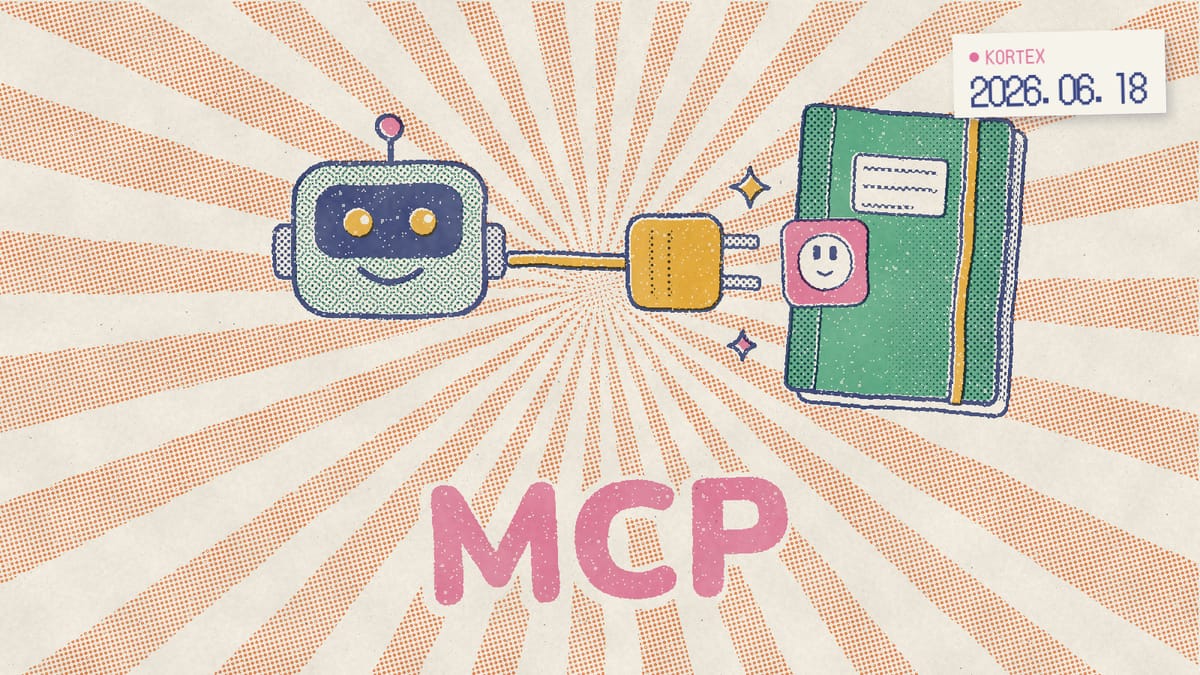
You want your AI agent to query a notebook, pull grounded answers, and chain that into a larger workflow. Reasonable ask. So you go searching for a “Gemini Notebook (formerly NotebookLM) MCP server” and hit a wall of half-truths, abandoned repos, and confident blog posts that gloss over one inconvenient fact: Google ships nothing official here. However, you still have options. This guide cuts through the noise. We’ll explain what MCP actually is, what genuinely connects to Gemini Notebook today, what’s a fragile hack, and where Kortex MCP, a Kortex Pro feature now in private beta, fits in.
Key Takeaways
- There is no official Google Gemini Notebook MCP server in 2026; a request on the google/mcp repo opened February 2026 and remains open (GitHub, 2026).
- MCP is a real, fast-growing standard. By its first anniversary the official registry held nearly 2,000 entries with 407% growth since September 2025 (MCP Blog, 2025).
- Community servers work via browser automation or undocumented APIs, not a public API. The best-known, PleasePrompto/notebooklm-mcp, was archived in September 2026.
- Google’s only documented Gemini Notebook API is enterprise-only through Gemini Enterprise; consumer accounts can’t use it.
- Kortex MCP is in private beta for invited members, as a Kortex Pro feature: one endpoint, 145+ notebook tools, each call run by the extension in your own browser (Kortex MCP docs, 2026).
What is the Model Context Protocol (MCP)?
MCP is an open standard Anthropic announced and open-sourced on November 25, 2024, built to connect AI assistants to the systems where data actually lives: content repositories, business tools, and dev environments (Anthropic, 2024). Think of it as a universal adapter. In practice, instead of writing custom glue for every tool, an agent speaks one protocol to many data sources.
The first release wasn’t just a spec on paper. It shipped SDKs, local server support in Claude Desktop, and pre-built servers for Google Drive, Slack, GitHub, Git, Postgres, and Puppeteer (Anthropic, 2024). As a result, it was usable on day one, not theoretical.
Under the hood, MCP clients and servers talk in JSON-RPC 2.0 messages. The protocol was created by Anthropic engineers David Soria Parra and Justin Spahr-Summers, who borrowed message-flow ideas from the Language Server Protocol that powers modern code editors (Wikipedia, 2024). Hence MCP feels familiar to anyone who’s built IDE tooling.
What is an MCP server?
An MCP server is the half of the protocol that wraps a data source and exposes “tools” the model can call. The client lives inside your AI app, such as Claude Desktop, an IDE agent or ChatGPT. A Gemini Notebook MCP server, for example, would expose tools like “ask a notebook” or “list sources.” Google hasn’t built one, though. Consequently, everything that exists comes from third parties, and some are sturdier than others.
Is MCP actually widely adopted in 2026?
Yes, and the cross-vendor buy-in is the strongest signal it’s not a fad. OpenAI officially adopted MCP in March 2025, including the ChatGPT desktop app, and Google said in April 2025 that it would embrace the standard for connecting AI models to data (Wikipedia, 2025). Importantly, when direct competitors agree on a protocol, it tends to stick.
Governance matured as well; specifically, it changed hands. In December 2025, Anthropic donated MCP to the Agentic AI Foundation, a directed fund under the Linux Foundation co-founded by Anthropic, Block, and OpenAI (Wikipedia, 2025). In other words, no single vendor controls it now, which matters if you’re betting infrastructure on it.
The raw numbers back the momentum. By MCP’s one-year anniversary on November 25, 2025, the official registry held close to two thousand entries, a 407% jump since its September 2025 announcement. Similarly, the contributor community had grown to 2,900+ people, with 100+ new contributors joining weekly (MCP Blog, 2025).
Here’s the gap worth naming. Named adopters include Notion, Stripe, GitHub, Microsoft, AWS, Google Cloud, and Okta. In contrast, Gemini Notebook is absent from official integrations. Google embraced MCP at the model layer (Gemini) while leaving its research product untouched. Thus the protocol is everywhere except the one place you want it.
Does Gemini Notebook have an official MCP server?
No. As of October 2026, there is no official Google Gemini Notebook MCP server. A GitHub issue on the google/mcp repository requesting exactly this, with OAuth authentication instead of fragile browser automation, was opened February 2, 2026 and remains open with no official Google response and no shipped product (GitHub, 2026). That’s the central, often-buried truth. Plenty of articles imply Gemini Notebook “supports MCP.” It does not. Google adopted MCP for its models, not for Gemini Notebook’s consumer surface. Therefore, any agent you wire up today reaches Gemini Notebook through a third party, not a Google-supported integration. Why does this matter so much? Without an official server, there’s no stability guarantee from Google, no rate-limit contract, and no auth flow Google endorses. A UI redesign can quietly break a pipeline overnight.
The issue still says “NotebookLM” in its title. Google renamed the product Gemini Notebook on July 16, 2026. The request didn’t. For the broader picture of where these gaps sit, our breakdown of what Gemini Notebook is missing covers the export and API holes in detail.
In our experience helping people automate research tools, the moment someone hears “no official API,” the smart next question is: what’s the smallest reliable workaround? Not the flashiest one, but the one that survives a Tuesday-morning Google update.
How do the community MCP servers on GitHub work?
Community Gemini Notebook MCP servers exist, but they rely on browser automation or undocumented internal APIs rather than any public one. The widely referenced PleasePrompto/notebooklm-mcp server has 3,400+ GitHub stars. It drives a real Chrome browser via Patchright (stealth plus a persistent fingerprint) with a cached login profile to ask questions, ingest sources, generate Audio Overviews, and extract DOM-level citations (GitHub, 2026).
Read that carefully. It’s not calling an endpoint. Instead, it’s pretending to be you, clicking buttons in a headless-ish Chrome session and scraping the page. That’s clever engineering. That said, it’s also brittle, and now it’s frozen: the README says that as of September 2026 the repository is archived, with “no updates, bug fixes or support.”
The other approach skips the browser and calls Google’s internal endpoints directly. The gemini-notebook-mcp-cli project, which notably has even more stars (6,200+), says its internal APIs “are undocumented and may change without notice” and “require cookie extraction from your browser” (GitHub, 2026). Different plumbing, same fragility, and the same cookie risk as a result.
What these servers can do
When they work, community servers expose a surprisingly full toolset to your agent. You can pass a question and get a grounded answer back. Similarly, you can feed in new sources. In addition, you can trigger audio generation and pull citations straight from the DOM. For a single-user setup, that’s a lot of capability from a free product. Nevertheless, it rests on parts Google never promised to keep stable.
Why do community MCP servers break?
The failure modes are predictable. Browser automation breaks when Google ships UI changes, and Gemini Notebook ships often. Stealth fingerprinting can trip bot detection. Cached logins expire and need babysitting. Worse, copied cookies give whatever holds them your full Google session. Security researchers have mapped this kind of risk across the whole MCP world: a 2025 study lists 16 threat scenarios over a server’s life, from malicious developers to plain implementation flaws (Hou et al., arXiv, 2025). Meanwhile, an archived server won’t get a fix when the next redesign lands. If your workflow is mission-critical, that’s a foundation built on sand. So what’s the alternative? There’s a steadier way in: let your assistant work through the Chrome you’re already signed into, with no second profile and no cookies copied anywhere. That’s the route Kortex MCP takes.
Skip the stealth browser and the copied cookies
Kortex MCP gives Claude, ChatGPT and Cursor 145+ notebook tools that run through the Kortex extension in your own Chrome, using the Google session you're already signed in to. It's a private beta for invited Kortex Pro members, so join the waitlist for an invite.
Is there any real Gemini Notebook API behind MCP?
Sort of, but probably not the one you want. Google does offer a Gemini Notebook Enterprise API via Google Cloud’s Gemini Enterprise, documenting REST methods for notebook CRUD operations like notebooks.create, notebooks.get, notebooks.listRecentlyViewed, notebooks.batchDelete, and notebooks.share (Google Cloud, 2026). A real, documented surface exists, though it’s a v1alpha preview under Google’s Pre-GA terms.
The catch, however, is right there in the name: Enterprise. This API is enterprise-only, gated behind Gemini Notebook Enterprise licenses on Google Cloud. There is no public consumer Gemini Notebook API. If you’re on the free or even Plus consumer tier, you can’t touch it. Your account isn’t eligible.
As a result, the picture splits cleanly in two. Enterprise customers get a REST API they could wrap in a custom MCP server tomorrow. Everyone else, including students, solo researchers, and most small teams, gets nothing official from Google.
This two-tier split explains the open google/mcp issue perfectly. The demand is real, the enterprise plumbing already exists, and the only missing piece is exposing a consumer-grade, OAuth-secured surface. In fact, that’s a product decision, not a technical limit. Google could ship it; it just hasn’t.
What can you actually automate with Gemini Notebook today?
For consumer accounts, automation lives mostly inside the product’s own limits, not an external API. Each free account gets up to 100 notebooks with up to 50 sources per notebook (Gemini Notebook Help, 2026), and each source can hold up to 500,000 words (Gemini Notebook Help, 2026). That’s a lot of room before you ever need an agent. Conversely, the daily allowance is where most people feel the squeeze.
Daily counts changed this fall. Since September 2, 2026, chats and Studio outputs no longer have fixed allowances like 50 chats and 3 Audio Overviews a day. Your quota refreshes every 5 hours until you reach a weekly limit, and heavier prompts, longer chats and bigger features use more of it (Gemini Notebook Help, 2026). Paid tiers stretch this further. Google AI Plus offers 200 notebooks and 100 sources per notebook; Google AI Pro jumps to 500 notebooks and 300 sources; Ultra reaches 500 notebooks with 500 to 600 sources depending on storage tier (Gemini Notebook Help, 2026). Usage scales the same way; for example, Plus gets 2x the standard limits, Pro 4x, and Ultra 5x or 20x more than Pro. In particular, Plus doubles the free ceilings; it doesn’t multiply them fivefold, despite some loud claims otherwise.
Gemini Notebook’s mobile apps add another quiet automation lane. The iOS and Android apps launched May 19, 2025 with share-to-app source ingestion for websites, PDFs, and YouTube videos, plus downloadable Audio Overviews for offline listening (Google, 2025). Sharing a link into the app, for instance, is a one-tap “ingest” you don’t need MCP for.
So before wiring up any server, ask the honest question: do you need an agent, or do you need a tighter manual workflow? For most research jobs, a good prompt library closes more of the gap than any automation hack.
How does Kortex MCP connect your AI agent to Gemini Notebook?
Kortex MCP is a hosted MCP server and a Kortex Pro feature, now in private beta: only invited members can connect. One endpoint gives Claude, ChatGPT, Cursor and other MCP clients 145+ notebook tools, and each call runs through the Kortex extension in your own Chrome instead of a stealth browser (Kortex MCP docs, 2026). Want in? Invites go out from the Kortex MCP beta waitlist.
Who wants a Gemini Notebook MCP server, and for what? We built Kortex MCP, and we analyzed the 776 answers to its waitlist survey (Kortex MCP waitlist survey, 776 respondents, Sep-Oct 2026). We found that Claude was the assistant people named most (126 times), ahead of ChatGPT (69) and Gemini (61). The top asks were running notebooks on a schedule (128 people), tidying the library (121) and getting cited answers from notebooks (110). Notably, 81% said their assistant can already reach Google Drive and 81% Gmail. That’s the bridge Kortex MCP is built for. Your AI client reads the email, file or Notion page it can reach, and Kortex MCP carries it into the right notebook, or carries notebook answers back out. Kortex itself never reads your Gmail or Notion. In other words, the assistant fetches and Kortex delivers.
How a call travels
Your AI client calls the Kortex endpoint. The endpoint relays the job to your own Kortex Chrome extension, which asks Gemini Notebook using the Google session you’re already signed into, and the answer comes back the same way. That’s why Chrome has to be running with the extension signed in. It can sit minimised, and notably no notebook tab needs to be open. Compare that with the community servers above. In particular, there’s no second Chrome profile to babysit, no stealth fingerprint, and no cookies to copy out. Kortex never stores your Google password or cookies (Kortex MCP security docs, 2026). Google still publishes no public consumer API for Gemini Notebook; accordingly, Kortex goes through the same signed-in path the extension already uses. One honest catch, though: the first call after Chrome has been idle can take up to 30 seconds while the extension wakes.
How do you add it to Claude, ChatGPT or Cursor?
The endpoint is https://mcp.kortex-notebooklm.com/mcp, over Streamable HTTP. It’s public and documented, but only invited beta members can connect. Once your invite arrives, there are two ways in:
- OAuth sign-in. Paste the URL into your client. It opens a Kortex consent page, you sign in, and you’re connected.
- API key. Create a key in the Kortex popup and send it as
Authorization: Bearer kx_mcp_.... Handy for CI or a machine without a browser, and the API key docs show where to create one and how to scope it. - Read-only keys. A key can be limited to read-only tools, so a client can ask notebooks but not change them. Start there, then move up when you need writes.
In Claude Code, it’s one command:
claude mcp add --transport http kortex https://mcp.kortex-notebooklm.com/mcpThe client setup docs cover Claude Code, Claude Desktop and Web (as a custom connector), ChatGPT (developer mode, as an MCP app), Cursor, VS Code, Antigravity, Windsurf, Cline, Codex CLI and Zed. Starting from zero? Our guide to asking your notebooks from Claude or ChatGPT walks you from connecting to a first cited answer.
When we listed the production server’s tools on October 1, 2026, tools/list returned 150 of them. They create notebooks, add sources, ask questions, tag, compare notebooks, and generate Audio Overviews, study guides and more. The MCP tools reference groups them by what they touch and marks which ones write or delete. Want something to run while you sleep?
Scheduled notebooks
Kortex MCP can also put a notebook on a schedule. Ask your assistant once, and it saves a job that runs hourly, daily or weekly: ask a notebook a question, save the answer, or make an Audio Overview. The workflows and schedules docs walk through setting one up and what each run can do. Schedules fire from Chrome; consequently, a closed laptop runs nothing. Like the rest of Kortex MCP, scheduled notebooks are part of the beta. Our guide to a scheduled daily briefing with Audio Overviews sets one up step by step.
What does it cost? Kortex has a free plan, and Kortex MCP is part of Pro at $9.99 a month, or $4.92 a month billed yearly (Kortex pricing, 2026). In addition, while the beta runs you’ll need an invite, and the waitlist is how you get one.
Put your notebooks to work inside your AI assistant
Ask notebooks, add sources and schedule Audio Overviews from Claude, ChatGPT or Cursor, with every call running in your own Chrome. Kortex MCP is a private beta for invited Kortex Pro members, and invites go out from the waitlist.
Which Gemini Notebook MCP option should you use?
| Route | How it reaches Gemini Notebook | Who can use it | Status (October 2026) |
|---|---|---|---|
| PleasePrompto/notebooklm-mcp | Stealth Chrome via Patchright, cached login | Anyone who self-hosts it | Archived in September 2026. |
| gemini-notebook-mcp-cli | Undocumented internal APIs, cookies from your browser | Anyone who self-hosts it | Maintained, may break without notice. |
| Gemini Notebook Enterprise API | Official REST API, v1alpha | Gemini Notebook Enterprise license holders | Pre-GA preview. |
| Kortex MCP | Relayed to your own Kortex extension and Google session | Invited Kortex Pro members | Private beta, invite-only. |
How does Kortex fill the export and workflow gap?
Kortex fills it from inside your browser, with no API and no code. Gemini Notebook’s native export stops at notes, which go to Google Docs or Sheets (Gemini Notebook Help, 2026). Sources and chats stay put. Arguably, that’s the biggest friction point an MCP server tries to solve, and the easiest one to fix without code. Kortex is a Chrome extension with a free plan that adds export, a saved prompt library, automation helpers, and web-clipping directly on top of Gemini Notebook.
To be clear about what Kortex is and isn’t: in other words, it enhances Gemini Notebook inside your browser, and it’s not a replacement for Google’s product. Not everyone needs an agent, either; for many, export is the whole job. Kortex solves the practical problems people reach for MCP to fix, getting structured content out and reusing prompts at scale, without the brittleness of stealth automation.
Export without an API
Kortex lets you pull notebook outputs, summaries, and chat responses into clean formats you can drop into other tools: PDF, Markdown, plain text, or one ZIP for a whole notebook’s sources. Specifically, that’s the “extract” half of what community MCP servers scrape from the DOM, except it’s a supported extension built for the job.
A prompt library that scales
The saved prompt library means you stop retyping research prompts. You build once, reuse forever. Likewise, combined with structured web-clipping into your sources, it covers the everyday automation most people actually wanted from MCP.
What’s the bottom line on Gemini Notebook MCP?
There’s no official route yet, so pick the one that matches the job. MCP is real and growing fast. However, Gemini Notebook hasn’t joined officially, and the community servers that fill the gap trade reliability for cleverness. If you mainly need to get content out and reuse prompts, Kortex handles export, a prompt library, clipping and automation right inside your browser, on the free plan. If you want an assistant working inside your notebooks, Kortex MCP is in private beta for invited members: join the waitlist, and once you’re in, paste one URL, sign in, and keep Chrome open.
Connect your AI agent to Gemini Notebook
One URL gives Claude, ChatGPT, Cursor and other MCP clients 145+ notebook tools, each call run by the Kortex extension in your own Chrome. Kortex MCP is a private beta for invited Kortex Pro members: join the waitlist, and get Kortex free on Chrome while you wait.
Frequently asked questions
Does Gemini Notebook have an official MCP server?
No. As of October 2026, Google ships no official Gemini Notebook MCP server. A GitHub issue on google/mcp requesting one (with proper OAuth instead of browser automation) opened February 2, 2026 and remains open with no shipped product or official Google response.
Is there a Gemini Notebook MCP server on GitHub?
Yes, several, though none comes from Google. PleasePrompto/notebooklm-mcp drives Chrome with Patchright and has 3,400+ stars, but it was archived in September 2026. jacob-bd/gemini-notebook-mcp-cli calls undocumented internal APIs and needs cookies extracted from your browser, so it can break without notice.
What is the Model Context Protocol (MCP)?
MCP is an open standard Anthropic announced on November 25, 2024 for connecting AI assistants to systems where data lives. Clients and servers talk in JSON-RPC 2.0 messages, and the protocol is now governed by the Linux Foundation’s Agentic AI Foundation after Anthropic donated it in December 2025.
Can I connect Gemini Notebook to an AI agent right now?
Yes, but not through Google, and for now only by invite. Kortex MCP, a Kortex Pro feature in private beta, gives invited members 145+ notebook tools in Claude, ChatGPT, Cursor and other MCP clients, run through the Kortex extension in your own Chrome. Join the waitlist for an invite. Community servers drive a stealth browser instead, and the best-known one was archived in September 2026.
How do I connect Kortex MCP to Claude, ChatGPT or Cursor?
Join the waitlist first: Kortex MCP is in private beta, and only invited members can connect. Once you’re in, add https://mcp.kortex-notebooklm.com/mcp to your client and sign in on the Kortex consent page, or send an API key as an Authorization: Bearer header. It’s a Pro feature, at $9.99 a month or $4.92 a month billed yearly. Keep Chrome running with the extension signed in.
Is there any official Gemini Notebook API at all?
Yes, but enterprise-only. Google offers a Gemini Notebook Enterprise API through Gemini Enterprise on Google Cloud, documenting v1alpha REST methods like notebooks.create and notebooks.share. There is no public consumer API, so free-tier and personal accounts cannot use it.
Why do community MCP servers use browser automation?
Because no public API exists. The PleasePrompto server drives Chrome via Patchright with a persistent fingerprint and cached login profile. It scrapes DOM-level citations and clicks buttons, mimicking a human user rather than calling a stable, supported endpoint. It was archived in September 2026.
Will Google release an official Gemini Notebook MCP integration?
It’s plausible but unannounced. Google publicly embraced MCP in April 2025, and by November 2025 the protocol had 2,900+ contributors. An open google/mcp request signals demand, yet Google has shipped nothing official for Gemini Notebook as of October 2026.
Editorial note: fact-checked against the official help pages and docs linked above on October 2, 2026. Spotted something out of date? Contact us and we will fix it, or read more about Kortex.