
Import
Import X, Reddit and LinkedIn posts
Kortex adds a button to X, Reddit and LinkedIn that saves a thread or post to Gemini Notebook (formerly NotebookLM). On X it saves the author’s own thread. On Reddit it saves the post’s title, author and text. On LinkedIn it saves a feed post’s author and text.
What does Import X, Reddit and LinkedIn posts do?
Kortex adds a NotebookLM button to X, Reddit and LinkedIn. On X, it saves the author's own thread. On Reddit, it saves the post's title, author and text. On LinkedIn, it saves a feed post's author and text. Each one becomes a source in Gemini Notebook.
What you get
-
A thread becomes one source
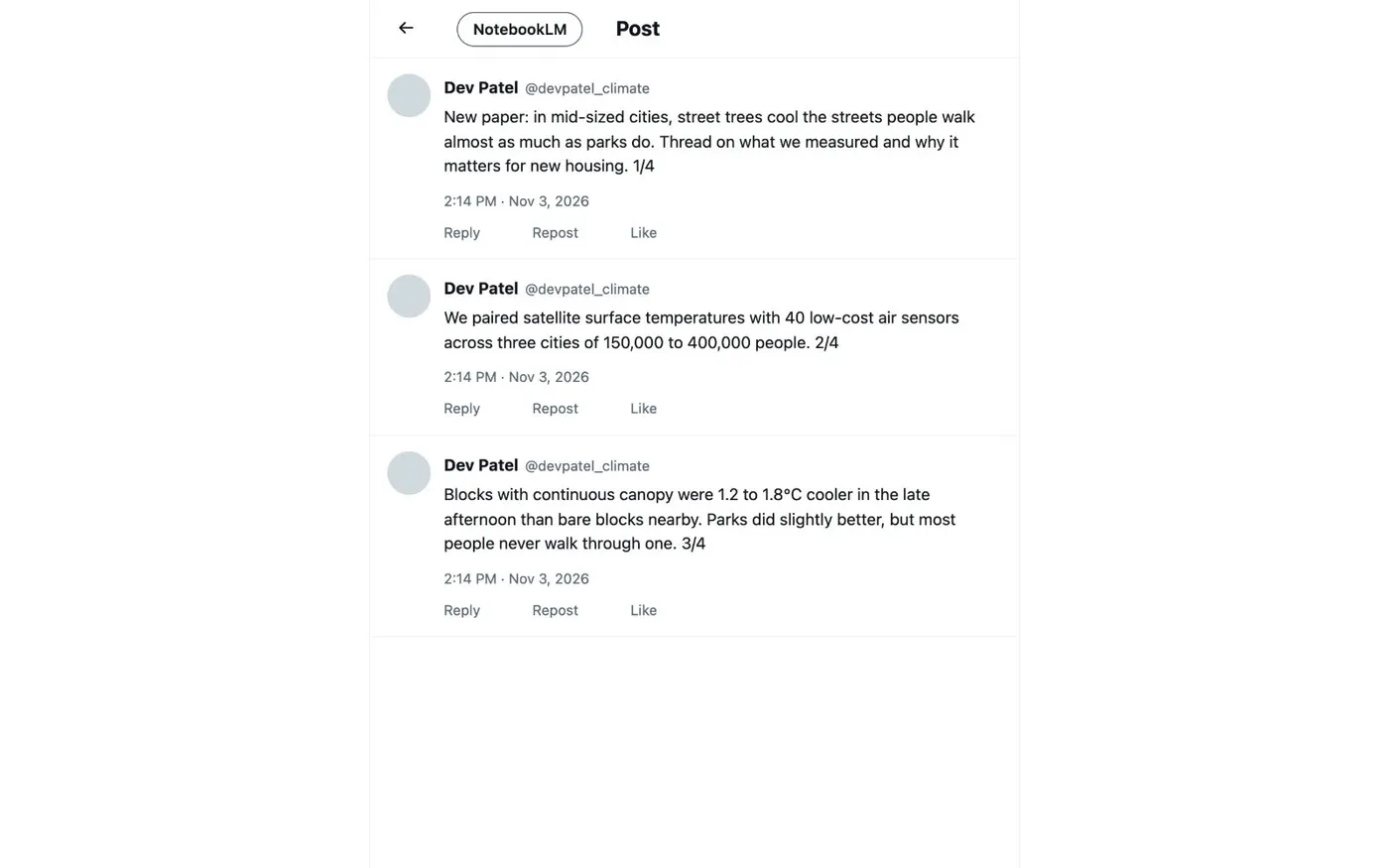
On X, Archive thread to NotebookLM collects the author's own thread and skips replies from other people. You can check it before you save it.
-
The author is saved with the post
Reddit and LinkedIn posts arrive with their author, so Gemini Notebook can say whose words it quotes.
-
Posts disappear, sources stay
A post can be edited or deleted. Your source keeps the text as it was when you imported it.
-
Google Docs gets a button too
On a Google Doc, a NotebookLM button before Share adds the doc to a notebook as a Google Doc source.
Which sites get a button?
Kortex adds a button to three social sites. The button says NotebookLM, the name Kortex’s screens still use for Gemini Notebook.
- X. The button is in the page header. Archive thread to NotebookLM collects the author’s own thread and skips other people’s replies. A check step lets you look at the thread before you save it.
- Reddit. The button sits in the post’s action row. It saves the post’s title, its author and its text.
- LinkedIn. A button on each feed post saves that post’s author and text.
Google Docs has the same kind of button, placed before Share. It adds the open doc as a Google Doc source.
What do I get in the notebook?
Each import becomes one source. The text is what was on the page when you clicked, so later edits do not change it. Gemini Notebook can cite the source like any other. You can mix it with chats, PDFs and videos in the same notebook.
Pick Create New Notebook or Use Existing Notebook. Kortex marks the notebook that fits the post best as Suggested. If the notebook already has the same post, Kortex warns you first.
Related
For text from any other page, use Highlight and send. For video, see Import YouTube videos. To save a chat from an AI site, see Send AI chats to a notebook.
How it works
Want every step? Follow the tutorial.
-
Open the post
Go to the X thread, the Reddit post or the LinkedIn post. The Kortex button shows on the page. On X it is in the header. On Reddit it is in the post's action row. On LinkedIn it is on each feed post.
-
Click the button
On X the button is called Archive thread to NotebookLM. It collects the author's thread. You can check it before you save.
-
Choose a notebook
Pick Create New Notebook or an existing notebook. Kortex marks the best fit as Suggested. It warns you if the notebook already has the post.
-
Read it in the notebook
Open the notebook in Gemini Notebook. The post is a source you can ask questions about, next to your other material.
Questions people ask
Something we missed? Ask us.
What exactly is saved from a Reddit post?
The post's title, its author and its text. Kortex does not save the comments.
Does it save replies from other people on X?
No. Archive thread to NotebookLM collects the author's own thread and skips other people's replies. You can check what it collected before you save.
Can I import several posts into one notebook?
Yes. Send each post to the same notebook. Every post becomes its own source, next to your chats, highlights and pages.
Can I import a whole subreddit or a LinkedIn profile?
No. The buttons save one post or thread at a time. To add many links at once, paste them into Bulk import.
Why does the button say NotebookLM?
Google renamed NotebookLM to Gemini Notebook on July 16, 2026. It is the same product, and the Kortex button still carries the old name.
How do I import a Reddit post into NotebookLM?
Open the post on Reddit and click the NotebookLM button in the post’s action row. Pick Create New Notebook or Use Existing Notebook. Kortex saves the post’s title, author and text as one source.
Try it on your own notebooks.
100,000+ people use the Kortex extension. Install it and try import x, reddit and linkedin posts on a notebook you already have.
100,000+ users, rated 4.5 on the Chrome Web Store.