Prompt Holder
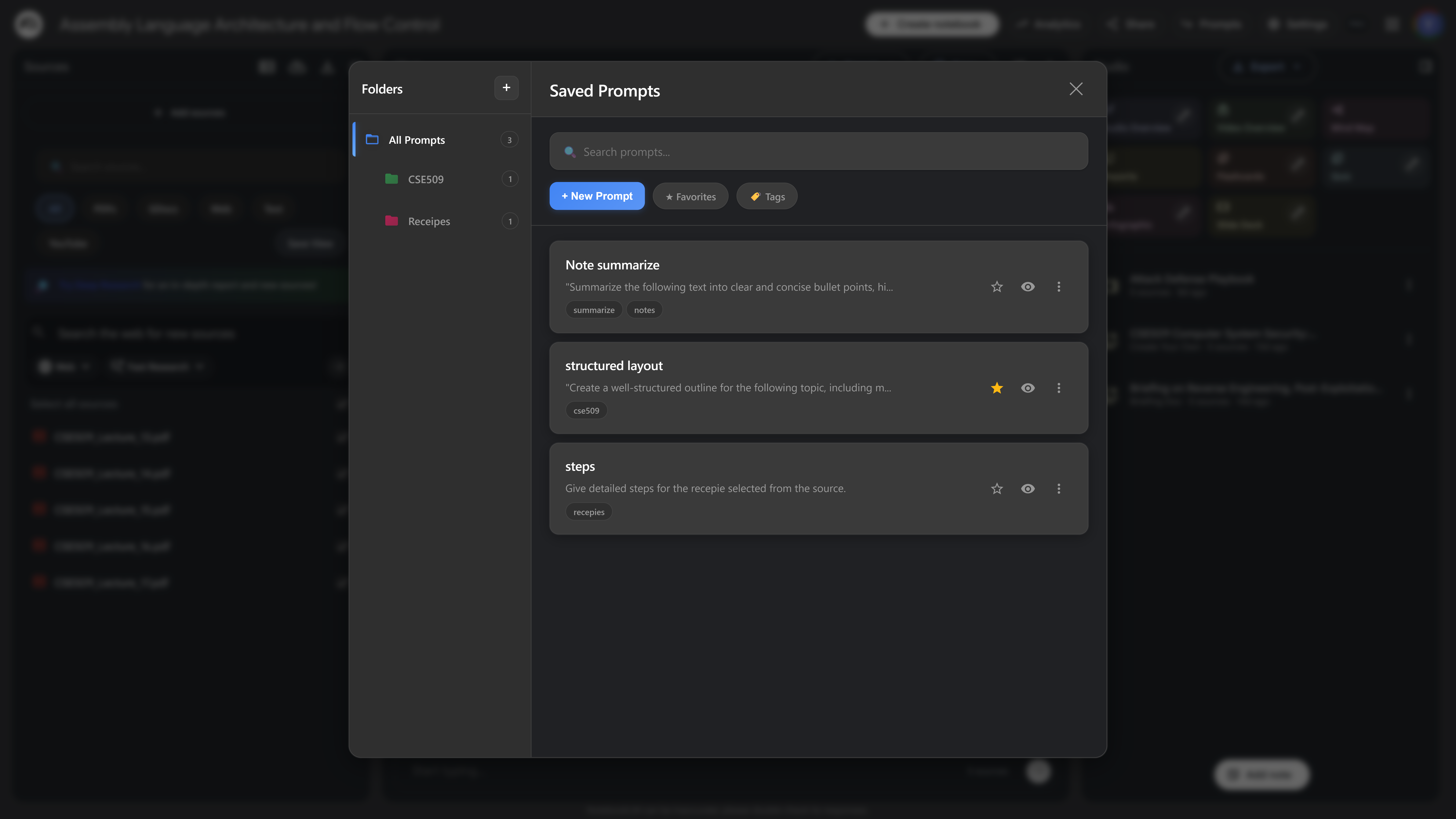
Save, organize, and manage your NotebookLM prompts with the Prompt Holder feature. Create folders, add tags, and quickly access your saved prompts.
If you haven't installed the extension in your browser, please install it first.
How it works
- Navigate to your NotebookLM notebook
- Look for the Kortex Prompt Holder button (appears next to the share button)
- Click the button to open the Prompt Holder modal
- Create folders to organize your prompts
- Save prompts with custom names and tags
- Search and filter prompts by folder, tag, or name
Features
- Folder Organization: Create custom folders with color coding
- Tag System: Add tags to prompts for easy filtering
- Search: Quickly find prompts by name, content, or tag
- Preview: Preview prompt content before using
- Quick Access: Access saved prompts directly from NotebookLM
- Cloud Sync: Prompts are synced across all your devices via Firestore
Prompt Holder Limits
Prompt limits work on a slot-based system:
- Basic: 5 slots available
- Lite: 30 slots available
- Pro: Unlimited slots
Note: You have a fixed number of slots. When you delete a prompt, that slot becomes available again.