Export Notebook Sources
The primary feature of Kortex. Export your NotebookLM notebook sources to your local machine in various formats.
If you haven't installed the extension in your browser, please install it first.
How it works
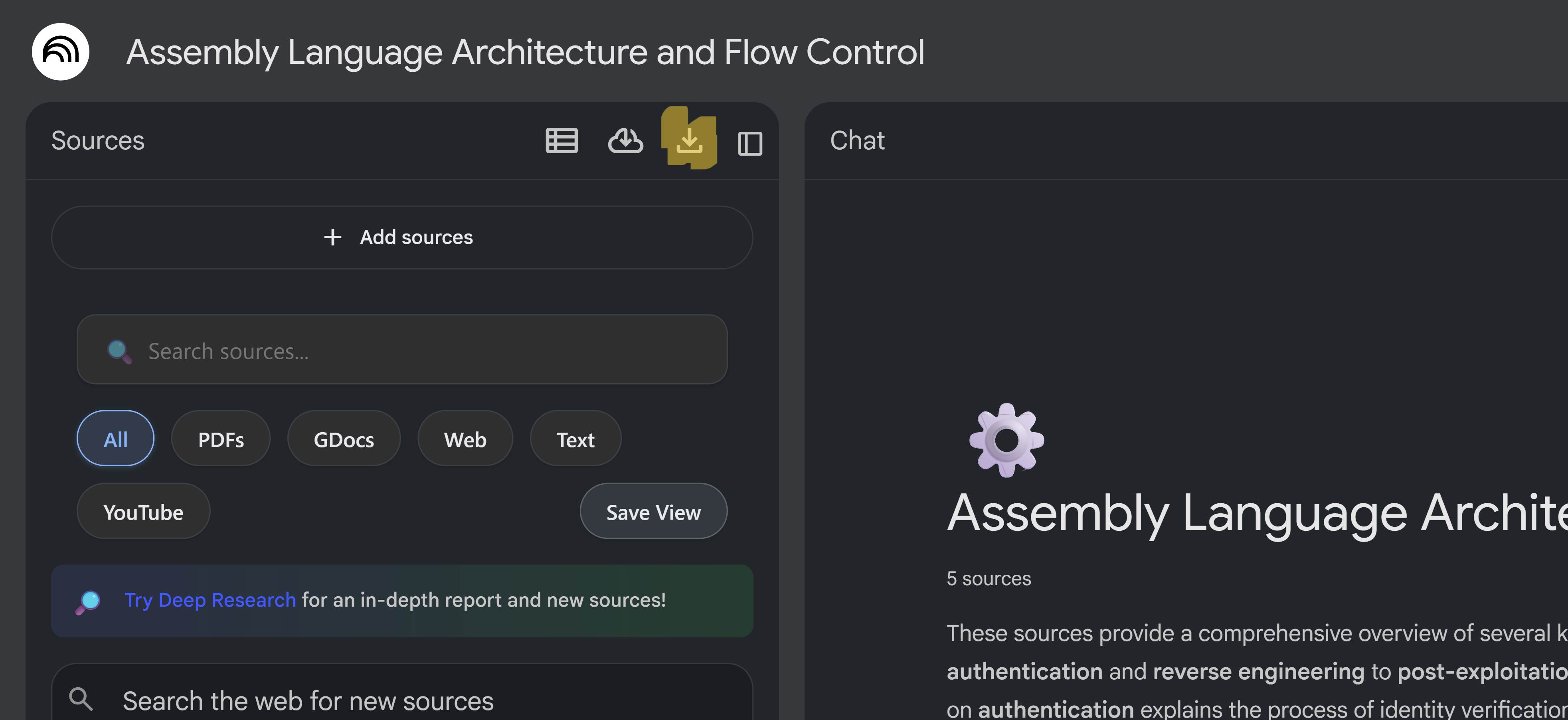
- Navigate to your NotebookLM notebook
- Click the download icon in the source panel header
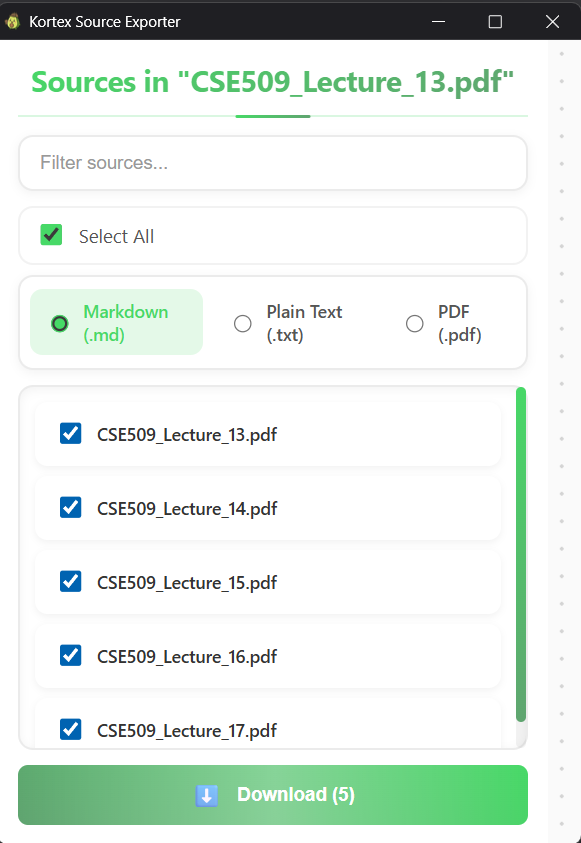
- Choose your preferred format (PDF, Markdown, Text, or ZIP)
- Select which sources to export
- Click "Download" - your files will be saved to your Downloads folder
Supported Formats
- PDF: Professional PDF documents with formatted content
- Markdown: Intelligently formatted markdown with proper hierarchy detection (headings, lists, paragraphs)
- Text: Plain text format for maximum compatibility
- ZIP: Compressed archive containing all selected sources
Export Limits
Export limits depend on your subscription tier:
- Basic: 15 exports per month (free)
- Lite: 80 exports per month ($3.99/month)
- Pro: Unlimited exports ($6.99/month)
Note: Export limits reset monthly for Basic and Lite tiers. If you are on credit system, each export costs 10 credits from your account balance.
Tips
- Select multiple sources to export them all at once
- PDF format preserves formatting best for documents
- Markdown format uses intelligent hierarchy detection for better readability and structure
- ZIP format includes all selected sources in a single file