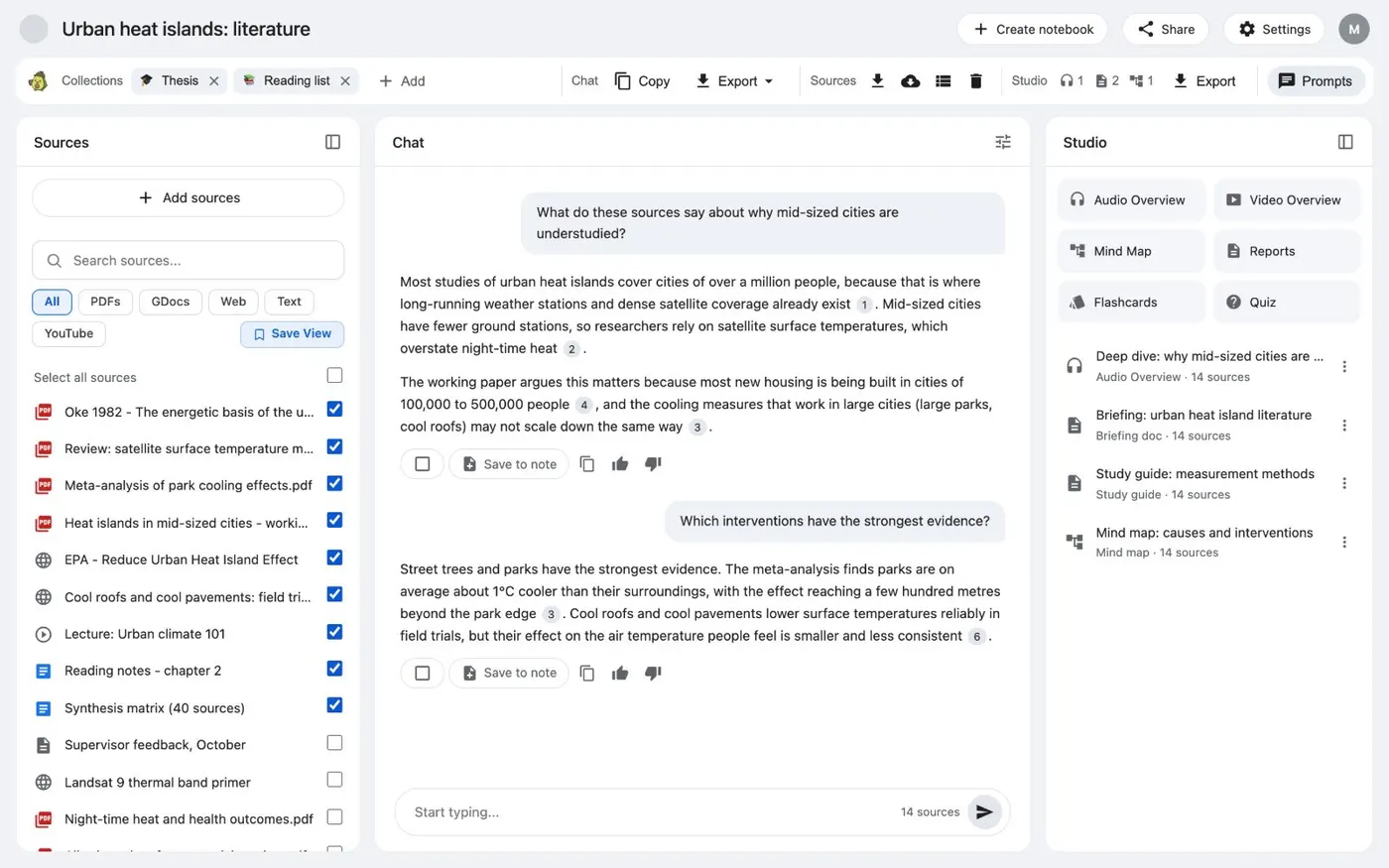
Here's how to sync Google Docs in Gemini Notebook, formerly NotebookLM. One click in Kortex refreshes every Google Doc source in a notebook. Open the notebook in Gemini Notebook.
Kortex adds a bar under the notebook's title after the page loads. In the Kortex bar, the Sources group has Download sources, Sync Google Docs, Source views and Delete sources. Click Sync Google Docs.
Kortex syncs every Google Doc source in this notebook again. When the sync finishes, Kortex reloads the page. Wait a moment, and don't close the tab until the sources list is back.
The button works only on Google Doc sources. PDFs, web pages and pasted text are copies, so they stay the same. Now each Google Doc source has the current text of its doc.
Ask your question, or make your briefing. Find the full steps and fixes on the Kortex website.