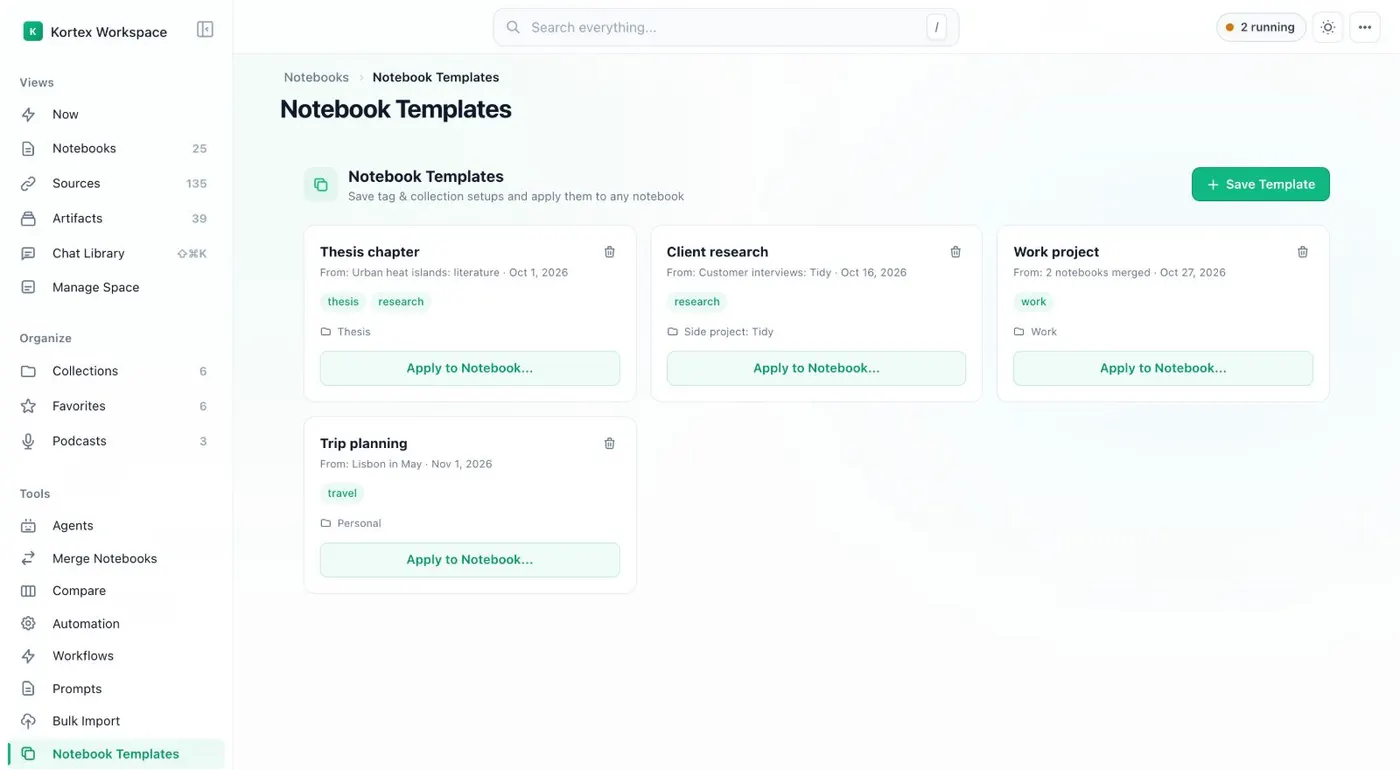
Here's how to save a notebook template for Gemini Notebook, formerly NotebookLM, and give other notebooks the same setup. First, give one notebook the tags and collections that every notebook of its kind should have. Kortex saves what the notebook has.
Open the Kortex Workspace, and click Notebook Templates in the sidebar. Templates show as cards. Click Save Template.
Enter a Template Name, choose the Source Notebook, and click Save Template. To use it, click Apply to Notebook on the template's card. Choose one or more notebooks, and confirm.
Kortex tells you how many tags and collections it added. It doesn't copy sources or notes. Source Templates keep a source's tags and folder.
Note Templates keep a title and text. An automation can use both, with Apply source template or Add note. Save a setup once, and use it on any notebook.