
How to search all your AI chats in one place
Quick answer
Install Kortex and click Keep my chats in my Library. It saves your ChatGPT, Claude, Gemini, Perplexity and Grok chats on your computer. Open the Library and type once in the search box. One search looks through every AI, and the site menu narrows it to one.
Watch it first
-
Say yes to saving your chats
Kortex asks Keep your AI chats in your Library? once, and one answer covers every AI site. Click Keep my chats in my Library. The chats stay on this computer.
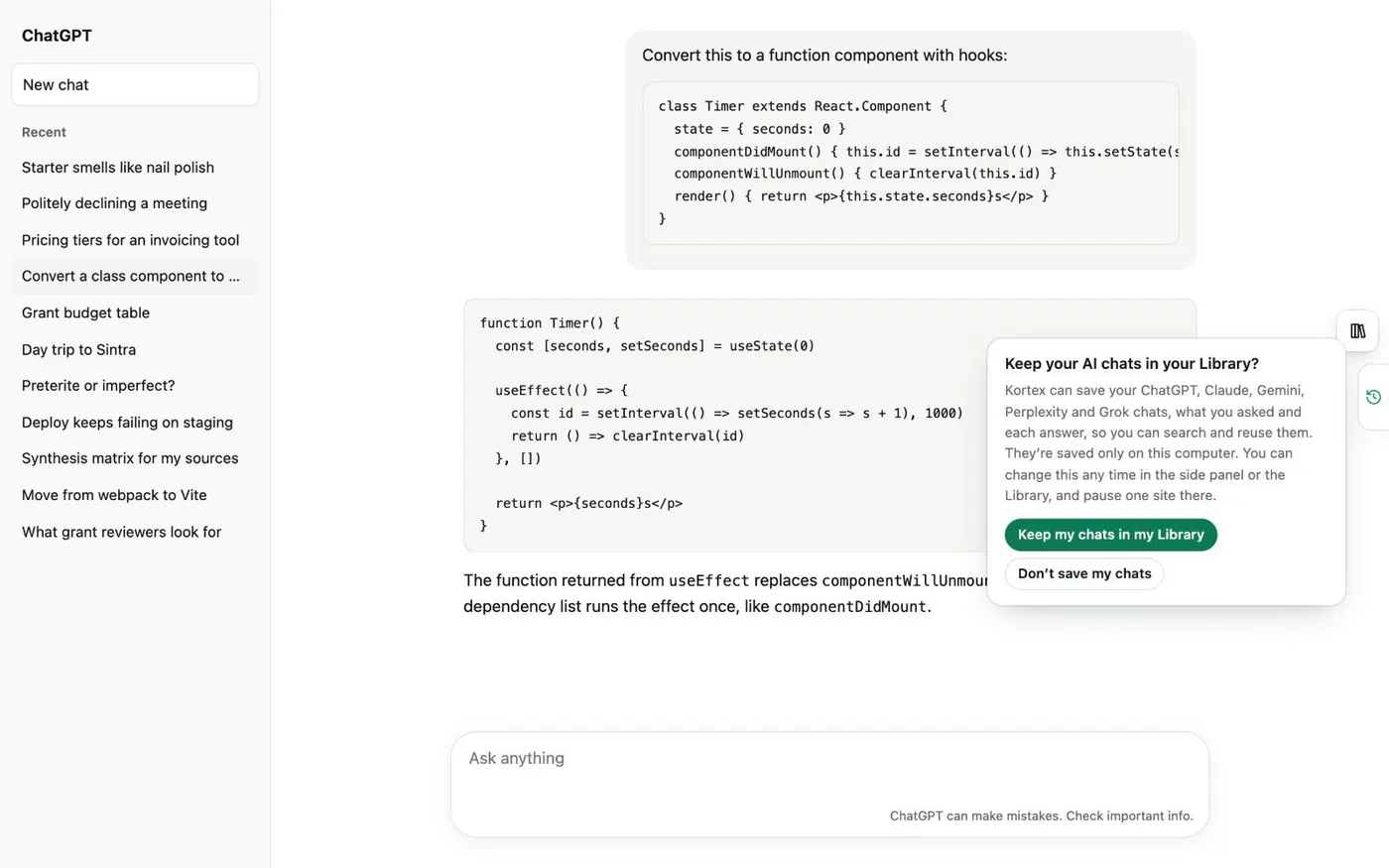
The notice Kortex shows before it saves a single chat. -
Check each AI in Saving your chats
In the side panel's Chats tab, click the gear to open Saving your chats. Each AI has a row with its saved count and a switch. ChatGPT, Claude, Gemini and Grok save in the background. Perplexity saves only while a Perplexity tab is open.
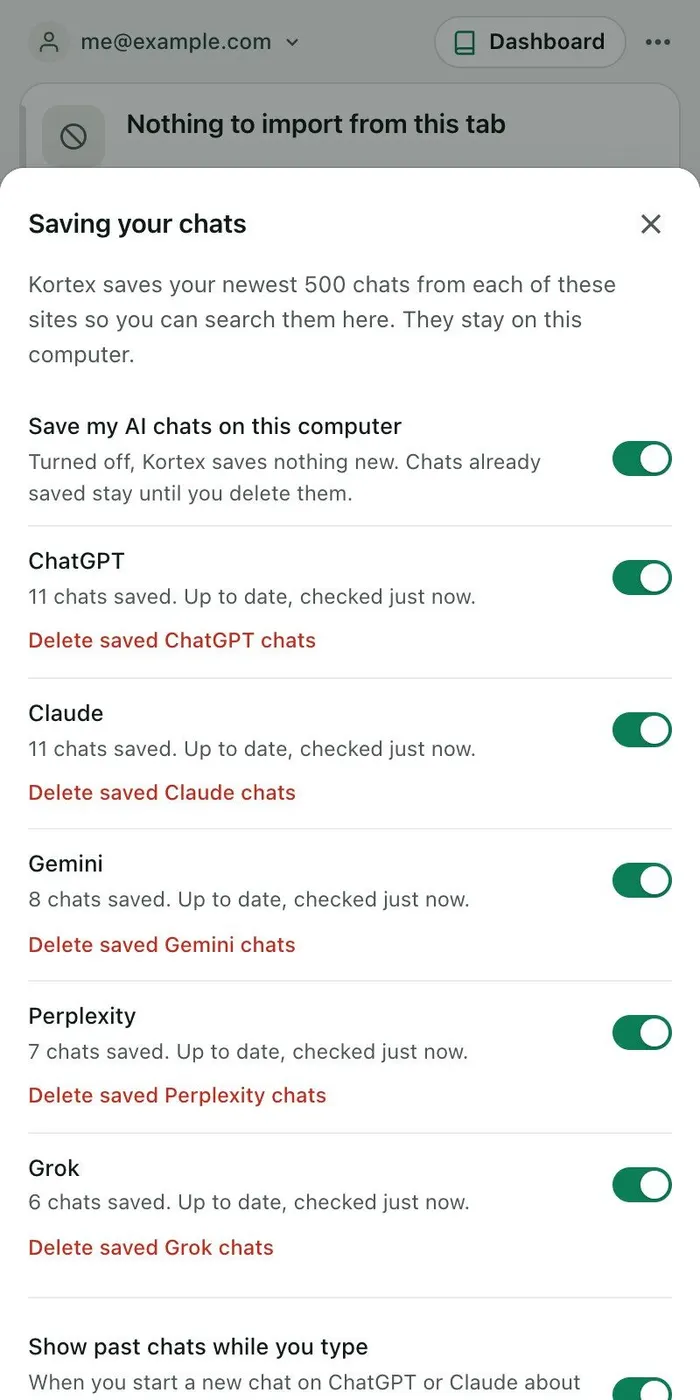
Each site says what saving is doing, with its own switch. -
Open the Library and search once
Open the Library from the Chats tab and click the search box. Type a word or an idea. Chats from all five AIs come back in one list, with the site name beside each. Notebooks that match appear above the chats.
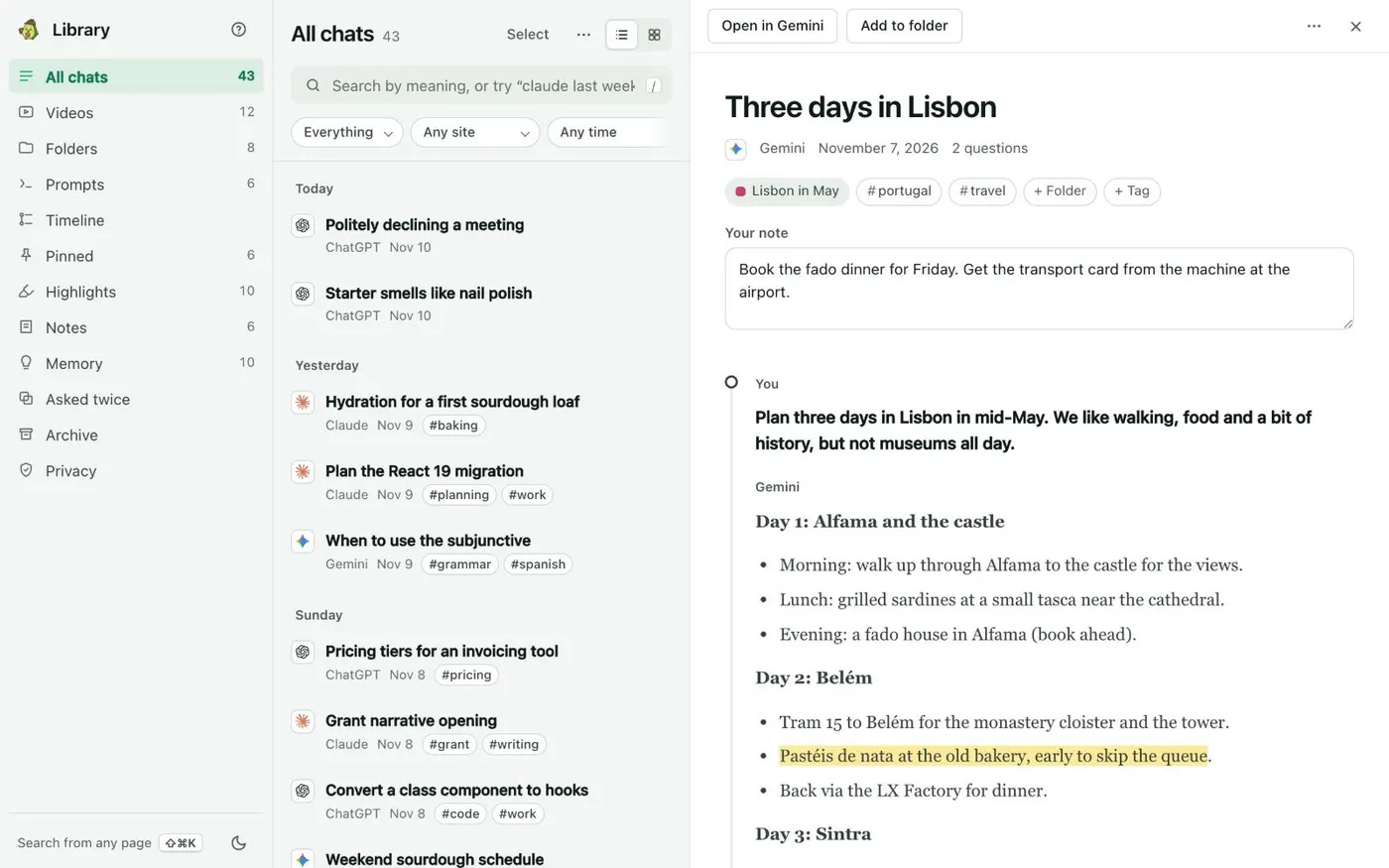
All chats lists every saved chat by day. Open one to read it in full beside the list. -
Narrow the results by site, date or type
Use the Any site and Any time menus above the list, or type words that become chips: a site name like perplexity, a date like last week, or I asked for only your own messages. A tag works too, such as #work.
-
Browse by week in Timeline
Open Timeline in the left column. It lists each week's chats from every AI, with topic chips such as Upgrade or Sourdough. Click a topic to see only its chats.
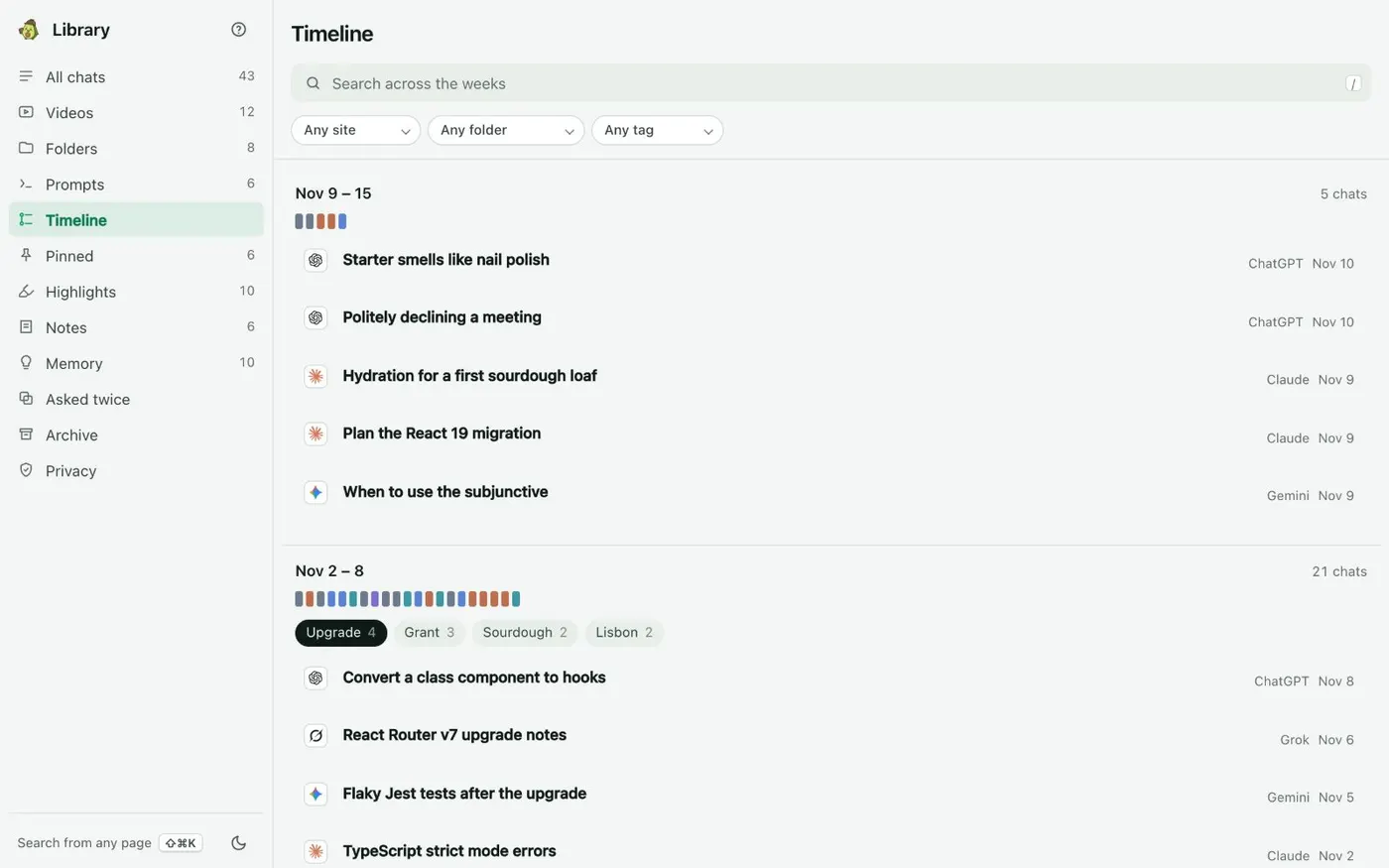
Each week’s topics, with the chats under them. -
Search from any web page
On any site, press Ctrl+Shift+K (Cmd+Shift+K on a Mac). The box that opens shows how many chats each AI has for your words. Press Enter to open one, or the right arrow to preview the message that matched.
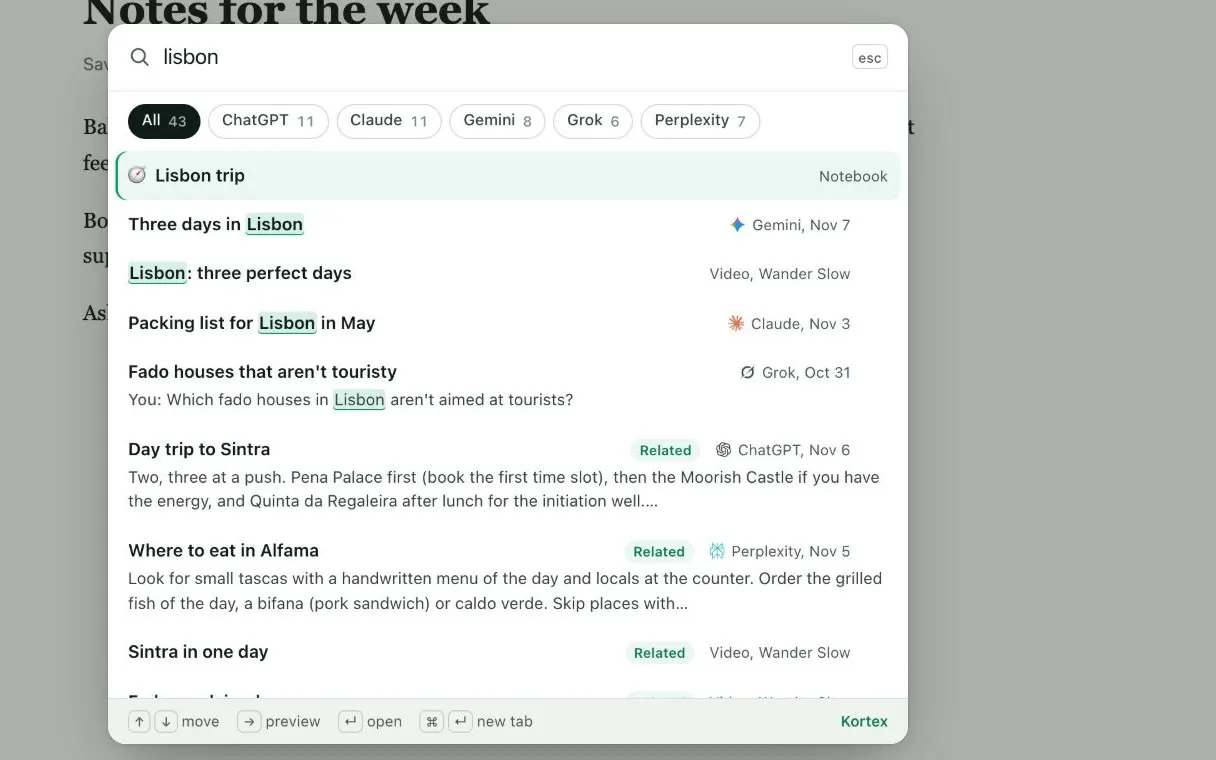
One search across every AI, from any page.
If it doesn’t work
- One AI is missing from the results
- Open Saving your chats and check that AI's switch. Perplexity saves only while a Perplexity tab is open, so open one for a moment. Gemini lists only about its newest 500 to 600 chats.
- I want chats older than the newest 500
- Kortex reads each site's newest 500 chats. For older ChatGPT, Claude or Gemini chats, open ⋯ on All chats in the Library and choose Add older chats from export files.
- Two AIs gave me the same answer and I see both
- That is expected, because each chat is kept as it happened. Open the Asked twice view to see questions you put to more than one AI, and keep them together in a folder.
Questions people ask
Something we missed? Ask us.
Which AIs does the Library save?
ChatGPT, Claude, Gemini, Perplexity and Grok. Each one has its own row and switch in Saving your chats.
Does one search really cover all of them?
Yes. By default Kortex searches every saved chat from every AI, by words and by meaning, so you do not need to remember which AI you asked.
Where is my AI chat history stored?
On your computer, in a database inside Chrome. Nothing is sent anywhere unless you send it, and every send is listed in the Library's Privacy view.
Can I stop one AI from being saved?
Yes. Switch off that AI's row in Saving your chats. Delete saved chats on the same row removes what Kortex saved for it. Your chats on the site are not touched.
Does it work on a phone?
Kortex keeps your chats in Chrome on your computer, so you search them there. The Kortex docs describe the Library only on a computer.
Keep going
More tutorials
Do it on your own notebooks.
Install the Kortex extension and follow these steps on a notebook you already have.
100,000+ users, rated 4.5 on the Chrome Web Store.