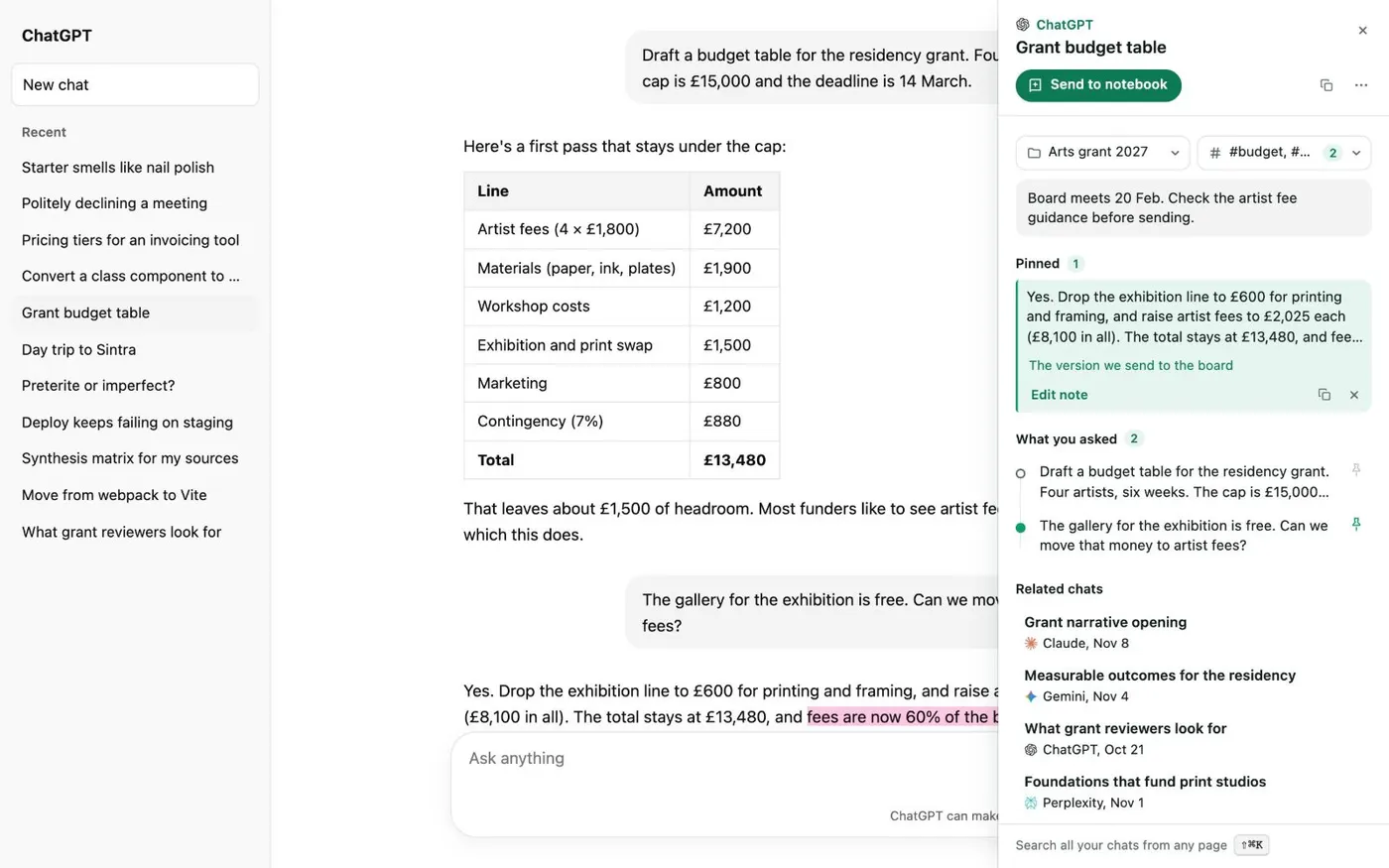
Here's how to add notes to your ChatGPT conversations with Kortex, and read them again in your Library. Open the conversation in ChatGPT. Click the small Kortex tab on the right edge of the page.
Its panel is about this chat. It holds the chat's folders and tags, your note, your pins and related chats. Click in the box and type.
Your note is one note for the whole chat. It saves as you type, so there's no Save button to press. To note a single answer, pin it first.
Select words in the answer, and click Pin. The pin appears under Pinned in the Kortex tab. Click Edit note, and write what it's for.
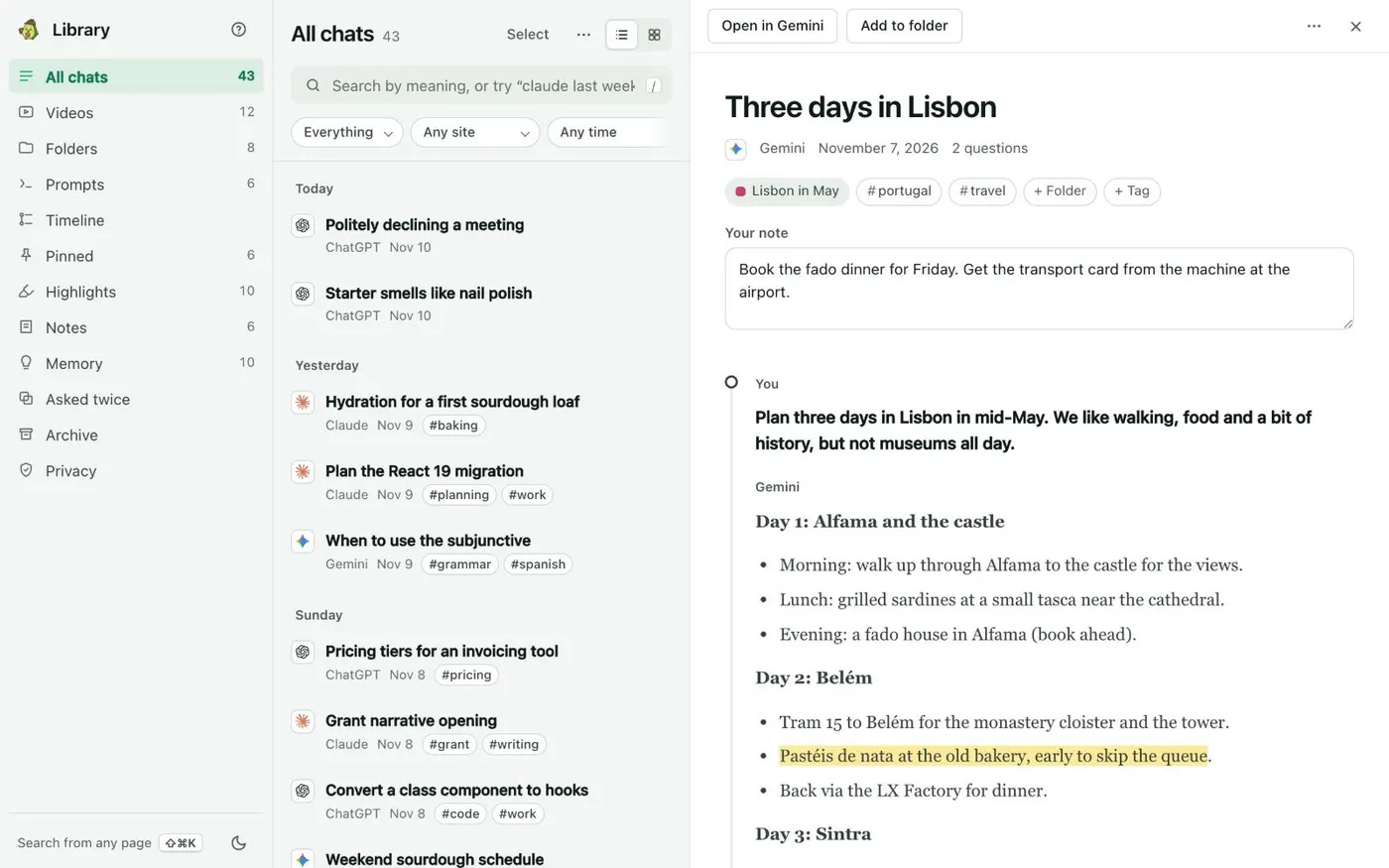
Your note is in the Library too. Open the Library from the side panel's Chats tab, and click a chat. The Your note box under its title shows the same note, and you can type there too.
You can also choose Add a note in the chat's menu. To see every note, click Notes in the Library's left column. It lists your notes on chats, and the notes you wrote on their own, newest first.
Click New note to write one. Your notes are saved in your Library, on your computer.