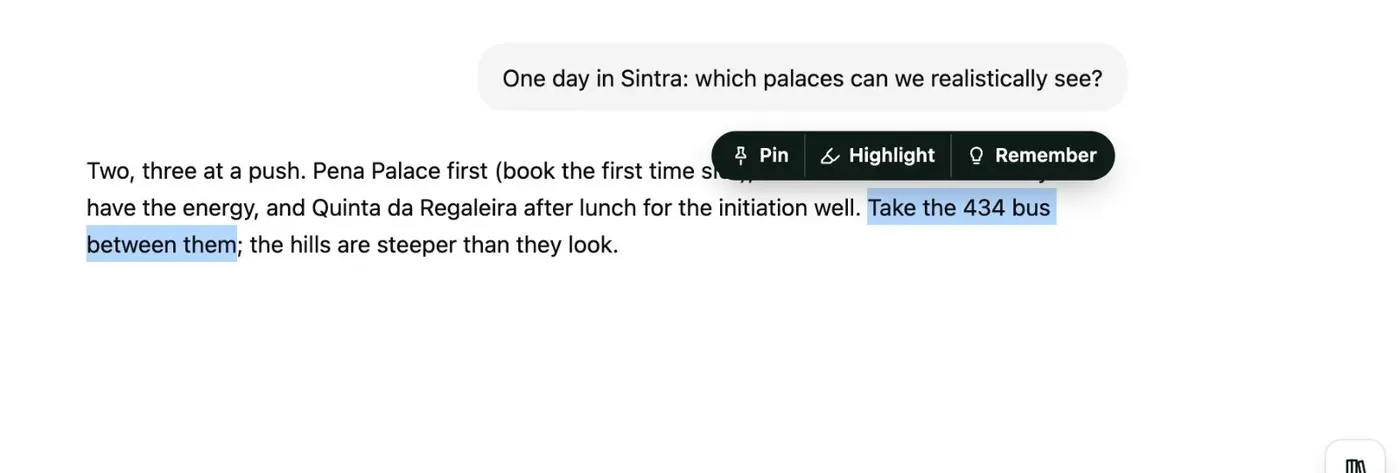
Here's how to pin the ChatGPT answers you want to keep with Kortex, and find every pin again in your Library. Open the chat in ChatGPT, and select the words you want to keep in an answer. A small bar appears above them, with three buttons: Pin, Highlight and Remember.
Click Pin. It keeps the passage with the chat. Pin works the same on Claude, Gemini, Perplexity and Grok.
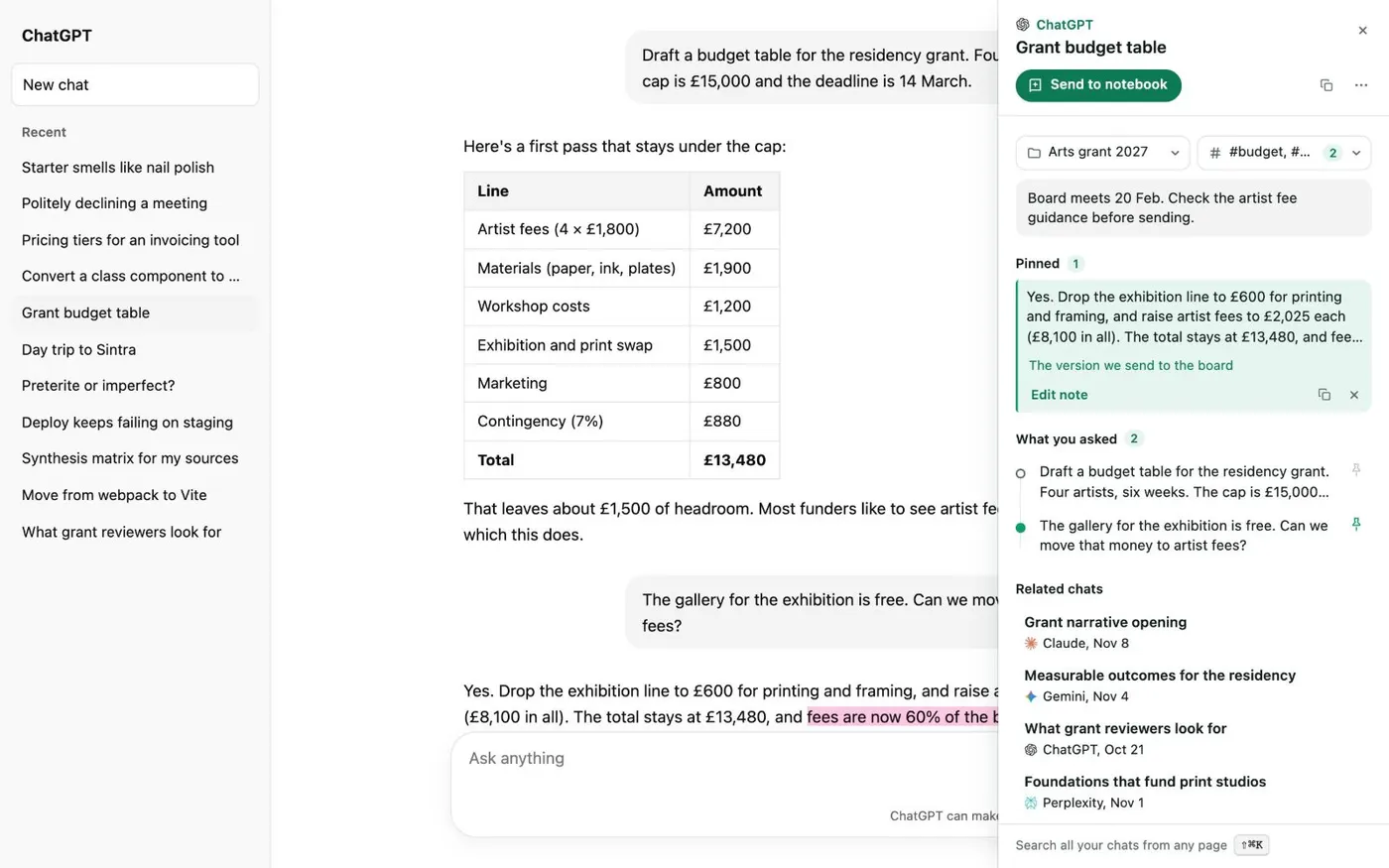
Then click the small Kortex tab on the right edge of the page. Your pins sit under Pinned, each with a note you can add. Under What you asked, click a question to jump to it, or pin its answer.
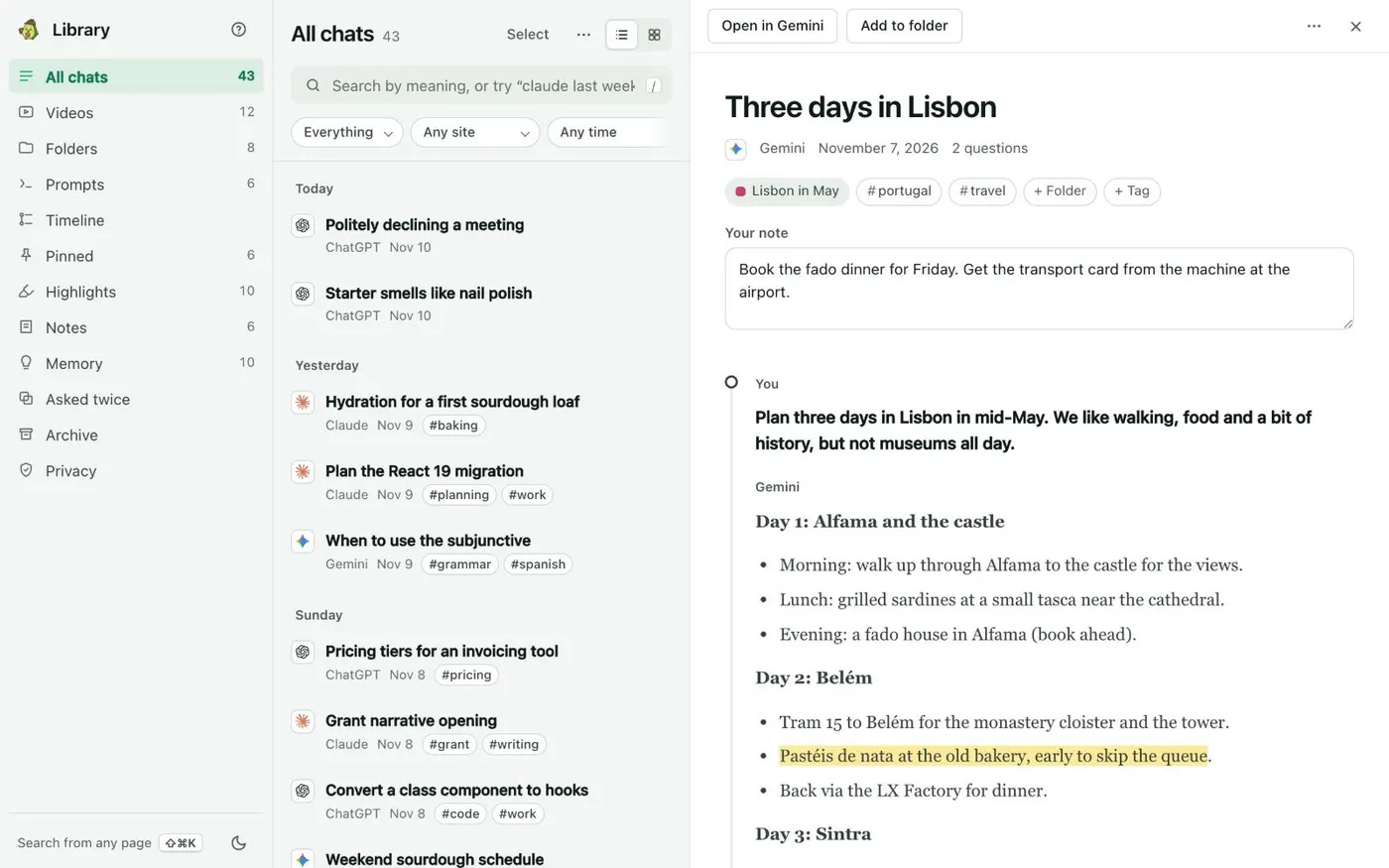
To see every pin, open the Library from the side panel's Chats tab, and click Pinned in the left column. It lists every message you pinned, in every chat, with your note on it. Click one to open the chat at that answer.
When you choose Continue in another AI on a chat, your pins go into the handoff pack. That way, the answers you marked are the ones the next AI sees. Your pins are stored on your computer, with the rest of your Library.