Here's how to let Claude search your saved ChatGPT chats, with Kortex M C P. Claude can search only the chats Kortex has saved. So when Kortex asks, click Keep my chats in my Library.
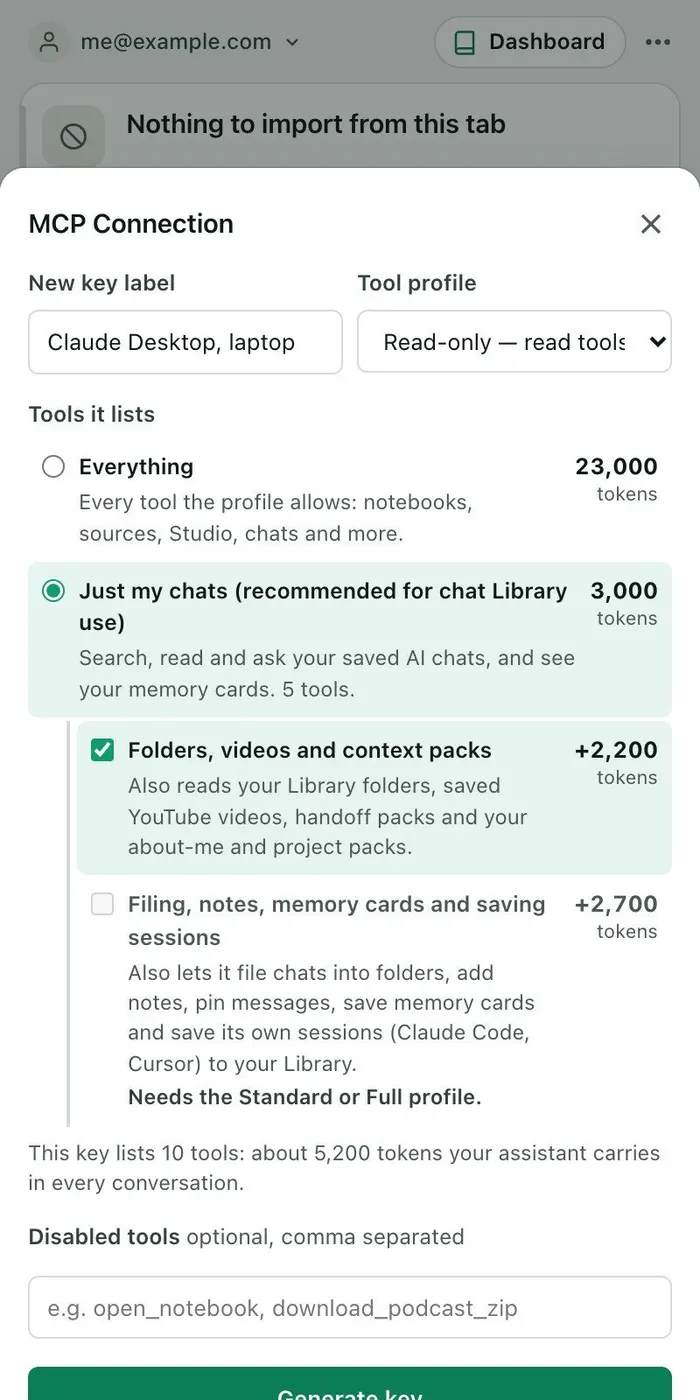
Click the Kortex icon to open the side panel. Click the three dots, then M C P Connection. M C P is a way to let an AI assistant use a tool.
Type a name for the key, and pick a Tool profile. Under Tools it lists, choose Just my chats. Then click Generate key, and copy it.
Click Set up your client, and open its API key tab. Pick your app, and copy the command it shows. It already holds your key.
For Claude Code, paste the command into a terminal. Now ask Claude in plain words. For example: search my saved chats for the pricing decision I made in ChatGPT.
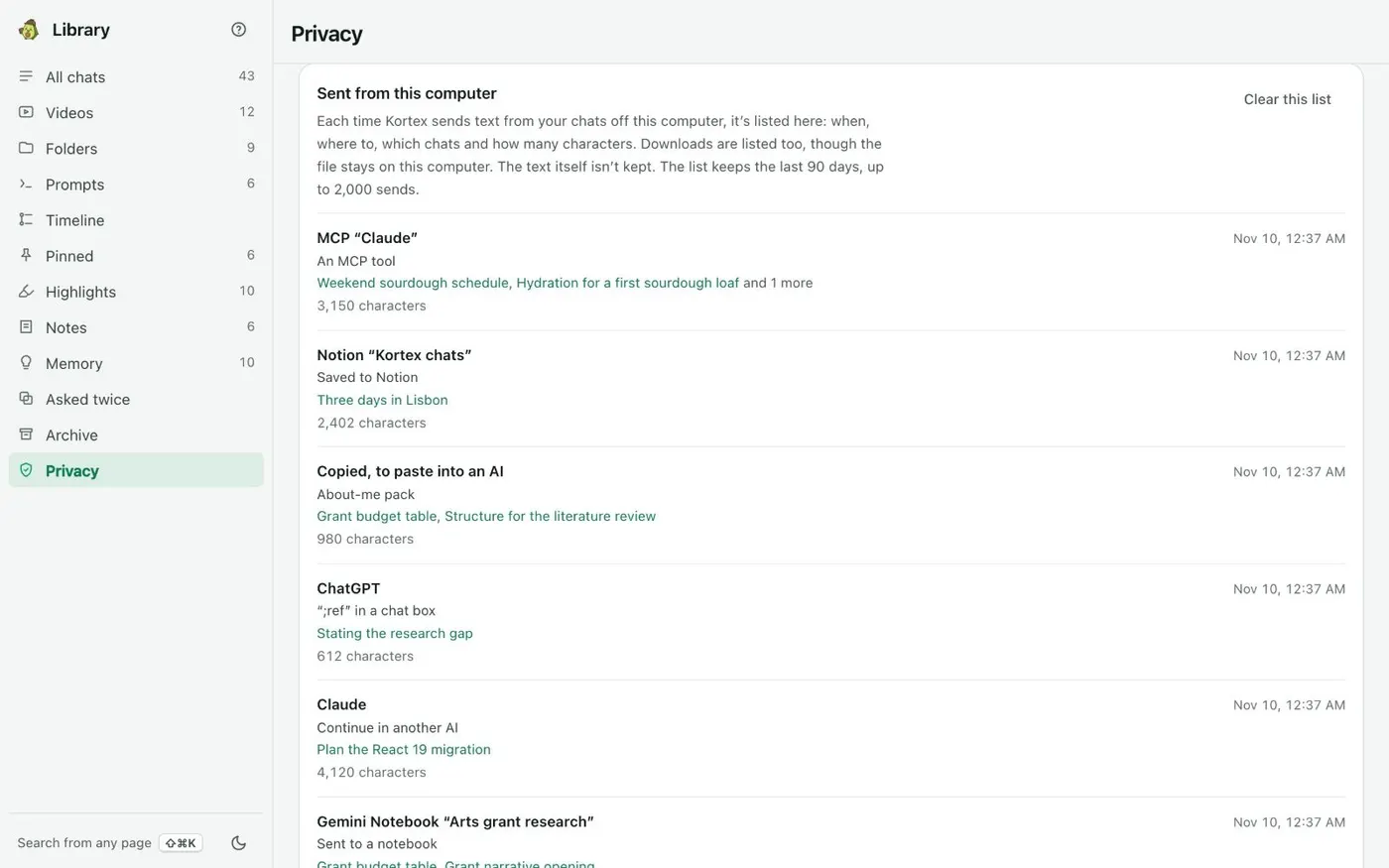
Claude uses Kortex to search, read the chat, and answer with its title, the AI it was on, and a link. To check what was sent, open the Library's Privacy view. Under Sent from this computer, each call that carried chat text is listed with the app's name, the chats sent and a time.
Likely secrets, such as API keys and passwords, are masked before a result leaves.