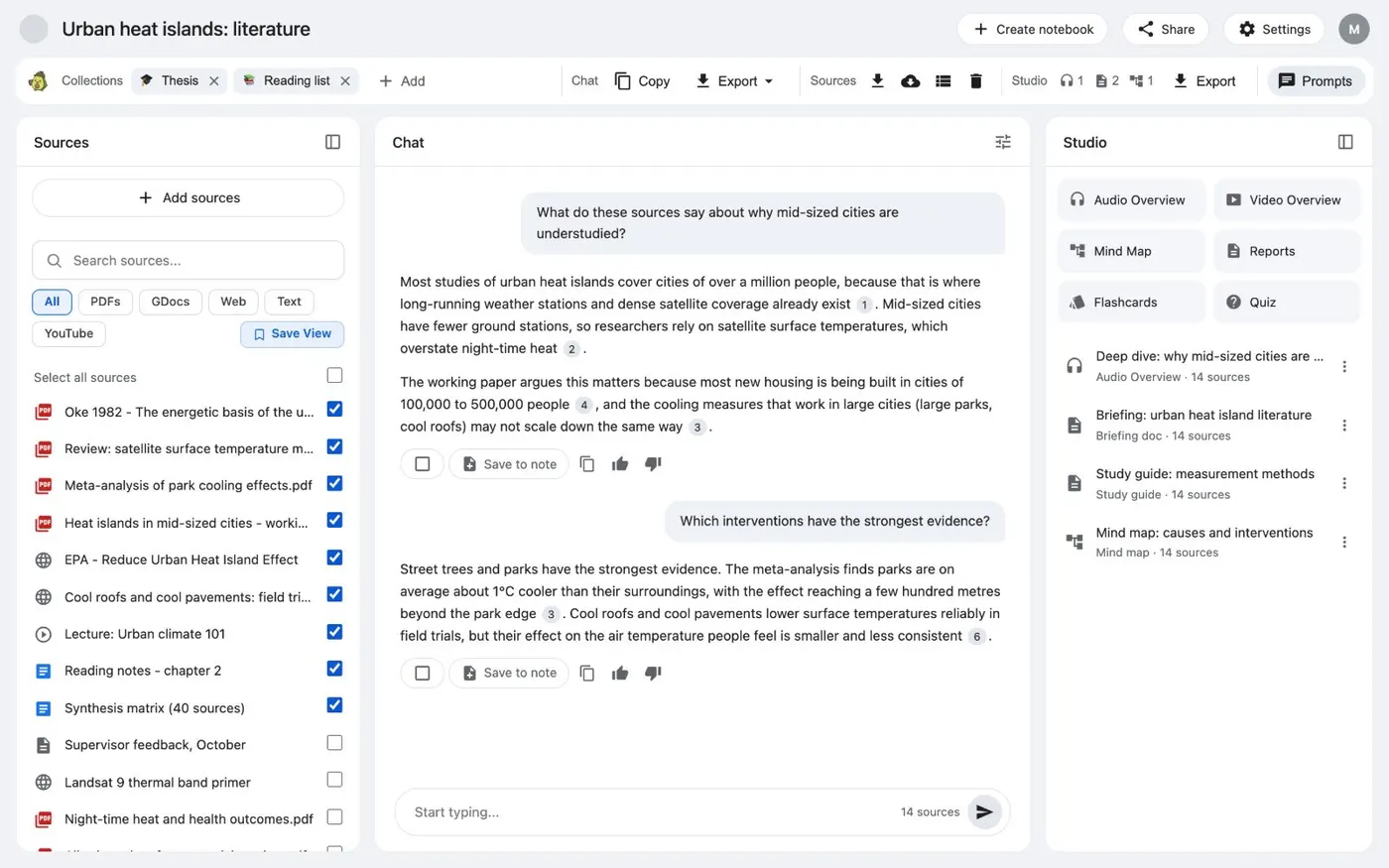
Here's how to download Studio notes, slides, mind maps and audio from Gemini Notebook, formerly NotebookLM, as files. Open the notebook. In the Kortex bar, the Studio part shows how many outputs you have of each type.
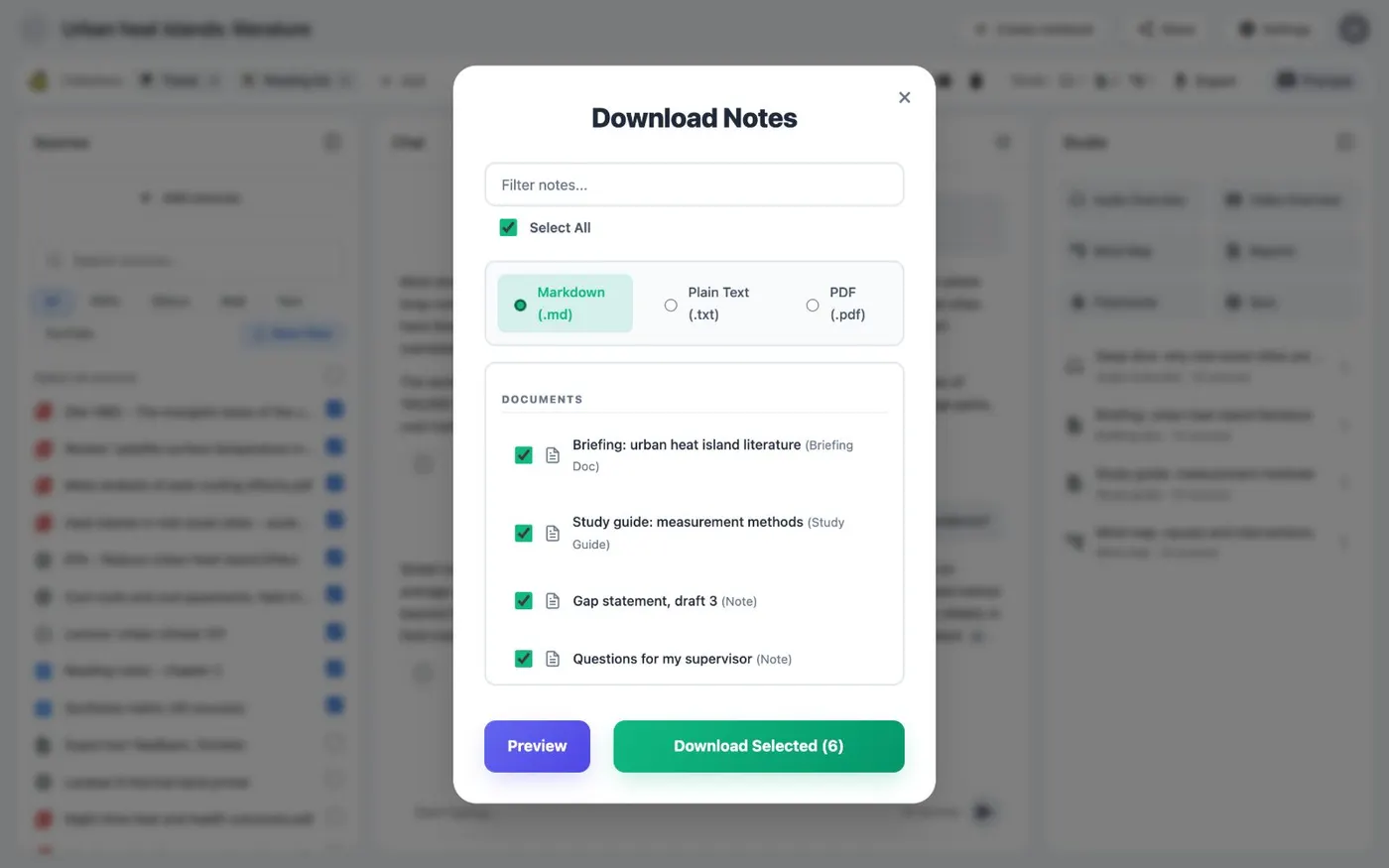
Export Studio outputs sits beside it. Click it, and the Download Notes window opens. It lists Documents, like briefings and study guides, and Visual Assets, like slides, mind maps and audio.
Tick the items you want. Quizzes and flashcards aren't in the list, because Kortex can't export them. Pick Markdown, text or PDF for documents.
Slides come as PDF. Infographics and mind maps come as PNG. Video and Audio Overviews come as MP4.
Click Download Selected. One file downloads as it is. Several files arrive as a ZIP.
To download from every notebook at once, open the Kortex Workspace and choose Artifacts. Filter by type, tick the rows, then click Download. Find the full steps and fixes on the Kortex website.