How to export a Gemini chat to PDF, Markdown or Google Docs

2 minutes 5 steps Updated

Quick answer

Install Kortex and let it save your Gemini chats. Open the chat in the Library, click ⋯ at the top right and choose Download as PDF, Download as Markdown or Open in Google Docs. The file saves on your computer. Kortex reads only about Gemini's newest 500 to 600 chats.

Watch it first

How to export a Gemini chat to PDF, Markdown or Google Docs
Read the transcript

Here's how to export a Gemini chat to PDF, Markdown or Google Docs with Kortex. First, turn on saving. Click Keep my chats in my Library when Kortex asks.

Then open the side panel's Chats tab and click the gear. In Saving your chats, check that the Gemini switch is on. Kortex reads only about Gemini's newest 500 to 600 chats.

Open the Library from the Chats tab. Type gemini and a word from the chat in the search box. Click the chat to open it in the reader.

Click the three dots at the top right. Choose Download as PDF or Download as Markdown for a file in your downloads folder. Or choose Open in Google Docs.

Open in Google Docs copies the chat with its formatting, then opens a new Google Doc. Paste with Control V, or Command V on a Mac. Prefer somewhere else?

Save to Notion copies the chat to a Notion page. Send to a notebook adds it as a text source in Gemini Notebook, formerly NotebookLM. Copy chat puts it on your clipboard.

Any saved Gemini chat, as a file or a doc.
  1. Turn on saving for Gemini

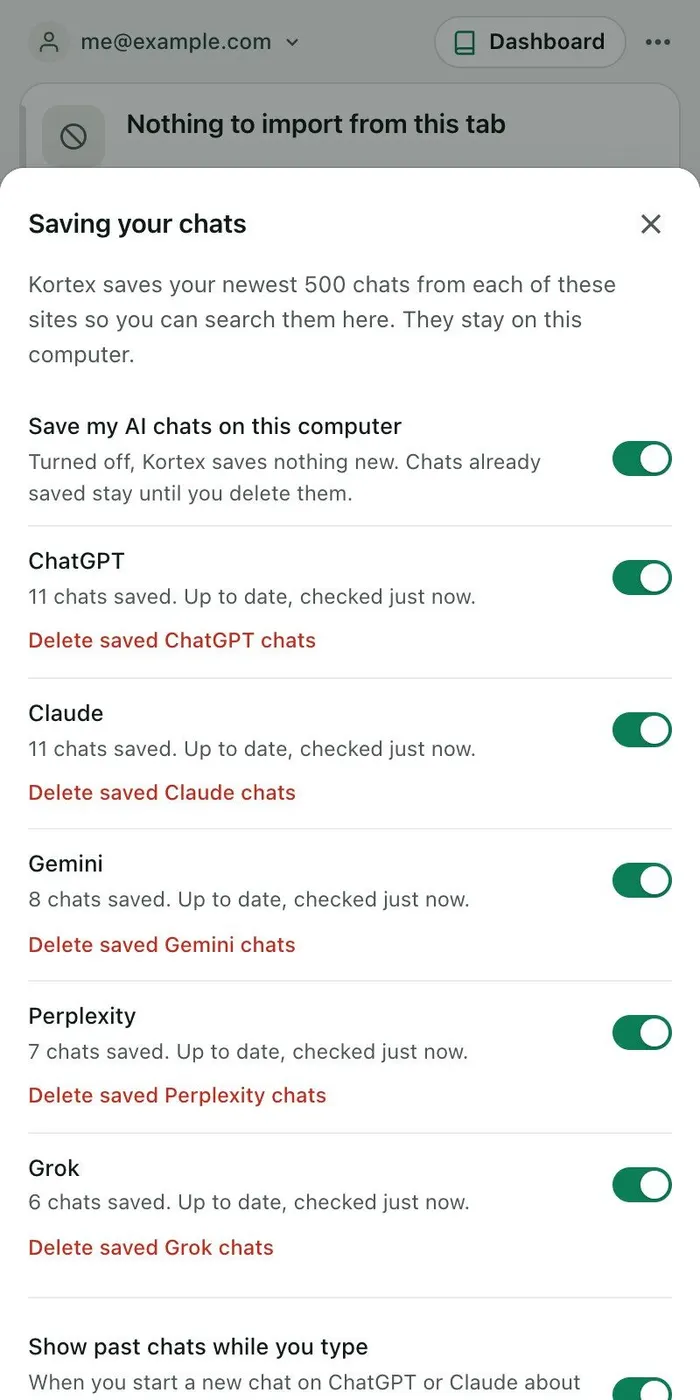
    Click Keep my chats in my Library when Kortex asks. In the side panel's Chats tab, click the gear and check that the Gemini switch in Saving your chats is on. Gemini chats save in the background every few minutes while Chrome is open.

    The Saving your chats sheet with a Gemini row that reads 8 chats saved and up to date, with a switch and a Delete saved Gemini chats link.
    Each site says what saving is doing, with its own switch.
  2. Open the Gemini chat in the Library

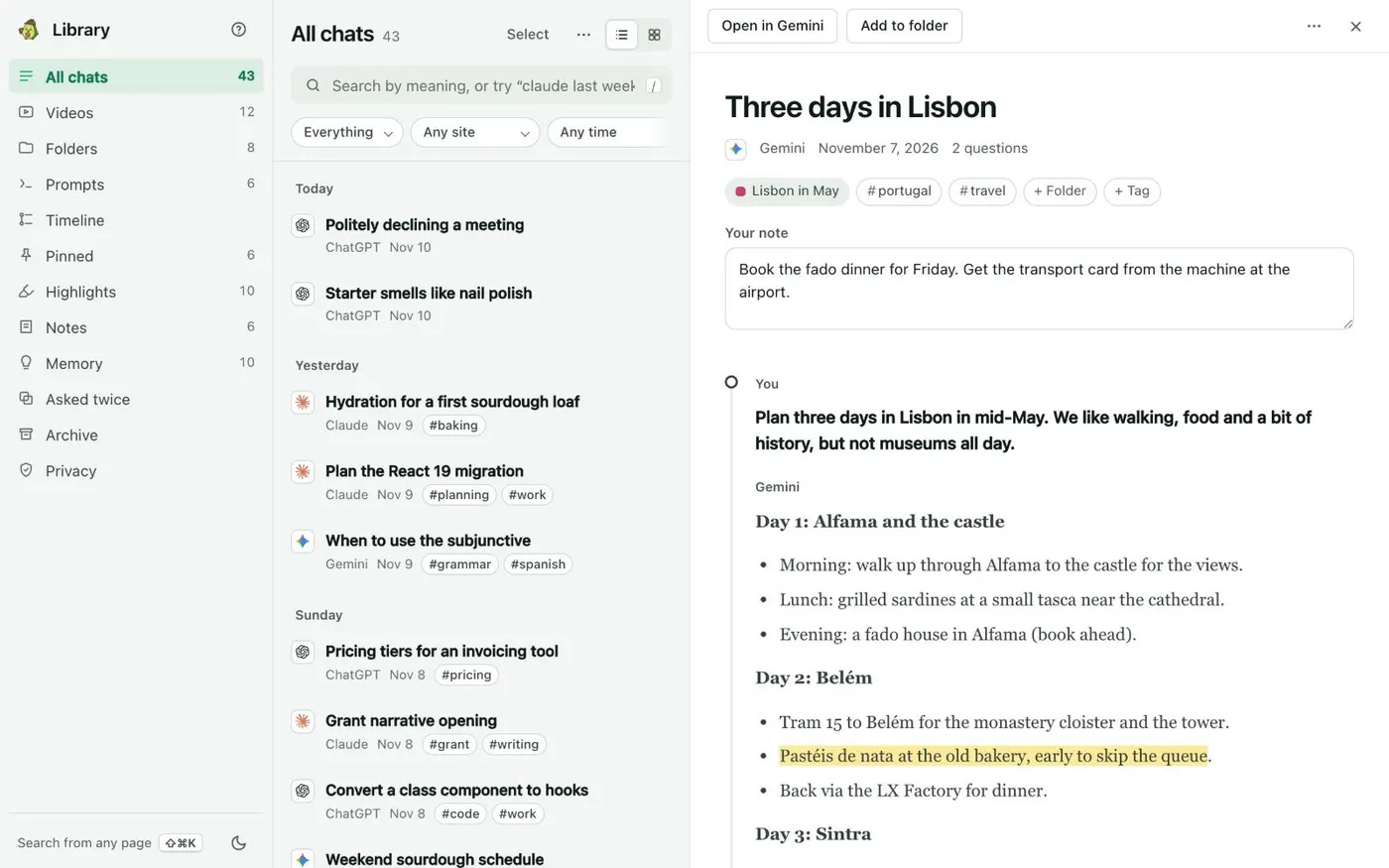
    Open the Library from the Chats tab. Type gemini and a word from the chat in the search box, or scroll All chats. Click the chat to open it in the reader.

    The Library with a Gemini chat called Three days in Lisbon open in the reader, showing its messages and an Open in Gemini button at the top.
    All chats lists every saved chat by day. Open one to read it in full beside the list.
  3. Click ⋯ and pick a format

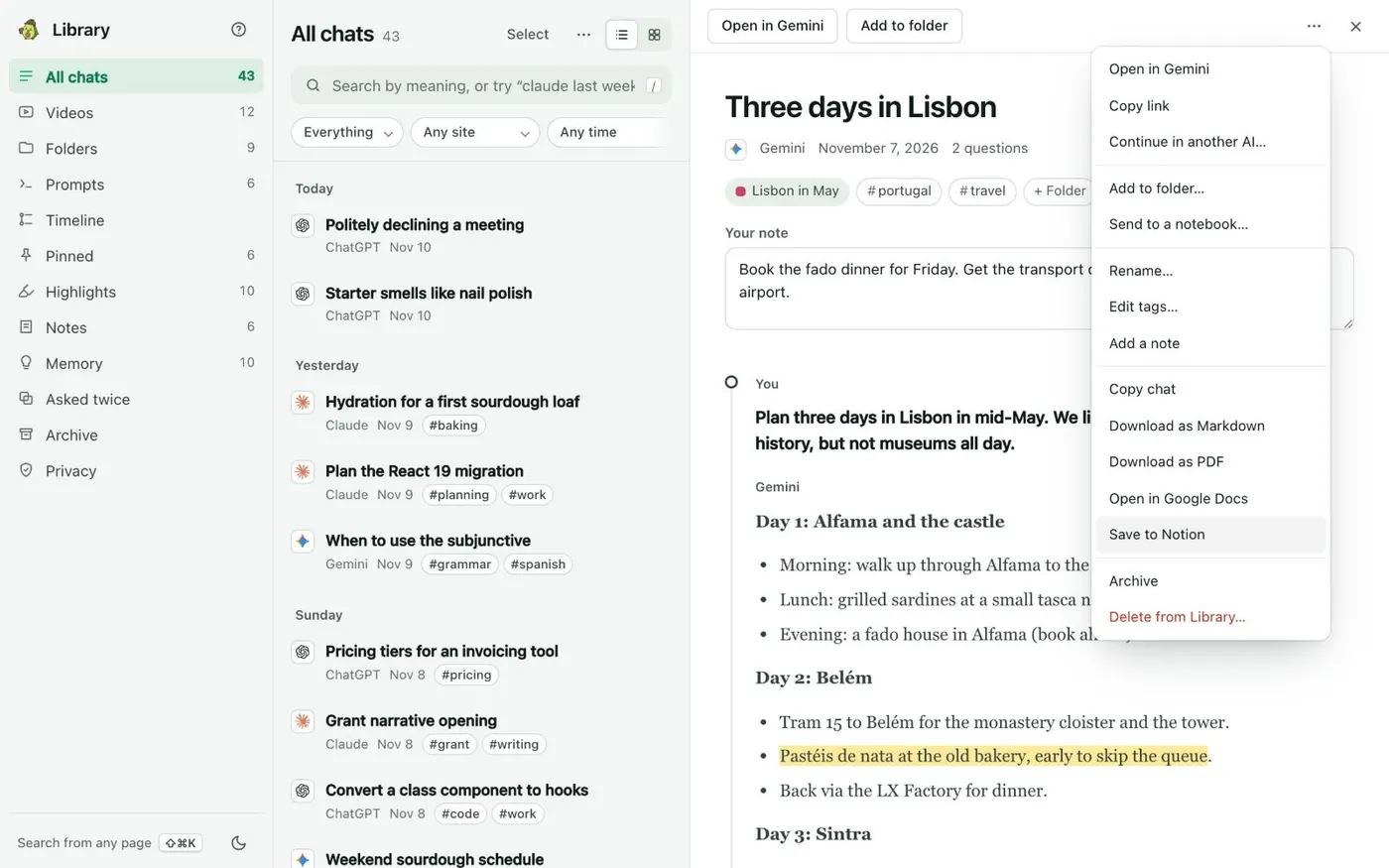
    Click ⋯ at the top right. Choose Download as PDF or Download as Markdown for a file in your downloads folder. Choose Open in Google Docs to copy the chat, formatted, and open a new Google Doc to paste it into.

    The ⋯ menu of a Gemini chat in the Library, listing Copy chat, Download as Markdown, Download as PDF, Open in Google Docs, Save to Notion and Archive.
    Save to Notion sits in every chat’s menu.
  4. Paste into the new Google Doc

    If you chose Open in Google Docs, a new Google Doc opens. Paste with Ctrl+V (Cmd+V on a Mac). The chat keeps its formatting.

  5. Save the chat somewhere else if you prefer

    Save to Notion copies the chat to a Notion page. Send to a notebook… adds it to a Gemini Notebook (formerly NotebookLM) notebook as a text source. Copy chat puts it on your clipboard.

If it doesn’t work

An older Gemini chat is missing
Gemini lists only about its newest 500 to 600 chats, so Kortex cannot reach older ones. You can add older chats from Google Takeout's My Activity for Gemini Apps, as HTML or JSON, with Add older chats from export files.
The Gemini chat is not in the Library
Check that Save my AI chats on this computer and the Gemini switch are on in Saving your chats, and that you are signed in to Gemini in this Chrome. A new chat can take a few minutes.
Nothing opened when I chose Open in Google Docs
Check that Chrome is not blocking the new tab, and that you are signed in to Google. Then try Download as PDF or Download as Markdown instead.

Questions people ask

Something we missed? Ask us.

Does it export the whole Gemini chat?

Yes. The file comes from the full chat as Kortex saved it, with your questions and Gemini's answers.

Can I export many Gemini chats at once?

Yes. Put them in a folder. The folder's ⋯ menu has Download all as one PDF and Download all as Markdown. Select in All chats works too.

Does this work for ChatGPT, Claude and Perplexity too?

Yes. Every saved chat has the same menu, whichever AI it came from.

Where is the saved copy of my chat?

On your computer, in a database inside Chrome. Nothing is sent anywhere unless you send it.

Does it work on a phone?

Kortex runs in Chrome on your computer. The Kortex docs describe the Library and its downloads only on a computer.

Keep going

More tutorials

All tutorials

Do it on your own notebooks.

Install the Kortex extension and follow these steps on a notebook you already have.

100,000+ users, rated 4.5 on the Chrome Web Store.

Talk to the Kortex team

This opens a pre-filled email in Gmail. We usually reply within a day.