How to Use AI for Research with Gemini Notebook (formerly NotebookLM)
How to use AI for research without outsourcing your thinking: what to hand off, what to keep, how to check sources, how to disclose it, and when it is cheating.
On this page
- How do you use AI for research without outsourcing your thinking?
- What should you hand to AI, and what should you keep?
- How do you use AI for a research paper, step by step?
- How do you check what AI tells you?
- What should you check before using AI for research?
- How do you disclose AI use in research?
- How do you use AI for research ethically?
- What’s the simplest way to start?
- Frequently asked questions
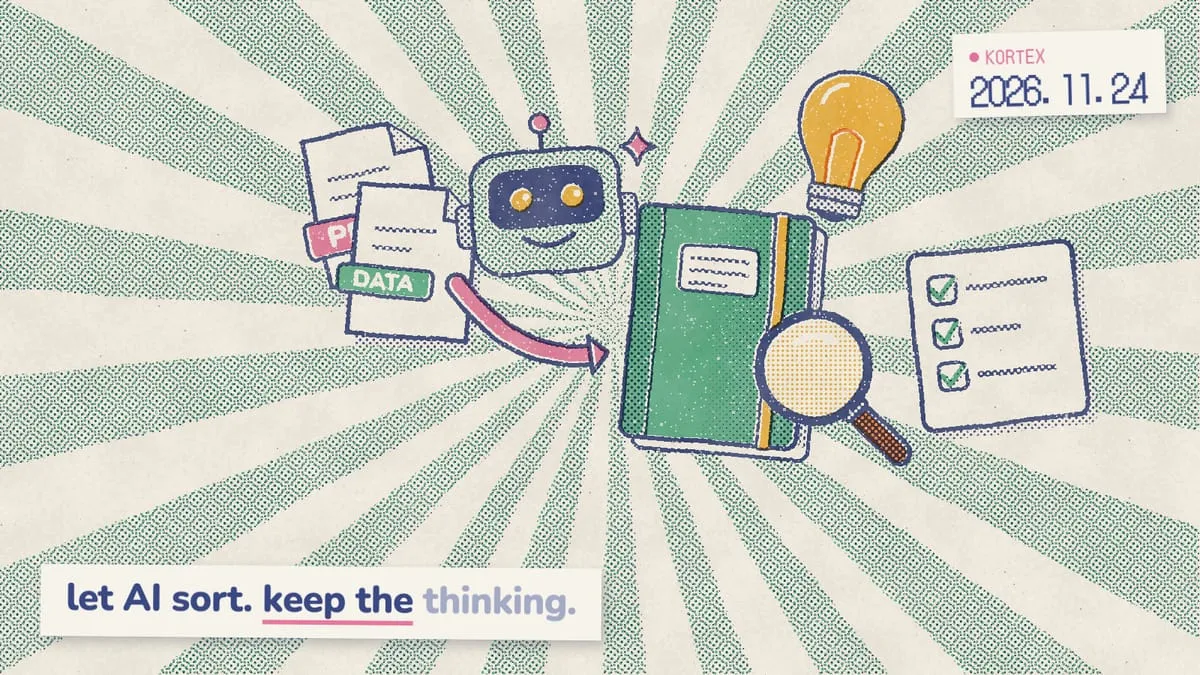
To use AI for research well, hand it the legwork and keep the thinking. Let it find candidate sources, summarise papers, suggest search terms and tidy your formatting. Keep the research question, the judgment about which evidence counts, and every claim you put your name to. Then check each citation against the original, and disclose how you used the tool. That’s the whole method. The rest of this guide shows how to use AI for research step by step. It also shows where real university and journal policies draw the line on cheating. Finally, it covers how a grounded tool like Gemini Notebook (formerly NotebookLM) keeps answers tied to sources you’ve actually read.
The stakes are not hypothetical. In HEPI’s 2026 report, based on a December 2025 survey of 1,054 full-time UK undergraduates, 95% said they use AI in at least one way and 94% use generative AI to help with assessed work (HEPI, 2026). In that survey, 12% put AI-generated text directly into assessed work, up from 3% in the 2024 survey. Using AI is normal. Using it in a way you can defend is the skill.
How do you use AI for research without outsourcing your thinking?
Split the work into two lanes. Outsourcing your thinking is letting the tool make the calls that decide what your research says. To avoid it, AI takes the jobs that are slow but checkable: searching, sorting, summarising, reformatting. You keep the jobs that decide what the research says: the question, which evidence is good enough, what the results mean, and the final wording of each claim. If a task’s output can be checked against a source in minutes, delegate it. If it can’t, keep it.
Nature Portfolio’s AI editorial policy distinguishes three levels of risk. Green covers practical help that leaves scholarly decisions to people. Amber covers work that influences interpretation and needs human checks and disclosure. Red covers hidden or unverifiable AI contributions, fabricated evidence, and handing accountability to a tool (Nature Portfolio, 2026). Permission depends on the task and the safeguards, rather than the chatbot’s name.
Why keeping the thinking matters
Research suggests a reason to keep an active role. For example, in a Microsoft Research survey of 319 knowledge workers, who shared 936 examples of using generative AI at work, “higher confidence in GenAI is associated with less critical thinking”, while higher self-confidence went with more (Lee et al., CHI, 2025). An MIT Media Lab study of 54 people writing essays found the weakest brain connectivity in the group using an LLM, and LLM users “struggled to accurately quote their own work” (Kosmyna et al., arXiv, 2025). It’s a small preprint on one task, so read it as a warning, not a verdict. Only 18 people completed the crossover session, in which the brain-first group showed higher recall. That supports trying a think-first habit; it does not establish a general rule about all AI use.
What should you hand to AI, and what should you keep?
Hand AI the steps where its output is a draft you will check: finding candidates, summarising, extracting, formatting. Keep the steps where its output would become your conclusion. This table maps a typical research project, from a term paper to a market study, onto that split.
| Research step | Hand to AI | Keep for yourself | How to check the AI part |
|---|---|---|---|
| Question | Brainstorm angles, find search terms and synonyms | The question itself and your first guess at the answer | Does the question still say what you care about? |
| Finding sources | Suggest candidate papers, run a Deep Research pass | Which sources are credible enough to use | Open each one; confirm it exists and says that |
| Reading | Summaries, structure maps, key-term glossaries | Reading the parts your argument rests on | Compare the summary with the abstract and results |
| Extraction | Pull figures, methods and samples into a table | Deciding what is comparable | Spot-check every number against the page |
| Analysis | Suggest tests, explain output, write cleaning code | The interpretation and its limits | Rerun the code yourself; ask “what would change this?” |
| Writing | Outline feedback, grammar, references formatting | The argument and every claim | Fact-check the draft against your sources |
| Disclosure | Draft the statement from your notes | What you report and where | Match it to your course or journal rule |
The pattern in the right-hand column is the real method. Every AI job in this table ends with a check you can do in a few minutes. If a check would take as long as doing the work yourself, that step probably belongs in your lane.
How do you use AI for a research paper, step by step?
Start with your own question, use AI to widen the search, then move to a grounded tool for reading and checking. Six steps cover most papers, theses and reports:
- Write the question and your hunch first. Two sentences, before you open any AI. This keeps the project yours and gives you something to test the evidence against.
- Use AI to map the field. Ask a chatbot for search terms, subtopics and the names of key debates. Then search real databases (your library, Google Scholar) with those terms. Treat every paper a chatbot names as unconfirmed until you find it.
- Collect sources you have opened. Gemini Notebook’s Deep Research can browse the web and bring a report plus its sources into a notebook, and our Gemini Notebook Deep Research guide walks through it. Keep only sources you’ve looked at.
- Ask a grounded notebook, not a general chatbot. Google explains how to select notebook sources and inspect the quoted passages behind citations (Gemini Notebook Help, 2026). Click every citation behind a claim you plan to use. Our method for reading research papers with AI covers this pass in depth.
- Write the argument yourself. Then use AI as a critic: ask where the reasoning is weak, which counter-evidence you skipped, which claims go further than the sources.
- Fact-check the draft against the sources. Add your draft as a source and run a fact-check prompt that marks each claim supported, contradicted or not found.
Step 4 makes source checking easier. Grounded AI uses retrieved or supplied material to support an answer. For this workflow, select your evidence sources and ask the notebook to use only those. Its citations give you passages to inspect; they do not prove the interpretation is right. Google also documents source-free chat and web research, so a notebook is not a guarantee that every response uses only your uploads. For a full research setup, from one notebook per question to stress-testing your analysis, see how to use Gemini Notebook for research.
Keep every source and AI chat in one research notebook
Kortex sends a highlighted passage to a notebook with its page address and date, and saves a whole ChatGPT, Claude or Gemini chat as a source in one click. Your evidence and your record of AI use sit side by side. Free on Chrome.
How do you check what AI tells you?
Check that the source exists, that it says what the AI claims, and that it’s the right kind of source. AI errors in research are rarely obvious. They look like a real journal, a real author and a plausible year. For instance, in one study of short literature reviews written by ChatGPT, 55% of GPT-3.5’s references and 18% of GPT-4’s were fabricated (Walters and Wilder, Scientific Reports, 2023). Those results describe the versions and task studied, rather than every AI tool. The habit of checking still applies.
Four checks catch most problems:
- Does it exist? Search the exact title. If there’s a DOI, open it.
- Does it say that? Find the sentence or table behind the claim. A real paper can still be cited for something it never says.
- Is it the right kind of source? A preprint, a press release and a peer-reviewed study carry different weight. Read the methodology too: the sample size and who was studied decide how far a finding stretches.
- Is it current? Check the date, and whether a newer study replaced it.
Our sibling guide to ChatGPT fake citations turns these into a step-by-step check. And grounded tools aren’t perfect either: Gemini Notebook can misread a source or blend two passages, which is why the guide on whether Gemini Notebook hallucinates still tells you to click the citation.
Never cite the chatbot for a fact
A chatbot’s answer isn’t evidence. Cite the paper, dataset or page it pointed you to, after you’ve read it. If your course or journal wants the tool credited, credit it as a tool you used, separately from the sources of your facts.
What should you check before using AI for research?
Not by itself. Cheating is using AI in ways your course forbids, or hiding that you used it. Policies differ: some allow broad help with disclosure, while others restrict even editing or require a specific approved tool. Your instructor’s rule for a specific assignment beats any general policy, so check the syllabus first.
Here’s how four universities word it:
| University | What the policy says | Source |
|---|---|---|
| Glasgow | Unsupervised assessments permit acknowledged use unless the course sets tighter limits. Supervised assessments prohibit it unless expressly allowed. Only the university-approved tool should receive course materials, with permission. | University of Glasgow, 2026 |
| Exeter | Research guidance requires critical scrutiny, accountability and appropriate acknowledgement of AI use. | University of Exeter, 2026 |
| Bristol | The assessment category controls permission. The default permits only limited spelling, grammar and occasional phrase help, unless other instructions apply. | University of Bristol, 2026 |
| Princeton | Students must follow course and departmental limits and explicitly disclose permitted AI use. | Princeton Scholarly Integrity, 2026 |
Journal submission policies also set their own requirements. The ICMJE recommendations, which many medical journals follow, say authors “should not list AI and AI-assisted technologies as an author or co-author”. The reason is that a tool can’t be responsible for the work. In addition, authors must describe how they used it (ICMJE, 2026).
The chart below reports how these issues appeared in HEPI’s UK undergraduate sample. It measures self-reported behavior and support, not misconduct findings or the quality of students’ research.
How do you disclose AI use in research?
Say which tool you used, for what, and when, and keep the receipts. Exeter’s guidance for researchers recommends recording the tool, dates, person entering prompts, prompts themselves and outputs (University of Exeter, 2026). A statement does not make an otherwise prohibited use acceptable.
Therefore, a plain statement works for most courses and many journals. Adapt it to your rules:
AI use statement: I used [tool] between [dates] to [suggest search terms /
summarise sources / check grammar]. I read and verified every source cited.
The research question, analysis, interpretation and conclusions are my own.
Records of my prompts and the tool's responses are available on request.
The hard part of disclosure is the record, not the paragraph. Chats scatter across tabs and apps, and months later you can’t show what you asked. Saving each research chat into the project’s notebook fixes that: the Kortex Send to Notebook button stores a whole ChatGPT, Claude or Gemini chat as one labeled text source, titled with the site and the chat’s name. Your disclosure log then lives next to your evidence.
How do you use AI for research ethically?
Follow your course or journal rules, protect other people’s data, and stay accountable for every claim. In practice, ethical use comes down to four habits:
- Disclose. Say what you used and for what, as above.
- Protect data. Exeter requires permission and consent before uploading copyrighted, personal or sensitive information. Its guidance warns that sharing unpublished work can compromise confidentiality. An upload does not automatically change copyright status; check the service terms and your institution’s rules. Check what your tool does with uploads. Our guide to Gemini Notebook privacy covers Google’s terms.
- Verify. Every fact you use goes back to a source you’ve read.
- Own the argument. If you couldn’t defend a claim in a conversation without the AI open, it isn’t yours yet.
Credit matters too. However, AI summaries can flatten who said what first. When a summary hands you an idea, trace it to the paper and credit the authors.
What’s the simplest way to start?
Pick one current project and run it through the two lanes. Write your question and hunch, use AI to widen the search, put the sources you’ve opened into a notebook, ask it for cited answers, write the argument yourself, and fact-check the draft before you hand it in. Then write a three-line disclosure from your saved chats. Done once, it becomes a habit you can defend to any supervisor.
Research with AI, with a record you can defend
Kortex saves sources, highlights and your AI chats into Gemini Notebook, and keeps your checking prompts one keystroke away. Free on Chrome.
Frequently asked questions
Is using AI for research cheating?
It depends on the rules for your course or research project. Glasgow, Exeter, Bristol and Princeton require you to follow their limits and acknowledge permitted use. Disclosure alone does not make a prohibited use acceptable; check the assessment instructions and approved-tool rules first.
Can I use AI to write my research paper?
You can use it to help, within your course or journal rules: finding sources, summarising papers, checking structure, polishing language. The argument, the interpretation and the final claims should be yours. Journals such as those following ICMJE rules require you to disclose AI use, and AI can never be listed as an author.
Can I cite ChatGPT as a source?
Not as evidence for a fact. A chatbot’s answer is not a primary source, and it can invent references. Find the original paper or page, read it and cite that. If your style guide asks you to credit the tool you used, credit it as a tool, not as the source of the fact.
What is the best AI for research?
It depends on the step. Search-connected assistants and Deep Research tools help you find sources. For reading and checking, select your evidence in Gemini Notebook (formerly NotebookLM), ask for answers from those sources, and inspect each citation. It also supports source-free chat and web research, so source grounding needs an explicit check. Use each for the step it is built for.
How do I disclose AI use in research?
Name the tool, say what you used it for, give the dates, and keep a record of your prompts and its outputs. Exeter’s research guidance lists exactly those items. Put the statement where your course or journal asks for it, often a methods or acknowledgements section.
Is it safe to upload my research data to AI tools?
Only if your institution and your data permissions allow it. Exeter tells researchers never to upload copyrighted, personal or sensitive data without permission and consent, and warns that exposing unpublished work to an AI tool may in effect make it public. Check your data classification first.
Editorial note: fact-checked against the official help pages and docs linked above on November 25, 2026. Spotted something out of date? Contact us and we will fix it, or read more about Kortex.