Read Research Papers with AI: Gemini Notebook (formerly NotebookLM)
How to read research papers with AI: a three-pass method with copy-ready NotebookLM prompts, plus a quick check that every claim is really in the paper.
On this page
- How do you read research papers with AI?
- Why can’t you just ask AI to summarize the paper?
- How do you set up a paper so the AI reads the right thing?
- Pass 1: What should you ask AI in the first five minutes?
- Pass 2: How do you get a paper’s structure without losing the details?
- Pass 3: How do you check that every claim is actually in the paper?
- Is Gemini Notebook good for reading research papers?
- How do you read a stack of papers, not just one?
- What’s the quickest way to start?
- Frequently asked questions
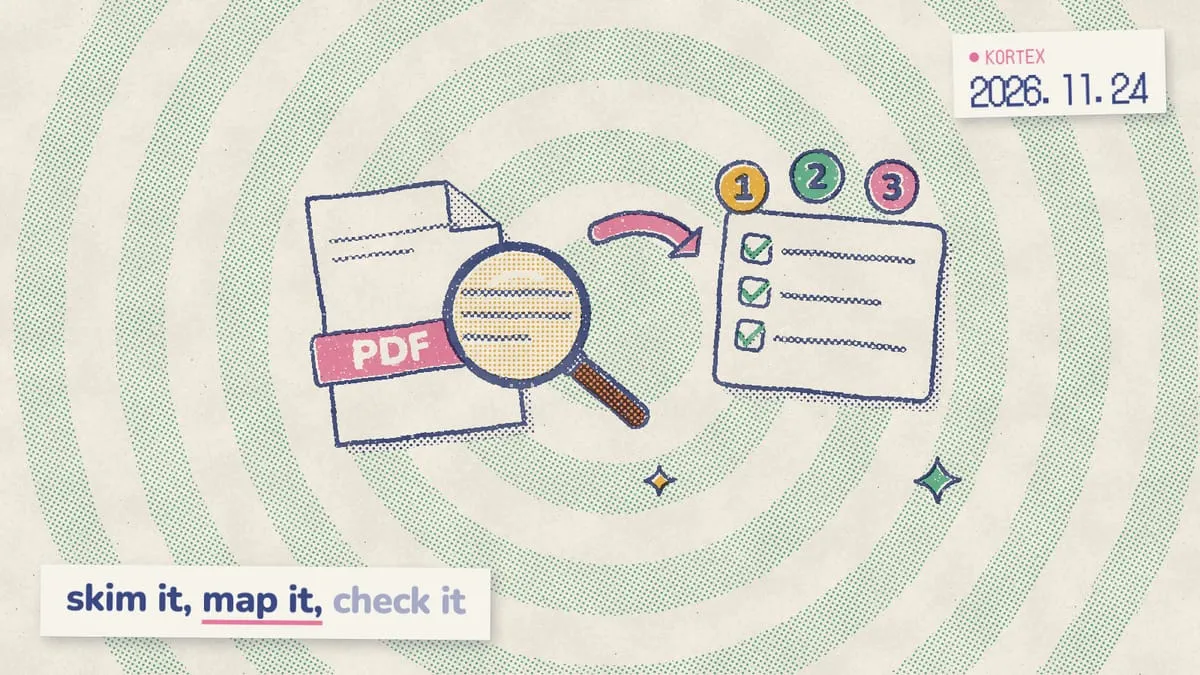
The best way to read research papers with AI is in three passes. First, the AI helps you survey the paper in five minutes. Next, it maps the structure: question, method, numbers, limits. Finally, you verify that every claim you plan to use is really in the paper. Use a grounded tool such as Gemini Notebook (formerly NotebookLM), which can answer from selected sources with citations you can check. The third pass is the one most guides skip. However, it matters most, because AI summaries of science tend to say more than the paper does.
This guide adapts a classic paper-reading method to AI, with copy-ready prompts for each pass and a claim-check prompt you can reuse. It’s written for students, researchers and anyone who has opened a 30-page PDF and thought, “Where do I even start?”
That reader is common among the people we build for. When we analyzed the 776 answers to the Kortex MCP waitlist survey (Sep 19 to Oct 1, 2026), researchers were the largest group: 202 people (26%) described themselves that way, more than any other profession.
How do you read research papers with AI?
You split the reading into three passes and give the AI a different job in each one: a five-minute survey, a map of the paper’s structure, then a check of every claim you keep against the text. AI speeds up the first two passes a lot. The third still needs you, so here it becomes a verification pass.
The three-pass method is a way of reading a paper in stages, each with its own goal, instead of front to back. It comes from computer scientist S. Keshav’s “How to Read a Paper”, which argues you should read “in up to three passes, instead of starting at the beginning and plowing your way to the end” (Keshav, ACM SIGCOMM Computer Communication Review, 2007). His first pass takes five to ten minutes, and his second takes up to an hour.
| Pass | Your goal | What the AI does | What you do |
|---|---|---|---|
| 1. Survey | Decide if the paper deserves more time | Answers the five Cs, with citations | Keep it, park it or drop it |
| 2. Structure | Understand the content, not every detail | Maps question, method, sample, findings, limits | Read the figures and tables yourself |
| 3. Verify | Trust only what the paper actually says | Quotes the sentence behind each claim | Open every citation and compare |
Why can’t you just ask AI to summarize the paper?
Because summaries drift beyond the paper, and the drift is hard to spot. In a 2025 study, Uwe Peters and Benjamin Chin-Yee compared 4,900 summaries from 10 large language models with the original scientific texts. The LLM summaries were nearly five times more likely than human-written summaries of the same texts to contain broad generalizations (odds ratio 4.85). DeepSeek, ChatGPT-4o and LLaMA 3.3 70B overgeneralized in 26% to 73% of cases (Peters and Chin-Yee, Royal Society Open Science, via arXiv, 2025).
Worse, asking for accuracy backfired. When prompted to avoid inaccuracies, the chatbots were nearly twice as likely to produce overgeneralized conclusions (Utrecht University, 2025). So “be accurate” in a prompt is not a safeguard.
References are the other weak spot. In a JMIR study, 28.6% of the references GPT-4 produced for systematic reviews were hallucinated, and 91.4% of Bard’s were (Chelli et al., JMIR, 2024). Those models answered from memory. Our sibling guide on ChatGPT fake citations covers how to catch invented references.
The fix has two parts. First, ground the AI in the paper itself. Grounding means the AI answers from documents you supply, and points to the passage it used, rather than answering from what it absorbed in training. Second, change what you ask for. Instead of “summarize this”, ask for the paper’s own claims, in the past tense, attributed to the authors, each with a citation. The researchers suggest that prompts which enforce “indirect, past-tense reporting” may help (Utrecht University, 2025). “The authors reported that, in 120 adults, X was associated with Y” is much harder to stretch than “X causes Y”.
How do you set up a paper so the AI reads the right thing?
Give each paper its own source, and use the PDF rather than a web page whenever you can. Gemini Notebook accepts PDF, Word, text, Markdown, CSV and PowerPoint files, plus web URLs. Each source can hold up to 500,000 words or 200 MB, and free accounts get up to 50 sources per notebook (Gemini Notebook Help, 2026). That’s plenty for one paper, or for a small reading list.
Three details from that same help page change how you add papers:
- Use the PDF link for arXiv. Google says “PDFs uploaded through URLs are treated as PDF sources”, while for a normal web page “only the text content” is imported. Paste
arxiv.org/pdf/..., not the abstract page, or you’ll get the abstract and little else. - Paywalls block web imports. “Paywalled webpages aren’t supported.” Download the PDF through your library access and upload the file instead.
- Figures are a weak spot. Google’s page says “certain types of images may not work as well”, and it doesn’t say how charts inside a PDF are read. Plan to read figures yourself.
Keep one paper per source and never merge PDFs into one file. Then every citation points to exactly one paper, which makes the third pass much faster. If your papers live in Zotero, our Zotero and Gemini Notebook guide shows how to bring a collection across and name sources so citations map back to your library.
Adding twenty papers one link at a time gets old fast, however. That’s the copy-paste loop Kortex removes.
Twenty arXiv links, one notebook, one click
Kortex Pro's Bulk Import takes a pasted list of links, one per line, and adds them all to the notebook you pick. Its Domain Router can send every arxiv.org link to your Papers notebook on its own. Kortex is free on Chrome.
Pass 1: What should you ask AI in the first five minutes?
Ask for Keshav’s five Cs, grounded in the paper. At the end of his first pass, a reader should be able to answer five questions: category, context, correctness, contributions and clarity (Keshav, 2007). The AI can draft those answers in seconds. Your job is the decision that follows: read on, park it, or drop it. Select only this paper in the Sources panel first, since Gemini Notebook lets you choose which sources the model uses to answer (Gemini Notebook Help, 2026).
Use only the selected paper. In under 200 words, answer:
1. Category: what kind of paper is it (experiment, survey, new method, review, position paper)?
2. Context: which earlier work or theory does it build on, as the paper says?
3. Correctness: which assumptions does the method depend on?
4. Contributions: the main claim, quoted from the abstract or conclusion.
5. Clarity: which sections will be hardest to follow, and why?
Report findings in the past tense, attributed to the authors, with a citation for every point.
Then make the decision yourself. Keshav notes the first pass “is adequate for papers that aren’t in your research area, but may someday prove relevant.” In practice, most papers in a search stop here, and that’s the point. Five minutes of triage beats an hour spent on the wrong paper.
Pass 2: How do you get a paper’s structure without losing the details?
Ask for a map, with every number quoted as the paper reports it and “not reported” wherever the paper is silent. This is where AI saves the most time. Keshav’s second pass asks you to “grasp the paper’s content, but not its details”, and to look carefully at figures, axes and error bars (Keshav, 2007). The AI can lay out the skeleton. Then you spend your hour on the parts that need a human eye.
Map the selected paper for a second read. Use only the paper.
- The research question, in one sentence.
- Design and method, and the data or sample: size, who, where, when.
- Each main finding with the number exactly as the paper reports it, and the table or figure it comes from.
- Limitations the authors state.
- Terms I need, each with a one-line definition from the paper.
Write "not reported" when the paper doesn't say. Past tense, attributed, one citation per line.
Next, use the map to aim your own reading. For each finding, ask which figure carries it, then go and look:
For finding 2, which figure or table shows it? Quote its caption and axis labels exactly.Now open that figure. Are the axes labelled? Are there error bars? Does the effect look as large as the text says? Those are Keshav’s questions, and they still need your eyes.
For a fuller breakdown, our research paper prompt adds a strength-of-evidence rating. Reading several papers on one question? Gemini Notebook’s Data Tables output turns sources into “clean, structured tables, ready for export to Google Sheets”, and Google’s own example is tracking “study years, sample sizes and statistics” across papers (Google, 2025). Our literature matrix prompt gives you the columns.
Keep all three passes one click away
Save these prompts in Kortex, with blanks like {{claim}} that you fill in each time. A line of >>> splits one prompt into steps, so pass 1, 2 and 3 can live in a single prompt. Open them from the Prompts button on Gemini Notebook. Free on Chrome.
Pass 3: How do you check that every claim is actually in the paper?
Take each claim you plan to use, make the AI quote the exact sentence behind it, then open the citation and compare. Gemini Notebook uses “direct quotes, text, and images from your sources as citations”, and selecting one takes you “directly to the quote” in context (Gemini Notebook Help, 2026). That makes checking fast. It doesn’t make it optional: grounded tools can still misread a source, as our guide to whether Gemini Notebook hallucinates shows.
Use this claim-check prompt for every line that goes into your notes, essay or slides:
Here is a claim from my notes: "{{claim}}"
Quote, word for word, the sentence or sentences in the selected paper that support it.
Then label it: supported as written, true only for a narrower group, stated more cautiously in the paper, a finding the paper cites from another study, or not found.
Use nothing outside the paper.
Those labels aren’t arbitrary. Each one names a way a claim drifts between the paper and your notes:
| Drift | What it looks like | What to compare |
|---|---|---|
| Scope creep | ”in 120 adults in one hospital” becomes “people” | The sample in the methods vs your claim |
| Lost hedging | ”may be associated with” becomes “causes” | The verbs in the quoted sentence |
| Number drift | 12.4% becomes “about 15%”, or the unit changes | The exact figure and its table |
| Borrowed finding | A result from the paper’s literature review presented as its own | Whether the sentence carries a citation |
Overgeneralization is the catch-all for the first two: a summary that turns a careful, limited result into a general one, which is what Peters and Chin-Yee measured. For example, imagine a trial in older adults that turns into advice for everyone. Borrowed findings are sneakier. A paper’s introduction cites dozens of other studies, and a grounded tool will happily quote one of those sentences. The citation is real; the finding just isn’t this paper’s. If the quoted sentence ends in a reference number, trace that reference instead.
To go further, and get closer to Keshav’s own third pass, let the AI quiz you instead of summarizing:
Ask me five questions a reviewer would ask about this paper's method and assumptions, one at a time. After each answer, show me the passage that settles it.Keshav’s goal for the third pass is to “virtually re-implement the paper” and find “its hidden failings and assumptions” (Keshav, 2007). The quiz is the closest an AI gets to helping with that, although the thinking remains yours.
Is Gemini Notebook good for reading research papers?
Yes, for questions about a fixed set of papers. Gemini Notebook is Google’s AI notebook for your own documents, and its source-based chat provides citations to passages (Gemini Notebook Help, 2026). Google also documents experimental chat actions that can search the web or run code. For these reading passes, select the papers and ask it to stay within them. It has three limits worth planning around, though.
| Strength | Limit | Workaround |
|---|---|---|
| Questions over selected papers | Selected papers may omit contrary evidence | Add the papers that cite, replicate or rebut yours |
| Citations are direct quotes | Figures may not be read reliably | Ask for captions, then read the figure |
| Up to 50 sources per notebook on free accounts | Paywalled pages won’t import | Upload a PDF you have permission to use |
The first limit is the one people miss. A source-based answer cannot establish whether a paper replicated if the selected evidence omits the replication. So when a paper matters, add two or three later papers that cite it. Then ask, “Do any of the other sources disagree with this paper’s main finding? Quote both sides.” For a wider setup, including literature reviews and notebook structure, see how to use Gemini Notebook for research.
How do you read a stack of papers, not just one?
Run pass 1 on everything, and keep passes 2 and 3 for the few that survive. For a literature survey, Keshav suggests finding three to five recent papers and making one pass over each. Then look for “shared citations and repeated author names in the bibliography”, because “these are the key papers and researchers in that area” (Keshav, 2007). With every paper in one notebook, the AI can do that cross-referencing for you:
Across the selected papers, list every reference cited by at least two of them, and which papers cite it. Then list authors who appear in three or more reference lists.Check the output against the reference lists before you chase anything, since a merged list is where small errors hide. Then add the key papers it surfaces and start again at pass 1. If your reading feeds a formal review with screening and PRISMA reporting, our sibling guide to AI for systematic reviews goes stage by stage. For more ready-made questions, see the best Gemini Notebook prompts.
One more habit pays off. Keep your claim checks. In the Kortex Workspace, you can color each paper (red for check this, green for cited) and add a Markdown note with its takeaways. Kortex also downloads a notebook’s chat as Markdown or PDF, so the quotes behind your claims leave with you when the project ends.
What’s the quickest way to start?
Pick one paper you need this week and run it through all three passes. Survey it in five minutes. Map it, then read its figures yourself. Finally, check every claim you keep against a quoted sentence. After two or three papers, the prompts become habit, and your notes hold only what the papers actually say.
Read faster, cite only what the paper says
Kortex brings papers into Gemini Notebook in bulk, keeps your three-pass prompts in one library, and exports your notes and chats as Markdown or PDF. Free on Chrome.
Frequently asked questions
Can AI read a research paper for me?
It can do the first two passes with you: tell you what kind of paper it is, its main claim, its method and its numbers, with citations. It can’t judge whether the paper is right for your question. Use it to decide what to read closely, then check every claim you keep against the paper itself.
Is NotebookLM good for reading research papers?
Yes, for asking questions of a fixed set of papers. Gemini Notebook (formerly NotebookLM) can answer questions about selected papers with citations you can open. Ask it to stay within those papers, add studies that cite or replicate them, and read the figures yourself.
How do I add an arXiv paper to Gemini Notebook?
Paste the PDF link (arxiv.org/pdf/…) as a website source, or download the PDF and upload it. Google says PDFs added through URLs are treated as PDF sources, while a normal web page imports only its text, so the abstract page gives you the abstract and little else.
Can AI read the figures and tables in a paper?
Partly, and you shouldn’t rely on it. Google’s source help doesn’t say how charts inside a PDF are read, and it warns that some images may not work as well. Ask the AI which figure supports a finding and what its caption says, then look at the figure yourself.
What is the three-pass method for reading papers?
It is S. Keshav’s 2007 method for reading a paper in up to three passes. The first takes five to ten minutes: title, abstract, headings and conclusions. The second, up to an hour, covers the content and figures. The third re-creates the work in your head to find hidden assumptions.
Why do AI summaries of papers exaggerate the findings?
Models tend to turn careful, scoped results into general claims. A 2025 study of 4,900 summaries from 10 models found them nearly five times more likely than human-written summaries to contain broad generalizations. Asking for past-tense, attributed reporting and checking each claim against the paper helps.
Editorial note: fact-checked against the official help pages and docs linked above on November 25, 2026. Spotted something out of date? Contact us and we will fix it, or read more about Kortex.