
How to delete Claude chats: one, many or all at once

2 minutes 7 steps Updated

Quick answer

On claude.ai, hover over a chat in the left sidebar, click the ⋮ button, choose Delete and confirm. To delete many, open Chats and tasks, click ⋮, choose Select, tick the chats or click Select all, then Delete. A deleted chat leaves your history at once and is removed from Anthropic's systems within 30 days.

Watch it first

How to delete Claude chats: one, many or all at once
Read the transcript

Here's how to delete Claude chats. One at a time, many at once, or on your phone. ai, find the chat in the left sidebar.

Hover over it and click the three-dot button on the right. Choose Delete, then click Delete again to confirm. To delete many, click Chats and tasks in the sidebar.

Hover over a chat, click the three dots and choose Select. Tick the chats you want, or click Select all. Then click Delete and confirm.

In the iPhone app, touch and hold a chat in your list. Tap Delete, then confirm. In the Android app, tap the checklist icon in your chat list.

Tick the chats, tap the trash icon and confirm. A deleted chat leaves your history at once, and Anthropic's systems within 30 days. The memory Claude made from it stays.

To remove it, open Settings, then Your Claude, and click Manage next to Your memory. Want a copy first? The Kortex extension saves your Claude chats on your computer once you let it.

A chat you delete on Claude stays in your Kortex Library. Its menu downloads it as Markdown or PDF. Deleting can't be undone, so decide first.

The full steps are on the Kortex website.
  1. Find the chat

    On claude.ai, find the chat in the left sidebar. Or click Chats and tasks to see your full chat history.

  2. Delete one chat on the web

    Hover over the chat and click the ⋮ button on the right. Choose Delete, then click Delete again in the confirmation window.

  3. Delete many chats at once on the web

    Click Chats and tasks in the left sidebar. Hover over a chat, click ⋮, and choose Select. Tick the box next to each chat you want to remove, or click Select all at the top. Click Delete, then confirm.

  4. Delete a chat in the iPhone app

    Open your chat list, touch and hold the chat, and tap Delete. Confirm. To delete the chat you have open, tap the ⋯ button in the top right corner, tap Delete and confirm.

  5. Delete chats in the Android app

    To delete the open chat, tap the ⋮ menu in the top right, tap Delete and confirm. To delete many, open your chat list, tap the checklist icon, tick the chats, tap the trash icon and confirm.

  6. Remove what stays behind

    A deleted chat does not remove memory entries Claude made from it. Delete those one by one in Settings, under Your Claude, with Manage next to Your memory. Projects and account information stay until you delete them too. Deleting your account is the only way to remove all your data, and it is permanent.

  7. Optional: keep a copy before you delete

    If you might need a chat later, save it first. The Kortex extension keeps your Claude chats on your computer once you let it, and a chat you delete on Claude stays in your Kortex Library. Open the Library to read it, or use a chat's menu to download it as Markdown or PDF.

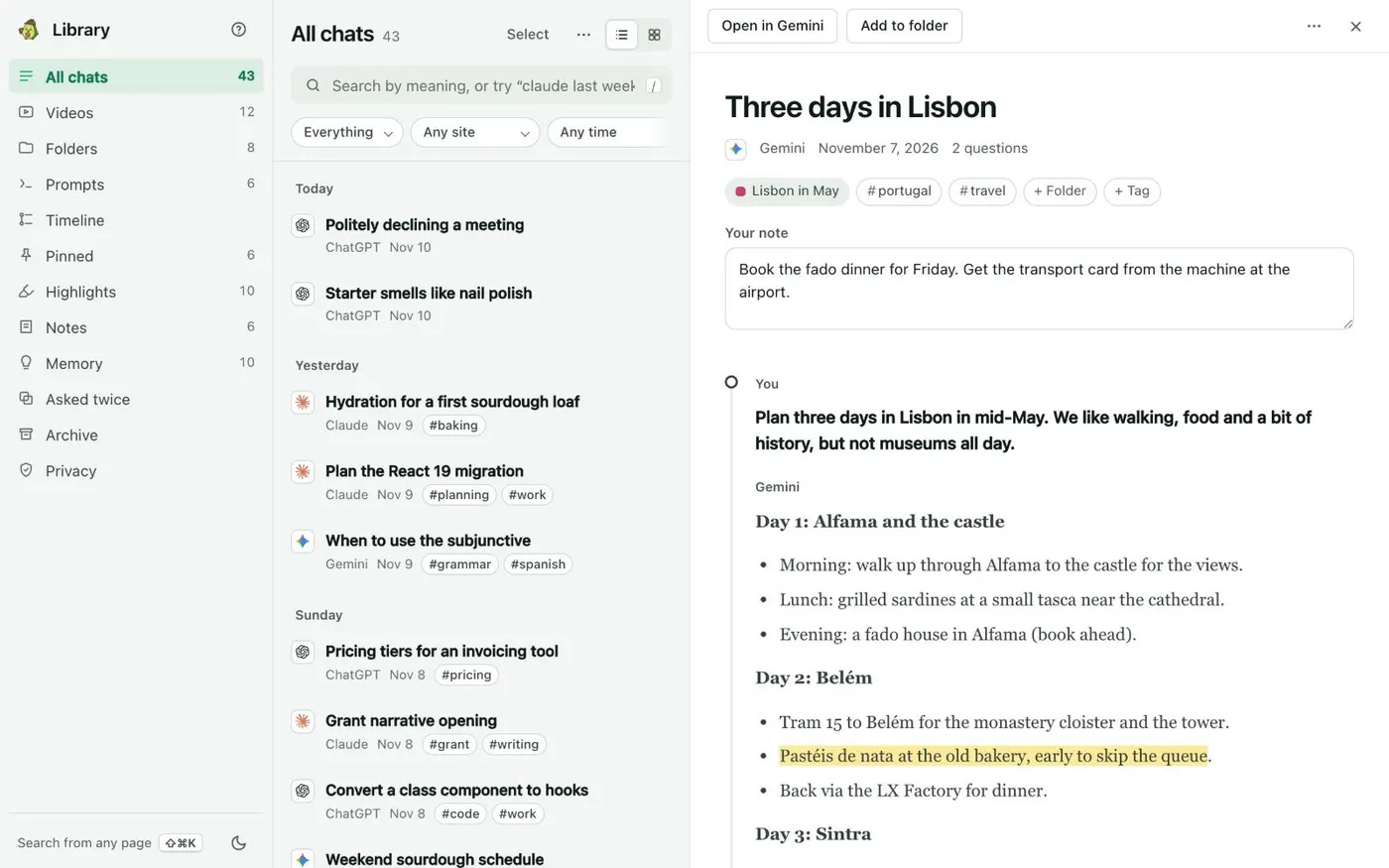
    The Kortex Library page: a sidebar of views, a list of saved chats by day with their site and tags, and one chat open beside the list.
    All chats lists every saved chat by day. Open one to read it in full beside the list.

If it doesn’t work

I don't see Select or Select all
Open Chats and tasks in the left sidebar first, then hover over a chat and click the ⋮ button. Select is in that menu. On Android the checklist icon in your chat list does the same job.
Claude still remembers things from a deleted chat
Memory entries made from a chat are not removed when you delete the chat. Open Settings, then Your Claude, click Manage next to Your memory, and delete the topics. Or turn memory off.
I deleted a chat by mistake
Anthropic's help article describes no way to restore a deleted chat. If you had Kortex saving your chats, the copy in your Kortex Library is still there.

Questions people ask

Something we missed? Ask us.

How do I delete all my Claude chats at once?

Open Chats and tasks, click the ⋮ button on a chat, choose Select, then click Select all at the top and Delete. Confirm. Chats vanish from your history right away.

Are deleted Claude chats really gone?

A deleted chat is removed from your conversation history at once and deleted from Anthropic's back-end systems within 30 days. Your projects and account information are kept until you delete them or your account.

Does deleting a chat delete Claude's memory of it?

No. Memory entries made from the chat stay. You can delete individual memories in Settings while memory is on.

Will deleting a Claude chat delete my Kortex copy?

No. A chat you delete on its site stays in your Kortex Library. To remove a site's chats from the Library, use Delete saved chats for that site in the side panel's Saving your chats sheet.

Sources

Keep going

More tutorials

All tutorials

Do it on your own notebooks.

Install the Kortex extension and follow these steps on a notebook you already have.

100,000+ users, rated 4.5 on the Chrome Web Store.

Talk to the Kortex team

This opens a pre-filled email in Gmail. We usually reply within a day.