
 ChatGPT
Explain REM vs deep sleep for my exam
 Send to Notebook
Kortex is an AI toolkit for Chrome. It saves your ChatGPT, Claude, Gemini, Perplexity and Grok chats on your computer and searches them all at once. And it imports, organizes and exports your Gemini Notebook (formerly NotebookLM) notebooks.
No card needed.
Animated product demo. Four sources, a ChatGPT chat, an X thread, a YouTube video and a highlighted web page, are each sent into a Gemini Notebook with one click. Kortex then tags the notebook and files it into a Research collection, an automation creates a study guide and an audio overview, and the notebook is exported as Markdown, PDF and a ZIP file.
Everything in green is what Kortex adds to Gemini Notebook
Sends from 


 YouTube, Google Docs, 4 more and any web page
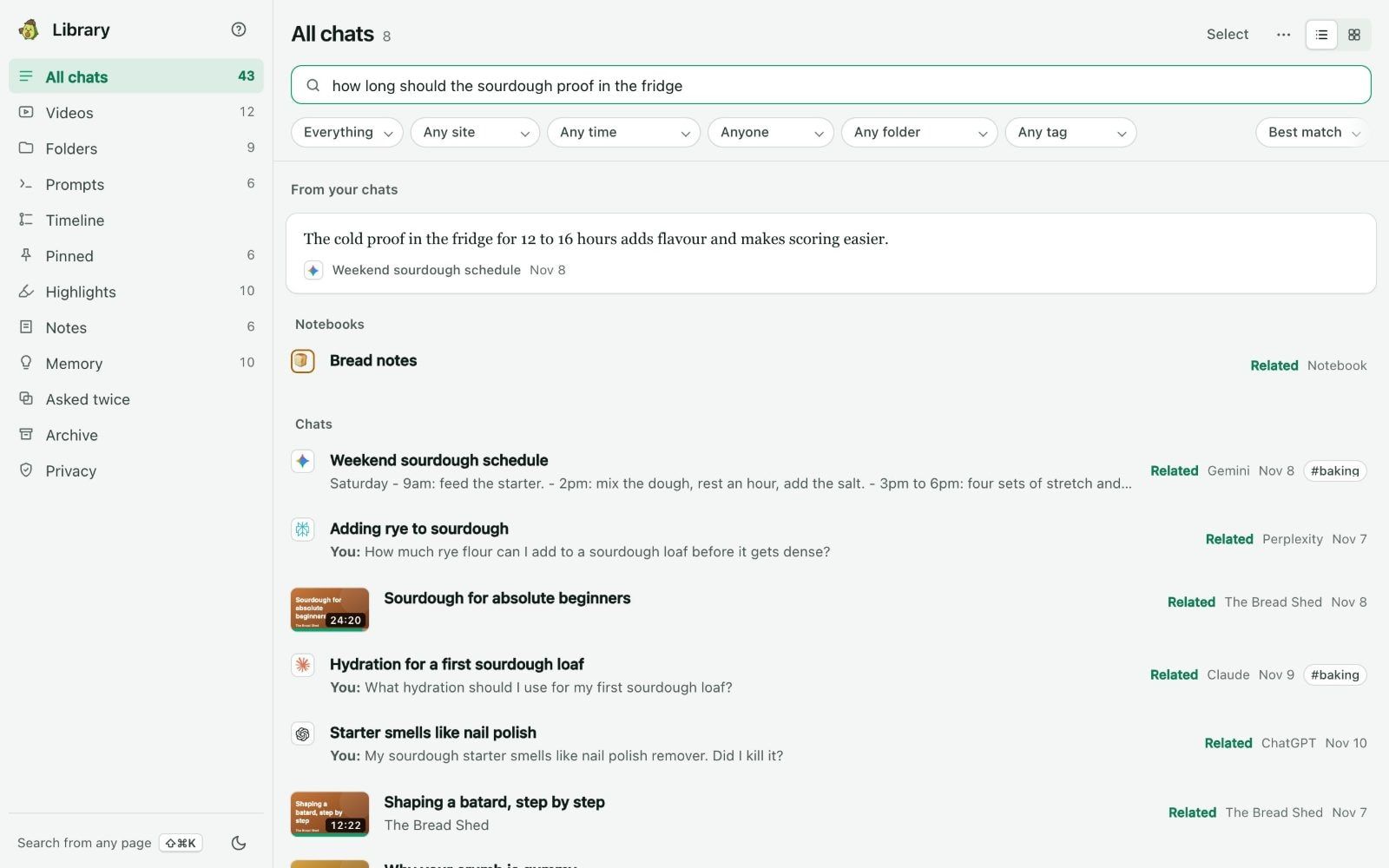
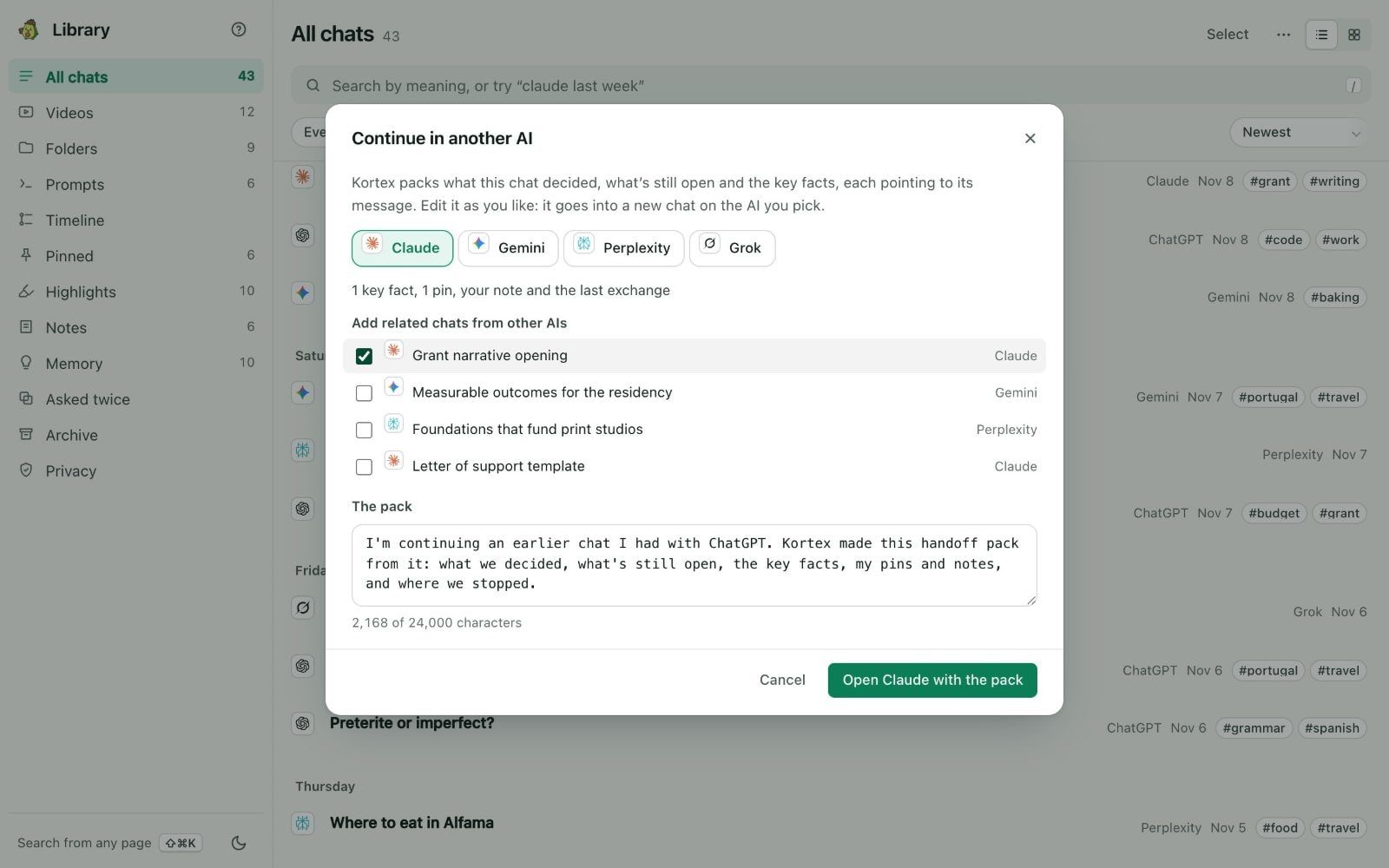
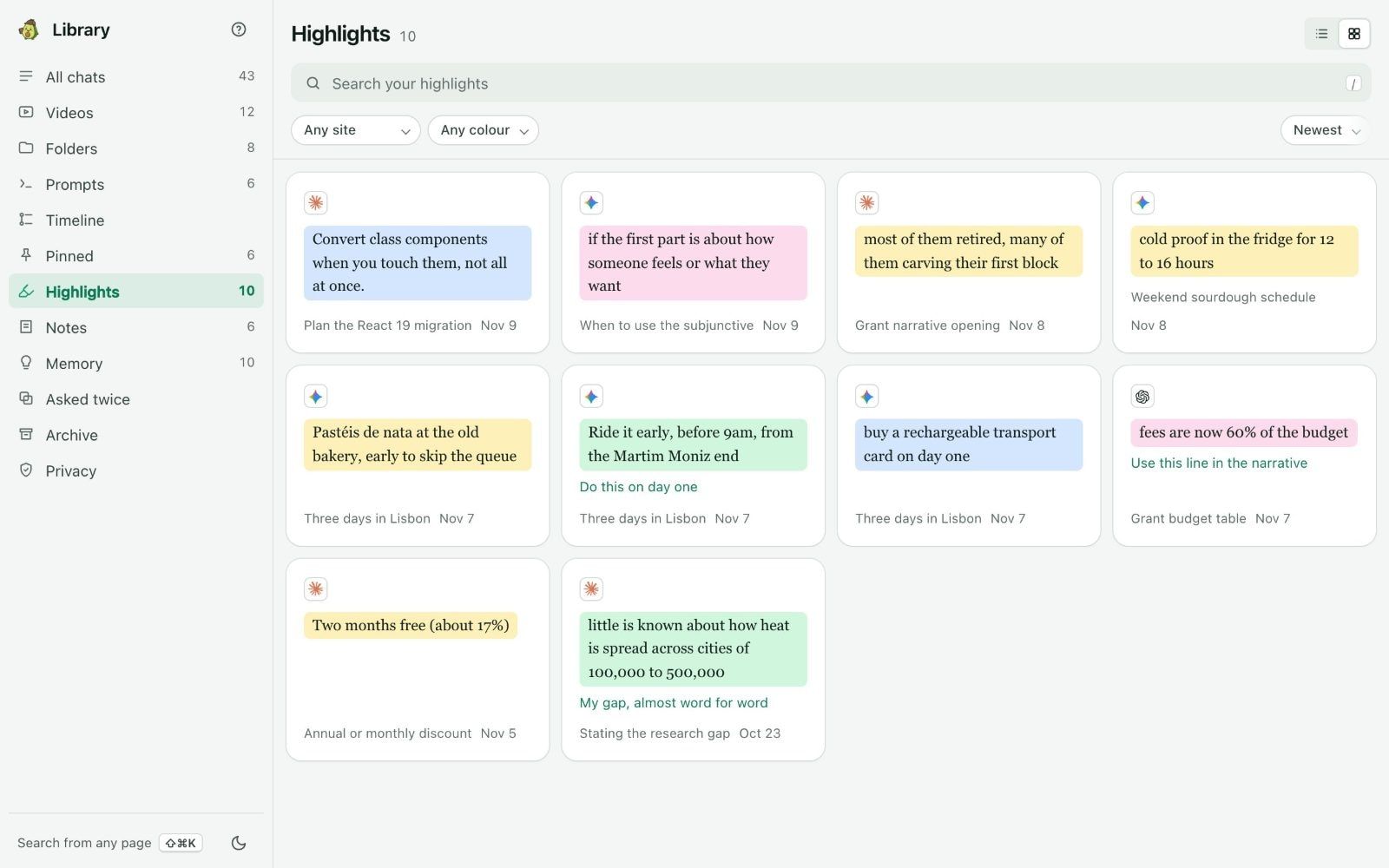
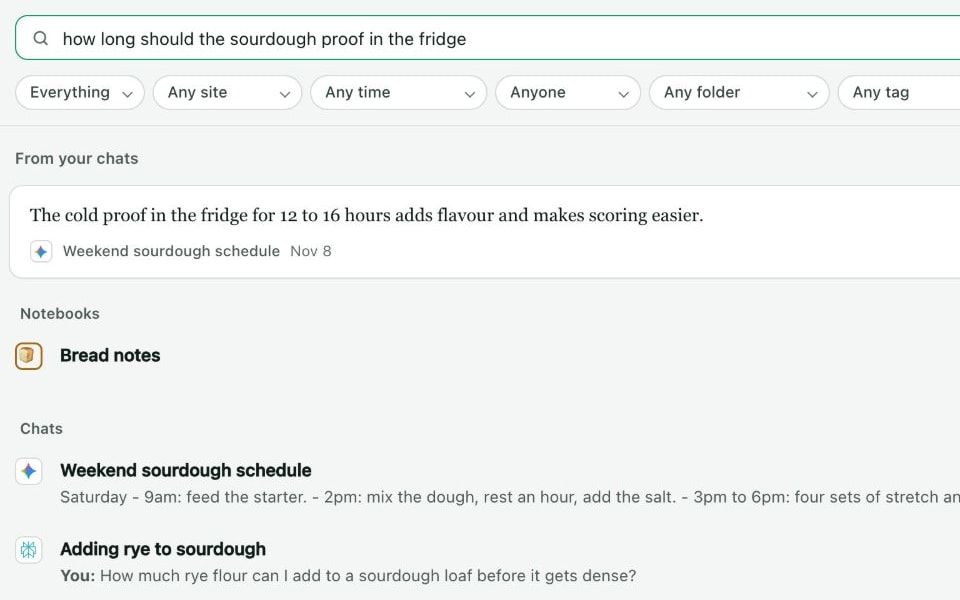
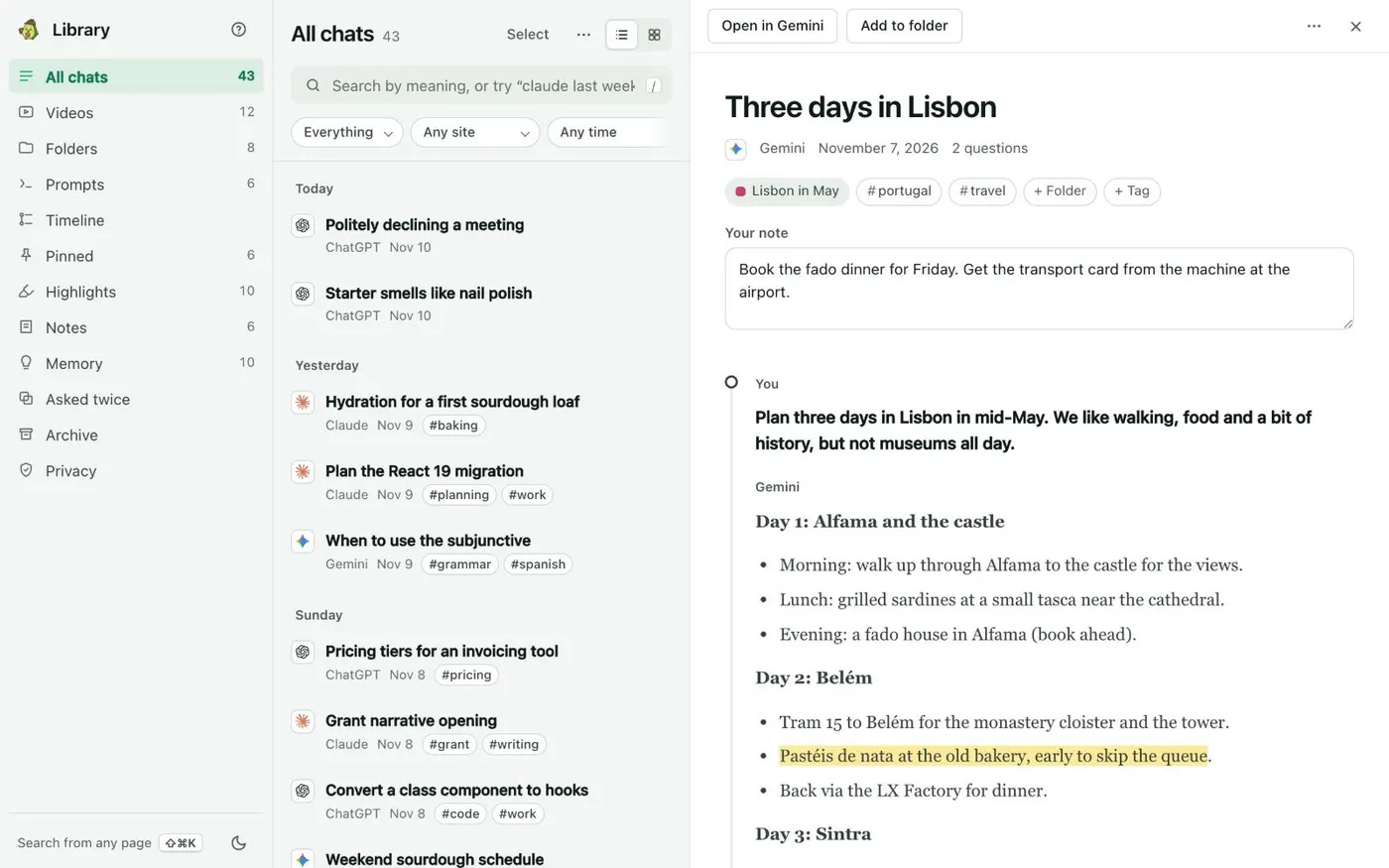
Kortex saves your chats from ChatGPT, Claude, Gemini, Perplexity and Grok in one Library. Find any chat in seconds. Ask your chats what you already worked out. Carry it into your next chat.
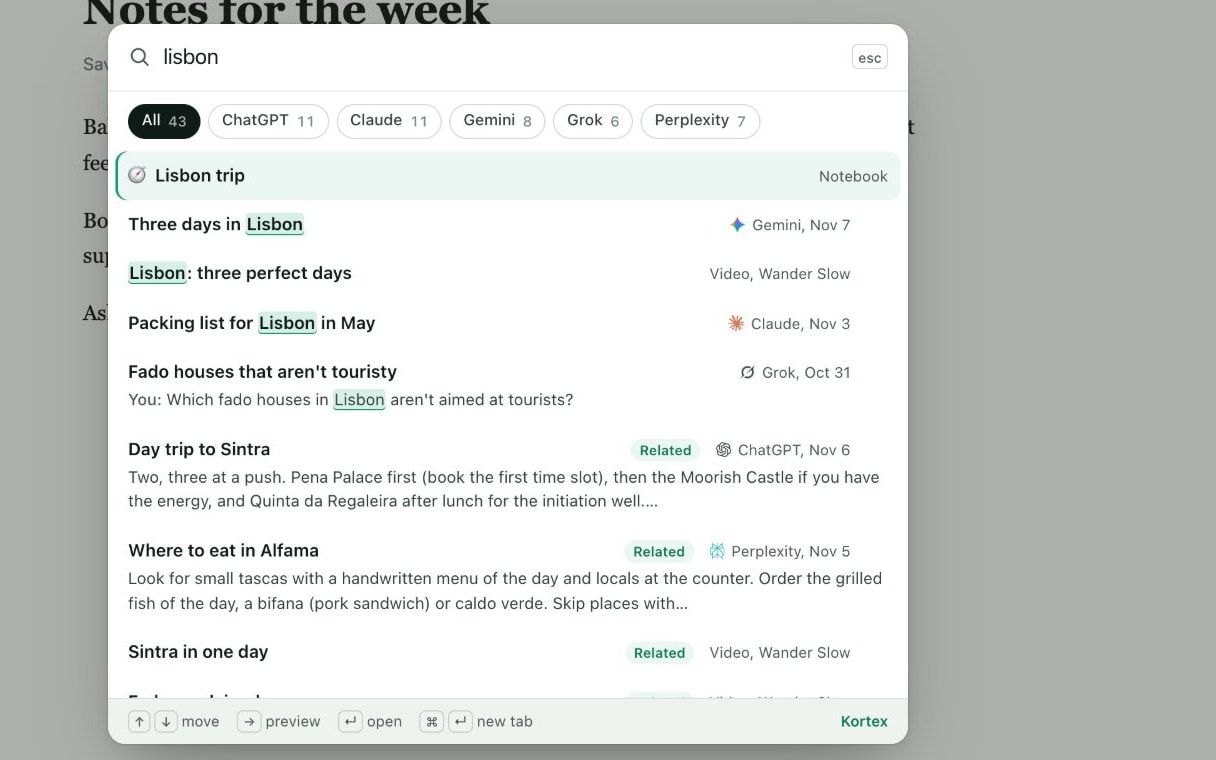
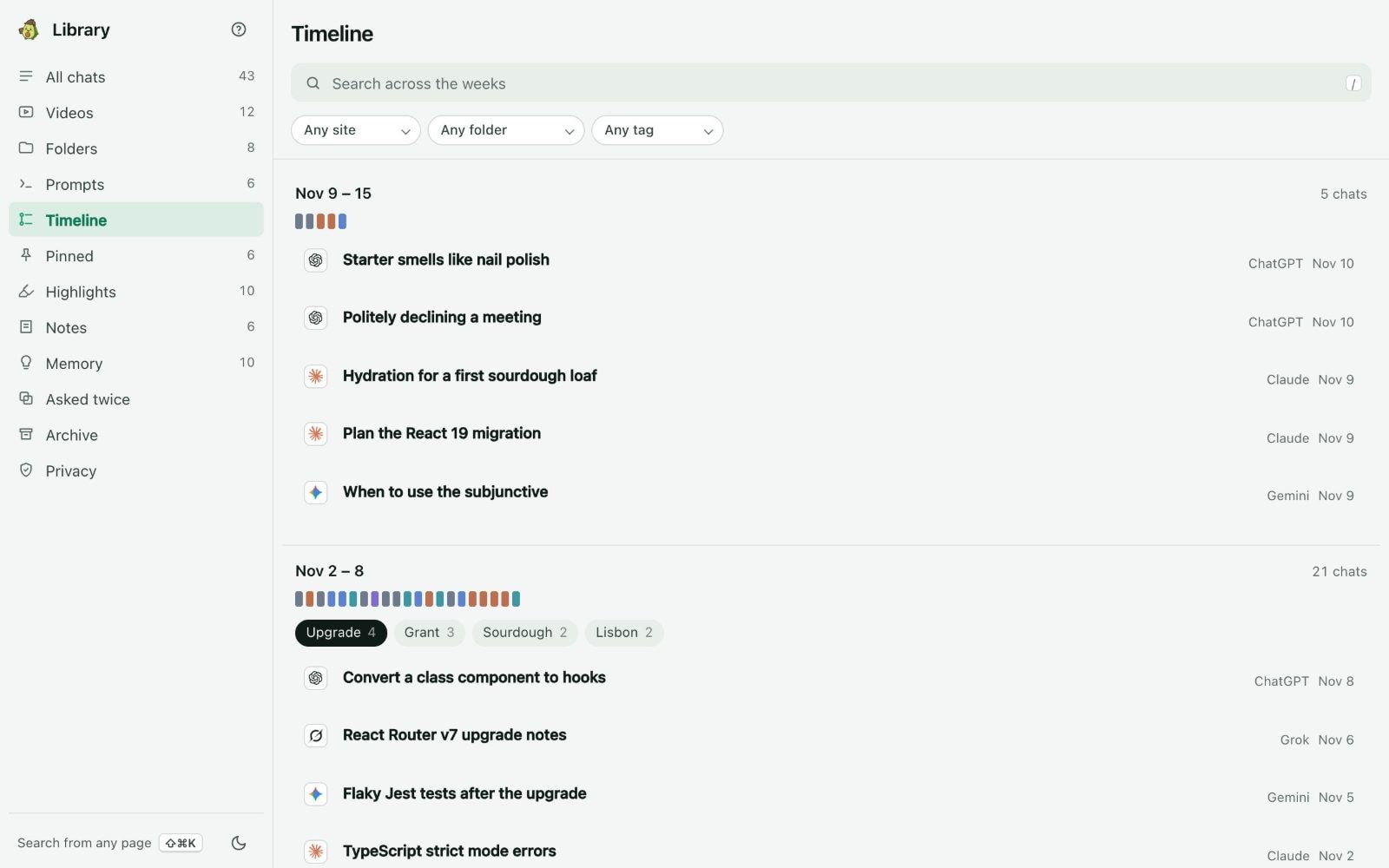
It reads your sources well. But you still add research, sort it and export it by hand.
Your research sits in ChatGPT, Claude, threads and forty open tabs. You paste it into a notebook one piece at a time, and the formatting often breaks.
Every notebook is a tile on one long page. There are no collections or tags, and half are named Untitled notebook.
Want your sources, chats or notes as files? There is no download button. You copy them out one at a time.
Your best prompts are saved in a note somewhere else. Every session starts with finding and retyping them.
Research 12
Coursework 9
Work 14
Reading list 31
Stop copying and pasting. Kortex adds a button where you already do your research. It saves the page into the notebook you pick.
ChatGPT Claude Gemini Perplexity X Reddit LinkedIn The Kortex Workspace shows every notebook you own in one table. Sort them into collections, tag them, star them, and search all of them at once.
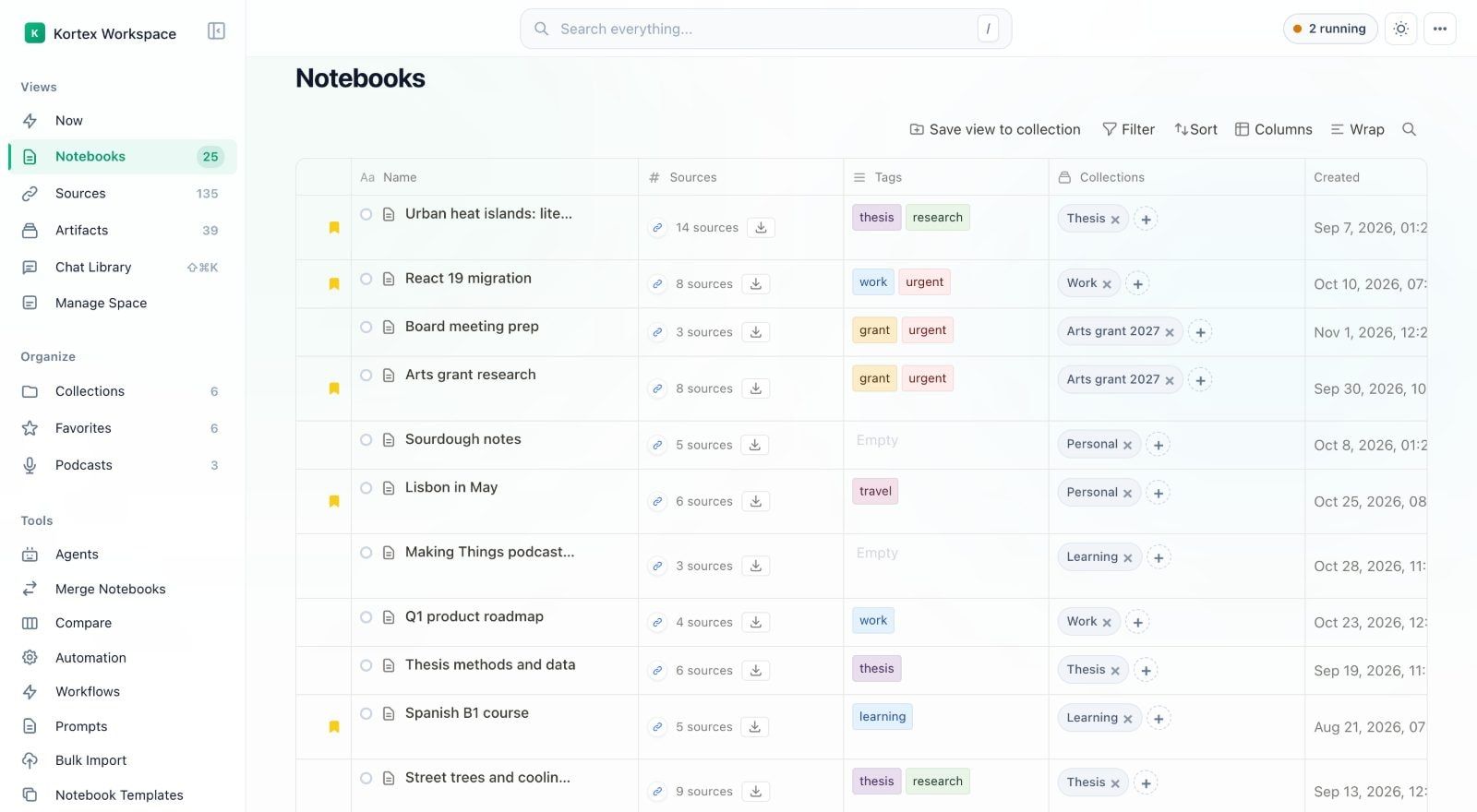
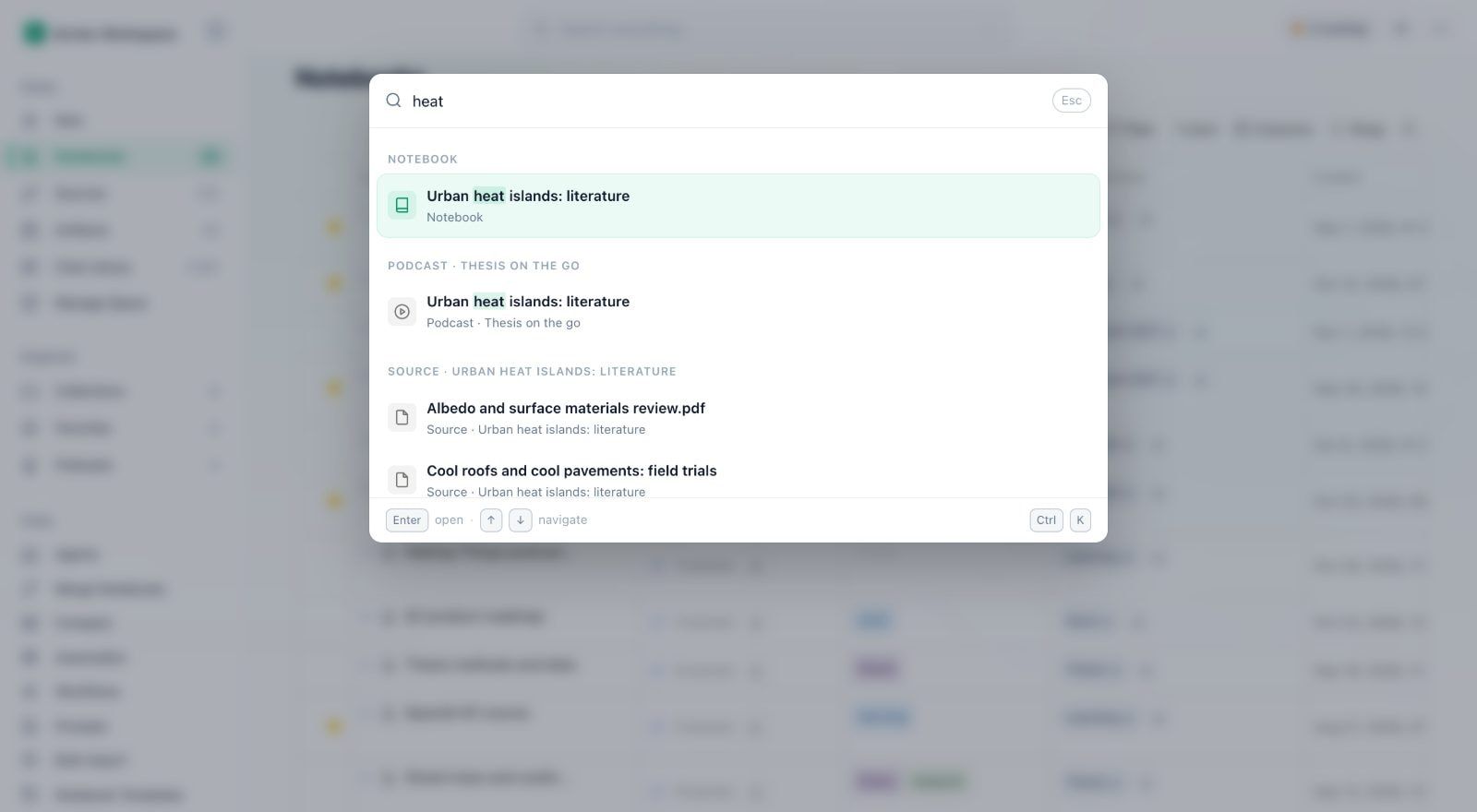
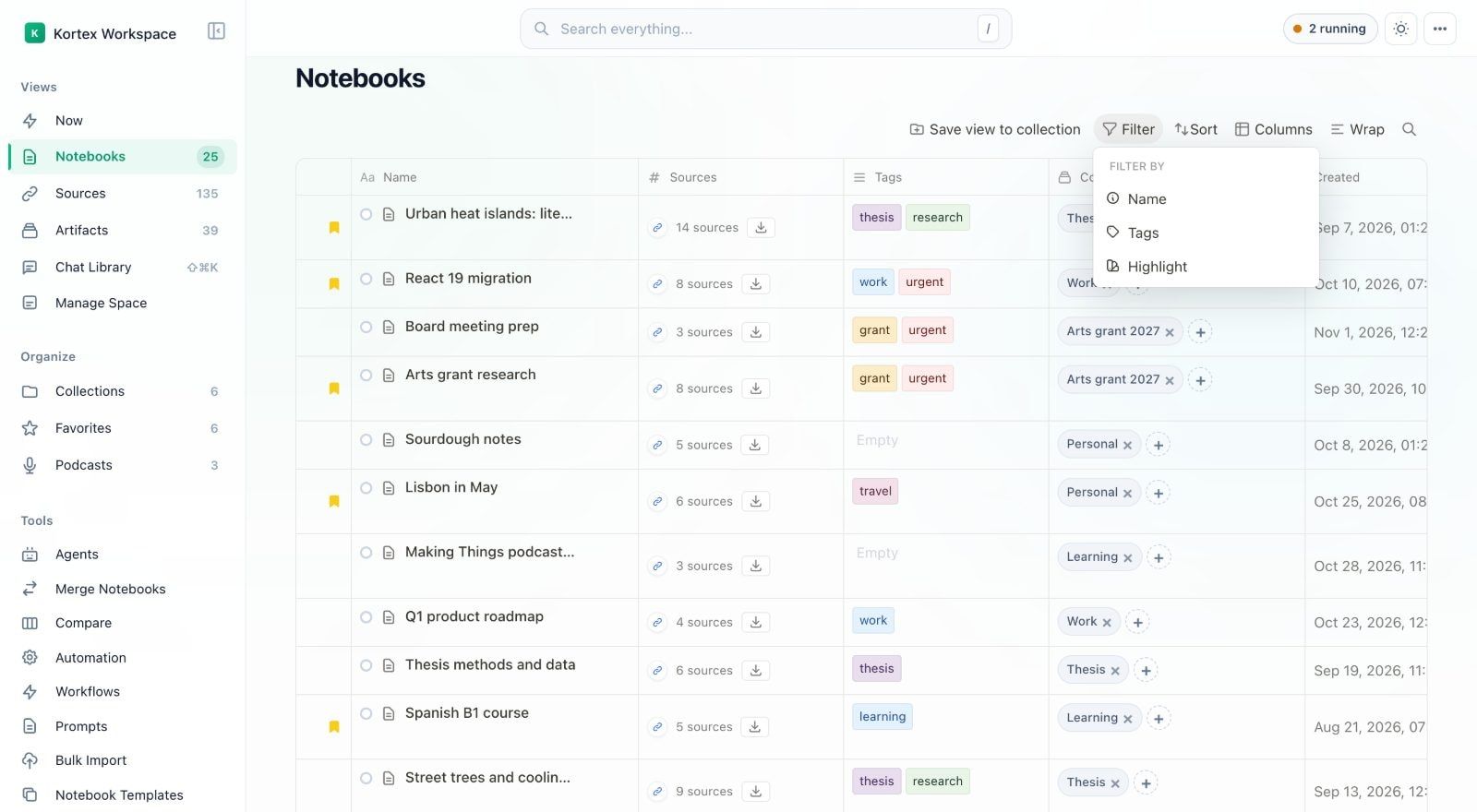
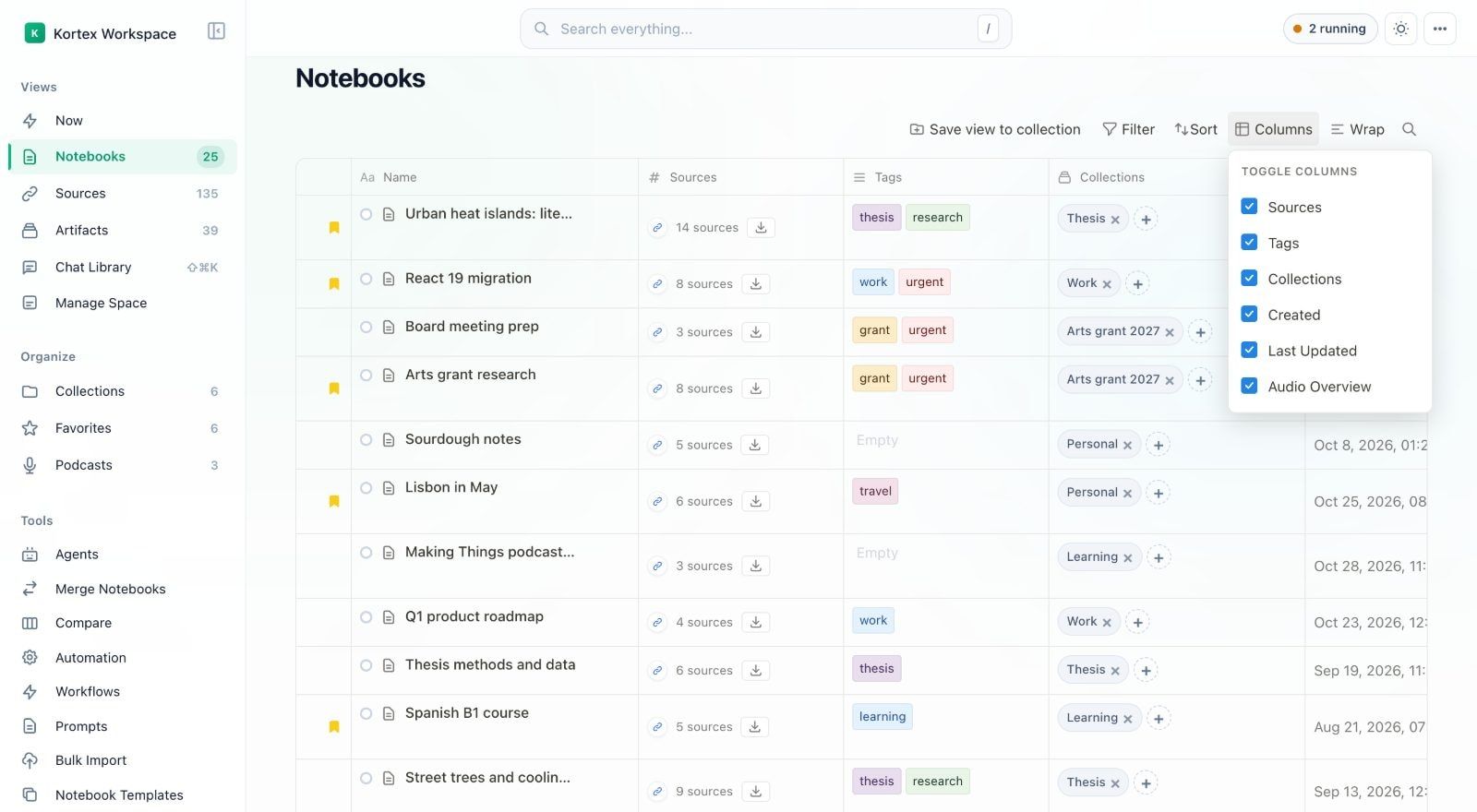
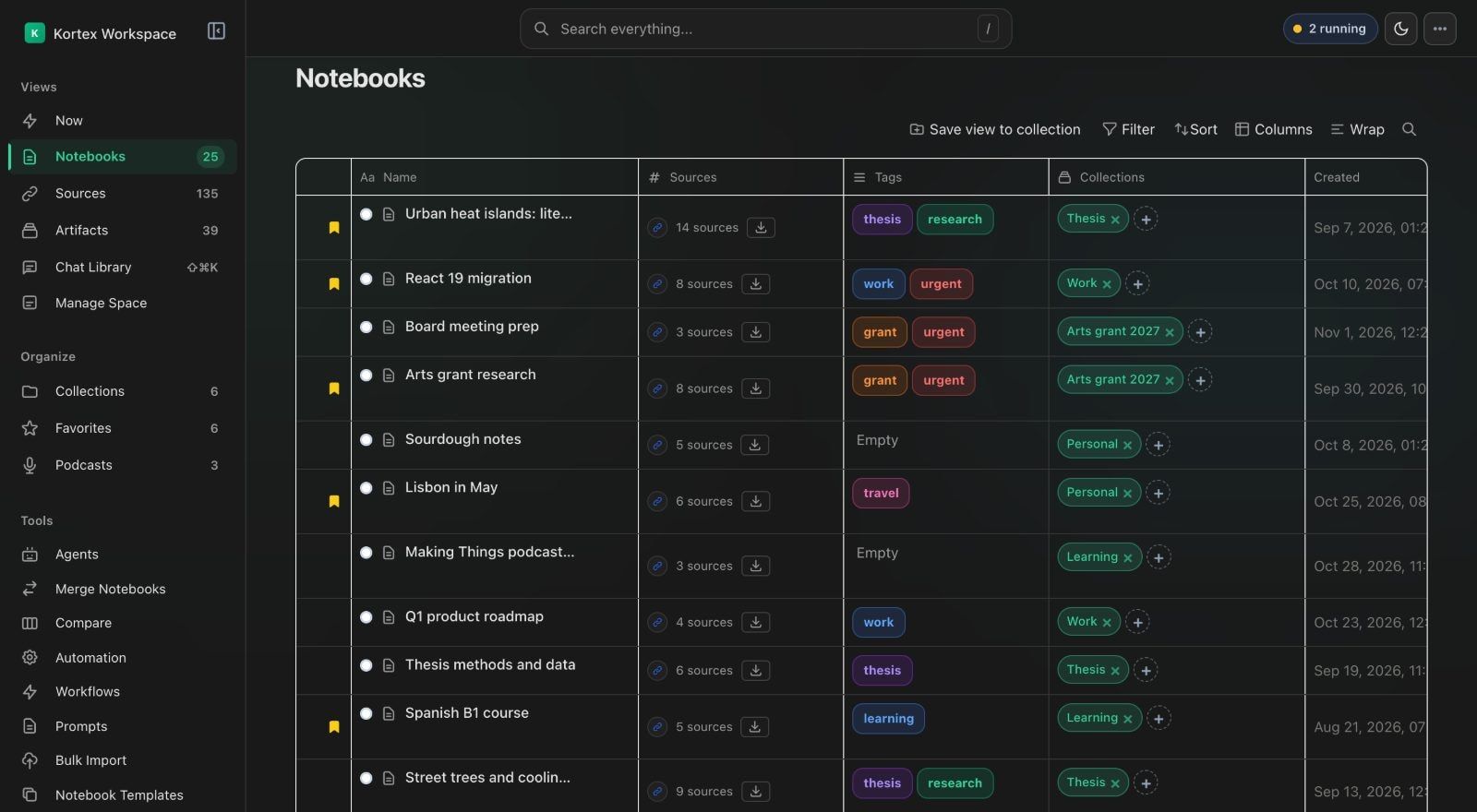
Each of these is a real screen in the Workspace, which opens next to Gemini Notebook. Pick one to see it.

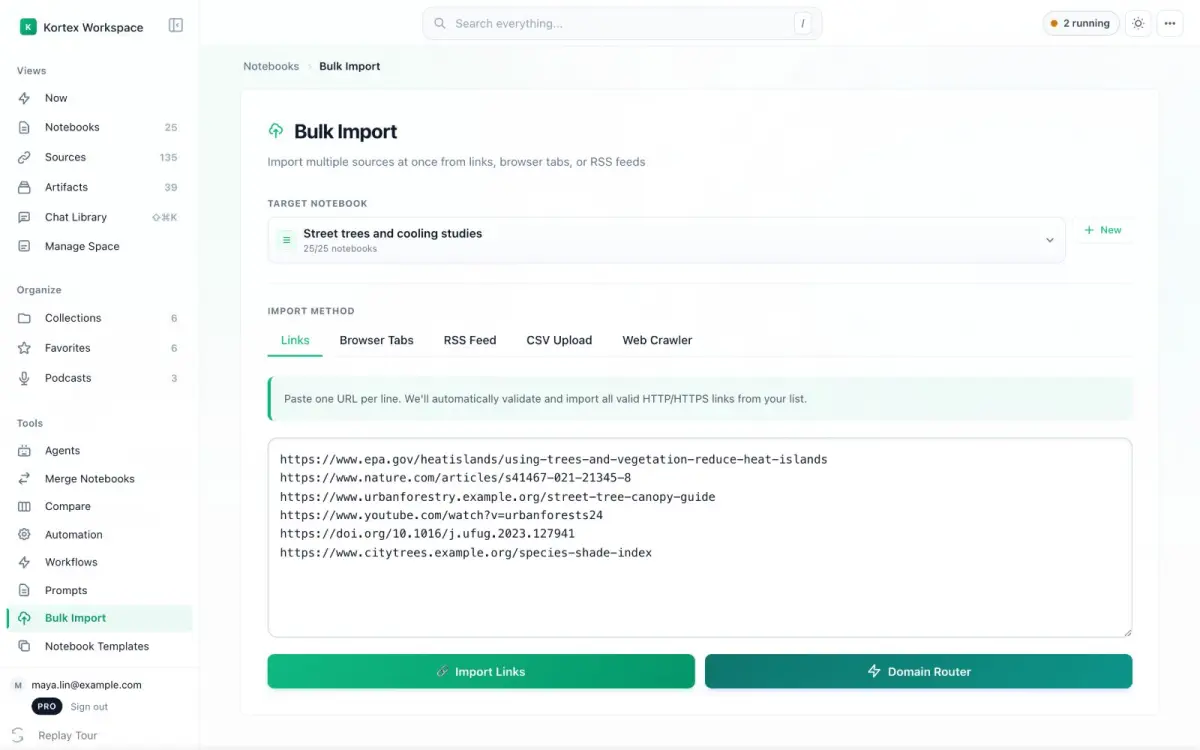
Bulk Import takes a list of links, your open tabs, a CSV file or an RSS feed (a feed of new posts). It can also crawl a site for you. Each page becomes its own source in the notebook you pick.
More ways to import
Add tags to each source, like Person, Concept or Secondary Source. Then filter the notebook to the sources you need.
More on organizing
The Artifacts view lists what Gemini Notebook made for you in every notebook, with its type beside each one. Open or download any of them from its row.
More on artifacts
Tick the sources you want, pick Markdown, plain text or PDF, and download them together.
More on exports
Keep your best prompts in folders, star your favorites, and add one to a chat with the Prompts button.
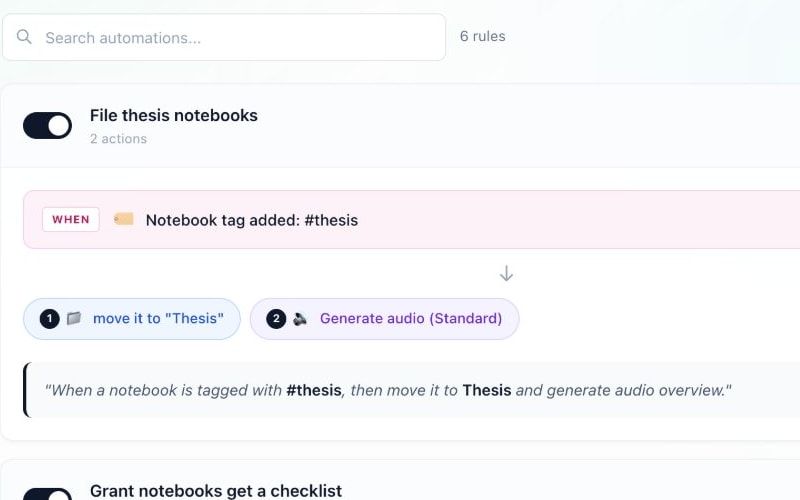
More on templatesA rule links something you already do, like adding a tag, to the steps that follow. Kortex runs them in the background while you keep reading.
A notebook is tagged #work
A notebook is tagged #to-summarize
A notebook is tagged #paper
A source comes from arxiv.org
A notebook enters CS224N
A notebook is tagged #listenlater
An episode finishes playing
8 triggers and 11 actions to combine, or start from 9 ready-made rules.
Download sources, notes, chats and Studio artifacts as files. Or turn Audio Overviews into a private podcast to play on your commute.
Export one notebook or a hundred. Pick whole notebooks, single sources, or chats with or without your own messages.
Kortex puts your Audio Overviews in a private podcast feed. Subscribe once in Apple Podcasts, Spotify or Pocket Casts. New episodes show up on their own.
Install Kortex and sign in with Google. The Kortex buttons then show up in Gemini Notebook and your AI chats. Import a page, organize a notebook or download your sources without leaving your notebook.
Connect Claude, ChatGPT, Cursor or any app that supports MCP (a standard way to connect AI apps to tools) to Gemini Notebook. Ask questions across your whole library, fill a notebook from a chat, and reorganize hundreds of notebooks with one sentence.
Go through my inbox for every email from my landlord this year and put them in one notebook. Then tell me which repairs are still open.
kortex.create_notebook "Landlord 2026" created kortex.add_text_source 14 emails 14 added kortex.ask_question "Which repairs are still open?" answered Two repairs are still open: the bathroom extractor fan, reported on 3 March, and the back door lock, reported on 19 August. Everything else was marked fixed in a later email. 12
Say it once: “Every Monday at 8, ask my Competitors notebook what changed and make it an Audio Overview.” Kortex runs it every hour, day or week, on your own clock. The brief is ready when you sit down.
See how schedules workCompetitors brief every Monday, 8:00
4.5 from 410 Chrome Web Store ratings, and 200,000+ exports so far. Here is what people wrote, word for word.
The source downloader feature is stupidly good. Exporting entire notebooks into Markdown in one zip? That alone makes this extension worth it. I wish I had this months ago.
Easy to use and works well! Just click on the NotebookLM button in a chat, and you will be prompted to add the chat to a new project or existing one. The newly created source is formatted very cleanly, with prompts and responses indicated clearly (no extra random characters, etc.)
I am not very tech-savvy, but the Kortex extension is easy to use. I save recipes and cooking notes from different websites, and everything stays in one place. Earlier, I used to forget where I saw a recipe; now it's easy to find. Saves time and effort.
Kortex turns NotebookLM into an actual knowledge base instead of a fancy note dump. Highlighting text from any webpage and sending it straight in feels borderline magical.
Oh man, happen to know this extension from XDR. I should give 6 stars! Just one click and all chats imported to NBLM.
Read every review on the Chrome Web Store More reviews, word for word
30 creators in 10 languages have made 36 videos that show Kortex in use. Here are three of the most watched.
 7 Chrome Extensions for NotebookLM Power Users! (opens YouTube in a new tab)
 Las 5 Extensiones de NotebookLM Que Nadie Te Cuenta (x10 Potencia) (opens YouTube in a new tab)
 The Ultimate NotebookLM HACK For Power Users! (opens YouTube in a new tab)
Upgrade to Kortex Pro
4.5 from 410 Chrome Web Store ratings · 100,000+ users · 7-day money-back guarantee
For trying Kortex and light use.
$0forever
Add to ChromeNo card needed.
Your AI chats
Gemini Notebook
Prompts
Every Library feature, free for 7 days. It starts when you first save your chats.
Black Friday
40% off
Pro yearly
Deal ends in
0days 00hours 00mins 00secs
For people who work with AI every day.
$9per month$9/mo$108 billed yearly
That's 30¢ a day. You save $11.88 a year.
Get Pro yearlyUse code at checkout. It's copied for you when you click the button above.
7-day money-back guarantee. Cancel anytime.
Everything in Free, plus:
Your AI chats, no limits
Gemini Notebook, no limits
Prompts and AI assistants
Pay with the email you sign in to Kortex with, so Pro lands on your account.
Pro forever. Pay once.
$199onceNothing renews
Get Pro for life7-day money-back guarantee.
Everything in Pro, plus:
7-day money-back guarantee
For labs, classes and small teams who share notebooks.
$12per seat, per monthBilled yearly, 3 seats minimum
Everything in Pro, plus:
We set it up with you.
“Brilliant! Is going to save me hours. I can make all sorts of enquiries in Gemini and then Kortex consolidates them into a single notebook where I can review what I have found and make sense of it all. Thank you.”
Each one is in the product today. Here it is.
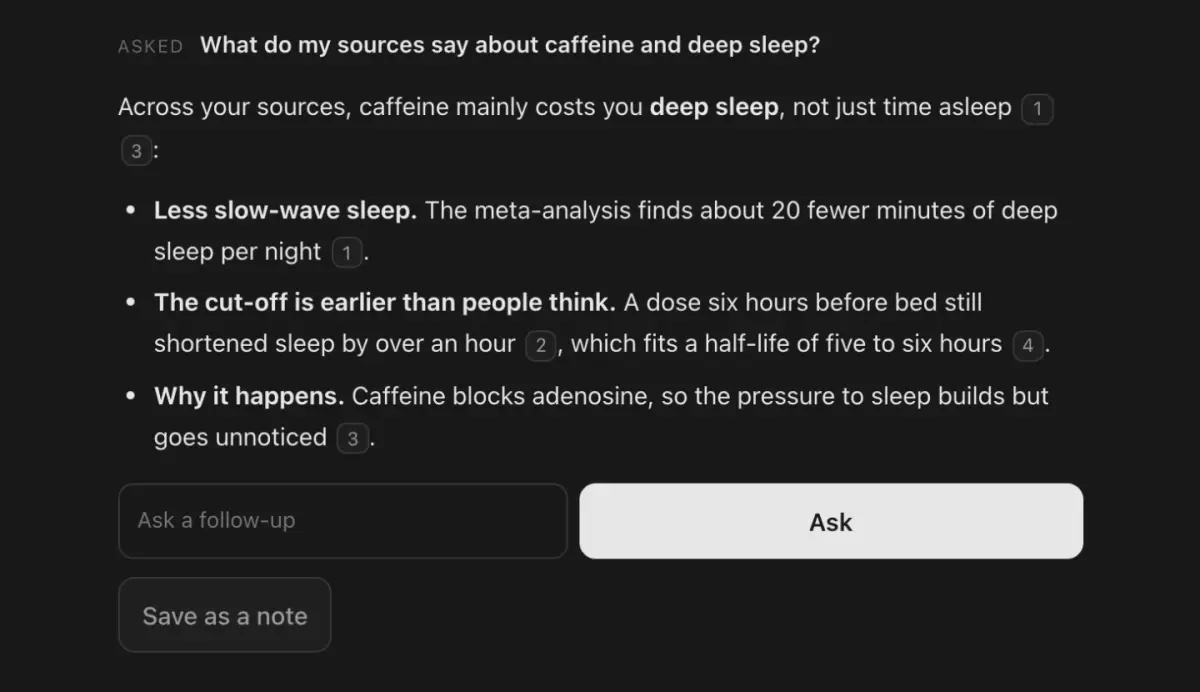
Free opens the last 30 days of your AI chats. Pro opens all of them, and finds any one from the page you are on.
Add many links at once from your open tabs, a CSV file, an RSS feed or the pages of a whole website.
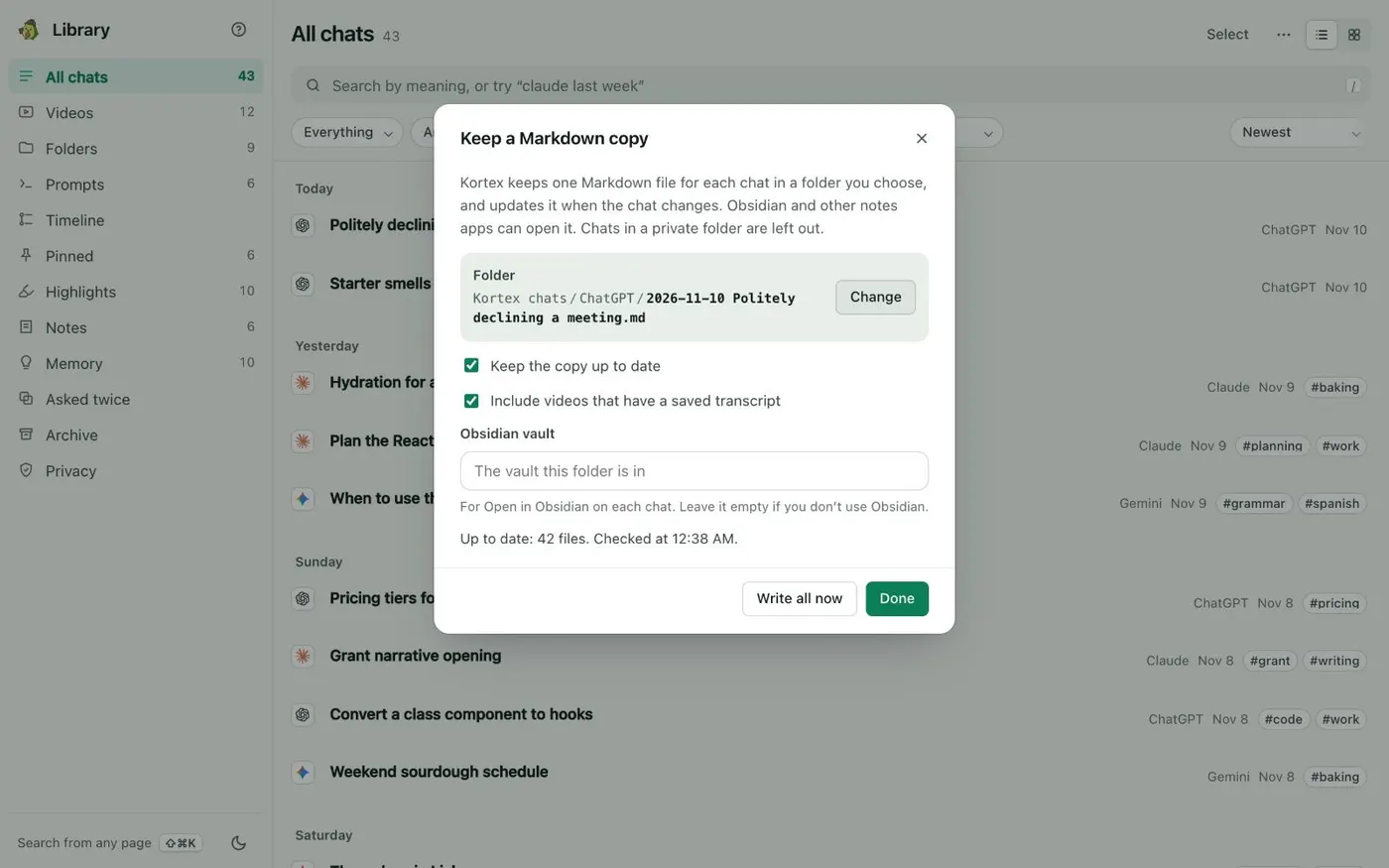
Kortex keeps one Markdown file per chat in a folder you choose, so Obsidian or any notes app can read them. Whole folders can go to Notion.
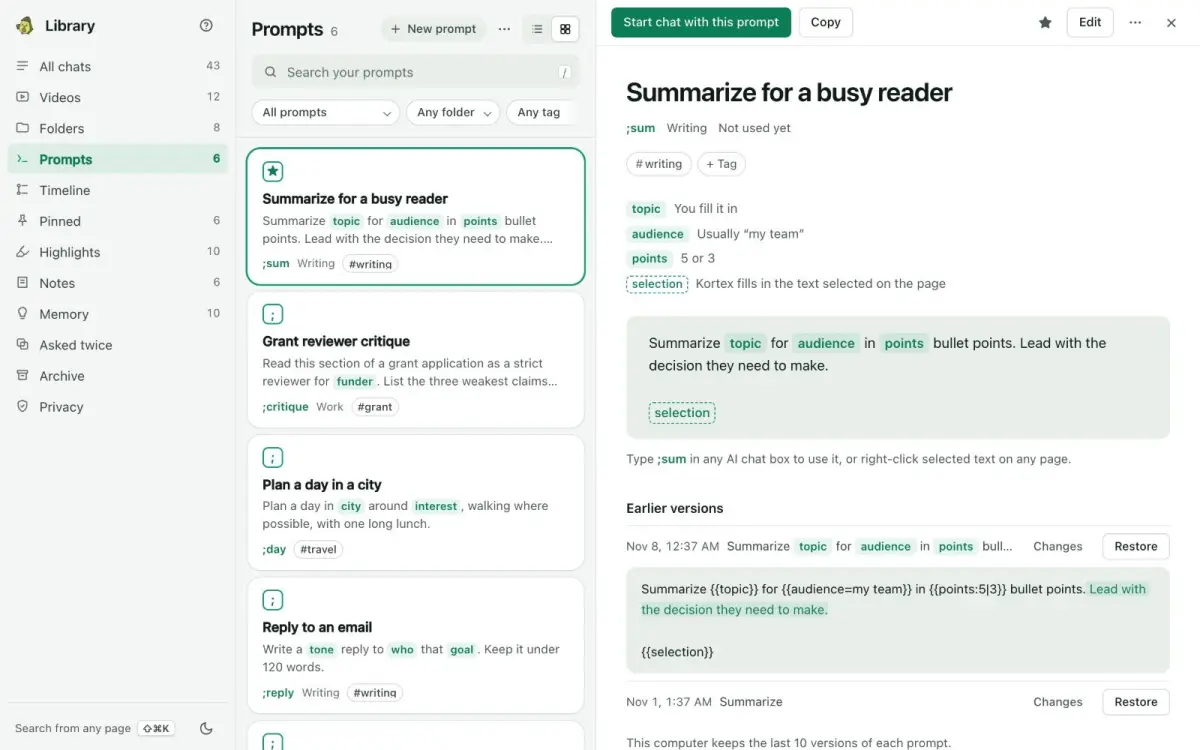
Type ; and a short name in any AI chat box to put in a saved prompt. Pro has no limit on prompts or folders.
Kortex MCP lets Claude, ChatGPT, Cursor and Codex read and work with your notebooks and saved chats when you ask them to.
7-day money-back guarantee. Cancel anytime.
Pick the one that sounds like you.
Keep every source and every AI research thread, and find them again.
Study from your own notes and sources, filed by course.
Save what you find as you browse, then draft from it.
Give your coding assistant your notes and your past chats.
The questions people ask first. Anything else, write to us and a person replies within 1 business day.
Yes. Cancel whenever you like and you will not be charged again. Pro stays on until the end of the period you paid for, then you are back on Free. Everything you saved stays saved, and chats older than 30 days open again if you return to Pro.
If Pro is not right for you, email kortexnotebooklm@gmail.com within 7 days of your first payment and we refund it in full. It covers monthly, yearly and Lifetime.
Free has no time limit. It saves every chat from ChatGPT, Claude, Gemini, Perplexity and Grok, lets you search and read the last 30 days, and adds 10 notebook sources a day. You also get 10 saved prompts and 5 collections. Older chats stay saved, and Pro opens them.
Saving does not. Saved chats live in a database inside Chrome on your computer, and search and Ask my chats run there too. Chat text leaves your computer only when you send it, and the Library’s Privacy view lists each time. Kortex’s own data collection is a separate setting, described in the privacy policy, and you can turn it off in the side panel’s ⋯ menu under Options.
The one you sign in to Kortex with, so Pro lands on your account. If Kortex knows you are signed in, the buttons on this page already carry it.
Payments run on Dodo Payments, and Kortex never sees your card. Many countries pay less than the US price, and checkout shows the price for your billing country.
| Feature | Free | Pro and Lifetime | Teams |
|---|---|---|---|
| AI chat Library (ChatGPT, Claude, Gemini, Perplexity, Grok) | |||
| Save every AI chat on your computer Kortex keeps a copy of your ChatGPT, Claude, Gemini, Perplexity and Grok chats on this computer as you use them. There is nothing to set up. | Unlimited | Unlimited | Unlimited |
| Search, read and highlight your chats Find any chat by its words or its meaning, read it in the Library and mark the parts that matter. | Last 30 days | Everything you saved | Everything you saved |
| Older chats Free opens the last 30 days. Older chats stay saved but locked, and Pro opens them all again. | Saved, locked | Open | Open |
| Highlights, pins and notes Mark a passage, pin an answer so you can find it fast, or write your own note on a chat. | 20, 20 and 10 | Unlimited | Unlimited |
| Memory facts and chat folders Memory is a short list of facts about you that you can add to any new chat. Folders group chats by project. | 25 and 5 | Unlimited | Unlimited |
| Ask my chats Ask a question and get an answer from your own saved chats, with links to the chats it came from. | 3 a week | Unlimited | Unlimited |
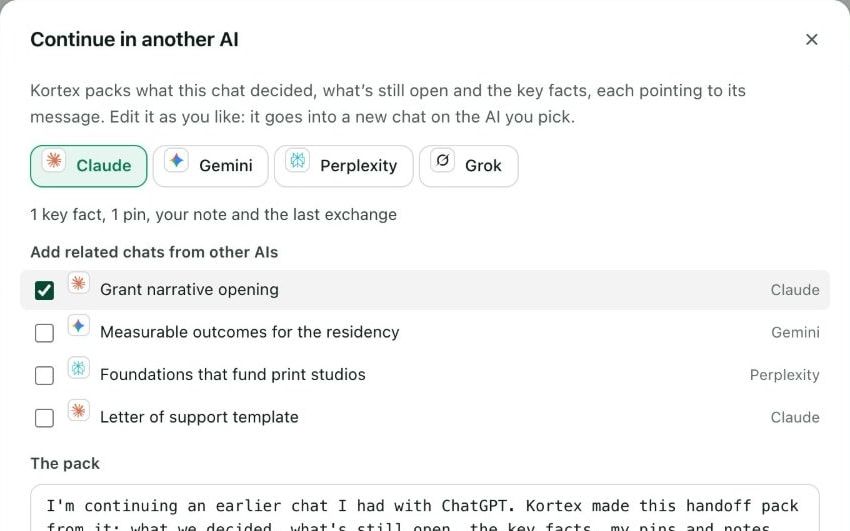
| Carry a chat into another AI (;ref, ;pack, ;me) Type ;ref, ;pack or ;me in any AI chat box to bring in an old chat, a set of chats or your Memory, so the new AI knows the background. | 3 a week | Unlimited | Unlimited |
| Search from any page (⌘⇧K) Press the shortcut on any website to search all your chats without opening the Library. | Pro only | Included | Included |
| Add older chats from export files Bring in chats from before you installed Kortex, from the export file ChatGPT or Claude lets you download. | Pro only | Included | Included |
| Timeline, weekly recap and Year in AI See your chats day by day, a short look back at each week, and a private page about your year with AI. | Included | Included | Included |
| Download a chat or save it to Notion Save chats as files, like PDF or Markdown, or as Notion pages. Pro does a whole folder in one go. | One at a time | Whole folders, Save all to Notion | Whole folders, Save all to Notion |
| Live Markdown copy (for Obsidian) Kortex keeps one Markdown file per chat in a folder you choose and keeps it up to date, so Obsidian or any notes app can read them. | Pro only | Included | Included |
| Folder rules and Sync to a notebook Rules put new chats in the right folder for you. Sync sends a folder of chats to a Gemini Notebook and keeps it up to date. | Pro only | Included | Included |
| Try the whole Library New accounts get every Library feature free for 7 days. It starts the first time you save your chats. Nothing is deleted when it ends. | 7 days, then Free | Included | Included |
| Prompts in every AI | |||
| Saved prompts and prompt folders Keep the prompts you use again and again in one place, sorted into folders. | 10 and 5 | Unlimited | Unlimited |
| ;shortcuts and fill-in blanks in any AI chat box Type ; and a short name in any AI chat box to put in a saved prompt. If it has blanks, Kortex asks what to fill in first. | Included | Included | Included |
| Prompts synced across your computers Your prompts show up in Chrome on every computer you sign in to. | This browser only | Included | Included |
| ;ask your notebooks from an AI chat box Type ;ask and a question in any AI chat box. Kortex asks the notebook that fits best and puts its answer, with sources, in the chat. | Pro only | Included | Included |
| Gemini Notebook (formerly NotebookLM) | |||
| Imports (chats, pages, YouTube, 15 sites) Add a web page, a YouTube video, an AI chat or a post from 15 sites to a notebook as a source, in one click. | 10 a day | Unlimited | Unlimited |
| Exports to PDF, Markdown and text Download your notebooks’ notes, sources and chats as files. | 10 a day | Unlimited | Unlimited |
| Full-page captures Save a whole web page, the way it looks, as a PDF source in a notebook. | 3 a day | Unlimited | Unlimited |
| Collections, folders and source views Group notebooks into collections and folders, and save filtered views of your sources to open again. | 5 each | Unlimited | Unlimited |
| Notebook merges Combine two or more notebooks into one, with all their sources. | 3 | Unlimited | Unlimited |
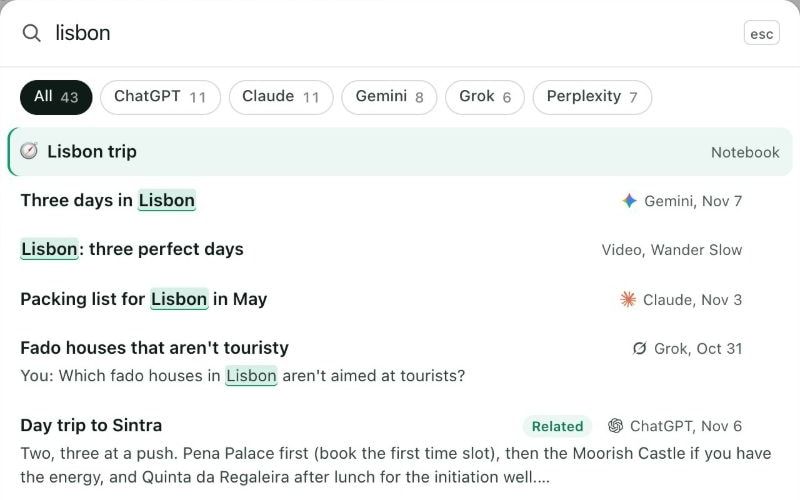
| Search across notebooks and sources Search every notebook and source you have from one box. | Included | Included | Included |
| Bulk import: open tabs, CSV, RSS, whole websites Add many links at once: all your open tabs, a list in a CSV file, an RSS feed or the pages of a whole website. | Pro only | Included | Included |
| Automations (8 triggers, 11 actions) Rules that run by themselves, like tagging a new source or filing it in the right notebook when it arrives. | Pro only | Included | Included |
| Notebook, source and note templates Start a notebook, a source or a note from a layout you saved, instead of from a blank page. | Pro only | Included | Included |
| Google Docs sync When a Google Doc you added as a source changes, update it in your notebook in one click. | Pro only | Included | Included |
| Re-sync a saved AI chat after it changes Kept talking in a chat you saved to a notebook? Replace the notebook’s copy with the chat as it is now. | Pro only | Included | Included |
| Highlights and notes on sources Mark passages in a notebook’s sources and add your own notes to them. | Pro only | Included | Included |
| Compare notebooks side by side (source diff, sync, merge) See which sources two notebooks share and which they don’t, then copy or merge them. | Pro only | Included | Included |
| Study guides, flashcards and briefings on filing File a notebook and have a study guide, flashcards or a briefing made for it, without asking each time. | Pro only | Included | Included |
| Smart routing: new sources go to the right notebook Send saved pages to a notebook by their web address, like every arxiv.org link to your Papers notebook. | Pro only | Included | Included |
| Podcast feed in Spotify and Apple Podcasts Listen to your notebooks’ Audio Overviews as a private podcast in Spotify, Apple Podcasts or any podcast app. | Pro only | 1,000 minutes (Lifetime: 2,000) | 1,000 minutes |
| Workspace stats: tags, collections, favorites, podcasts One page with every tag, collection, podcast and favorite and how many notebooks use each, to rename, recolor or tidy up. | Pro only | Included | Included |
| AI assistants | |||
| Kortex MCP: Claude, ChatGPT, Cursor and Codex use your notebooks and saved chats MCP lets AI assistants like Claude, ChatGPT, Cursor and Codex read and work with your notebooks and saved chats when you ask them to. | Pro only | Included (Lifetime: unlimited, fair use) | Included |
| Your prompts as commands in Claude Desktop, Claude Code and Cursor Your saved prompts show up as commands inside those apps, so you can run them there. | Pro only | Included | Included |
| Sync and support | |||
| Collections, tags, notes and templates synced across devices How you organize your notebooks follows you to Chrome on every computer you sign in to. | This browser only | Included | Included |
| Email support from the people who build Kortex Write to us and the people who make Kortex answer you. | Best effort | Reply within 1 business day | Priority |
| Priority for new product releases Lifetime members get new Kortex products before anyone else. | Lifetime only | Lifetime only | – |
| Teams | |||
| Shared prompt libraries and team notebooks Share prompts and notebooks with your team, so everyone works from the same set. | Teams only | Teams only | Included |
| Admin dashboard for seats and usage One place to add or remove people and see how your team uses Kortex. | Teams only | Teams only | Included |
Kortex MCP connects Claude, ChatGPT, Cursor and Codex to your notebooks, and comes with Pro and Lifetime. See how it works.
Need SSO, invoicing, zero-retention terms or an SLA?
More answers on the support page, or write to us.
Kortex is a Chrome extension for Gemini Notebook (formerly NotebookLM). It is free to start. It saves AI chats from ChatGPT, Claude, Gemini and Perplexity, web pages and social posts into your notebooks. It organizes them with collections, tags and search across every notebook. It also runs automation rules, exports to PDF, Markdown, text and ZIP, and turns your Audio Overviews into a private podcast feed. With Kortex MCP (a standard way to connect AI apps to tools), AI assistants can work inside your notebooks. Some of these features come with Pro.
No. Kortex is an independent Chrome extension, not affiliated with or endorsed by Google. It works inside Gemini Notebook, the Google research tool that was called NotebookLM until July 16, 2026. It adds import, organization, export and MCP features that Google does not offer.
Yes. The free plan includes 10 imports and 10 exports a day, sending highlights from any page, search across every notebook and source, and 10 saved prompts. Pro removes the daily limits. It adds sync across devices, bulk import, automations, templates, the podcast feed and Kortex MCP. Pro costs $9.99 a month, $108 a year, or $199 once for Lifetime.
On the free Basic plan: 10 exports per day, 10 imports per day, 5 source views per day, and 10 saved prompts in total. Exports, imports and source views reset every day. Saved prompts are a total cap, not a daily one, so you can delete old prompts to free up slots. Pro removes all of these limits.
Yes. You sign in with Google through OAuth (a standard, secure sign-in), and Kortex never sees or stores your Google password or cookies. On the free plan your prompts, tags and notes stay on your computer. On Pro they are backed up to Firebase, so they sync across your computers. Saved AI chats in the chat Library stay on your computer on every plan. Usage data is only used to improve Kortex, and you can opt out at any time.
Kortex works in Google Chrome, Microsoft Edge, Brave and other Chromium-based browsers. Firefox support is coming soon.
You can export to PDF (formatted documents), Markdown (keeps your headings and structure), Text (plain text), and ZIP (one compressed file with many files inside).
You pay $199 once, and Pro never renews. You get everything in Pro, plus every future update to the extension, 2,000 podcast minutes (double Pro; more cost $10 per 500), priority for new product releases, and unlimited Kortex MCP with fair use. Lifetime lasts as long as Kortex is maintained and works with Gemini Notebook. It has the same 7-day money-back guarantee.
Install Kortex in under a minute. It works inside ChatGPT, Claude, Gemini, Perplexity, Grok and the Gemini Notebook you already use.
Join 100,000+ people. Works in Chrome, Edge, Brave and other Chromium browsers.

 Kortex is now part of FschoolAI