Gemini Notebook (formerly NotebookLM) vs Perplexity
NotebookLM vs Perplexity for research: Perplexity searches the live web, Gemini Notebook answers only from your sources. A Pro Space holds 50 files. Pick yours.
On this page
- Gemini Notebook vs Perplexity: what’s the difference?
- Which is more accurate, Gemini Notebook or Perplexity?
- How do Perplexity Spaces compare with a notebook?
- When is Perplexity the better choice?
- When is Gemini Notebook the better choice?
- Can you use Perplexity and Gemini Notebook together?
- How does Kortex connect Perplexity to Gemini Notebook?
- Frequently asked questions
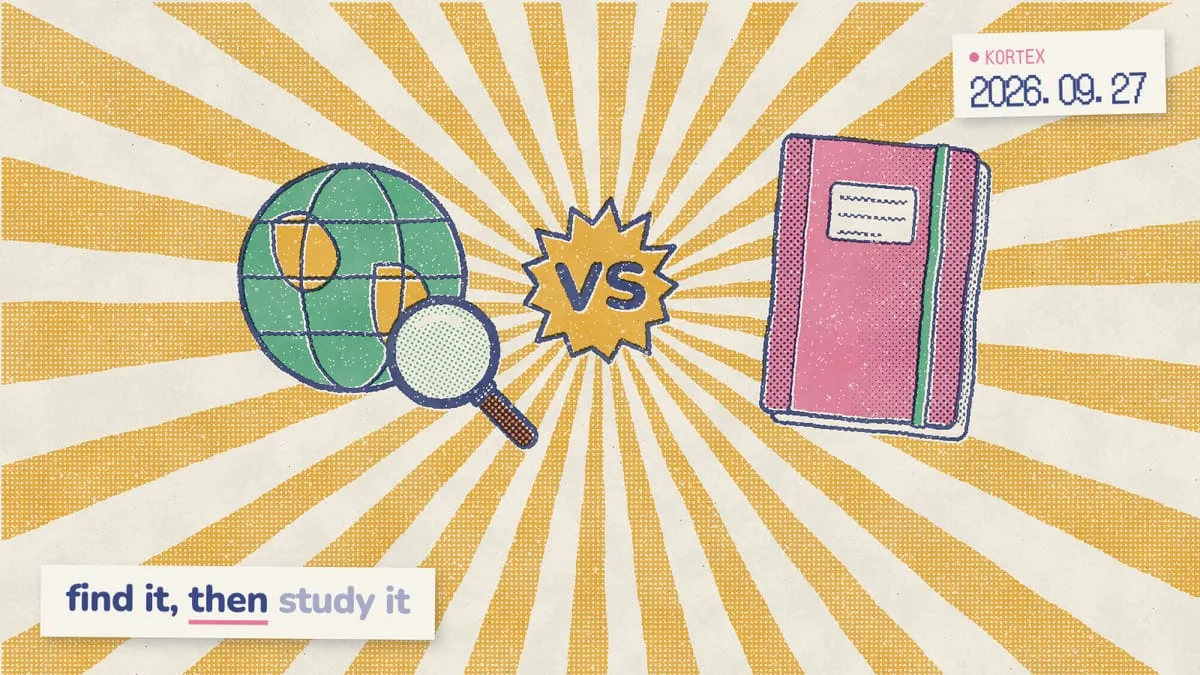
Gemini Notebook (formerly NotebookLM) and Perplexity both show their sources, so they look alike. But they do different jobs. Perplexity is an answer engine. It searches the live web and cites the pages it used. Gemini Notebook answers only from the sources you add and cites them inline. One is best at finding. The other is best at reading closely. Here is how they compare on accuracy, files and price, and how to use them together.
Gemini Notebook vs Perplexity: what’s the difference?
Perplexity is “an AI-powered search engine” that “searches the web to deliver accessible, conversational answers backed by verifiable sources” (Perplexity Help Center, 2026). Its content is “sourced from the web in real-time as you ask your questions”, so it is strong on anything recent. Gemini Notebook works from a closed set. A free notebook holds up to 50 sources (Gemini Notebook Help, 2026), and its chat gives “grounded information based on your sources with clear in-line citations” (Gemini Notebook Help, 2026). So it is the web versus your shelf. If a fact is not in your sources, Gemini Notebook will not fetch it from somewhere else. That is why Perplexity tends to be the better finder and Gemini Notebook the better reader. This one difference explains most of what follows.
Which do you open first? It depends on whether you already have your sources. Starting from a blank page? The web is the right first stop. If the PDFs are already on your desk, it is not. For a wider look at tools in this space, see our Gemini Notebook alternatives guide.
Most people searching this comparison want to use both tools, not to crown a single winner. When we analyzed 1,451 Google autocomplete suggestions for Gemini Notebook topics in October 2026, the Perplexity ones included “notebooklm vs perplexity for research”, “notebooklm vs perplexity spaces” and “notebooklm and perplexity integration”. That last one, in particular, is really a workflow question. The Kortex MCP waitlist survey tells a similar story. We analyzed its 776 answers, sent from September 19 to October 1, 2026. Notably, 244 people (31%) described a manual copy-paste workaround. One wrote that they “research in Perplexity, paste sources into one notebook per client”. As a result, this guide covers the hand-off as well as the head-to-head.
Which is more accurate, Gemini Notebook or Perplexity?
It depends on where the truth lives. Perplexity’s answers are only as good as the pages it finds, while Gemini Notebook’s are tied to documents you picked. However, the best independent data covers only one side. In a 2025 study on a 300-document corpus, NotebookLM hallucinated in 13% of outputs, versus about 40% for ChatGPT and Gemini (Hagar, Agustianto & Diakopoulos, 2025). Perplexity wasn’t part of that test, so don’t read it as a verdict on Perplexity. Most errors didn’t involve invented entities or numbers. The authors called the pattern “interpretive overconfidence”: models “added unsupported characterizations of sources and transformed attributed opinions into general statements”. In practice, a grounded tool can still overstate what a source says, so check the passage behind any strong claim.
Each tool fails in its own way. Perplexity depends on the pages it finds, so you still judge each source yourself. Gemini Notebook, on the other hand, can only be as right as what you gave it. Which kind of error can you live with? Our Gemini Notebook vs ChatGPT comparison covers the same open-web versus grounded trade-off.
How do Perplexity Spaces compare with a notebook?
Perplexity Spaces are shared workspaces where you upload files, set custom AI instructions and keep related threads together. Pro subscribers can upload up to 50 files per Space, Max and Enterprise Pro up to 500, and Enterprise Max up to 5,000, at up to 50 MB per file (Perplexity Help Center, 2026). Gemini Notebook allows 50 sources per notebook for free, and each can run to 500,000 words or 200MB (Gemini Notebook Help, 2026). The shelves therefore match at the entry level. The real difference is the price of that shelf. Perplexity Pro costs $20 a month (Perplexity on the App Store, 2026), while the free notebook costs nothing. In addition, a Space can draw on web search, academic papers included, whereas a notebook sticks to what you added.
| Gemini Notebook | Perplexity | |
|---|---|---|
| What it is | Research tool grounded in your sources | AI answer engine for the live web. |
| Answers come from | Only your sources | Web search, plus files and connected apps. |
| Citations | Inline, to passages in your sources | Links to the pages and files it used. |
| Your own files | 50 per notebook free, up to 600 on Ultra | 50 files per Space on Pro, 500 on Max, 5,000 on Enterprise Max. |
| File size | 500,000 words or 200MB per source | Up to 50 MB per file on paid plans. |
| Deep research | Deep Research imports web results as sources | Research mode reads hundreds of sources for a report. |
| What it makes | Audio and Video Overviews, mind maps, reports, flashcards, quizzes, slides | Answers and reports, plus files and apps on paid plans. |
| Price | Free; AI Pro $19.99 a month | Free; Pro $20 a month, Max $200. |
| Best for | Studying sources you trust | Finding current facts and new sources. |
Sources: Perplexity Help Center, 2026; Gemini Notebook Help, 2026; Perplexity on the App Store, 2026; Google AI plans, 2026.
When is Perplexity the better choice?
Pick Perplexity when you don’t have sources yet, or when the answer changes week to week. Research mode is its deep-dive option: it “performs dozens of searches, reads hundreds of sources” and finishes most tasks in under 3 minutes, though some take 4 to 5 (Perplexity Help Center, 2026). You can then export the report as a PDF or document, or turn it into a Perplexity Page to share. That covers news, prices, product comparisons and anything published last week. Need today’s numbers, or recent papers on a topic? Perplexity’s web search spans the internet, academic papers and social threads, and it shows where each claim came from. In addition, Spaces let up to five contributors on Pro and Max research together under one set of custom instructions.
Perplexity has a real free tier, too. Specifically, its help center lists “Practically unlimited basic searches”, with a very limited number of Pro Searches and basic file uploads (Perplexity Help Center, 2026). Verified university students and faculty can get Education Pro for $10 a month, which adds interactive flashcards and quizzes. That said, free users get only limited access to Research.
When is Gemini Notebook the better choice?
Pick Gemini Notebook once you know what to read. It shines with papers, course readings, reports and lecture videos. It can find sources too. Deep Research is its agentic search mode, which “can automatically browse up to hundreds of websites on your behalf” and import what it finds (Gemini Notebook Help, 2026). Answers then stay inside that set. The Studio is the other big draw. For example, one set of lecture notes becomes an Audio Overview, a Video Overview, a mind map, flashcards, a quiz and a slide deck, with no extra prompting. Similarly, Perplexity’s Education Pro plan adds flashcards and quizzes. Gemini Notebook, however, builds every format from the same fixed set of sources. Already have a stack of lecture videos? Our guide to adding YouTube videos to Gemini Notebook shows how.
Gemini Notebook is also cheaper for close reading. For instance, the free tier covers 100 notebooks with 50 sources each (Gemini Notebook Help, 2026), and higher limits come with Google AI plans. Google AI Pro costs $19.99 a month in the US (Google AI plans, 2026). To see how its web search works in practice, read our walkthrough of Deep Research in Gemini Notebook.
Whatever you find, getting it into a notebook should take one click, not a round of copy and paste.
Fill a notebook in one click
Kortex imports Perplexity threads, YouTube videos and any web page into Gemini Notebook with one click, labelled and ready to cite. Free on Chrome.
Can you use Perplexity and Gemini Notebook together?
Yes, and the split is simple: Perplexity for finding, Gemini Notebook for reading. Perplexity’s Research mode finishes most tasks in under 3 minutes (Perplexity Help Center, 2026). A free notebook, meanwhile, holds 50 sources of up to 500,000 words each (Gemini Notebook Help, 2026). Here’s how to choose by task:
- Need current facts, news or prices from the web? Choose Perplexity.
- Don’t know which sources to read yet? Choose Perplexity.
- Studying papers, course readings or reports you already have? Choose Gemini Notebook.
- Want audio reviews, flashcards and quizzes from your sources? Choose Gemini Notebook.
- Need answers traced to passages in your own files? Choose Gemini Notebook.
- Need both? Find with Perplexity, then study in Gemini Notebook.
Use a simple hand-off rule. Stay in Perplexity while you’re asking what to read, and switch to Gemini Notebook the moment you’re asking what a source says. Why switch at all? Because it keeps web search for discovery and puts every claim you’ll quote on a source you chose. A weak web page is less likely to slip into your citations unnoticed. Here’s the loop:
- Ask Perplexity, or run Research, to map the topic and collect the sources it cites.
- Open the best ones and add their URLs, PDFs or YouTube links to a notebook.
- Ask Gemini Notebook the questions that need exact, cited answers.
- Turn the notebook into study material, such as an Audio Overview or flashcards.
Step 2 is where most of the value sits, because you decide what counts as evidence. Therefore, pick sources you’d be happy to cite in your own work. For the full method, from question to write-up, see our guide on using Gemini Notebook for research.
How does Kortex connect Perplexity to Gemini Notebook?
Kortex adds an import button inside Perplexity, and we built it for exactly that copy-paste step. One click sends the thread to any notebook as a source, with your prompts and Perplexity’s replies labelled. Kortex users have run 105,000+ imports (Kortex, 2026). Send the same thread again, and Kortex updates that source instead of adding a copy. Then bring in the pages Perplexity found. Kortex Pro’s bulk import takes pasted links, your open tabs, a CSV or an RSS feed, so the sources it cited can land in a notebook together. You can right-click any selected text to send it with the page link and date. The free plan includes 10 imports a day, and Pro removes that cap (Kortex pricing, 2026).
Search with Perplexity, study in Gemini Notebook, and let Kortex carry the thread across.
Carry every Perplexity thread into your notebook
One click turns a Perplexity answer into a labelled, citable notebook source, and sending it again updates that source instead of adding a copy. Free on Chrome.
Frequently asked questions
Is Gemini Notebook better than Perplexity for research?
For studying sources you already have, yes. It answers only from them, with inline citations, and a free notebook holds 50 sources. Perplexity, however, is better for current information, since it searches the web in real time and cites the pages it used. Many researchers use both, one after the other.
Can Perplexity work with my own files like Gemini Notebook?
Yes, through Spaces. Perplexity Pro allows up to 50 files per Space, Max and Enterprise Pro 500, and Enterprise Max 5,000, at up to 50 MB per file. A Space can also use web search alongside those files. A free Gemini notebook holds 50 sources of up to 200MB each.
Does Gemini Notebook search the web like Perplexity?
Only to find sources. Fast Research and Deep Research in Gemini Notebook search the web, and Deep Research can browse up to hundreds of sites before importing the results as sources. From then on, however, answers come from those sources, not from a fresh web search.
How much does Perplexity cost compared with Gemini Notebook?
Perplexity Pro costs $20 a month and Max $200 a month, with Education Pro at $10 for verified university students and faculty. Gemini Notebook is free, and higher limits come with Google AI plans, such as Google AI Pro at $19.99 a month.
Can I send Perplexity answers to Gemini Notebook?
Yes. Paste an answer into a notebook as a text source, or add the pages it cites as web sources. Alternatively, Kortex adds a one-click import button inside Perplexity that sends the whole thread, labelled, and updates the same source when you resync. Its free plan allows 10 imports a day.
Editorial note: fact-checked against the official help pages and docs linked above on October 26, 2026. Spotted something out of date? Contact us and we will fix it, or read more about Kortex.