Gemini Notebook (formerly NotebookLM) Login: How to Sign In
NotebookLM login is at notebook.google.com: sign in with a Google account. See how it works for work, school and phone, plus 7 fixes when sign-in fails.
Gemini Notebook (formerly NotebookLM) lives at notebook.google.com, and the old NotebookLM address forwards there. So if a bookmark, a school account or your phone can’t find it, start with that address. This guide covers the login page and what your account needs. It also explains work and school access, the Gemini app and phone routes, and what to try when login fails.
Key Takeaways
- Sign in at notebook.google.com. The old notebooklm.google.com address redirects there.
- You need a Google account, an age check and a supported country, from a list Google publishes (Gemini Notebook Help, 2026).
- Work and school accounts need an admin to switch it on.
- Your notebooks also open in the Gemini app.
How do you log in to Gemini Notebook?
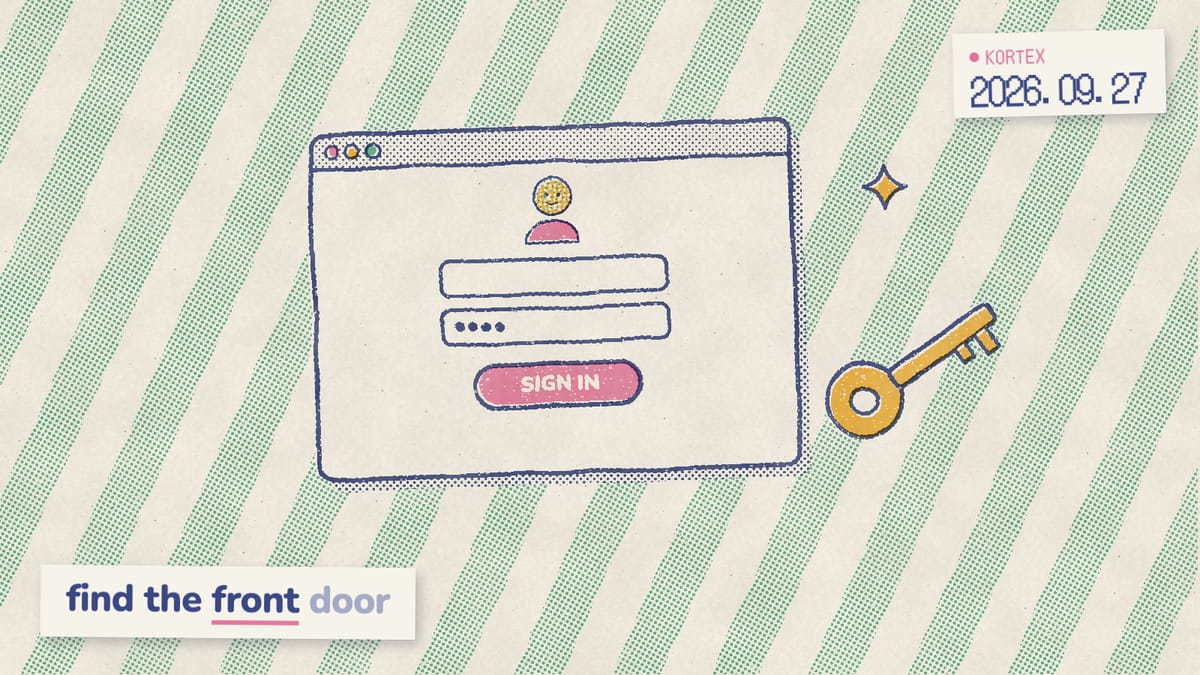
Go to notebook.google.com and sign in with your Google account. Gemini Notebook is the renamed NotebookLM (Google, 2026), and the old notebooklm.google.com address forwards to notebook.google.com. Signed out? You’ll land on Google’s usual account sign-in page.
We tested the redirects with a command-line request, and the old address returns a permanent 301 redirect to notebook.google.com, and links to individual notebooks keep their full path, so old bookmarks point at the right notebook. Specifically, when you’re signed out, notebook.google.com hands you to a /login page and then to accounts.google.com. One trap, however: notebooklm.com isn’t where Gemini Notebook lives. When we tried it, it didn’t load at all. Type notebook.google.com yourself, and only enter your Google password on a page at accounts.google.com. That’s standard advice, in fact. The US Cybersecurity and Infrastructure Security Agency tells people to “type the address yourself” instead of trusting a link, and to turn on multifactor authentication (CISA). For everything else that changed with the new name, see our NotebookLM rename explainer.
What do you need to log in?
You need a Google account, a verified age and a supported location. Google’s checklist has two parts: verify your age in your Google Account, and be in a country where Gemini Notebook is available. Google publishes the list of those countries (Gemini Notebook Help, 2026). On a work or school account, additionally, your admin has to turn it on. Age verification is Google’s check that you’re old enough for age-restricted features. If Google asks for it, it may offer a photo of your ID, a selfie, your email address or a credit card check. Not every method is available for every account, device or region, though (Google Account Help, 2026). Worried about the card? Google says “You won’t be charged to verify your age.” In other words, the card only proves you’re an adult. Seeing “not available in your country”? Our Gemini Notebook availability guide lists where it works and the fixes that stay within Google’s rules.
Under 18? You can still sign in if you’re above the age of consent where you live (Gemini Notebook Help, 2026). School accounts, similarly, work at any age. Google adds, however, that “Certain features may only be available to users over 18.” In addition, the mobile app has its own list of supported countries, so it may not be available in yours even where the website works.
Why can’t you log in with a school or work email?
Work and school accounts get in only once an admin turns the service on. For qualifying Workspace and Workspace for Education editions, Gemini Notebook is a core service, like Gmail and Docs (Gemini Notebook Help, 2026). Therefore, if your school or work email can’t get in, check that switch first. Service status is the Admin console setting that turns Gemini Notebook on or off for a whole organization, one organizational unit or an access group. For admins, it takes four steps (Google Workspace Admin Help, 2026):
- In the Google Admin console, go to Menu, then Generative AI, then Gemini Notebook. You need the Gemini Settings administrator privilege.
- Click Service status.
- Choose On for everyone, or turn it on for one organizational unit or access group.
- Click Save.
Not sure what your license includes? Open Gemini Notebook and look next to your profile image. A Pro, Plus, Expanded or Ultra badge, notably, means higher limits and extra features. Rolling it out to a whole team? Our Gemini Notebook for business guide covers the setup.
How do you sign in on the mobile app?
Install the Gemini Notebook app and sign in with the same Google account you use on the web. It runs on iPhones and iPads with iOS 17 and up, and on Android 10 and up (Gemini Notebook Help, 2026). Your notebooks sync across devices, though Google notes that syncing can sometimes lag. Importantly, pick the official app when you search the App Store or Play Store for Gemini Notebook. It covers chat, Audio Overviews with offline downloads, flashcards, quizzes, infographics and slide decks. In contrast, the app can’t generate notes, Mind Maps, reports or data tables. If the app shows an old list, for example after you add sources on a laptop, quit it and relaunch, which is Google’s own fix for sync delays. Our Gemini Notebook app guide covers the rest.
How do you open notebooks from the Gemini app?
Open gemini.google.com and look in the sidebar under Notebooks. Changes to your notebooks sync automatically between the Gemini app and Gemini Notebook (Gemini Apps Help, 2026). There are two exceptions: shared notebooks aren’t listed in Gemini, and in the European Economic Area you connect Gemini Notebook to Gemini manually. As a result, the Gemini app is a second door into the same notebooks, not a separate login. A notebook you create in Gemini, for example, also shows up at notebook.google.com. Gemini can still link to a shared notebook in a reply, and the link opens in Gemini Notebook. That said, the two apps don’t do everything the same way. Our comparison of Gemini Notebook and Notebooks in Gemini explains the differences.
Similarly, Claude and ChatGPT can be a third door. We built Kortex MCP, included with Kortex Pro and Lifetime, so those assistants can ask your notebooks and cite the answers.
How do you switch Google accounts?
Google lets you sign in to several accounts at once and switch between them without signing out (Google Account Help, 2026). The catch, however, is your default account, usually the first one you signed in with. With two accounts signed in, for instance, a new browser window can leave Google unsure which one you mean, so it may apply your default account’s settings. Here’s the switch:
- Select your profile image at the top right.
- Pick the account you want, or choose Add account.
- Reload notebook.google.com and check your notebook list.
Use the plan badge as a quick tell. Paid plans show a badge next to your profile image (Gemini Notebook Help, 2026). Consequently, if you pay for Google AI Pro but see no badge, check the active account before anything else. No badge and a short notebook list? You’re probably looking at a different account, not lost work. If you switch between a personal and a work account several times a day, however, those three steps add up.
Switch Gemini Notebook accounts in one click
Kortex adds an account switcher inside Gemini Notebook, so your personal and work notebooks sit one click apart instead of three steps. Free on Chrome.
What if Gemini Notebook login fails?
Start with the checks Google itself lists: verify your age, confirm you’re in a country where Gemini Notebook is available, and on a work or school account, ask your admin (Gemini Notebook Help, 2026). Google publishes the list of countries, which our availability guide above walks through. Beyond those, look next at the active account and your browser; specifically, work down the table until something fits.
| What you see | Likely cause | Try this |
|---|---|---|
| A page that isn’t Google’s | Wrong or guessed address | Type notebook.google.com. |
| No notebooks, or the wrong ones | Another Google account is active | Switch accounts from your profile image. |
| A request to verify your age | Age not confirmed | Verify with ID, selfie or card, where offered. |
| Work or school email refused | Service off for your organization | Ask your admin to turn it on. |
| A message that cookies are off | Blocked cookies | Turn cookies on in your browser. |
| Pages loading or looking wrong | Stale cache and cookies | Clear them, then sign in again. |
| The app shows an old list | Delayed sync | Quit and relaunch the app. |
On cookies, Google is blunt: “If you get a message that cookies are turned off, you need to turn them on to use your account” (Google Account Help, 2026). Clearing cache and cookies, meanwhile, “can resolve website loading or formatting issues”, but if you were signed in, “you’ll need to sign in again” (Google Account Help, 2026).
From our research into Google’s help pages while fact-checking this guide, we found that every login fix Google documents comes down to four things. They are your account (its age check, or which one is active), your region, the admin switch and the browser. In and something else is broken? Our guide to Gemini Notebook not working covers limits, missing notebooks and failed uploads. Brand new? Start with our beginner’s guide to Gemini Notebook.
How does Kortex help once you’re signed in?
Kortex is a Chrome extension that keeps several accounts and dozens of notebooks easy to manage once you’re in. We built it, so read this as the maker’s view. More than 100,000 people use it (Kortex, 2026), and it works on both addresses, notebook.google.com and the old notebooklm.google.com, in Chrome, Edge, Brave and other Chromium browsers. If you juggle a personal and a work account, in particular, its multiple Google accounts switcher keeps each account’s notebooks a click apart. Here’s what else it adds:
- Find things fast: press / to search everything across your notebooks.
- Stay organized: sort notebooks into collections with subfolders, colours and tags.
- Keep copies: export sources, notes and chats as PDF or Markdown, so a lost login never means lost work.
Getting in is the easy part once you know the address. Keeping accounts and notebooks straight, therefore, is the part that lasts.
Stay organized after you sign in
Kortex adds search across every notebook, collections with tags and one-click exports, so the right notebook is always easy to find and your work never lives in one place only. Free on Chrome.
Frequently asked questions
Where do I log in to Gemini Notebook?
Go to notebook.google.com and sign in with your Google account. The old notebooklm.google.com address permanently redirects there, including links to individual notebooks. On a phone, install the Gemini Notebook app, which needs iOS 17 or later or Android 10 or later, and sign in with the same account.
Do I need a Google account for Gemini Notebook?
Yes. You need a personal Google account, or a work or school account where your admin has turned Gemini Notebook on. You also need to verify your age in your Google Account and be in a country where Gemini Notebook is available. Google publishes the list of those countries.
Is Gemini Notebook free to sign up for?
Yes. There’s no separate sign-up: you sign in with a Google account, and the free Standard tier includes 100 notebooks with up to 50 sources each. You still need to verify your age and be in a supported region, and work or school accounts need an admin to turn it on.
Why can’t I log in with my school or work email?
Your admin probably hasn’t turned Gemini Notebook on. Admins do it in the Google Admin console under Generative AI, then Gemini Notebook, then Service status. It’s a core service in most Business, Enterprise and Education editions, so ask your IT team to check that one setting.
Is notebooklm.com the Gemini Notebook website?
No. Google’s old address was notebooklm.google.com, and it redirects to notebook.google.com. When we tried notebooklm.com, it didn’t load at all. Type the Google address yourself or use a bookmark, and only enter your Google password on a page at accounts.google.com.
How do I switch Google accounts in Gemini Notebook?
Select your profile image at the top right and pick another account, or choose Add account to sign in to a new one. Each account has its own notebooks, so if yours seem missing, check which account is active. Paid plans also show a badge next to your profile image.
Editorial note: fact-checked against the official help pages and docs linked above on October 26, 2026. Spotted something out of date? Contact us and we will fix it, or read more about Kortex.