Gemini Notebook (formerly NotebookLM) Not Available in Your Country?
NotebookLM not available in your country or for your account? See where it works, why Hong Kong is missing, the age and admin rules, and the fixes that work.
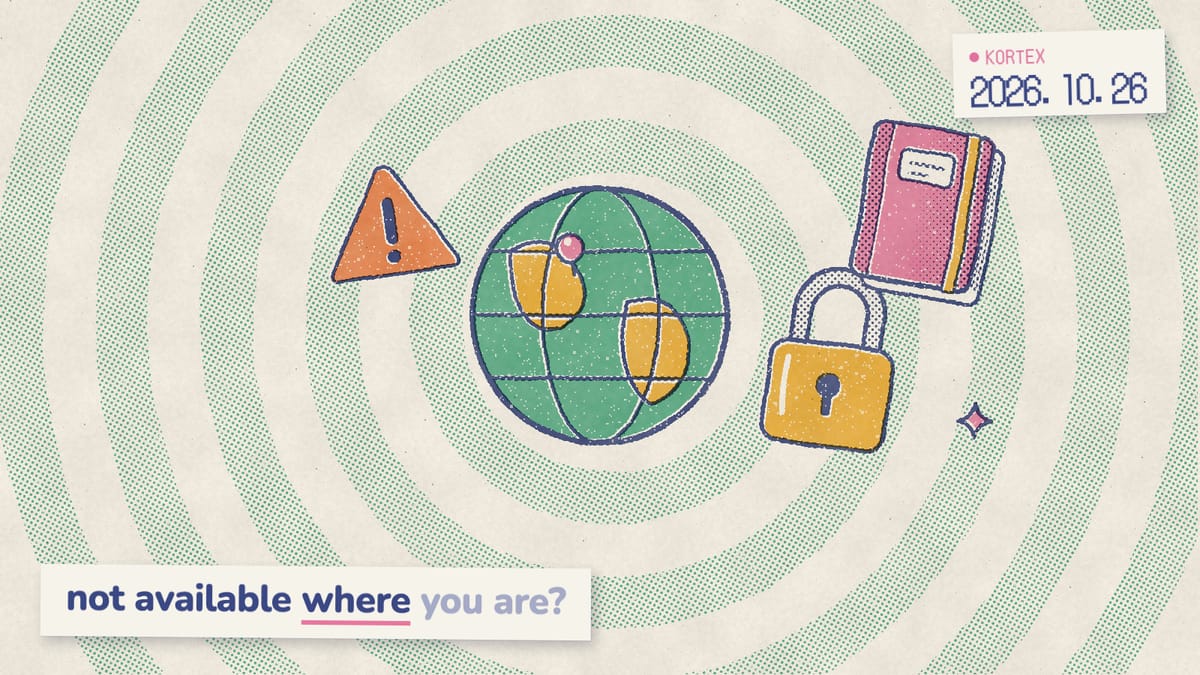
Opened Gemini Notebook (formerly NotebookLM) and got told it’s not available in your country, or not available for your account? It’s rarely a bug. Access depends on four things Google checks: where you are, your age, who manages the account, and which country Google ties it to. This guide shows where Gemini Notebook works, which places are missing, and the fixes that stay inside Google’s rules.
Key Takeaways
- Google lists 239 supported countries and territories for the web version (Gemini Notebook Help, 2026).
- Hong Kong, Macau and mainland China aren’t on it, though the Gemini app works in Hong Kong and Macau.
- Personal accounts need a verified age. Work and school accounts need an admin to turn it on.
- A wrong account country is fixed through Google’s own request form, not a VPN.
Where is Gemini Notebook available?
The web version works in 239 countries and territories, by our count of Google’s list. Google’s “Learn about Gemini Notebook” page names each one, from Åland Islands to Zimbabwe, and says Gemini Notebook supports 80+ languages (Gemini Notebook Help, 2026). Google’s FAQ page, however, says “180+ regions where Gemini app is available” (Gemini Notebook Help, 2026). The two pages disagree, and the full list is the more specific one, so we follow it. The phone app is a separate case. Google says the mobile app may not be available in every country and territory, and its list is shorter (Gemini Notebook Help, 2026). In other words, the website can work in your country even when the app store says no.
Which places is it not available in?
We analyzed Google’s two lists line by line on October 26, 2026. The Gemini web app names 242 countries and territories (Gemini Apps Help, 2026), and Gemini Notebook names 239. Every place on Gemini Notebook’s list is also on Gemini’s. The three-place gap, notably, sits in one corner of Asia.
| Region | Gemini web app | Gemini Notebook (web) |
|---|---|---|
| Hong Kong | Listed | Not listed. |
| Macau | Listed | Not listed. |
| Mainland China | Workspace accounts only | Not listed. |
| Taiwan | Listed | Listed. |
| Russia, Belarus, Iran, Cuba, North Korea, Syria, Afghanistan | Not listed | Not listed. |
| EU countries, UK, Switzerland, India | Listed | Listed. |
Places missing from both lists are outside Google’s Gemini availability altogether. As a result, no setting on your side changes that.
Why is Gemini Notebook not available in Hong Kong?
Because Hong Kong isn’t on Gemini Notebook’s list, even though the Gemini web app lists it (Gemini Apps Help, 2026). That’s the trap: a Hong Kong user can chat with Gemini all day and still hit a wall at notebook.google.com. Google doesn’t say why. Paid Workspace accounts are no exception, either. A thread on Google’s developer forum, “Please enable NotebookLM for Hong Kong”, says Hong Kong Workspace users “can freely use Gemini but are unable to sign in to NotebookLM” (Google Developer forums, 2025). Later replies report the same problem, and no Google reply appears there. Macau is in the same position. Mainland China, where Gemini works only on Workspace accounts, isn’t on Gemini Notebook’s list either.
It’s also the place people ask about most. We pulled Google autocomplete for “notebooklm not available” and similar phrases on October 26, 2026. Hong Kong was the only place named in the suggestions, apart from “is notebooklm not available in india”. For the record, India is on Google’s list.
When will it be available in Hong Kong?
Google gives no date. Its Gemini page says only that Google will “gradually expand to more countries and territories in a way that’s consistent with local regulations and our AI principles” (Gemini Apps Help, 2026). Admins in restricted places get a similar hint: if Gemini Notebook won’t turn on, “There might be restrictions against using that service in your area” (Google Workspace Admin Help, 2026). Until Hong Kong appears on the list, the honest move is to check back on Google’s page.
Why is Gemini Notebook not available for your account?
Because the account, not the country, fails one of Google’s checks. Google’s “What you need” list is short: “A personal Google Account you manage or a work or school Google Account”, and you must be signed in. If a school or employer manages the account, “your organization’s admin needs to turn on access” (Gemini Notebook Help, 2026). Add the age check, and you have the four usual causes.
| Cause | Who it hits | Fix |
|---|---|---|
| Age not verified | Personal accounts | Verify your age in your Google Account. |
| Below the minimum age | Younger teens on personal accounts | Use a school account if you have one. |
| Service turned off | Work and school accounts | Ask your admin to turn it on. |
| Wrong account active | Anyone signed in to two accounts | Switch to the account that has access. |
Age and age verification
Personal accounts need to be above the age of consent where you live. Google’s wording: Gemini Notebook “is available in browser to all users above the age of consent (or applicable in your country)” (Gemini Notebook Help, 2026). The minimum age to manage your own Google Account is 13 in most countries, but it’s higher in some. For example, it’s 14 in Italy, Spain and South Korea, 15 in France and Vietnam, and 16 in Germany, Ireland and the Netherlands (Google Account Help, 2026). Why the spread? In the EU, the age below which parents must consent to a child’s data use “varies between 13 and 16 years, depending on the age established in each EU Member State” (European Commission, 2026).
Age verification is Google’s check that you meet an age requirement, and Google asks you to complete it before you use Gemini Notebook. It may offer an ID, a selfie, an email address, a credit card or a digital ID. Not every option is available for every account, device and region, though (Google Account Help, 2026). Under 18 but old enough? You can still sign in. Google applies stricter content policies, however, and says “Certain features may only be available to users over 18.”
Work and school accounts
Most work and school accounts have access, but only once an admin turns it on. For qualifying Workspace and Workspace for Education editions, Gemini Notebook is a core service, like Gmail and Docs (Gemini Notebook Help, 2026). Service status is the Admin console setting that turns it on or off for a whole organization, one department or one group. An admin with the Gemini Settings administrator privilege finds it under Menu, then Generative AI, then Gemini Notebook, then Service status (Google Workspace Admin Help, 2026). So if your work email is refused, send IT that path. Rolling it out to a whole team? Our Gemini Notebook for business guide covers the setup.
School accounts and students under 18
School accounts follow their own age rules. Google says that for Workspace for Education users, Gemini Notebook “is available to users of all ages with a few exceptions” (Google Workspace Admin Help, 2026). Its age table lists them. Students under 18 get chat, sources, Audio Overviews, Video Overviews, flashcards, quizzes and reports. On the other hand, they don’t get Interactive Mode in Audio Overviews, Cinematic Video Overviews, Deep Research, Infographics or Slide Decks. So a 15-year-old on a school account may see Gemini Notebook but not every button. That’s by design, not a fault.
Not available in your country, but you live in a supported one?
Then your Google account may be tied to the wrong country. Country association is the region Google links to your account in its Terms of Service. It decides which Google company serves you, which version of the terms applies, and which local rules apply (Google Privacy & Terms, 2026). A new account gets the region where it was created. For accounts at least a year old, Google uses “the region from which you usually access Google services”, typically where you’ve spent the most time in the last year. Frequent travel doesn’t generally change it. Moving does, but slowly: Google says it “can take about a year” to update. Google’s help pages don’t say whether Gemini Notebook checks this account region, your current location, or both. Check both, then.
How to check and correct your account’s country
- Look it up. Sign in, then open Google’s Terms of Service at policies.google.com/terms. The “Country version” line near the top shows your account’s country (Google Terms of Service, 2026).
- Ask Google to fix it. If the country is wrong, use the region request form at policies.google.com/country-association-form. Google’s FAQ says that if you disagree with your account’s region, you can “submit a request to change your region”.
- Check your VPN. Google names a VPN, working in one country while living in another, and living near a border as reasons the region can look wrong.
The form is for correcting a mistake, not for picking a country. Availability follows Google’s terms and where you actually are. For that reason, we won’t suggest a VPN or any other way around them.
What fixes actually work?
Work down these 7 steps in order; each takes a minute or two. From our research into Google’s help pages for this guide, each one traces back to a rule Google publishes.
- Check the active account. Look at the profile image at the top right of notebook.google.com. For example, a school account with Gemini Notebook off can sit next to a personal account where it works.
- Verify your age in your Google Account if Google asks.
- Ask your admin to turn Gemini Notebook on, if it’s a work or school account.
- Switch to a personal account, if your school’s or employer’s rules allow it. Personal accounts in supported countries don’t need an admin.
- Correct your account’s country through Google’s form, if it’s genuinely wrong.
- Try the website if the app isn’t in your app store, since the app has its own, shorter list.
- Keep an eye on Google’s list if your country isn’t on it. No setting on your side adds a country.
If step 1 or step 4 was your fix, you’ll probably switch accounts a lot from now on.
Keep the account that works one click away
When your school account is blocked and your personal one isn't, Kortex adds an account switcher inside Gemini Notebook, so each account's notebooks sit one click apart. It doesn't change where Gemini Notebook is available. Free on Chrome.
What if it’s available but still won’t open?
Then it’s probably not an availability problem at all. If your country is listed, your age is verified and the right account is active, the cause is more likely a usage limit, your browser, or the sign-in itself. Our guide to Gemini Notebook not working covers loading errors, “Limit reached” and failed uploads. Stuck at the sign-in page instead? Our Gemini Notebook login guide covers the notebook.google.com address, work and school sign-in, and account switching.
Does the Gemini app connection work in Europe?
Yes, but you switch it on yourself. Gemini Notebook is a Connected App in Gemini, so you can query and manage notebooks from a Gemini chat. It’s on by default for users globally, except in the European Economic Area, where it starts off (9to5Google, 2026). So Europe isn’t excluded; it’s opt-in. Google’s own help page agrees: Gemini Notebook “is designed to work automatically with Gemini Apps in most regions. In the European Economic Area, you’ll need to connect it manually” (Gemini Apps Help, 2026). The European Economic Area is the EU plus Iceland, Liechtenstein and Norway (Google Privacy & Terms, 2026).
To connect it, add @Gemini Notebook to a prompt in Gemini and follow the on-screen steps, or turn it on in your Connected Apps settings. Two limits apply everywhere. First, it works at gemini.google.com and in the Gemini mobile app, but not in the Mac app. Second, Google’s help page warns that it might not be available on every account. Our comparison of Gemini Notebook and Notebooks in Gemini explains what each side does.
How do you change the language in Gemini Notebook?
There are two settings: one for what Gemini Notebook writes, and one for its menus. Output Language sets the language of generated text, including chat replies, study guides, Audio Overviews and Video Overviews (Gemini Notebook Help, 2026). To change it:
- Open Gemini Notebook on your computer.
- At the top right, select Settings, then Output Language.
- Pick a language.
Google’s list has 80 languages, from Afrikaans to Vietnamese, including Chinese (Simplified) and Chinese (Traditional). Supporting a language isn’t the same as supporting a country, however. Traditional Chinese output doesn’t make Gemini Notebook available in Hong Kong. Google also notes that “Different features may support different languages”, and when you customize an Audio Overview, quiz or slide deck, you can pick its language too (Gemini Notebook Help, 2026).
The menus follow your Google Account’s language. Go to myaccount.google.com/language, select Language, then Edit, choose a language, and close and reopen your browser (Google Account Help, 2026). If you’ve never set Output Language, it starts from that same preferred language. On a phone, meanwhile, the app follows your device’s language settings instead.
Does Kortex work where Gemini Notebook doesn’t?
No, and nothing honest can. Kortex is a free Chrome extension that adds tools on top of Gemini Notebook, used by more than 100,000 people (Kortex, 2026). We built it, so read this as the maker’s view. It runs inside your own Gemini Notebook session, in Chrome and other Chromium browsers. Therefore, it works wherever Gemini Notebook works for you and nowhere else. It doesn’t change your country, your age check or your admin’s settings.
Where it does help is the two-account case this guide keeps coming back to. Its account switcher keeps your Gemini Notebook accounts one click apart, so a blocked school account and a working personal one don’t cost you three menus every time. Once you’re in, it also adds search across every notebook, collections with tags, and exports to PDF or Markdown.
In short, availability comes down to four checks: your country, your age, your admin and the account in the tab. You control the account and the age check, your admin controls the switch, and the country list is Google’s call.
Use Gemini Notebook with every account you have
Kortex works wherever Gemini Notebook works for you. It adds a one-click account switcher, search across every notebook and exports to PDF or Markdown. Free on Chrome.
Frequently asked questions
Why does Gemini Notebook say it’s not available in my country?
Either your country isn’t on Google’s list of supported countries and territories, or your Google account is tied to a different country. The list names 239 places for the website, and the mobile app has its own, shorter list. If you live in a listed country, check your account’s country on Google’s Terms of Service page.
Is Gemini Notebook available in Hong Kong?
No. Hong Kong, Macau and mainland China aren’t on Gemini Notebook’s list, even though the Gemini web app works in Hong Kong and Macau. Google gives no date, and Hong Kong Workspace users on Google’s developer forum report the same block.
Why is Gemini Notebook not available for my account?
Usually one of three things: your age isn’t verified in your Google Account, your work or school admin hasn’t turned Gemini Notebook on, or the wrong account is active in the tab. Personal accounts also need to be above the minimum age where you live, which is 13 in most countries.
Is Gemini Notebook available in India?
Yes. India is on Google’s list of supported countries and territories for Gemini Notebook. If it still says it’s not available, check your age verification, whether a work or school admin manages the account, and which account is active in the tab.
Is Gemini Notebook available in the EU and the UK?
Yes. Every EU country, plus the UK, Switzerland, Norway, Iceland and Liechtenstein, is on Google’s list. One difference: in the European Economic Area, the Gemini Notebook connection inside the Gemini app is off by default, so you connect it yourself.
How do I change the language in Gemini Notebook?
For answers and Studio outputs, open Settings at the top right, then Output Language, and pick one of 80 languages. For the menus, change your language at myaccount.google.com/language, then close and reopen your browser. The phone app follows your device’s language.
Can I use a VPN to access Gemini Notebook?
We don’t recommend it. Availability follows Google’s terms and where you are, and Google’s own FAQ lists a VPN as one reason an account’s region can look wrong. If your account’s country is genuinely wrong, use Google’s region request form instead.
Editorial note: fact-checked against the official help pages and docs linked above on October 26, 2026. Spotted something out of date? Contact us and we will fix it, or read more about Kortex.