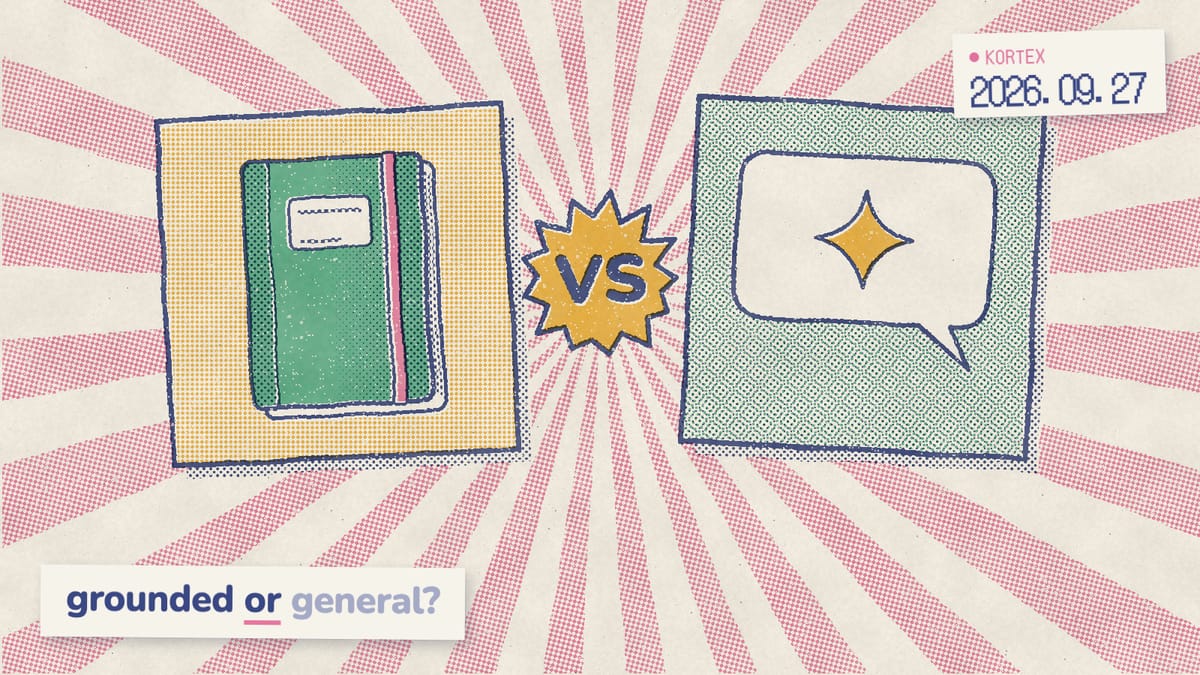
Notebooks in Gemini vs Gemini Notebook (formerly NotebookLM)
Notebooks in Gemini vs NotebookLM: one is a project space inside the Gemini app, the other is the research app Gemini Notebook. How they sync, where Gems fit.
Google has three things with nearly the same name: Gemini Notebook, Notebooks in Gemini, and the plain Gemini chat that can hold files. Add Gems and the confusion writes itself. In fact, they aren’t duplicates. Each one does a different job, and two of them share the same underlying notebooks. Here’s how to tell them apart, and when to open which.
Key Takeaways
- Gemini Notebook is the standalone research app formerly called NotebookLM.
- Notebooks in Gemini is a project space in the Gemini app (Google, 2026).
- The two sync sources both ways.
- Gems are reusable instructions for repeat tasks, free for users over 18.
How is Gemini Notebook different from Notebooks in Gemini?
Gemini Notebook is a standalone app, while Notebooks in Gemini is a section of the Gemini chat app. Google describes Notebooks in Gemini as a place to keep chats, files and custom instructions for big projects (Google, 2026). In other words, one is a research tool and the other is a project folder. Gemini Notebook is the app formerly called NotebookLM, and it lives at notebook.google.com. You add sources, and it answers from them with inline citations. Its Studio panel then turns them into Audio and Video Overviews, Mind Maps, Reports, Flashcards, Quizzes, Infographics and Slide Decks. Notebooks in Gemini is a section of the Gemini app at gemini.google.com. It feels like a project folder inside a chat assistant: chats stay grouped, your instructions stay attached, and your files are there when you come back.
The names trip people up. When we analyzed 1,451 Google autocomplete suggestions for these topics in October 2026, searchers were typing “is gemini notebook and notebooklm the same”. In fact, they are one product, renamed. Notebooks in Gemini is the different one. For the backstory, see our explainer on NotebookLM becoming Gemini Notebook. Anthropic’s take on the project-folder idea is Claude Projects, which our Gemini Notebook vs Claude Projects breakdown covers.
Do Notebooks in Gemini sync with Gemini Notebook?
They sync in both directions. Google says “any source you add in one place automatically appears in the other” (Google, 2026). As a result, you can start a project in the Gemini app, then open it in Gemini Notebook for tools the chat app lacks. Specifically, Google names Video Overviews and Infographics as features that stay in Gemini Notebook, even for notebooks you started in Gemini. That makes the pair a pipeline, not a choice. For example, collect material while you chat in Gemini, then switch to Gemini Notebook when you need cited answers or a Studio output. Work and school accounts get a smaller version, however. Their Notebooks in Gemini can hold up to 10 sources (Google Workspace Updates, 2026). So which app is better? It matters less than which step of the work you’re on. You can also work with your notebooks from any Gemini chat by typing @Gemini Notebook, as our guide to using Gemini Notebook in the Gemini app shows.
What is a Gem, and how is it different from a notebook?
A Gem is a custom version of Gemini with saved instructions and, optionally, reference files. Gems are free for users over 18, including on the Android and iOS apps (9to5Google, 2025). You write the setup once, such as “copy editor who follows our style guide”, and every chat with that Gem starts from it. In addition, Google ships five premade Gems, including Brainstormer, Coding Partner and Learning Coach. So how do you pick between a Gem and a notebook? Use a simple test. If you’d describe it as “how I want Gemini to behave”, make a Gem. If you’d describe it as “everything about this project”, make a notebook. In other words, Gems shape behaviour, while notebooks hold material that builds up over time. Google is moving Gems to skills; our guide to Gemini skills explains the switch.
Side by side: four ways to work in Gemini
A Gemini notebook holds 50 sources on the free tier and up to 600 on Ultra (Gemini Notebook Help, 2026). Notebooks in Gemini share those notebooks. That said, work and school accounts can add only up to 10 sources there (Google Workspace Updates, 2026). Here’s how all four options compare.
| Gemini Notebook | Notebooks in Gemini | Gems | Regular Gemini chat | |
|---|---|---|---|---|
| Where it lives | notebook.google.com and its mobile app | A section of the Gemini app | The Gemini app | The Gemini app |
| Best for | Research and study grounded in specific sources | Ongoing projects mixing chats, files and instructions | Repeat tasks with fixed instructions | Quick questions and brainstorming |
| Answers cite your sources | Yes, inline | Uses the notebook as context | No | No |
| Studio outputs (Audio, Video, Slides) | Full Studio | Open the notebook in Gemini Notebook | No | No |
| Shares material with the other | Syncs with Notebooks in Gemini | Syncs with Gemini Notebook | No | No |
| Sources | 50 free, up to 600 on Ultra | Same notebooks; up to 10 on work and school accounts | Reference files | Files per chat |
When should you use Gemini Notebook, Notebooks in Gemini or a Gem?
The deciding question is whether answers must match specific documents. In a 2025 study accepted to the Computation + Journalism Symposium, NotebookLM hallucinated in 13% of outputs on a 300-document corpus, versus about 40% for ChatGPT and Gemini (Hagar, Agustianto & Diakopoulos, 2025). Notably, most errors weren’t invented facts. The authors describe models that “added unsupported characterizations of sources” instead. When the page an answer came from matters, therefore, open Gemini Notebook. For instance, literature reviews, contracts, exam prep and due diligence all need answers you can check. Our guide on using Gemini Notebook for research walks through a full workflow, and how to study with Gemini Notebook turns a notebook into a quiz you can drill.
For everything else, here’s the rule of thumb:
- Notebooks in Gemini for projects that live in chat, such as planning a trip or drafting a proposal over several weeks.
- A Gem when the task repeats, such as weekly report summaries, tone checks or flashcards in a set format.
- A regular chat for everything quick. Does a definition really need a container? Not everything does.
The two also work well together. Explore in a Gemini chat, then open the notebook in Gemini Notebook for a cited report or an Audio Overview for the commute. The step that joins them, in other words, is getting the useful parts of your chats into the notebook as sources.
Turn any AI chat into a notebook source
Kortex adds an import button inside Gemini, ChatGPT, Claude and Perplexity, so a chat becomes a labelled source in one click. Send it again and it updates that source instead of adding a copy. Free on Chrome.
Why can’t I see Notebooks in the Gemini app?
Who gets it depends on your account type and region. It’s a common worry, too: “notebooks in gemini disappeared” was one of the suggestions we found in that October autocomplete data. Notebooks show up in the Gemini web and mobile apps once Gemini Notebook is linked to Gemini. Google also says some accounts might not have it (Gemini Help, 2026). Here’s who gets it:
- Personal accounts: Gemini Notebook links to Gemini on its own in most regions. In the European Economic Area (EEA), you link it yourself: add @Gemini Notebook to a prompt, or turn it on in Connected Apps (Gemini Help, 2026).
- Work and school accounts: on by default, but only where an admin has both apps turned on. It isn’t offered to organizations in the EEA (Google Workspace Updates, 2026).
Still missing? Check which Google account the tab is signed in with. Notably, that’s the most common cause, and our Gemini Notebook troubleshooting guide covers the rest.
How does Kortex fit between them?
Kortex carries chats into Gemini Notebook. We built its import button to sit inside Gemini, ChatGPT, Claude and Perplexity, and Kortex users have run 105,000+ imports so far (Kortex, 2026). Send a Gemini chat once and it becomes a labelled source. Send it again, and Kortex updates that source instead of adding a copy. Saving chats is a small but keen ask. When we analyzed 776 Kortex MCP waitlist answers from September and October 2026, we found 16 people asking to save AI chats into notebooks, and 81% of them already paid for Kortex Pro. In addition, once your material is in Gemini Notebook, Kortex adds what neither Google app has. That means collections and tags across every notebook, search across your whole library, automation rules, and export to PDF, Markdown, text or ZIP.
Start with getting started with Kortex. Similarly, it works the other way. With Kortex MCP, included with Kortex Pro and Lifetime, Claude or ChatGPT can ask your Gemini notebooks questions and answer with citations.
So chat in Gemini, research in Gemini Notebook, and let Kortex carry the good bits across.
Carry the good bits from chat to notebook
One click sends any Gemini, ChatGPT, Claude or Perplexity chat into Gemini Notebook as a labelled source, and Kortex adds collections, search and export across every notebook. Free on Chrome.
Frequently asked questions
How is Gemini Notebook different from Notebooks in Gemini?
Gemini Notebook is the standalone research app formerly called NotebookLM, at notebook.google.com. Notebooks in Gemini is a section of the Gemini chat app that groups chats, files and instructions by project (Google, 2026). They sync sources both ways, but Video Overviews and Infographics live in the standalone app.
Do Gemini notebooks sync with Gemini Notebook?
Yes. Google says a source added in either app automatically appears in the other. That means you can start a project in the Gemini app, then open the same notebook in Gemini Notebook to make an Audio Overview, a Video Overview or a Slide Deck from it.
What is the difference between a Gem and a notebook?
A Gem is a reusable set of instructions, optionally with reference files, that makes Gemini act like a specialist every time you open it. A notebook holds a project’s sources and conversations. Gems are free for Gemini users over 18, so try one for any task you repeat weekly.
Why can’t I see Notebooks in the Gemini app?
It depends on your account and region. On a personal account, notebooks show up in the Gemini web and mobile apps once Gemini Notebook is linked. That happens on its own in most regions; in the European Economic Area, you link it by hand. Work and school accounts only get it if an admin has both Gemini and Gemini Notebook turned on.
Should I use Gemini Notebook or a regular Gemini chat for research?
Use Gemini Notebook when accuracy against specific documents matters. In a 2025 study, NotebookLM hallucinated in 13% of outputs versus about 40% for ChatGPT and Gemini chat (Hagar, Agustianto & Diakopoulos, 2025). Use a regular chat for quick questions, brainstorming and web lookups where no particular source set is involved.
Editorial note: fact-checked against the official help pages and docs linked above on October 26, 2026. Spotted something out of date? Contact us and we will fix it, or read more about Kortex.