12 Gemini Notebook (formerly NotebookLM) Use Cases
12 NotebookLM use cases with examples, from studying and research to meeting notes, onboarding and contract review, plus where each works and where to be wary.
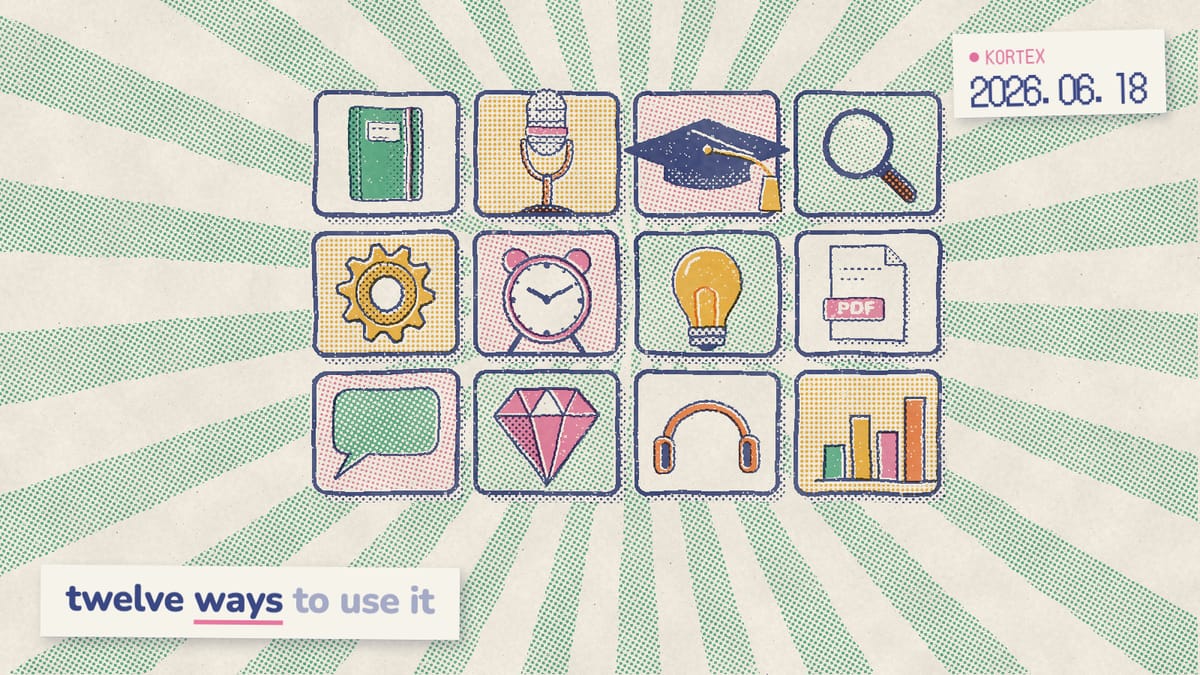
Most people open Gemini Notebook (formerly NotebookLM), upload one PDF, ask a question, and never come back. That’s a waste. The tool can hold 50 sources per notebook at up to 500,000 words each, enough to anchor a semester of study, a research project or a quarter of meeting notes. In other words, the difference between a forgettable demo and a useful workflow is knowing what to point it at. So here are 12 use cases that earn their place, with notes on where each one works and where you should stay skeptical.
Key Takeaways
- The free tier gives you 100 notebooks, 50 sources each, and up to 500,000 words per source (Gemini Notebook Help, 2026).
- The best use cases ground every answer in your own documents: studying, research, meeting notes and repurposing.
- Testing yourself beats rereading, which is why Quizzes and Flashcards beat passive summaries.
- Legal review needs caution, because a citation still has to be checked.
What is Gemini Notebook good for, and when should you skip it?
Gemini Notebook works best when answers must come from your documents, not the open web. The free tier supports 50 sources per notebook, and each one can run to 500,000 words or 200MB (Gemini Notebook Help, 2026). Since September 2, 2026, chats and overviews draw on an allowance that refreshes every five hours instead of a fixed daily count (Gemini Notebook Help, 2026), which our usage limits guide explains. That source-grounded design is the whole point. Specifically, a good use case has a set of inputs you can upload and questions worth asking of them. Notably, demand backs this up. When we analyzed 776 answers to our Kortex MCP waitlist survey (Sep-Oct 2026), the top asks were running notebooks on a schedule (128 people), tidying the library (121) and getting cited answers from notebooks (110).
Here’s the test. Do you have a finite set of documents, and do you need to extract, summarize or quiz yourself on what’s inside? If yes, it’s probably a fit. In addition, it accepts Google Docs, PDFs, Word files, ePub, slides, spreadsheets, audio, images, pasted text and public YouTube videos with captions. The poor fits, however, are just as clear:
- Live data. Prices, scores and news change faster than your sources.
- Facts you haven’t added. If the answer isn’t in your sources, it won’t give one.
- Work across notebooks. Each notebook is independent, so it can’t answer from two at once.
| Use case | Best Studio output | Watch out for |
|---|---|---|
| 1. Studying a course | Quizzes and Flashcards. | Check answers against your notes. |
| 2. Commute revision | Audio Overview. | Listening isn’t a substitute for testing. |
| 3. Research synthesis | Report and Mind Map. | It can’t see papers you didn’t add. |
| 4. Meeting notes | Brief overview and Report. | Bad transcripts give bad summaries. |
| 5. Content repurposing | Chat drafts and Report. | Edit every draft before you post. |
| 6. Contract review | Chat with citations. | Read every cited clause yourself. |
| 7. Onboarding docs | Chat and FAQ report. | Keep the handbook current. |
| 8. Podcast prep | Audio Overview. | Check facts before you record. |
| 9. Customer research | Report and Data Table. | Quotes need their context. |
| 10. Book summaries | Study guide. | Long books still need skimming. |
| 11. Grant drafting | Chat and Report. | Funders read closely, so verify. |
| 12. Personal knowledge base | Chat and notes. | It grows messy without tidying. |
How can students use Gemini Notebook to study?
Students should turn course material into Quizzes and Flashcards instead of rereading it, and the research backs that up. Retrieval practice is the habit of pulling facts out of memory, such as answering a quiz question, instead of reading them again. In a controlled Science study, repeated studying after learning had no effect on delayed recall, while repeated testing produced a large positive effect (Karpicke and Roediger, 2008). In addition, the students’ own predictions of how well they’d do didn’t match their real results. Gemini Notebook’s Quizzes and Flashcards, in particular, turn your notes into exactly that kind of active testing. For instance, you can pick easy, medium or hard questions, and flashcards download as a CSV file. Consequently, the tool punches above its weight for exam prep, as long as you check its answers against your notes.
Build a study notebook per course
Upload your lecture slides, textbook chapters and class notes into one notebook per subject. Then generate a study guide, run Quizzes, and create Flashcards from the material. As a result, you can trace every fact back to a page, because each answer cites the source. For the full workflow, see our guide on how to study with Gemini Notebook.
Use Audio Overviews for commute revision
Generate an Audio Overview and listen on the bus. The mobile apps, launched in May 2025, let you download Audio Overviews and listen offline (Google, 2025). Hearing two AI hosts discuss your material is a low-effort review that fits dead time. The catch, however, is that each download lives in one app, one overview at a time, when a term of revision deserves a proper playlist.
Your Audio Overviews, in your podcast app
Kortex turns your Audio Overviews into a private podcast feed for Spotify, Apple Podcasts or any app that takes a URL, so each new revision episode just appears (a Pro feature). Free on Chrome.
How does Gemini Notebook help with research?
Gemini Notebook helps with research by answering questions across many documents at once, and this is where the 50-source limit pays off. You can pile a literature review, primary documents and your own notes into one notebook, then ask cross-document questions that no single PDF could answer. For example, ask it to compare findings across papers, surface contradictions, or build a timeline. The Mind Map feature, meanwhile, shows how concepts connect across your sources. Grounding helps here, but it isn’t perfect. In a 2025 study of a 300-document reporting task, 13% of NotebookLM outputs contained a hallucination, against about 40% for ChatGPT and Gemini (Hagar et al., 2025). Therefore, open the citation before a claim goes into your paper. Additionally, it summarizes only what you upload, so it won’t catch a paper you forgot to add. Students running project work should check the student research workflow for a step-by-step process.
Can Gemini Notebook summarize your meeting notes?
Yes, and it’s underrated. Upload a transcript or a recording, and Gemini Notebook pulls out decisions, action items and open questions, all grounded in what was actually said. It accepts audio files such as MP3 and WAV, and it transcribes them when you import them (Gemini Notebook Help, 2026). Thus, one notebook per recurring meeting can hold months of history you can question later. In fact, people want this badly. One answer in our waitlist survey described the dream setup: “Based on the sender/name of meeting etc the documents are automatically uploaded to specific meeting notebooks.” In total, 59 of the 776 respondents asked to bring email into notebooks. Nevertheless, Gemini Notebook can’t fetch your inbox or calendar on its own. Instead, you add each week’s transcript as a new source, or let an AI assistant carry it in for you.
Generate a Brief instead of a Deep Dive
For meetings, the Brief Audio Overview format gives a tight recap rather than a full discussion. Likewise, pair it with a Report for a written summary your team can scan quickly. If you use Claude or ChatGPT, your assistant can read meeting notes in Google Drive or Calendar, and Kortex MCP, a private beta for invited Kortex Pro members, can carry them into that notebook for you.
How can creators repurpose content with Gemini Notebook?
Creators repurpose content by dropping a long blog post, transcript or report into Gemini Notebook and asking for a thread outline, newsletter draft or a set of social hooks. It’s a fast win. Gemini Notebook makes Audio and Video Overviews in 80 languages (Google, 2025), so one source can spawn formats for several channels at once. Importantly, the trick is feeding it your own published work as sources. Then it riffs on your actual ideas, not generic filler. We found strong demand for exactly this: in our waitlist survey, 91 of 776 people wanted to draft writing from their own sources. One wanted “fact-checked first drafts for market updates, newsletters and LinkedIn content based on approved source material.” That said, the output still needs your editing pass, but it kills the blank-page problem. Want a starting point? Our list of the best Gemini Notebook prompts includes several repurposing templates.
Is Gemini Notebook safe for legal and contract review?
Only with verification, and that’s not optional. A 2024 Stanford study tested GPT-3.5, Llama 2 and PaLM 2 on legal questions. Hallucination rates ranged from 69% to 88% on specific legal queries, and at least 75% on a court’s core ruling (Stanford RegLab, 2024). Those were general chatbots answering from memory, in contrast to a tool reading your contract. Gemini Notebook’s citations reduce the risk, because every claim links back to your document. However, you must still read the original clause. The reason it’s safer than a general chatbot for contract work isn’t smarter reasoning. It’s the citation trail. When the model points to the exact sentence in your uploaded contract, you can confirm or reject it in seconds. Use it to find clauses, flag unusual terms and draft questions for a lawyer, never as a substitute for legal advice. Hence, the risk doesn’t vanish; it just becomes checkable.
What are more Gemini Notebook use case examples?
Six more good fits are onboarding docs, podcast prep, customer research, book summaries, grant drafting and a personal knowledge base. Beyond the headline cases, Gemini Notebook fits a surprising range of grounded tasks. Meanwhile, the free tier’s 100 notebooks mean you can run a separate notebook for each one without sources bleeding together. Similarly, teachers use it heavily. Forbes contributor Dan Fitzpatrick, who runs AI workshops for educators, has seen them use it “to build courses, examine school data, learn unfamiliar topics and turn existing material into resources for students” (Forbes, 2026). Here’s how each of the six works.
Onboarding and internal docs
Load your handbook, process docs and FAQs, then let new hires ask questions and get cited answers. It turns a static wiki into something you can question.
Podcast preparation
Load guest research, past episode transcripts and your show notes. Then generate talking points and an Audio Overview to hear your angle out loud before you record.
Customer and user research
Drop interview transcripts and survey responses into one notebook, then ask for recurring themes, pain points and verbatim quotes. The cross-source synthesis surfaces patterns a single read often misses.
Book and long-PDF summarization
Each source holds up to 500,000 words; therefore, most books fit in one upload. Generate a chapter outline, key arguments and a study guide.
Grant and proposal drafting
Add the funder’s guidelines, past winning proposals and your project notes. Ask Gemini Notebook to draft sections and check your draft against the requirements.
Personal knowledge base
A personal knowledge base is one evolving notebook of articles, clippings and notes you keep for reference. It’s the use case that grows with you, and it’s a popular one with AI users: 83 people in our waitlist survey wanted their notebooks to work as memory for their AI. That notebook can serve as long-term memory for Claude or ChatGPT through Kortex MCP, a private beta for invited Kortex Pro members. Accordingly, keep it tidy with clear titles, because a library of “Untitled notebook” is hard to search.
How does Kortex extend these Gemini Notebook use cases?
Kortex extends them by getting your work out of the notebook. Here’s the gap every use case eventually hits: Gemini Notebook can send a single note to Google Docs, but it can’t export a notebook’s sources or chats. Consequently, moving a study guide, meeting summary or research synthesis out means one note at a time. Google AI Plus raises the cap to 100 sources per notebook (Gemini Notebook Help, 2026), but more capacity doesn’t get your work out. Kortex is a free Chrome extension we built to close that gap. It adds export, a saved prompt library, web clipping and automation on top of Gemini Notebook:
- Export: turn a meeting summary into Markdown for Notion, or a study guide into a clean PDF.
- Prompt library: save your best research and repurposing prompts and reuse them across notebooks.
- Clipping and automation: add sources faster, and chain repetitive steps.
It enhances Gemini Notebook; it doesn’t replace it. See getting started with Kortex for setup, or read Kortex vs Gemini Notebook for a feature-by-feature comparison.
Pick one use case from this list and build a real notebook this week, not a throwaway demo. Once it holds a study guide, meeting summary or research synthesis you want to keep, get it out.
Get your study guides and summaries out
Kortex exports a notebook's notes, chats and sources as Markdown or PDF in one click, so a meeting summary becomes Markdown for Notion and a study guide a clean PDF. Free on Chrome.
Frequently asked questions
What is Gemini Notebook best used for?
Gemini Notebook works best when answers must come from your own documents. Strong use cases include studying, research synthesis, meeting notes and content repurposing. The free tier holds 50 sources per notebook at up to 500,000 words each, so most projects fit comfortably.
Can Gemini Notebook summarize PDFs and books?
Yes. Gemini Notebook accepts PDFs, ePub files, Word docs and pasted text, with each source holding up to 500,000 words or 200MB. It generates summaries, study guides and Audio Overviews grounded in the actual book or document text.
Is Gemini Notebook good for legal or contract review?
Use it cautiously. In a 2024 Stanford study, general chatbots hallucinated on specific legal queries 69% to 88% of the time. Gemini Notebook cites your own documents, which helps, but always check every clause against the original contract before relying on it.
Can I use Gemini Notebook for meeting notes?
Yes. Upload transcripts, recordings or pasted notes, then ask for action items, decisions and summaries. Gemini Notebook supports audio files and text directly. It answers only from your meeting content, so output stays anchored to what was actually said.
Does Gemini Notebook work for podcast preparation?
It’s well suited. Load guest research and past episode transcripts, generate an Audio Overview to hear your material discussed, and pull talking points and questions from your sources, with citations you can check before you record.
How many notebooks can I create for different use cases?
The free tier allows 100 notebooks, each holding 50 sources. Google AI Plus raises that to 200 notebooks with 100 sources each. That’s enough to keep separate notebooks for studying, work projects and personal research without crowding sources together.
Editorial note: fact-checked against the official help pages and docs linked above on October 1, 2026. Spotted something out of date? Contact us and we will fix it, or read more about Kortex.