# Prompt Shortcuts: Type ; to Insert a Prompt
A prompt shortcut is a short word you give to a saved prompt. Type a semicolon and that word in a supported AI chat box, press Enter, and Kortex inserts the whole prompt. Your hands never leave the keyboard.
 ## Why use a shortcut?
It works like a text shortcut on your phone. You type `;sum` and a whole paragraph shows up. Your hands never leave the keyboard.
## How to give a prompt a shortcut
1. Open your prompts. The easiest way is the side panel's **Prompts** tab, or the Library's Prompts view.
1. Make a new prompt, or edit one you have.
1. Fill in the **Shortcut** box with one short word, such as `sum`.
1. Save the prompt.
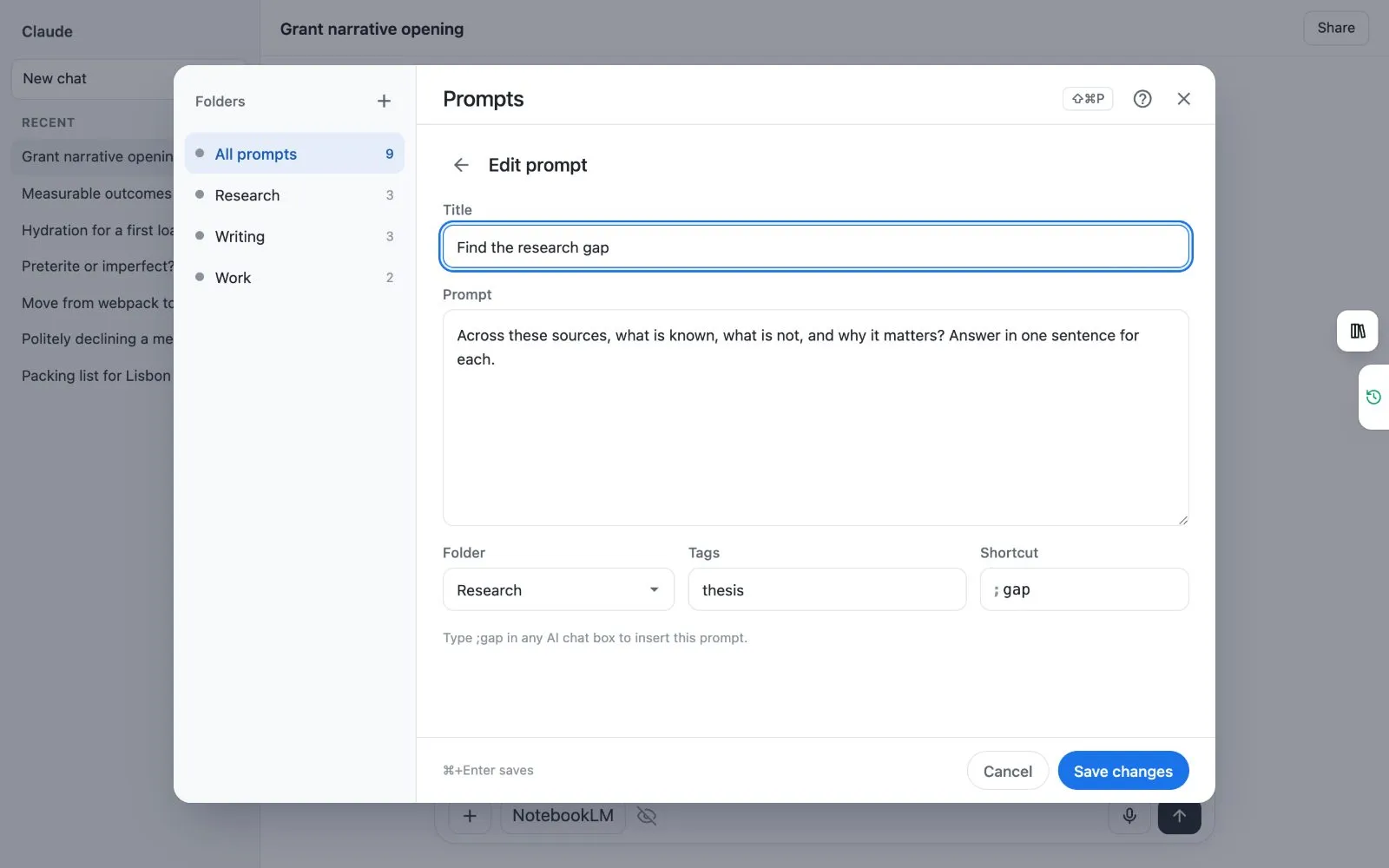 ## How to use a shortcut
1. Click in the chat box of an AI site.
1. Type `;`. A menu opens with your prompts. Prompts you use most come first.
1. Type the shortcut, or the first letters of a title, to narrow the list.
1. Press **Enter** or **Tab** to put the prompt in the chat box.
There is a faster way. Type the whole shortcut and then a space, such as `;sum `. The prompt goes in straight away. Press **Esc** to close the menu.
 ## Which sites does it work on?
The `;` menu works in the chat box on the AI sites Kortex supports. These are ChatGPT, Claude, Gemini, Perplexity, Grok, Genspark, Kimi, Merlin and OpenEvidence. On any other site, use the [prompt panel](/docs/prompts-anywhere).
## How do I turn it off?
1. Open the side panel and click the three dots (**⋯**) in its top right corner.
1. Choose **Manage features**.
1. Switch off **Prompt Shortcuts**.
The `;ref`, `;ask`, `;me` and `;pack` commands share this switch, so they stop too.
:::tip Good to know
- If your own prompt uses a word that is also a Kortex command, your prompt wins.
- Prompts with blanks open a small form first. See [Prompts with blanks](/docs/prompt-blanks).
:::
Next: [Prompts with blanks](/docs/prompt-blanks), [The ; commands](/docs/semicolon-commands).