# Let an AI Assistant Search Your Saved Chats
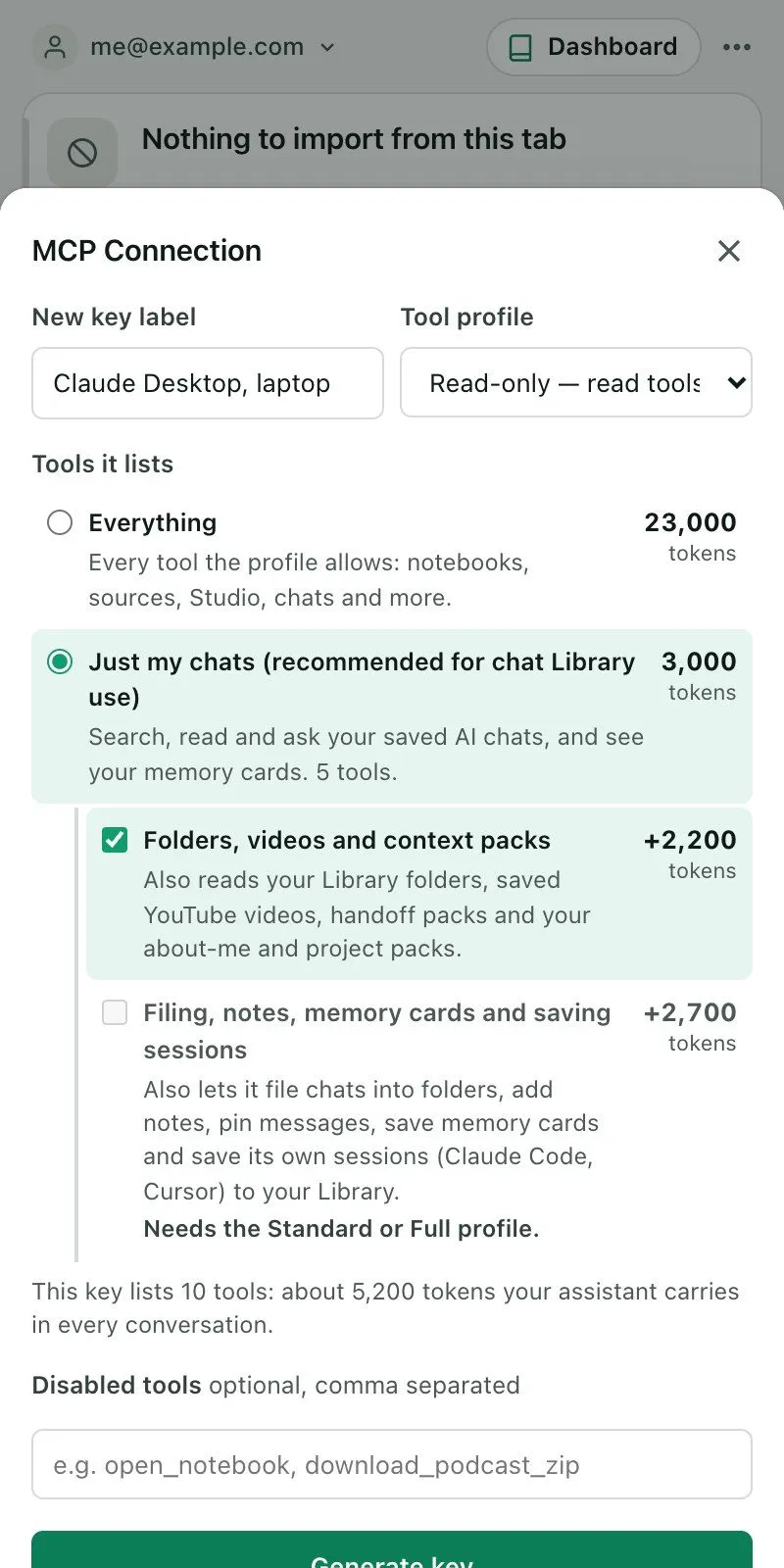
MCP is a way to let an AI assistant use a tool. Kortex MCP can give an assistant your chat Library and nothing else. Make an API key with the **Just my chats** option, and the assistant can search, read and ask your saved chats.
 Who can connect, and what a key does in general, is on the [MCP overview](/docs/mcp-server). Chrome has to be open with Kortex installed, because every call runs inside your extension. The first call after Chrome has been idle can take up to 30 seconds.
:::info This needs Kortex Pro
The Library over MCP is not on every plan. See [pricing](https://www.kortex-notebooklm.com/#pricing).
:::
## How to make the key
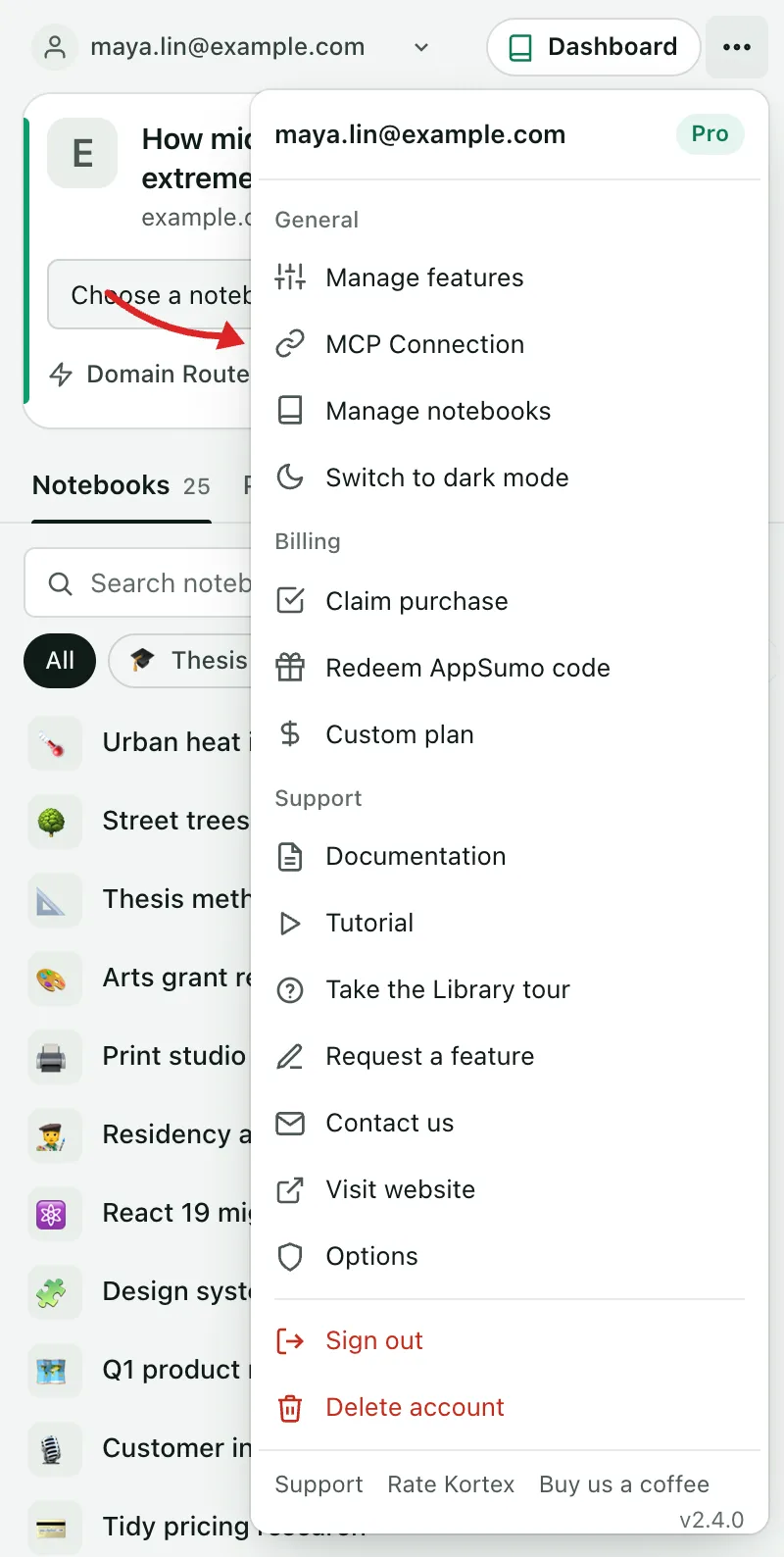
1. In the side panel, open ⋯ (Account and settings), then **MCP Connection**.
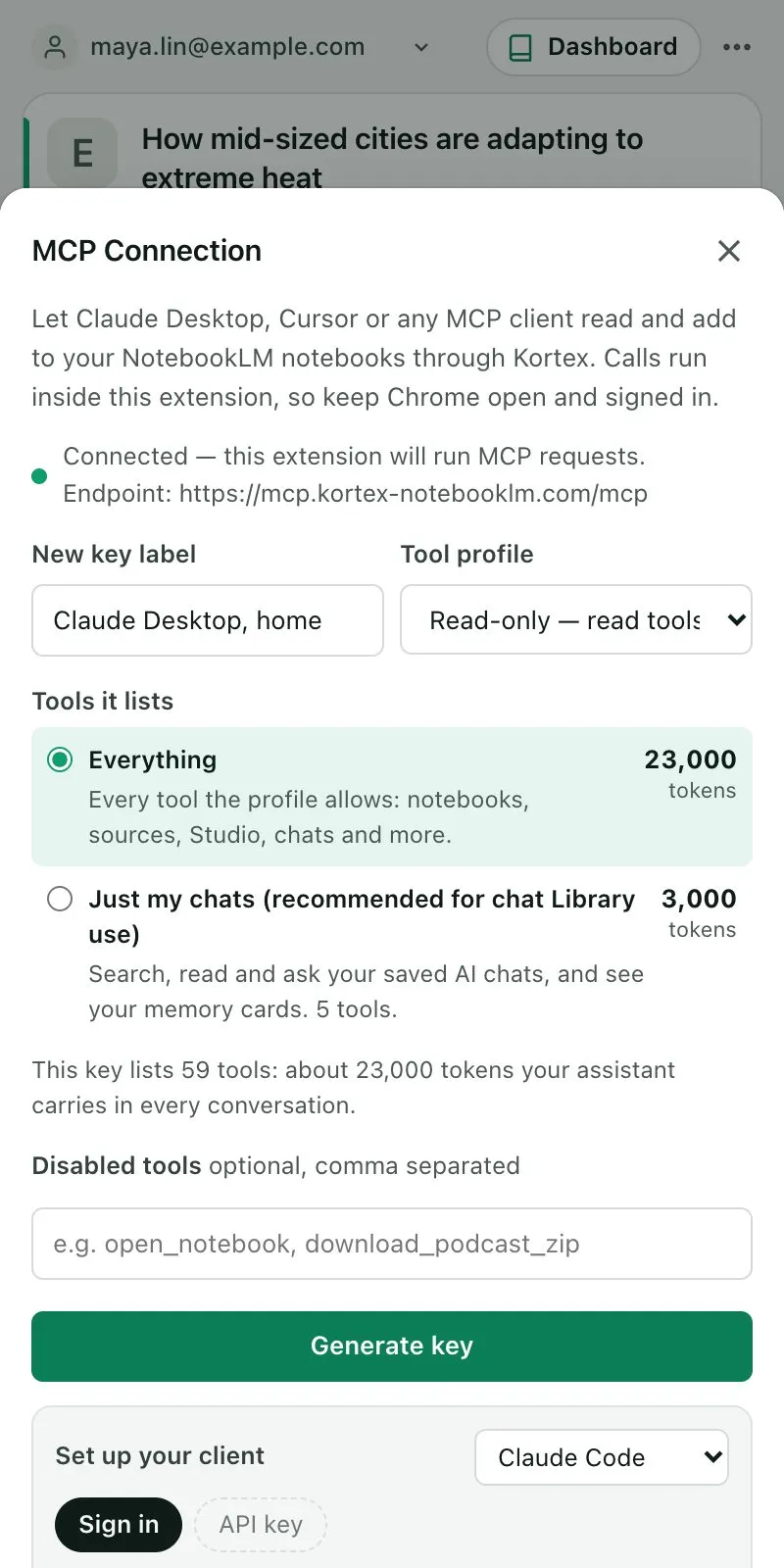
1. Name the key and pick a **Tool profile**.
1. Under **Tools it lists**, choose **Just my chats (recommended for chat Library use)**.
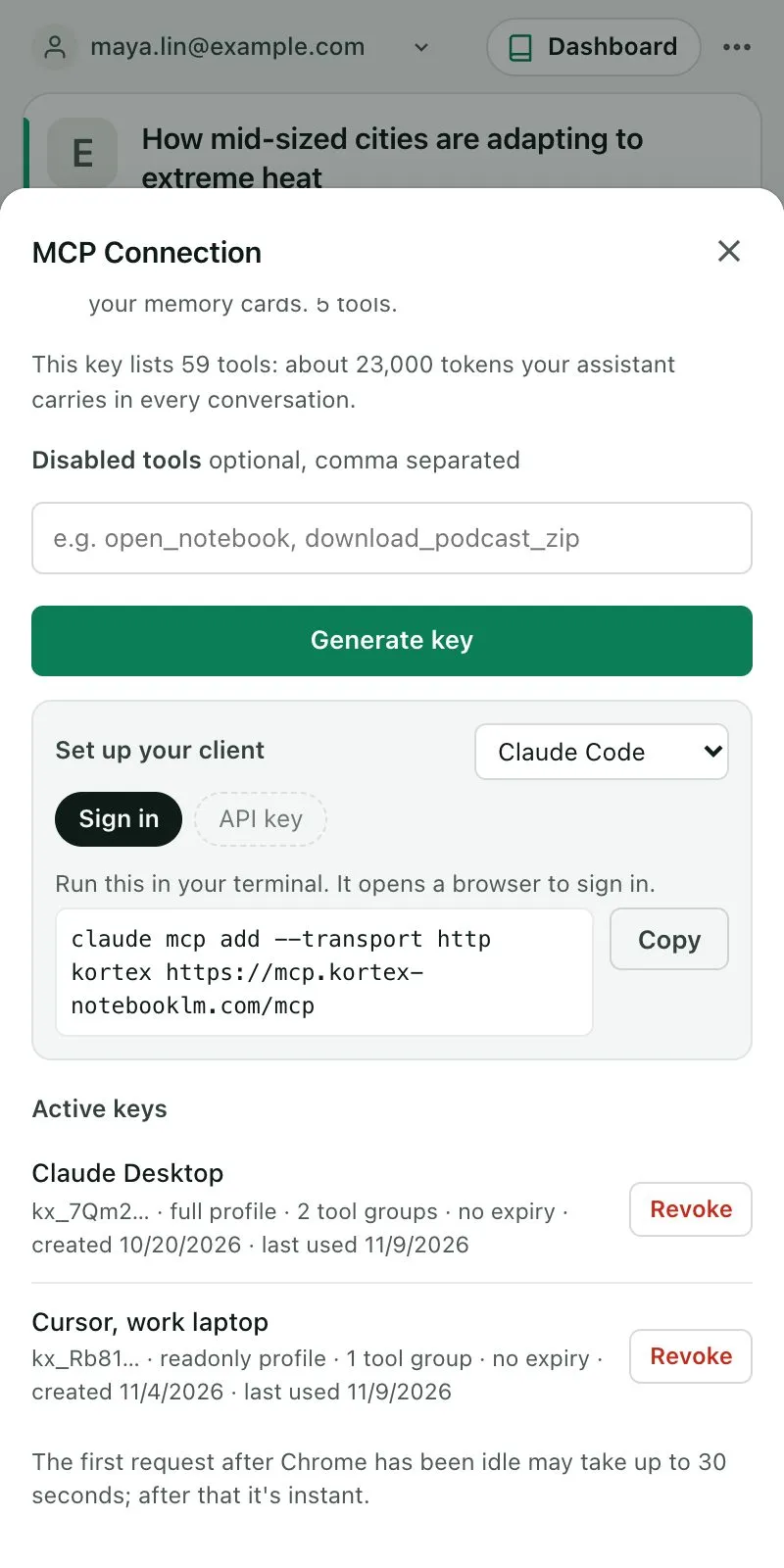
1. Tick either extra if you want it (below), then click **Generate key** and copy it. It starts with `kx_mcp_`.
1. **Set up your client** shows the setup for each app. Use its **API key** tab.
 In Claude Code, for example:
```bash
claude mcp add --transport http kortex \
https://mcp.kortex-notebooklm.com/mcp \
--header "Authorization: Bearer kx_mcp_your_key_here"
```
Other apps are on [Connect your client](/docs/mcp-clients). Just my chats is a choice you make on a key, so use a key rather than signing in.
## What can the assistant do?
Five tools, about 3,000 tokens of tool descriptions, where the whole catalog costs up to about 64,000. A token is a small piece of text an AI counts, a bit like a word.
- `search_library`: chats, videos and notebooks that match, by words and by meaning, best first, each with a link.
- `recent_chats`: your newest chats (or videos), each with its opening question.
- `get_chat`: one chat, a page at a time, with a link to each message on its site.
- `ask_chats`: passages from earlier answers that answer a question, each cited to its message. Nothing is generated.
- `list_memory_cards`: the facts you kept in [Memory](/docs/library-memory), with where each came from.
In the assistant's `/` menu, this key lists the recipes `recall`, `find_decision` and `pull_chat_spec`.
## Two extras
- **Folders, videos and context packs**: Library folders, saved YouTube videos, handoff packs, and your about-me and project packs. Not available with the Minimal profile.
- **Filing, notes, memory cards and saving sessions**: file chats into folders, add notes, pin messages, save memory cards, and save the assistant's own session to your Library. Needs the Standard or Full profile. Every write asks first, and saving a session is refused when you have not turned on saving chats.
## The privacy rules still hold
- Chats in a private folder are left out of every list and search, and asking for one by its id is refused.
- Likely secrets (API keys, tokens, passwords, card numbers) are masked before a result leaves.
- Each call that carries chat text is listed in the Library's **Privacy** view, under **Sent from this computer**, with the app's name.
The chat tools never reach Gemini Notebook or an AI site. They read the Library on your computer, and a call reaches your extension through a short-lived job on Kortex's servers, which deletes itself about an hour later. What the assistant does with what it receives is governed by that assistant's own terms.